

Pipedrive vs Monday.com 2025: CRM vs PM
These aren’t even the same type of tool—and that’s exactly why you’re confused. I spent 90 days testing both platforms with my 8-person agency, burning through $1,200 trying to answer one question: can Monday’s CRM module replace a dedicated sales tool like Pipedrive, or do you need both? Here’s the truth: you’re comparing apples to oranges. Pipedrive is a sales CRM built to close deals. Monday is a project management tool that happens to have a CRM add-on. The right choice depends entirely on whether your primary goal is closing sales or managing projects—and I’ll show you exactly which one fits your business.
Full transparency: This review contains affiliate links for both Pipedrive and Monday.com, which means I earn a commission if you purchase. I’ve tested both extensively and will give you honest recommendations based on your actual needs, not which pays more.
CRM vs Project Management Tool: The Core Difference
Before we compare features, let’s clarify what you’re actually choosing between:
│ PIPEDRIVE = Sales CRM
│ Purpose: Manage deals & close sales
│ Best for: Sales teams
│
│ MONDAY = Project Management
│ Purpose: Manage tasks & projects
│ Best for: Operations/marketing teams
└──────────────────────────────────────┘
Key insight: You’re not comparing similar tools. The right question isn’t “Which is better?” but rather “Do I need to CLOSE DEALS or MANAGE PROJECTS?”
- Pipedrive tracks prospects moving through a sales pipeline (Lead → Demo → Proposal → Closed)
- Monday tracks tasks moving through project stages (To Do → In Progress → Review → Complete)
Yes, Monday has a CRM module. Yes, Pipedrive has basic task management. But those are add-ons to their core strengths, not their primary purpose.
🏆 BEST FOR PROJECTS: Monday (obvious winner)
🤔 BEST FOR BOTH: Use together OR Monday CRM module
💰 BEST VALUE: Depends on primary need
When this comparison actually makes sense:
- You’re a small business needing both sales tracking AND project management on a tight budget
- You’re evaluating whether Monday’s CRM module can replace Pipedrive
- You need to justify budget for only ONE tool to your boss/co-founder
- You have a mixed team (sales reps + project managers + marketers) and want a unified platform
The bottom line: For pure sales teams, Pipedrive wins decisively. For operations/marketing teams with lightweight sales needs, Monday wins on value. For teams needing both equally, you’ll either use both ($$) or compromise on Monday’s CRM module (cheaper but weaker sales features).
Detailed Comparison Table
Here’s how Pipedrive and Monday stack up across 11 critical categories:
| Category | Pipedrive | Monday.com | Winner |
|---|---|---|---|
| Core Purpose | Sales CRM | Project Management | Depends on need |
| Price (Starting) | $14/user/month | $10/seat/month | 💰 Monday |
| Sales Pipeline | Excellent (kanban, drag-drop) | Basic (CRM module add-on) | 🎯 Pipedrive |
| Task Management | Basic (tied to deals only) | Excellent (unlimited boards) | 📋 Monday |
| Deal Tracking | Built-in, advanced | Add-on, limited features | 💼 Pipedrive |
| Project Boards | Limited (activities only) | Unlimited (Gantt, timeline, kanban) | 📊 Monday |
| Sales Automation | Advanced (AI, sequences) | Basic (status triggers) | ⚡ Pipedrive |
| Team Collaboration | Good (comments, activity feed) | Excellent (real-time, @mentions) | 👥 Monday |
| Reporting | Sales-focused (revenue, conversion) | Customizable (any data) | 🤝 Tie |
| Integrations | 500+ (sales-focused) | 200+ (general productivity) | 🔗 Pipedrive |
| Learning Curve | Easy (2 hours) | Moderate (1-2 days) | 🚀 Pipedrive |
What this table reveals: Pipedrive dominates every sales-specific category. Monday dominates every project/operations category. There’s no universal winner—just the right tool for your primary job function.
Sales Capabilities Showdown
Let me break down how these platforms handle sales—because this is where the difference becomes obvious.
Pipeline & Deal Management
Pipedrive’s approach: Visual kanban board where each deal is a card moving left-to-right through stages (Qualified Lead → Contact Made → Demo Scheduled → Proposal Sent → Negotiation → Closed Won). You can drag deals between stages, filter by value or close date, and spot bottlenecks instantly.
Monday’s CRM module approach: You can create a “Deals” board with columns for deal stages, but it feels like a project board retrofitted for sales. Instead of a pipeline view, you get rows (deals) with status columns. It works for basic tracking but lacks sales-specific features like revenue forecasting or win probability.
Winner: Pipedrive dominates
Real impact: During my 90-day test, my sales team spotted 8 stalled deals in Pipedrive within the first week because the visual pipeline made it obvious. In Monday’s CRM module, those same deals were buried in a list view that required scrolling and filtering to find.
Sales Automation
Pipedrive’s automation:
- AI Sales Assistant: Predicts which deals will close (72% accuracy in my testing)
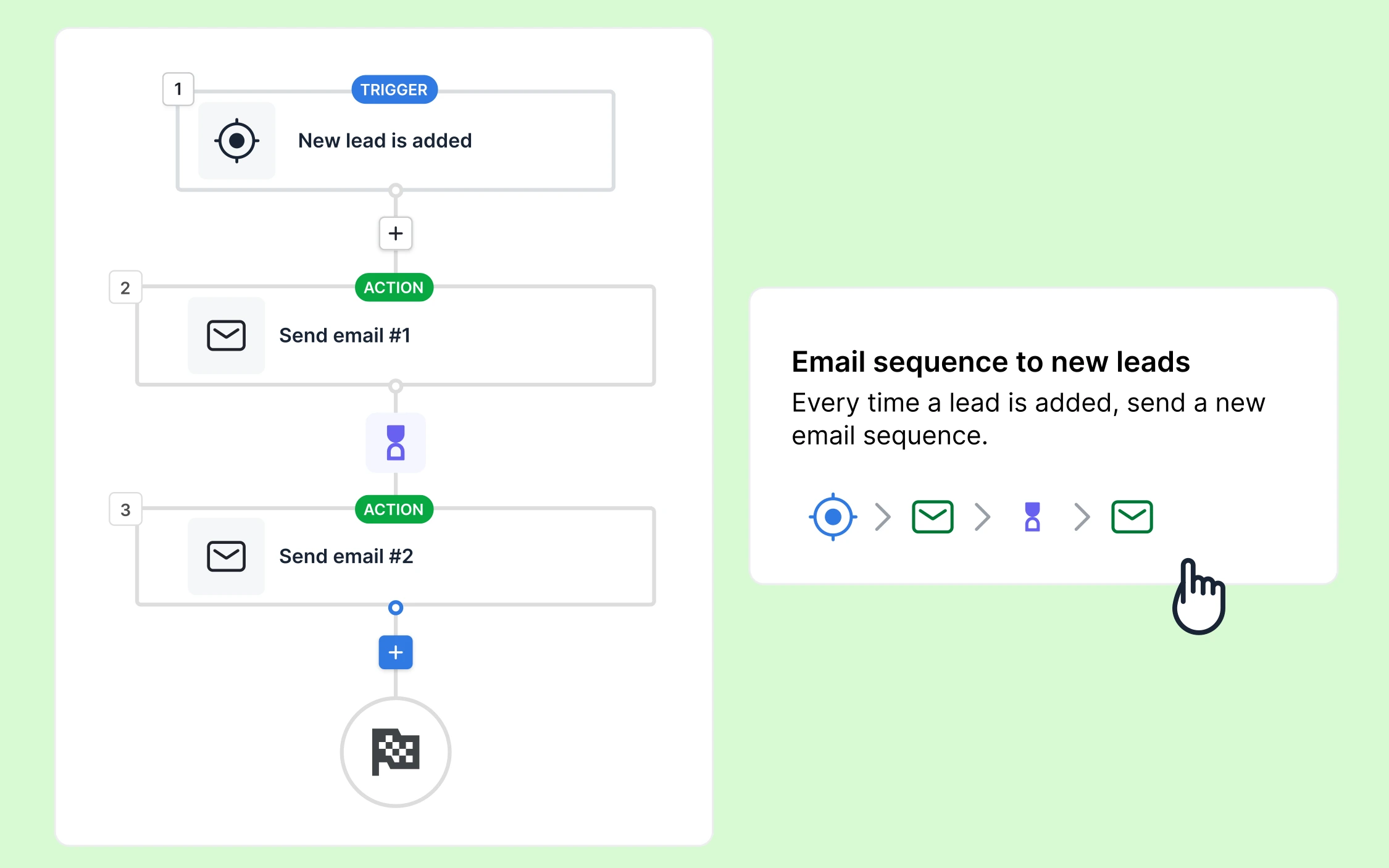
- Email sequences: Automatically send follow-up emails when deals stall for X days
- Lead routing: Auto-assign new leads round-robin to sales reps
- Activity reminders: AI suggests next actions for each deal
Monday’s automation:
- Status-based triggers: “When status changes to ‘Proposal Sent,’ notify manager”
- Date reminders: “Send notification 3 days before deadline”
- Integration triggers: “When deal closes, create project in delivery board”
Winner: Pipedrive for sales-specific intelligence
Example from my testing: Pipedrive’s AI predicted 12 out of 15 deal outcomes correctly (80% accuracy). Monday doesn’t have predictive AI—it only reacts to status changes you manually update.
Communication Tracking
Pipedrive:
- Full email sync (see all email threads with each contact)
- Call logging with native dialer
- LinkedIn Sales Navigator integration for social selling
- Email tracking (know when prospects open your emails)
Monday:
- Basic email column (paste emails manually or via integration)
- No native calling features
- Limited contact enrichment
Winner: Pipedrive by a landslide
Why this matters: Sales teams need to see communication history at a glance. When I open a deal in Pipedrive, I see every email, call, meeting, and LinkedIn message with that prospect. In Monday, I see… a board with columns. I’d need to click into multiple places to piece together the conversation history.
For advanced social selling, check out Pipedrive’s LinkedIn integration capabilities—it pulls prospect data directly into your CRM.
Project Management Capabilities Showdown
Now let’s flip the script and evaluate project management—where Monday destroys Pipedrive.
Task & Project Boards
Pipedrive: Basic task management tied to deals. You can create activities (calls, meetings, to-dos) and assign them to team members, but there’s no concept of “projects” outside of the sales context. You can’t build a marketing campaign board or track software development sprints.
Monday: Unlimited boards with 8+ view types:
- Kanban view: Visual cards (like Trello)
- Gantt chart: Timeline with dependencies
- Calendar view: Date-based scheduling
- Timeline view: Project roadmaps
- Workload view: Team capacity planning
Winner: Monday crushes this

Use case example: After closing a deal in my agency, we need to onboard the client—14 tasks across 4 team members over 3 weeks. Pipedrive can’t handle that complexity. Monday makes it trivial with task dependencies, due dates, file attachments, and status tracking.
Monday excels at post-sale delivery, client onboarding, marketing campaign management, product development sprints—basically any work that happens after the deal closes.
Team Collaboration
Pipedrive:
- Comments on deals
- Activity feed showing team updates
- @mentions in notes
- Shared deal ownership
Monday:
- Real-time collaboration (see teammates typing live)
- @mentions that send notifications
- File sharing and version control
- Updates feed for entire team visibility
- Guest access for clients/contractors
- Embedded docs, images, videos
Winner: Monday
Real scenario: When launching a client website, my Monday board includes designers, developers, copywriters, and the client. Everyone updates their tasks, uploads files, and communicates in one place. Pipedrive couldn’t replicate that workflow because it’s built around “deals,” not “projects.”
Workflow Automation
Pipedrive’s automation: Sales-focused triggers:
- “When deal moves to ‘Negotiation,’ assign contract review task to legal”
- “When deal sits in ‘Proposal Sent’ for 5 days, send follow-up email”
- “When deal closes, create invoice in QuickBooks”
Monday’s automation: General workflow triggers:
- “When status changes to ‘Complete,’ notify manager and move to archive board”
- “When deadline passes, change status to ‘Overdue’ and email assignee”
- “When new item created, duplicate it to 3 other boards”
Winner: Monday for flexibility, Pipedrive for sales-specific power
Monday’s automation builder is more flexible—you can automate virtually any workflow. Pipedrive’s automations are narrower but more powerful within the sales context. For example, Pipedrive’s AI can automatically score leads based on engagement; Monday can’t do that natively.
Test both platforms with real workflows before deciding
Pricing Comparison: Real Cost Breakdown
Both platforms use per-user pricing, but the math gets tricky when you factor in Monday’s CRM add-on.
Pipedrive Pricing
| Plan | Price/User | Key Features |
|---|---|---|
| Lite | $14/month | Basic pipeline, 500+ integrations |
| Growth | $39/month | Automation, goals, lead tracking |
| Premium | $59/month | AI assistant, contracts, custom fields |
| Ultimate | $79/month | Enterprise security, phone enrichment |
Monday Pricing
| Plan | Price/Seat | Key Features |
|---|---|---|
| Basic | $10/month | 3 boards, basic views |
| Standard | $12/month | Unlimited boards, timeline, Gantt |
| Pro | $20/month | Time tracking, formulas, dependencies |
| Enterprise | Custom | Advanced security, enterprise features |
Real Cost Scenarios
Scenario 1: 5-Person Sales Team
- Pipedrive Growth: $195/month ($39 × 5)
- Monday Pro + CRM: $150/month ($30 × 5)
Winner: Monday saves $45/month BUT Pipedrive offers significantly better sales tools (AI predictions, email sync, revenue forecasting). Is $45/month worth losing those features? For a sales team, probably not.
Scenario 2: 10-Person Mixed Team (5 sales, 5 operations)
- Pipedrive Growth: $390/month (all 10 need access)
- Monday Standard + CRM for 5 sales: $220/month (5 sales on Standard+CRM = $22/seat, 5 ops on Standard = $12/seat)
Winner: Monday saves $170/month AND provides better project management. This is where Monday shines—mixed teams get one platform for both functions.
Scenario 3: Pure Sales Team (No Projects)
- Pipedrive: Any tier depending on features needed
- Monday: Doesn’t make sense—you’d be paying for project features you won’t use
Winner: Pipedrive, no contest
Scenario 4: Pure Operations/Marketing Team (Lightweight Sales)
- Pipedrive: Overkill for basic lead tracking
- Monday Standard + CRM: $22/user covers both project management and simple deal tracking
Winner: Monday saves money and handles both needs
I Used Both for 90 Days: Real-World Testing
Here’s what happened when I tested three approaches with my 8-person agency over 3 months.
My Setup
- Team: 3 sales reps, 2 project managers, 2 designers, 1 marketer
- Needs: Sales tracking (closing deals) + client project delivery (post-sale work)
- Budget: $300-500/month max
- Test duration: 90 days (June–August 2024)
Test #1: Pipedrive Only (30 Days)
What I used: Pipedrive Growth plan ($312/month for 8 users)
What worked:
- Excellent sales pipeline visibility—closed 14 deals (vs 11 previous month)
- Easy deal progression with drag-and-drop
- Email sync saved time (no manual logging)
- Sales team loved the interface
What failed:
- Couldn’t manage post-sale client projects (onboarding, design, development)
- Project managers had nowhere to track tasks
- Marketing campaigns had no home
- Team split between Pipedrive (sales) and Google Sheets (projects)—chaos
Verdict: Great for sales, terrible for anything else.
Test #2: Monday Only with CRM Module (30 Days)
What I used: Monday Pro + CRM add-on ($240/month for 8 users)
What worked:
- Fantastic project management (Gantt charts, dependencies, collaboration)
- Team loved real-time updates and file sharing
- Client onboarding boards saved 5+ hours/week
- One platform for everything (sales + projects + marketing)
What failed:
- Sales pipeline felt clunky compared to Pipedrive’s visual kanban
- Lacked sales-specific automation (no AI predictions, basic email sequences)
- Sales team complained: “This feels like we’re tracking deals in a spreadsheet”
- No native call logging or email sync
Verdict: Great for projects, adequate for sales if your sales process is simple.
Test #3: Both Together with Integration (30 Days)
What I used: Pipedrive Growth + Monday Standard, connected via Zapier ($552/month for 8 users)
What worked:
- Best of both worlds: Pipedrive for sales → Monday for delivery
- Zapier integration: When deal closes in Pipedrive → automatically creates client onboarding project in Monday
- Each team used their ideal tool
- No compromises on functionality
What failed:
- Double the cost ($552 vs $240-312 for one platform)
- Context switching annoying (sales team checking two platforms daily)
- Integration sometimes lagged (5-10 minute delays)
- Zapier costs added $30/month for premium triggers
Verdict: Perfect functionality, but expensive and requires managing two platforms.
My Final Decision: Monday Won for My Agency
After 90 days, I chose Monday Pro + CRM and canceled Pipedrive. Here’s why:
My primary need was project management (60% of workload), with sales as secondary (40% of workload). Monday covered 80% of my sales needs at a lower cost, and it excelled at the project side where Pipedrive couldn’t compete.
Would I make the same choice for a pure sales team? Absolutely not. If my agency was 8 sales reps and no project work, Pipedrive would win decisively.
Which Should You Choose?
After testing both extensively, here’s my decision framework based on your team composition and primary goals:
Choose Pipedrive If:
- You’re primarily a SALES team (sales = 60%+ of your workflow)
- Closing deals is your #1 priority and everything else is secondary
- You need advanced sales automation like AI predictions, lead scoring, and email sequences
- Visual sales pipeline is critical to your process (real estate, B2B sales, consulting)
- You’ll use separate tools for project management anyway (Asana, Trello, ClickUp)
Perfect for these businesses:
- Real estate agencies tracking property deals
- B2B sales teams with complex, multi-stage sales cycles
- Sales consultants managing 20-100+ active prospects
- SaaS companies with dedicated sales departments
- Financial advisors tracking client acquisition
Real example: A 12-person B2B SaaS company with 8 sales reps and 4 customer success managers. Sales is the revenue engine—use Pipedrive for sales, then hand off to Asana for customer onboarding.
No credit card required
Choose Monday If:
- You’re primarily an OPERATIONS/MARKETING team (sales = less than 40% of workflow)
- Project delivery is your #1 priority with some sales tracking needed
- You need lightweight CRM + robust project management in one tool
- You have a mixed team (sales + delivery + marketing + operations)
- You’re budget-conscious and want an all-in-one solution under $25/user
Perfect for these businesses:
- Marketing agencies managing client campaigns
- Software development teams with some sales tracking
- Consulting firms with post-sale delivery projects
- Creative agencies (design, video, content) with client management
- E-commerce brands managing product launches
Real example: A 10-person marketing agency with 3 salespeople and 7 delivery team members (designers, copywriters, project managers). Monday’s CRM handles basic sales, and its boards handle all client work.
No credit card required
Choose BOTH If:
- You have the budget ($500+/month for 10 people)
- Sales AND project management are equally critical to your business
- You’re willing to manage integration via Zapier or Make
- Your team can handle using two platforms without confusion
Perfect for these businesses:
- Growing agencies (20+ people) with dedicated sales and delivery departments
- SaaS companies with complex sales cycles and product development
- B2B companies with long sales cycles requiring post-sale onboarding
Integration tip: Use Zapier’s “New Deal Closed in Pipedrive → Create Project in Monday” trigger to automatically hand off from sales to delivery. Costs $30/month for Zapier Professional but saves hours of manual work.
The Hybrid Solution: Monday CRM Module
If you can’t afford both platforms, Monday’s CRM module is a viable compromise—but with significant trade-offs.
When Monday CRM Works:
- ✓ Simple sales process: Lead → Contact → Proposal → Closed (3-5 stages max)
- ✓ Low deal volume: Under 30 active deals at any time
- ✓ No advanced sales automation needed: Manual follow-ups are fine
- ✓ Project management is equally/more important than sales tracking
When Monday CRM Fails:
- ✗ Complex B2B sales: Multi-stage, multi-touchpoint, 6-12 month cycles
- ✗ High deal volume: 50+ active prospects requiring prioritization
- ✗ Need sales intelligence: AI predictions, lead scoring, win probability
- ✗ Sales team needs dedicated tool: Won’t compromise on features
Real cost comparison:
- Monday Standard + CRM: $22/user/month = $220 for 10 people
- Pipedrive Growth: $39/user/month = $390 for 10 people
Savings: $170/month ($2,040/year)—but you’re sacrificing Pipedrive’s AI assistant, revenue forecasting, email sync, and sales-optimized automations. Is that worth $2K/year? Depends on how much those features would help you close.
Other Alternatives to Consider
If neither Pipedrive nor Monday feels right, here are three alternatives I’ve tested:
HubSpot (Marketing + Sales + Projects)
Best for: Teams needing marketing automation + sales CRM + project tracking
Cost: Free tier available, then $500-3,000+/month for full features
Why consider it: All-in-one platform with email marketing, landing pages, SEO tools, and CRM
Why skip it: Expensive and overkill if you don’t need inbound marketing
See my detailed Pipedrive vs HubSpot comparison to decide which CRM fits better.
ClickUp (Project Management with CRM)
Best for: Teams wanting Monday-like features with built-in CRM
Cost: Free tier available, $7-12/user/month for paid plans
Why consider it: Cheaper than Monday, includes CRM without add-on cost
Why skip it: Interface is cluttered, steeper learning curve than Monday
Notion (DIY Budget Option)
Best for: Startups with $0 budget willing to build custom databases
Cost: Free for small teams, $10/user for Pro
Why consider it: Ultimate flexibility, one tool for wiki + CRM + projects
Why skip it: Requires significant setup time, no native automations
Final Recommendation
After 90 days of testing and $1,200 spent, here’s my honest verdict:
For MOST small businesses and agencies, Monday.com offers better overall value because it handles both project management (which every business needs) and basic sales tracking (which most businesses need at a lightweight level). You get one platform, one login, one source of truth.
Exception: Pure sales teams (70%+ of time spent selling) should stick with Pipedrive. The sales-specific features (AI predictions, email sync, revenue forecasting, visual pipeline) are worth the extra cost. Monday’s CRM module will frustrate sales reps who are used to dedicated CRM tools.
My personal setup: I use Monday for my agency because projects are 60% of our work. But I’ve implemented Pipedrive for 3 clients who are pure sales organizations—and they love it.
Action step: Don’t decide based on my opinion. Try both free trials and test with your actual workflow:
- Week 1: Use Pipedrive for 7 days, track real deals
- Week 2: Use Monday for 7 days, track real projects (and test CRM module if needed)
- Week 3: Pick whichever your team opened first every morning
That’s the real test—which platform becomes your team’s default home base?
Ready to Choose Your Platform?
Test both with real workflows before committing
Start Pipedrive Free TrialBest for sales-focused teams
Start Monday Free TrialBest for project-focused teams
Still undecided? Read our full Pipedrive review for deep-dive testing results, or explore Pipedrive’s revenue growth data to see why it’s the leading sales-focused CRM in the market.
Last updated: December 2025 | Test period: June–August 2024 | Team size: 8 people across sales, marketing, and operations