
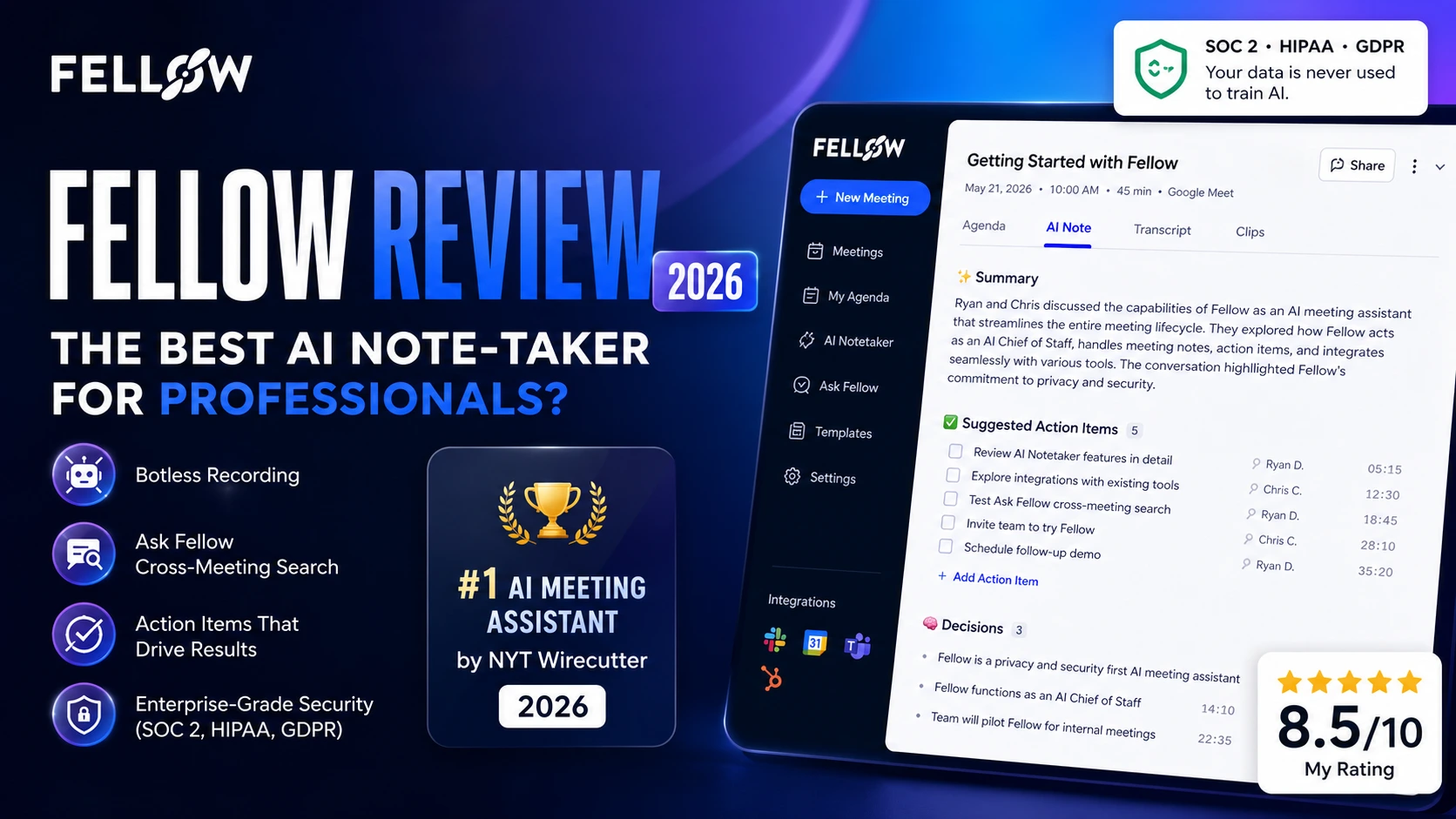
Fellow is the most complete AI meeting assistant I've tested for teams that care about security, workflow integration, and actionable follow-ups — not just transcription. It's not the cheapest option, but the Enterprise plan earns its price tag.
Why I Tested Fellow
I manage automation workflows for 50+ clients. That means a lot of meetings — planning calls, 1:1s, product demos, client check-ins. For years, I kept notes in Google Docs. When I graduated to AI tools, I tried Fireflies and Otter. Both were fine for transcription. Neither felt like a real productivity upgrade.
When Fellow gave me access to their Enterprise plan for an independent review, I wanted to answer one specific question: does this tool actually change how you work after meetings, or is it just another recorder with a prettier interface?
I spent 3 weeks — May 10 to May 31, 2026 — running Fellow across a mix of internal team syncs, weekly planning sessions, 1:1 discussions, and product demo calls. Here's everything I found.
What Is Fellow?
Fellow is an AI meeting assistant built around three phases: before, during, and after meetings. It records, transcribes, and summarizes calls — but it goes further than most tools by connecting those summaries to your actual workflow through integrations, action item tracking, and cross-meeting search.
It was named the #1 AI meeting assistant by NYT Wirecutter in September 2025, and it's trusted by teams at Shopify, HubSpot, Vidyard, and Aledade. Fellow is certified SOC 2 Type II, HIPAA, and GDPR compliant — a combination no other mainstream tool in this category matches. And critically, it never trains its AI on your meeting data.
My 3-Week Testing Experience
Setup took about 20 minutes. I connected my Google Calendar, installed the desktop app for botless recording, and activated the AI notetaker on my workspace. The onboarding is guided but not hand-holdy — it assumes you know what you're doing, which I appreciated.
Over 3 weeks I recorded 5 meetings across different formats: two team planning calls, one 1:1, one product demo walkthrough, and one onboarding session. My focus was on how useful the outputs were, not just whether the recording worked.
The first thing that caught my attention was the AI note structure. Instead of dumping raw text, it produced a clean Summary, Suggested Action Items with timestamps, and Decisions — all linked directly to moments in the recording. That structure is what separates Fellow from pure transcription tools.
Botless recording felt genuinely different. In smaller meetings, not having a bot join as a visible participant changed the energy. Conversations felt more natural. Less performative.
The learning curve was real for the first 3–4 days. Setting up agendas, configuring templates, and understanding how action items sync to external tools takes time. But once you get it, the workflow clicks.
Key Features Deep Dive
AI Meeting Notes & Summaries
Fellow's AI notes are the core of the product. After every recorded meeting, you get a structured recap with a Summary, Action Items (with assignees and timestamps), and Decisions — each clickable to jump to that exact moment in the recording.
In my testing, the summary quality was strong for conversational meetings. It captured the right priorities without burying them in filler. For context-heavy sessions where multiple people spoke quickly or used internal terminology, I did need to do minor cleanup — maybe 2–5 minutes per recap. That's manageable.
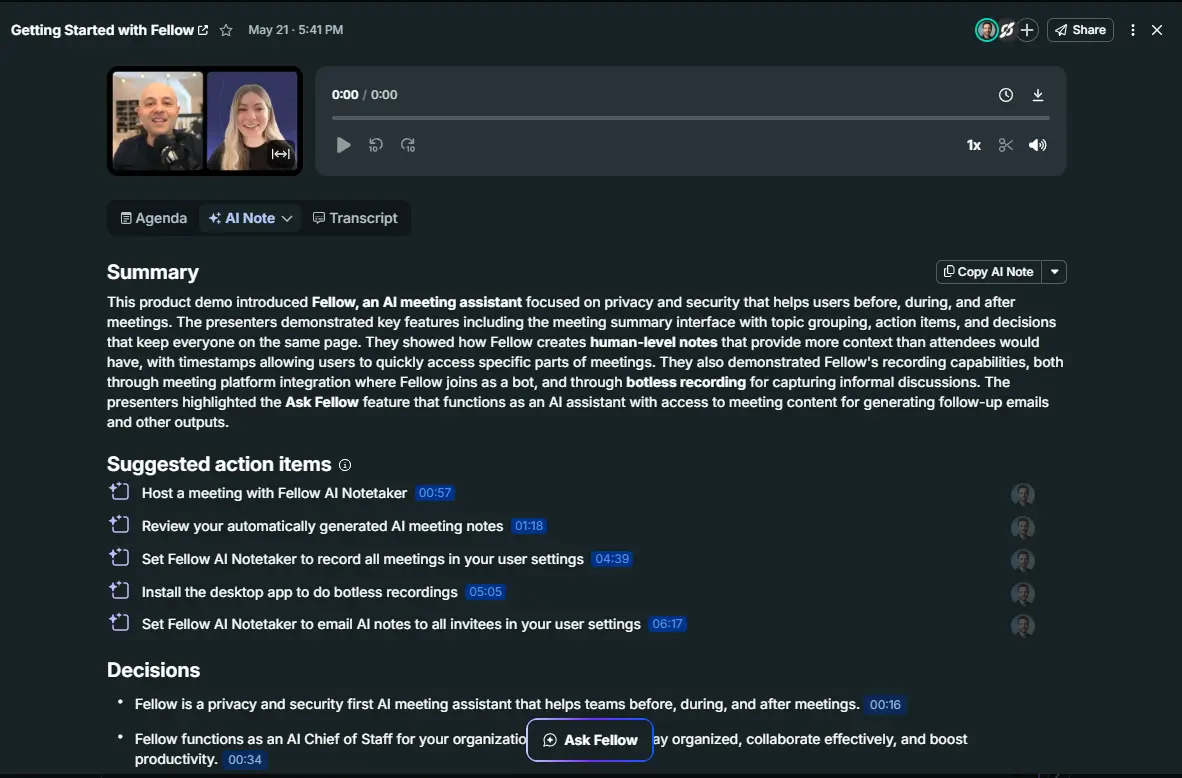
The Agenda, AI Note, and Transcript tabs mean you can choose how deep you want to go. Most of the time I lived in the AI Note tab.
Ask Fellow — Cross-Meeting AI Search
Ask Fellow is the feature that makes the Enterprise plan genuinely useful. It's a persistent AI chatbot that has access to all your recorded meetings. You can ask things like:
- "What action items were assigned in the planning meeting?"
- "What did we decide about deadlines?"
- "What was discussed about onboarding?"
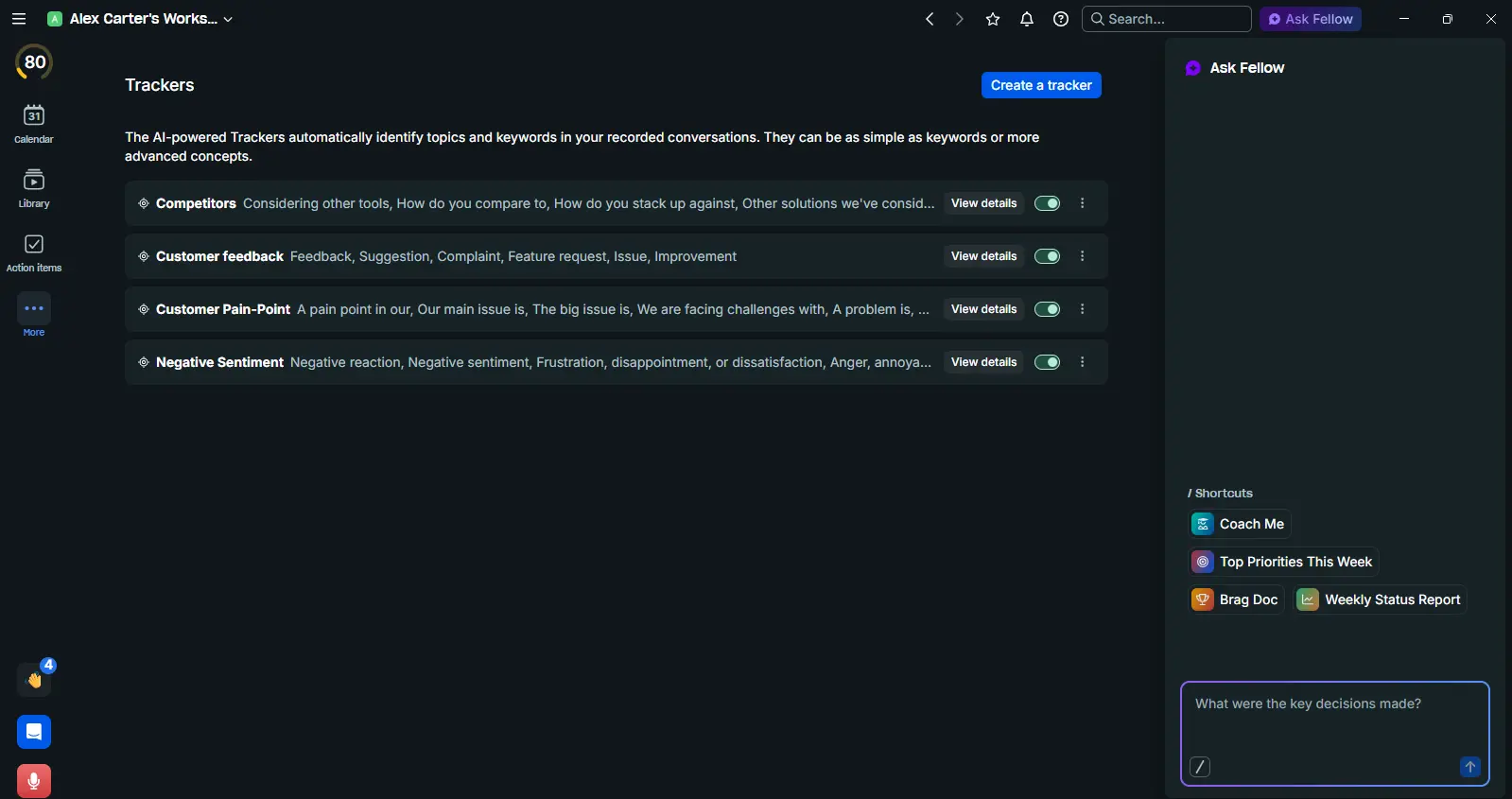
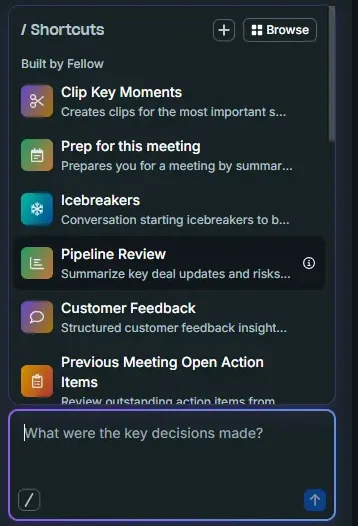
The Shortcuts panel is underrated. "Prep for this meeting" summarizes context before a call. "Previous Meeting Open Action Items" gives you a briefing before a 1:1. These alone save 10–15 minutes per meeting cycle.
Botless Recording
This is Fellow's most distinctive technical feature. Rather than sending a visible bot into your Zoom or Google Meet, the desktop app captures audio directly at the system level. No bot in the participant list. No awkward "can you admit the notetaker" moment.
It works across Zoom, Google Meet, MS Teams, Slack huddles, and even in-person meetings via the mobile app. For client-facing calls or sensitive discussions, this matters.
Trackers (Enterprise: Keyword & Concept)
Fellow's Trackers automatically scan all recorded conversations for specific topics. My workspace came pre-loaded with four: Competitors, Customer Feedback, Customer Pain-Point, and Negative Sentiment — each tracking a cluster of related phrases.
On the Enterprise plan, Trackers support Keyword & Concept detection, not just exact keyword matching. This means it catches intent, not just literal phrases. For anyone running a lot of sales or customer calls, this is genuinely powerful intelligence over time.
Templates
Fellow's templates library shows impressive depth. Built-in options include: Project Sync, Project Kick-Off, Standup, Brainstorm, 1-on-1, All Hands, Candidate Interview, Sales Discovery, Sales Follow-Up, BANT, MEDDIC, SPICED, and Customer Success.
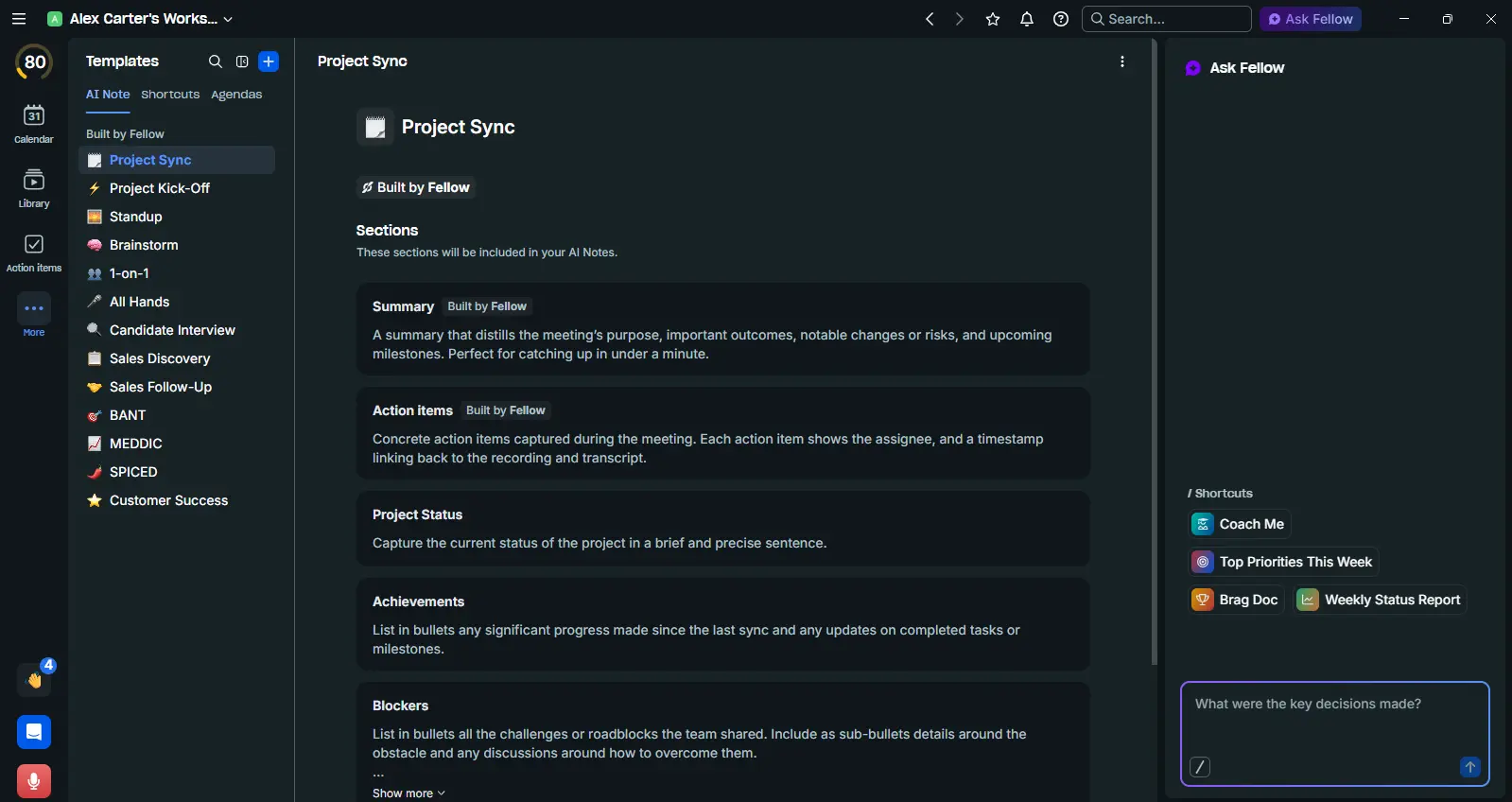
I tested the 1-on-1 and Standup templates. Both produced outputs I could actually share with teammates without editing. That's the benchmark.
Action Items
The Action Items view is where meeting outputs connect to real work. You get My Items and Assigned to Others tabs, AI Suggestions — automatically surfaced tasks from your recordings — grouping by priority, project, or inbox, and due dates and assignee fields per item.
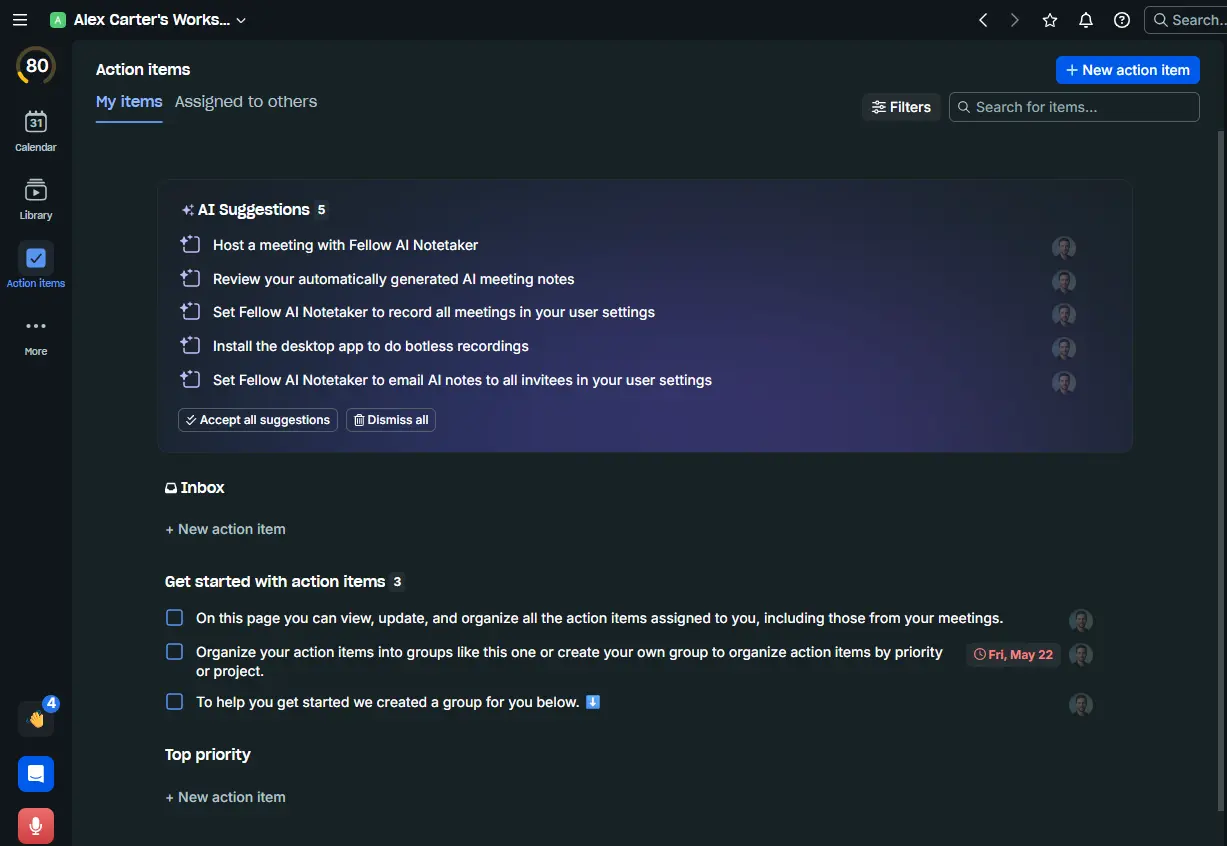
In my testing, AI Suggestions were accurate for clearly stated tasks. The "Assigned to others" tab is genuinely useful for managers tracking team commitments across meetings.
Meeting Analytics
The analytics dashboard tracks Meeting Health, Calendar Hygiene, Meeting Preparedness, and People's Time in Meetings. It drills into recurring meetings, 1:1 patterns, and workspace-wide trends.
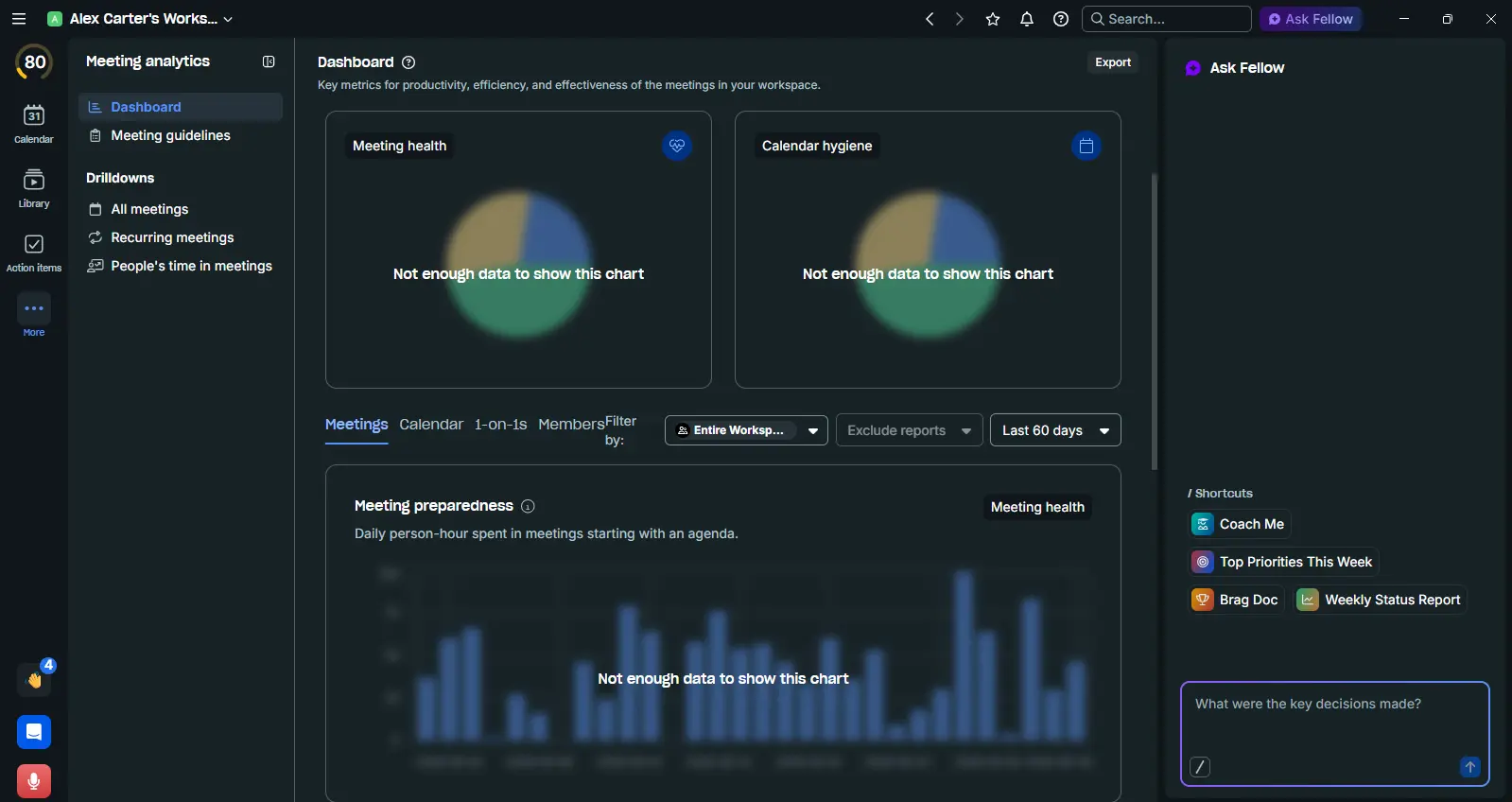
Honest note: With only 5 recordings over 3 weeks, I couldn't fully populate these charts — the dashboard showed "Not enough data" on most metrics. This feature rewards sustained adoption across a team. Solo testers won't see its value immediately.
Workspace Tags & Organization
The Tags system lets you categorize content across the workspace using hashtags like #blocker, #decision, #takeaway, #urgent. Tags are workspace-wide and editable by any member.
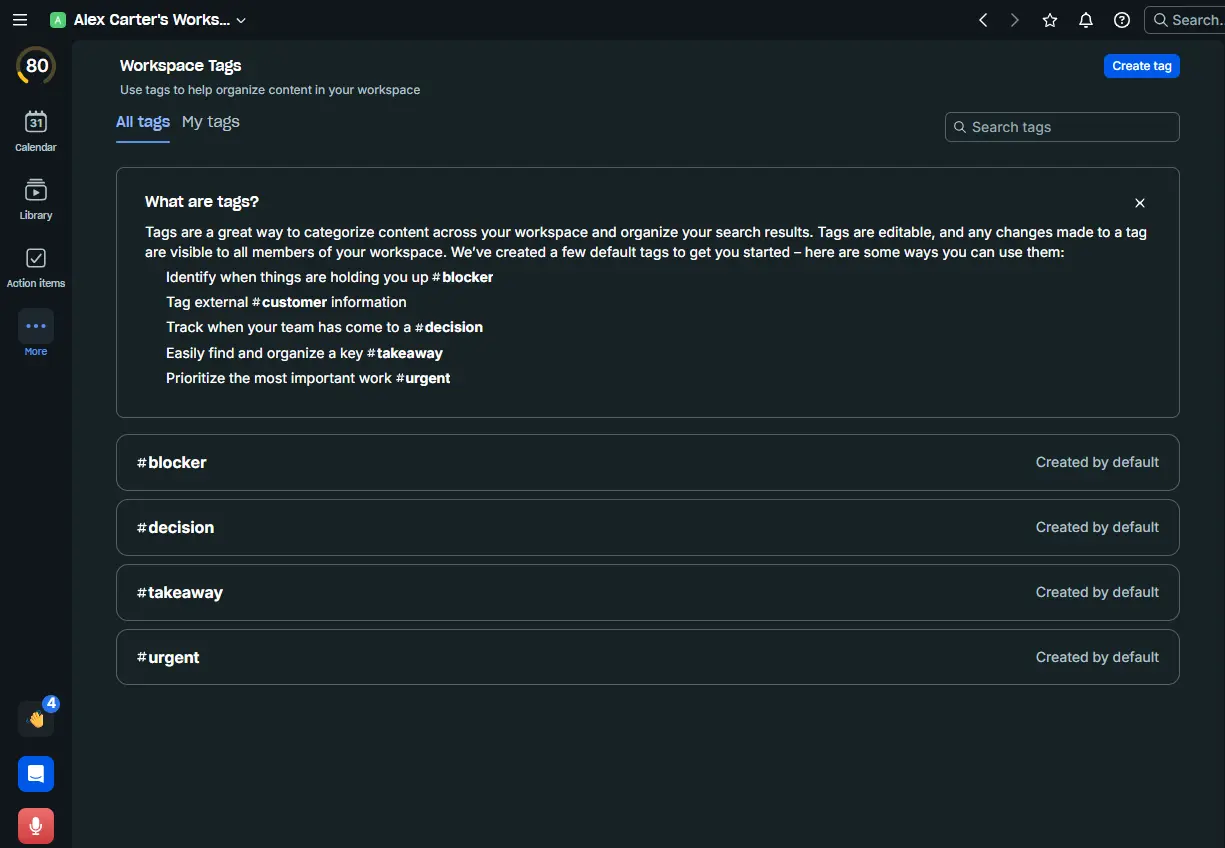
For teams running high volumes of meetings, this is a quiet superpower. Filter your entire recording library by #decision to see every commitment made across 3 months of calls.
Calendar Integration
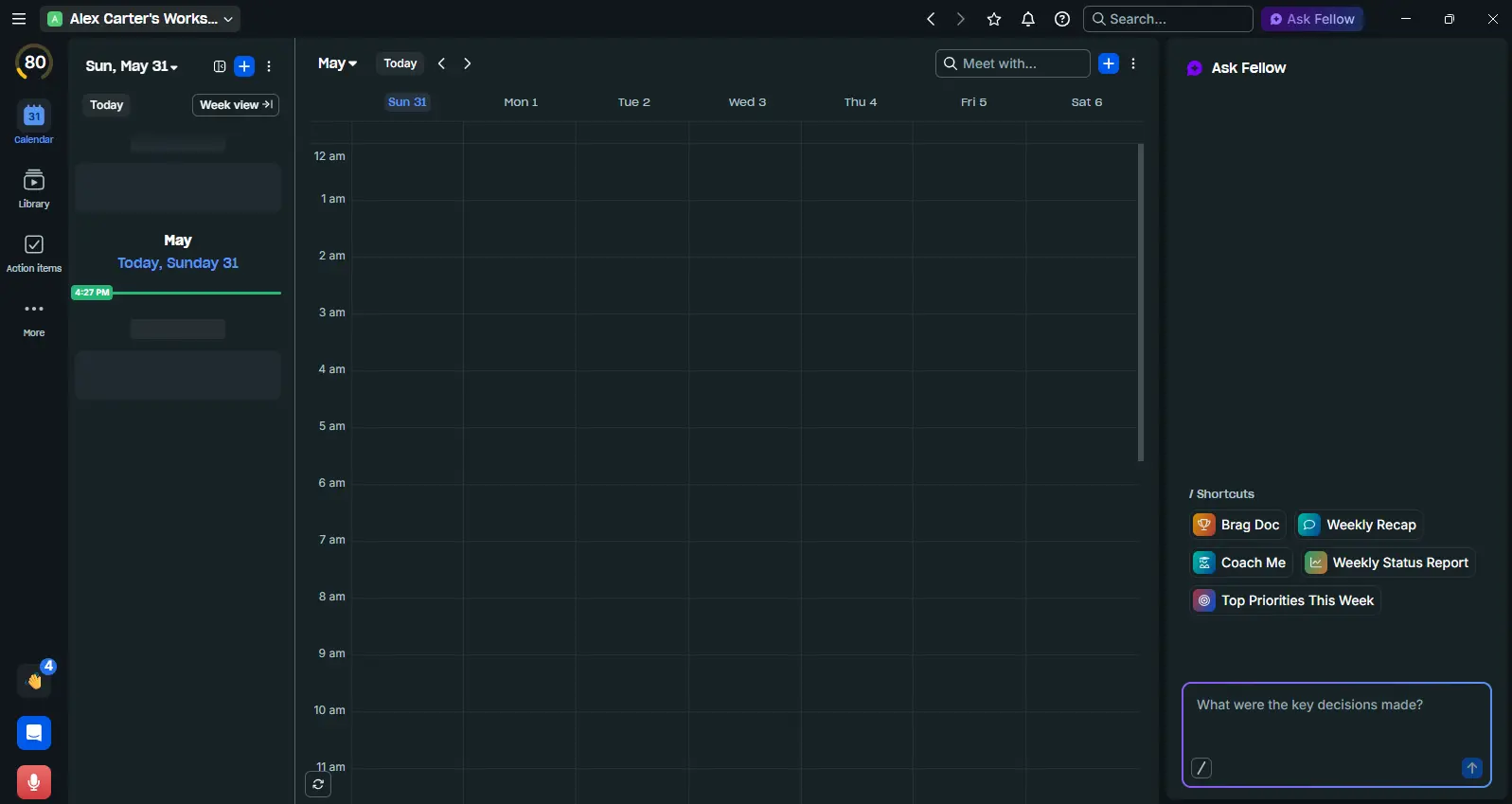
The calendar view shows your week with all synced meetings visible. Pre-meeting briefs and agenda prep tie directly into this view, making it easy to prepare before every call without switching tools.
Pricing Breakdown
Pricing data from my actual Plans & Billing screenshots, May 2026.
- Unlimited transcription
- CRM integrations
- AI pre-meeting briefs
- 10-day free trial
- Transcript Redaction
- SSO / HRIS Sync
- Concept Trackers
- Salesforce AI Sync
- Workspace Analytics
- Note Locking
Annual billing saves 34% on Team and Business plans. Enterprise requires contacting sales.
My honest take: The Free and Team plans are genuinely limiting — 5 and 10 recordings go fast. Business at $15 is the real entry point. Enterprise at $25 makes sense for organizations with compliance requirements or sales teams needing CRM sync and Trackers.
Pros & Cons
- Structured AI notes (Summary + Action Items + Decisions) — not just raw transcripts
- Botless recording feels more natural in client-facing calls
- Ask Fellow cross-meeting search genuinely saves time
- 50+ integrations: ClickUp, Asana, Jira, Slack, HubSpot, Salesforce, Claude
- SOC 2 Type II + HIPAA + GDPR — only tool with all three
- Never trains on your data
- Strong template library for every meeting type
- Free plan is too limited for real evaluation (5 recordings only)
- Analytics requires sustained team adoption to show meaningful data
- Some manual cleanup needed on fast-paced or jargon-heavy conversations
- Desktop app required for botless recording
- Enterprise pricing ($25/user, min 10 users) is steep for small teams
- Concept Trackers and Redaction are Enterprise-only
- Learning curve on agendas and workflow configuration
Who Should Use Fellow?
- Managers and team leads who run recurring meetings and need action item accountability
- Sales teams who want CRM-connected meeting notes and customer intelligence
- Enterprise organizations with compliance requirements (HIPAA, SOC 2, GDPR)
- Financial services firms managing sensitive client data and MNPI (hedge funds, private equity, asset management, investment banking)
- Legal firms requiring confidential communication and audit trails
- Healthcare or healthtech organizations dealing with PHI (HIPAA)
- Consultants and freelancers on the Solo plan ($19/mo)
- Growing startups on Business — CRM integrations and unlimited recordings justify it
- Individuals who need a free forever plan — consider Fathom instead
- Teams that only need basic transcription — Otter.ai or Fireflies are cheaper
- Very small teams (under 5) — Enterprise minimum makes it cost-prohibitive
Fellow vs. Fireflies vs. Fathom vs. Otter
| Fellow | Fathom | Fireflies | Otter.ai | |
|---|---|---|---|---|
| Best for | Enterprise teams, regulated industries | Individuals, free users | Small businesses | Real-time collab |
| Free plan | 5 recordings | Unlimited | Limited credits | 300 min/month |
| Botless recording | ✓ Yes | ✕ No | ✕ No | ✕ No |
| CRM integration | ✓ Native | ✓ Basic | ✓ Via Zapier | ✕ Limited |
| SOC 2 + HIPAA | ✓ Both | ✕ Neither | ✕ Neither | ✕ No HIPAA |
| Cross-meeting search | ✓ Ask Fellow + native Claude Connector | ✕ No | ✓ Basic | ✓ Basic |
| Trains on your data | ✓ Never | ✓ Never | ⚠ Yes | ⚠ Yes |
| Starting price (paid) | $7/user/mo | $15/mo solo | $10/seat/mo | $16.99/mo |
Common Issues & Limitations
Strong for clear audio and standard accents. Occasional misses on technical jargon, proper nouns, and fast-paced crosstalk. Plan for 2–5 minutes of review on important meetings.
The Meeting Health and Calendar Hygiene dashboards need at least 4–6 weeks of team-wide adoption before they surface useful patterns.
iOS support (version 1.6.0+) for in-person botless recording is relatively recent — solid in testing but less mature than the desktop experience.
Botless recording doesn't send an external bot notice — internal governance policies need to be explicitly communicated to your team, especially in regulated industries.
$25/user with a 10-user minimum means the entry cost is $250/month before you get the most powerful features.
FAQ
Final Verdict
After 3 weeks on the Enterprise plan, Fellow is the AI meeting tool I'd recommend to any professional team that runs more than 5–6 meetings a week and cares about what happens after those meetings end.
The AI note structure is genuinely better than Fireflies and Otter — it's organized, not just transcribed. Botless recording solves a real friction problem for client-facing calls. Ask Fellow earns its keep the moment your recording library starts to grow. And for organizations with compliance requirements, the SOC 2 + HIPAA + GDPR combination is essentially unique in this category.
The limitations are real too. The free and Team plans are frustrating — 5 and 10 recordings aren't enough to evaluate the product properly. The analytics need team-wide adoption to be useful. And $25/user at Enterprise minimum 10 users puts the cost at $250/month.
My verdict: If you're evaluating AI meeting tools for a team of 10 or more, Fellow is the clear first choice to test. For individuals or very small teams on a budget, start with Fathom's free plan and come back to Fellow when you scale.