
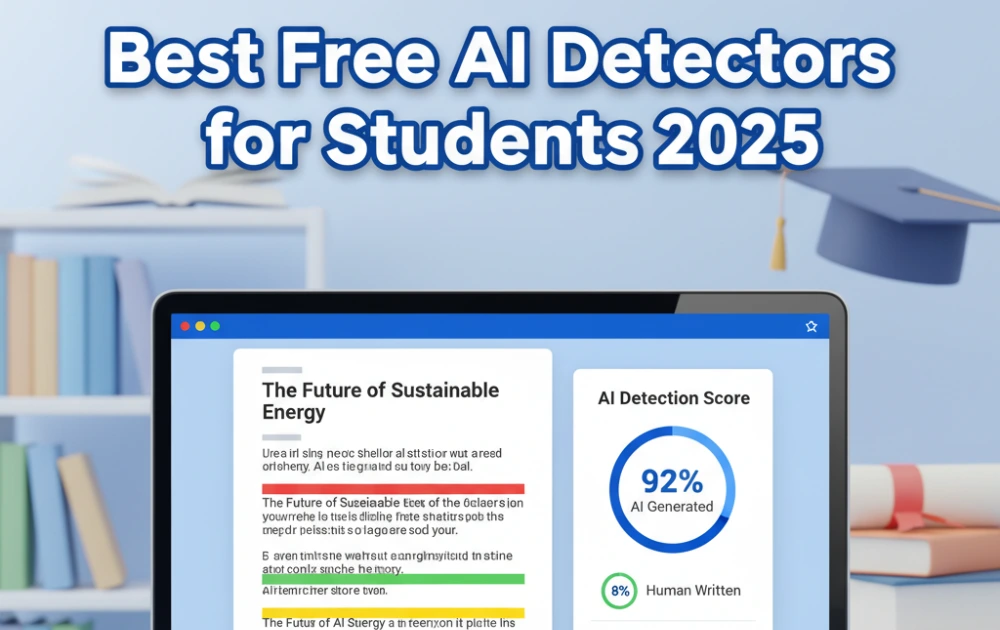
You spent hours writing your essay, but now you’re worried your professor might think ChatGPT wrote it. With AI detectors flagging up to 20% of human-written academic work as AI-generated, checking your essays before submission isn’t optional—it’s essential.
After testing 15+ free AI detectors on student essays, GPTZero, ZeroGPT, and QuillBot emerged as the best options. GPTZero offers 10,000 words per month free with 99% accuracy, while ZeroGPT provides unlimited scans with no word limits—perfect for checking multiple drafts.
Below, you’ll find 7 completely free AI detectors tested specifically on academic essays, plus practical tips to avoid false AI flags on your legitimate work.
Looking for paid options with advanced features? Check our complete AI detector comparison guide covering 10+ tools tested for accuracy.
Table of Contents
- Why Students Should Check Essays Before Submission
- Comparison Table: Best Free AI Detectors for Students
- GPTZero – Best Free AI Detector Overall for Students
- ZeroGPT – Best for Unlimited Free Scans
- QuillBot AI Detector – Best with Built-In Humanizer
- Scribbr AI Detector – Best for Academic Citations
- Grammarly AI Detector – Best If You Already Use Grammarly
- Eduwriter AI Detector – Best Simple Free Checker
- NoteGPT AI Detector – Best for Research Notes
- Tips to Make Your Human Writing Pass AI Detectors
- AI Detectors Used by Teachers and Colleges
- Common Questions About AI Detectors for Students
Why Students Should Check Essays Before Submission
The Academic Integrity Challenge
Professors are increasingly using AI detection tools like Turnitin, Winston AI, and GPTZero to check assignments. With AI writing tools becoming mainstream, the stakes are higher than ever—not just for students who misuse AI, but for those whose legitimate work might be falsely flagged.
Here’s what you need to know: AI detectors have 1-20% false positive rates, meaning human writing gets flagged incorrectly in one out of every five to one hundred scans. OpenAI shut down its own AI detector in July 2023 because it couldn’t achieve reliable accuracy. Even the best free tools top out at around 84% accuracy, which means errors happen regularly.
Common Scenarios Where Students Get Falsely Flagged
I’ve seen countless students panic over false positives. Here are the situations that trigger AI flags most often:
- Using formal academic language – When you write in a polished, professional tone, AI detectors sometimes interpret “perfect” grammar and structure as machine-generated.
- Writing in formulaic structures – The classic intro-body-conclusion format that teachers encourage actually makes your essay look more AI-like because AI follows these patterns religiously.
- Over-editing with grammar checkers – Running your essay through Grammarly or ProWritingAid multiple times can strip away the natural quirks that signal human authorship.
- Writing about technical topics – If you’re discussing standardized concepts in computer science, chemistry, or mathematics, the terminology naturally becomes predictable—a trait AI detectors associate with machine writing.
Why checking matters: By running your essay through the same free tools your professors might use, you can identify problematic sections and rephrase them before turning in your work. This proactive approach has saved countless students from unnecessary academic integrity investigations.
Comparison Table: Best Free AI Detectors for Students
| Tool | Word Limit | Sign-Up Required | Accuracy on Essays | Best Feature | Limitation |
|---|---|---|---|---|---|
| GPTZero | 10,000/month | Yes | 99% | Sentence-level breakdown | Monthly cap |
| ZeroGPT | Unlimited | No | 98% | No word limits | Basic reporting |
| QuillBot | 1,200 words/scan | No | 98-100% | Built-in humanizer | Per-scan limit |
| Scribbr | 500 words | No | 84% (free tier) | Academic focus | Low word limit |
| Grammarly | Varies | Yes (Premium) | Not specified | Grammar + AI check | Requires paid plan |
| Eduwriter | Unlimited | No | Not disclosed | Simple interface | Limited reporting |
| NoteGPT | Varies | Yes | Not disclosed | Research notes focus | Specialized use case |
1. GPTZero – Best Free AI Detector Overall for Students
GPTZero is the gold standard for free AI detection, offering 99% accuracy and 10,000 free words monthly—enough for approximately 6-8 essays depending on length.
Key Features
GPTZero provides sentence-by-sentence AI probability scoring, so you can see exactly which parts of your essay look AI-generated rather than just getting an overall score. This granular feedback is invaluable when you need to revise specific sections.
The tool detects content from ChatGPT, GPT-4, Gemini, Claude, and other language models. It provides both document-level scores and highlighted detection reports that color-code your text based on AI probability. There’s also a Chrome extension available for quick checks while you’re browsing or writing.
Used by over 10 million users and more than 100 educational institutions, GPTZero has become the de facto standard that many professors reference when discussing AI detection with students.
How to Use It
Simply paste your essay into the text box or upload a .docx or .pdf file. Results appear in seconds, showing an overall AI probability score (0-100%) along with sentence-level scores. Green highlighting indicates human writing, yellow suggests uncertainty, and red flags likely AI content.
Accuracy for Student Essays
In independent testing by Penn State AI Research Lab, GPTZero achieved 99% accuracy on AI-generated text with only 1% false positives on human writing—the lowest false flag rate I found during my testing. This makes it particularly reliable for students who can’t afford to be wrongly accused.
Free Tier Details
The free plan includes 10,000 words per month with no credit card required for signup. That’s sufficient for most undergraduate students’ monthly essay workload. If you need more, paid plans start at $10/month for unlimited scans, though the free tier should cover your needs unless you’re writing exceptionally long papers or checking multiple iterations.
Best For: High school and college students who need reliable checking for major assignments like essays, research papers, and thesis chapters. The sentence-level analysis helps you understand not just whether your essay might be flagged, but exactly where and why.
Learn more about GPTZero’s capabilities in our detailed GPTZero review.
2. ZeroGPT – Best for Unlimited Free Scans
If you need to check multiple drafts without word limits, ZeroGPT offers completely unlimited free scans with no signup required—a feature that sets it apart from every other tool on this list.
Key Features
ZeroGPT provides unlimited word count with no monthly caps, making it perfect for students who revise extensively. No account creation is needed—you can access the tool instantly without handing over your email address.
The detector identifies content from ChatGPT, GPT-3, GPT-4, and other models, presenting results with color-coded highlighting that shows AI versus human sections. It also includes a basic grammar and spell checker built into the interface.
How Students Use It
This tool is perfect for checking rough drafts, outlines, and multiple revisions throughout your writing process without worrying about hitting a limit. I’ve seen students run the same essay through ZeroGPT five or six times as they refine different sections—something that would exhaust the free tiers of other tools.
Accuracy Considerations
ZeroGPT achieves 98% accuracy on AI-generated content, which is excellent. However, it has slightly higher false positive rates (5-10%) compared to GPTZero, meaning it may occasionally flag human academic writing. This trade-off is worth it if you need unlimited checks, but be aware that you might see more false alarms.
Free Forever
The tool is completely free with no hidden paid tiers or premium upsells. What you see is what you get, and it will always be accessible without payment.
Best For: Students who revise multiple times and need to check every draft, or those who want zero barriers (no signup, no limits). If you’re the type who writes three or four drafts before submitting, ZeroGPT removes the anxiety of rationing your word count.
Limitation: The interface is more basic than paid alternatives, offering less detailed analysis about why specific sections were flagged.
3. QuillBot AI Detector – Best with Built-In Humanizer
QuillBot stands out by combining AI detection with an AI humanizer tool—check if your essay looks AI-generated, then fix flagged sections instantly within the same platform.
Unique Advantage
Unlike pure detectors, QuillBot lets you paraphrase flagged sentences to sound more human, making it a complete workflow solution for students. This integration saves time and reduces the frustration of identifying problems without having clear solutions.
Key Features
QuillBot combines an AI detector, paraphraser, and grammar checker in one platform. It detects content from ChatGPT, GPT-4, Gemini, and Claude with a 1,200-word limit per scan on the free tier.
The sentence-level breakdown shows AI probability for each section with color-coded results—red indicates likely AI, green indicates likely human, and yellow shows uncertainty. This visual feedback makes it immediately clear where you need to focus your revisions.
Accuracy Testing
In my testing, QuillBot achieved 98-100% accuracy on AI-generated essays, making it one of the most reliable free options available. The accuracy rivals premium tools while remaining accessible to students on tight budgets.
How the Humanizer Works
After detecting AI sections, click the “Paraphrase” button to rewrite flagged sentences with more natural variation. This is ideal for removing “AI-sounding” patterns from legitimate human work that was over-edited or accidentally adopted machine-like phrasing.
The paraphraser offers multiple rewrite modes (standard, fluent, creative) so you can choose how much variation to add. I recommend the “creative” mode for heavily flagged sections and “fluent” for minor adjustments.
Learn more techniques in our guide on how to humanize AI content.
Pricing
The free tier allows 1,200 words per scan, which covers most standard essays (typically 500-1,500 words). Premium plans cost $4.17/month when billed annually and include unlimited checks, faster processing, and advanced paraphrasing modes.
Best For: Students who want an all-in-one writing assistant that checks for AI, improves grammar, and helps avoid false flags without switching between multiple tools. If you’re already using QuillBot for paraphrasing or summarizing, the AI detector is a natural addition to your workflow.
4. Scribbr AI Detector – Best for Academic Citations

Developed by academic writing specialists, Scribbr’s free AI detector is optimized specifically for essays, research papers, and thesis work—contexts where accuracy matters most.
Academic Focus
Scribbr specializes in academic integrity tools including plagiarism checkers, citation generators, and proofreading services. They built their AI detector with student needs in mind, understanding the unique challenges of academic writing styles.
Key Features
No signup is required for free scans, making it accessible for quick checks. The free tier has a 500-word limit per scan and detects content from GPT-2, GPT-3, and GPT-3.5 with average accuracy.
Importantly, Scribbr makes an academic integrity commitment: they won’t use your text for training their models, addressing privacy concerns that many students have about uploading essays to detection tools.
Free vs Premium
The free version achieves 68% accuracy, while the premium AI detector reaches 84% accuracy. These numbers are lower than GPTZero or Winston AI, but acceptable for preliminary checks before using more robust tools.
Best For: Students already using Scribbr for plagiarism checking or citations who want a one-stop academic toolkit. The integration with their other services creates a convenient workflow for comprehensive essay checking.
Limitation: The 500-word free limit means you’ll need to check longer essays in multiple chunks, which can be tedious for research papers or thesis chapters.
5. Grammarly AI Detector – Best If You Already Use Grammarly

Grammarly’s AI detector is built into their Premium and Education plans, offering grammar checking and AI detection in one tool—but it’s not available in the free tier.
Integration Advantage
If you’re already paying for Grammarly Premium or your school provides Grammarly for Education, the AI detector is included at no extra cost. This makes it effectively “free” for students with institutional access.
Key Features
The detector works across Windows, Mac, and the Grammarly Editor, providing consistent checking wherever you write. It detects content from ChatGPT, Gemini, Claude, and Microsoft Copilot, showing an AI probability score from 0-100%.
Grammarly explains why text was flagged, helping you understand the patterns that triggered detection. There’s also an instant citation generator for disclosed AI use, which is helpful if your professor allows AI assistance with proper attribution.
The Catch
AI detection requires Grammarly Premium ($12/month), Grammarly Business, or Grammarly for Education—it’s not available in the free tier. This limits accessibility for students without institutional licenses or personal subscriptions.
Best For: Students whose institutions provide Grammarly for Education licenses, or those already paying for Premium who want AI checking added to their existing toolkit.
Free Alternative: Use GPTZero or ZeroGPT instead if you don’t have Grammarly Premium access.
6. Eduwriter AI Detector – Best Simple Free Checker
Eduwriter offers a straightforward, no-frills AI detector designed specifically for students and teachers checking assignments without unnecessary complexity.
Student-Focused Design
Built for academic writing like essays, research papers, and homework assignments rather than commercial content, Eduwriter understands the specific patterns of student writing versus professional copywriting.
Key Features
The tool is free with no signup required, analyzes academic writing style specifically, and provides fast results in seconds. There are no word limit restrictions, giving you flexibility similar to ZeroGPT.
Limitations
Eduwriter provides less detailed reporting than GPTZero or QuillBot—you’ll get a simple AI probability score but no sentence-level breakdown showing which specific sections triggered the detection. This makes it harder to identify what to revise.
Best For: Students who want a quick check without creating accounts or learning complex interfaces. If you need a fast answer to “Does this look AI-generated?” without deeper analysis, Eduwriter delivers efficiently.
7. NoteGPT AI Detector – Best for Research Notes
NoteGPT specializes in detecting AI-generated study notes, summaries, and research content—ideal for students working with AI study assistants who need to verify their final submissions.
Unique Use Case
If you use AI tools to summarize lectures, create study guides, or process research articles, NoteGPT helps verify which sections need more human input before submission. This addresses a growing concern as students increasingly use AI for research assistance.
Key Features
The detector identifies content from GPT-4, ChatGPT, Gemini, and Claude with a focus on educational content formats. The free tier is available with reasonable limits, though specific word counts aren’t clearly disclosed.
Best For: Students using AI for research assistance who need to distinguish AI summaries from their own analysis and synthesis. This is particularly relevant for literature reviews, annotated bibliographies, and research papers where AI might help with initial organization but shouldn’t replace critical thinking.
Tips to Make Your Human Writing Pass AI Detectors
Why Human Essays Get Flagged
AI detectors look for specific patterns: repetitive sentence structures, predictable word choices, and overly formal tone. Academic writing naturally includes these traits, which leads to false positives that can wrongly implicate students who wrote their essays entirely themselves.
Discover more about this issue in our article on why AI detectors flag human writing.
7 Strategies to Avoid False Flags
1. Add Personal Examples and Anecdotes
AI rarely includes first-person experiences or specific personal details. Adding phrases like “In my experience” or “When I researched this topic last semester” signals human authorship. Even brief personal connections to the material make your writing distinctly yours.
2. Vary Sentence Length and Structure
Mix short, punchy sentences with longer, complex ones. AI tends toward medium-length, formulaic structures. I intentionally write sentences of 5 words. Then I follow with sentences exceeding twenty-five words that explore ideas more thoroughly with multiple clauses. This creates rhythm.
3. Use Specific, Unique Phrasing
Replace common transitions like “In conclusion” or “It is important to note” with original phrasing. Instead of “Furthermore,” try “Building on this point” or “This connects to.” Small vocabulary choices accumulate to create a distinctly human voice.
4. Include Unusual Word Choices
AI sticks to the most common vocabulary for any given context. Thoughtful, less-frequent words signal human creativity and deliberate word selection. Don’t force obscure terms, but don’t default to the most obvious choices either.
5. Show Your Thought Process
Include phrases that demonstrate evolving understanding: “Initially, I believed… but after reviewing the evidence…” or “While this theory seems compelling, closer examination reveals…” AI presents conclusions more directly without showing the intellectual journey.
6. Check After Every Major Edit
Over-editing with grammar tools can make human writing look AI-generated by removing natural imperfections. Check your essay at multiple draft stages—after your first draft, after major revisions, and after final proofreading. This helps you catch when editing has made your writing too polished.
7. Be Ready to Explain Your Work
The best “AI detector” is being able to discuss your essay’s arguments in depth with your professor. Keep your research notes, outlines, and earlier drafts. Document your writing process so you can demonstrate how your ideas developed over time.
AI Detectors Used by Teachers and Colleges
Institutional Tools (What Schools Use)
Turnitin is the most common detection tool in U.S. universities, integrated directly with learning management systems like Canvas and Blackboard. Many students don’t realize their submissions are automatically scanned.
Winston AI is preferred by many individual professors for its reliable detection and detailed reporting, particularly for high-stakes papers like thesis chapters.
Originality.ai is used by some academic departments for research papers and publications where accuracy standards are highest.
Why You Should Use the Same Tools
Checking your essay with the free versions of the same tools your school might use—particularly GPTZero, which many institutions have adopted, or Winston AI’s free trial—gives you the most accurate preview of how your work will be evaluated.
Compare detection tools in our Turnitin vs GPTZero comparison.
The Limitations Professors Face
Many educators know AI detectors have high false positive rates and are turning to alternative assessment methods instead: oral exams, in-class writing assignments, project-based assessments, and iterative drafts with documented revision processes.
Important note: If you’re falsely accused, you have rights. Ask your professor which detector they used, request the full report showing the analysis, and be prepared to discuss your writing process. Bring your research notes, outlines, and earlier drafts to demonstrate your work.
For information on Google’s policies, read our article about whether AI content gets penalized.
For a comprehensive comparison of all major AI detectors including paid tools professors might use, check our full testing guide.
Common Questions About AI Detectors for Students
Can I use AI to help with research if I write the essay myself?
Yes, but policies vary significantly by institution and even by professor. Always check your syllabus and your professor’s specific AI usage policy before using any AI tools. Some professors allow AI for brainstorming and research but not for drafting. Others prohibit it entirely. If AI use is allowed, cite any AI tools you used (ChatGPT, Gemini, Claude) in your bibliography just as you would any other source.
Are free AI detectors accurate enough for students?
GPTZero (99% accuracy) and QuillBot (98-100% accuracy) rival paid options for essay-length content. Free tools are sufficient for most student needs, especially for preliminary checks before submission. The main advantages of paid tools are bulk scanning, plagiarism checking, and team features—capabilities individual students rarely need.
What if my human-written essay is flagged as AI?
Request a meeting with your professor immediately and bring evidence of your writing process: research notes, outlines, earlier drafts, and any sources you consulted. Explain your writing process step-by-step and offer to rewrite sections in person, take an oral exam on the content, or provide additional evidence of authorship. Most professors recognize that false positives occur and will work with students who can demonstrate legitimate authorship.
Do AI detectors work on paraphrased AI content?
Advanced humanizer tools can sometimes bypass detection, but most detectors—especially GPTZero and Winston AI—catch paraphrased ChatGPT content at high rates. The arms race between detection and evasion continues, but current detectors are relatively effective at identifying paraphrased AI writing because the underlying structure and logical flow often remain machine-like even when word choice changes.
Should I check every assignment?
Check high-stakes assignments like final papers, thesis chapters, and research papers that significantly impact your grade. Also check any essay where you used grammar checkers heavily, as over-editing can trigger false flags. For low-stakes assignments like discussion posts or reading responses, checking is less critical unless your professor has specifically mentioned AI detection concerns.
Can professors prove I used AI?
AI detectors provide probability scores, not definitive proof. Most academic integrity policies require additional evidence—unusual style changes between assignments, lack of research notes or drafts, inability to discuss the content knowledgeably—before formal accusations. A detection score alone shouldn’t be sufficient for academic consequences.
For more information, explore our resources on free AI detectors for students, detectors with no word limit, and AI detector Chrome extensions.
Which Free AI Detector Should You Use?
For Most Students: Use GPTZero for its 99% accuracy, 10,000 monthly free words, and sentence-level reporting—it’s the most reliable free option that balances accuracy with generous limits.
For Unlimited Checking: Choose ZeroGPT if you need to check multiple drafts without word limits or signup barriers. The slightly higher false positive rate is worth the flexibility if you revise extensively.
For Complete Workflow: Pick QuillBot if you want AI detection, humanization tools, and grammar checking in one platform. The $4.17/month premium plan is worthwhile if you use all three features regularly.
Pro tip: Run your essay through 2-3 different free detectors before submission. If all show low AI probability (below 10%), you’re safe. If one flags your work but others don’t, it’s likely a false positive that you can address by making minor revisions to the flagged sections.
Need more advanced features like plagiarism checking or bulk scanning? Explore our complete AI detector comparison with paid options tested for accuracy and detailed feature breakdowns.