
- What Is the Best AI Meeting Assistant for MS Teams?
- Best AI Meeting Assistants for MS Teams in 2026 at a Glance
- What Changed for AI Meeting Assistants on MS Teams in 2026
- Does Teams Have AI Meeting Notes?
-
The 9 Best Third-Party AI Meeting Assistants for MS Teams in 2026
- 1. Fellow: Best Overall
- 2. Otter.ai: Straightforward Live Transcription
- 3. Fireflies.ai: CRM-Connected Sales Teams
- 4. Fathom: Best Free Plan
- 5. Read.ai: Meeting Analytics and Sentiment
- 6. Krisp: Noisy Environments
- 7. Granola: Solo Notepad Users
- 8. Tactiq: Free Transcripts in the Browser
- 9. TeamsMaestro: Teams-Only Installs With No IT Ticket
- Which AI Meeting Assistant Fits Your MS Teams Setup
- Fellow vs. the Rest on MS Teams: The Short Version
- Our Final Verdict
- FAQ
Updated October 2, 2026: corrected Fellow’s HIPAA tier (Enterprise only), the Otter.ai court status and Microsoft’s bot blocking timeline, moved every price to annual billing, and added Tactiq and TeamsMaestro.
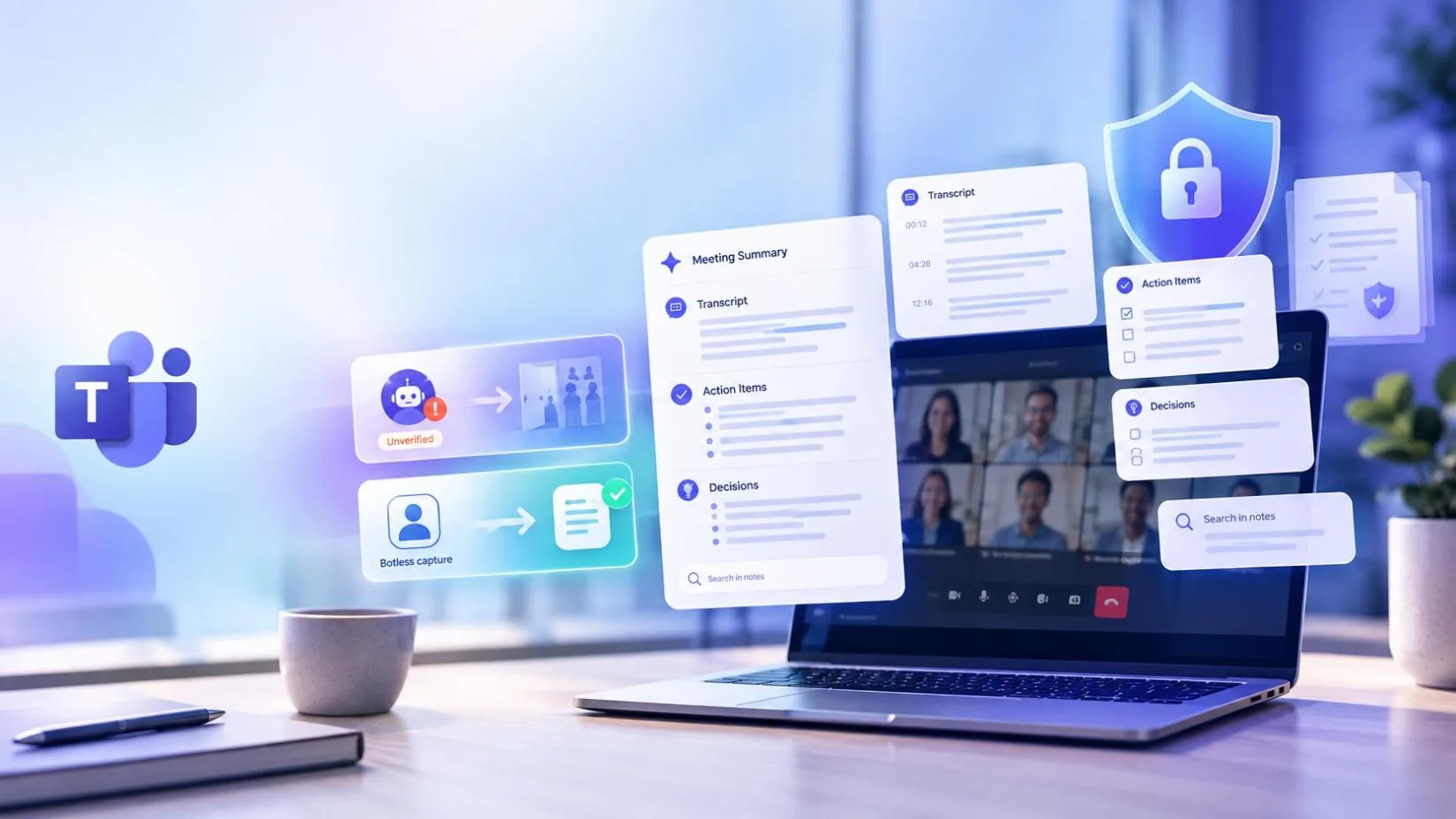
According to the Manage external bots page on Microsoft Learn, “The participants detected as bots are placed in the meeting lobby irrespective of the lobby configuration for the meeting.” Organizers, and presenters depending on the meeting setting, then have to admit each bot explicitly. For anyone choosing an AI meeting assistant for MS Teams in 2026, that sentence is the new test. Either the tool survives the lobby, or it never walks into it.
The lobby is only the first layer. Message Center notice MC1251206 sorts unregistered or system-identified bots into a “Suspected threats” section labeled “Unverified,” removes the one-click Admit button for them and adds a confirmation prompt. A stricter admin policy, covered in MC1459141, lets IT block identified external bots before they reach the lobby at all. Microsoft’s roadmap first pointed to August 2026 for that block. The Message Center entry, last updated September 9, now lists Targeted Release for mid to late September and general availability in October, with the policy off by default.
The legal side is moving too. On August 13, 2026, a federal judge let the core wiretap and biometric claims against Otter.ai proceed, and Fireflies.ai is defending its own Illinois biometric class action. We compared nine third-party AI meeting assistants built for MS Teams, plus Microsoft’s own Copilot in Teams, on how each one captures a Teams call, what compliance each plan tier actually includes, and what it costs on the same billing cycle.
Fellow is our top pick, but not for the reason most roundups give. Bot-free capture is real, and Krisp, Granola and Tactiq offer it too, with Fathom partway there. What Fellow adds is a compliance portal, consent capture for auto-recorded Teams meetings, and coverage across Teams, Zoom, Google Meet and Slack huddles. Most of that sits on the Enterprise plan, and I will say so every time it matters.
What Is the Best AI Meeting Assistant for MS Teams?
The best AI meeting assistant for MS Teams depends on what you have to defend later. Fellow is the best overall pick for regulated and multi-platform teams: consent capture, a compliance portal, and one searchable record across Teams, Zoom, Google Meet and Slack huddles. Microsoft 365 Copilot fits organizations that hold every meeting in Teams and want native AI meeting notes with no third-party participant. Fathom has the most generous free plan (unlimited recording and transcription, with advanced AI summaries capped at 5 calls a month). Fireflies pushes notes into Salesforce, HubSpot and similar CRMs. Otter gives participants a live transcript they can read and annotate during the call. Read AI adds engagement and sentiment analytics with search across meetings, email and messages. Krisp fixes noisy audio, Granola suits people who take their own notes, Tactiq transcribes Teams on the web with no bot, and TeamsMaestro installs straight from the Teams store.
Best AI Meeting Assistants for MS Teams in 2026 at a Glance
Verdicts reflect what each vendor documents publicly as of October 2, 2026. Prices are per user per month on annual billing unless noted, so every tool is compared on the same cycle. “Not confirmed” means I could not find the feature in the vendor pages I checked, not that it does not exist.
Table 1: Fellow against the bot-first tools
| Criterion | Fellow | Otter.ai | Fireflies.ai | Fathom | Read.ai |
|---|---|---|---|---|---|
| Bot-free capture | Yes. Desktop app captures Teams with no participant joining. Bot mode also offered. App must be running. | No. OtterPilot bot joins Teams calls. Mobile apps cover in-person conversations only. | No. Bot joins as “Fireflies.ai Notetaker.” The Chrome extension covers Google Meet only. | Partial. Bot-free audio and transcript on Mac (beta, April 15, 2026). Windows pending. Teams not confirmed. | Partial. Bot-free in the Mac, Windows, iOS and Android apps. Auto-join bot is the default once a calendar is linked. |
| HIPAA tier | Yes. Enterprise only, with BAA ($25 annual, 10 seat minimum). | Partial. Enterprise only. BAA required. Listed as an add-on on Otter’s pricing page. | Yes. Enterprise only ($39 annual). Needs Private Storage plus a signed BAA. | Yes. Enterprise with signed BAA per Fathom’s pricing page. Fellow’s roundup says Team and up, so confirm. | Yes. Enterprise+ only ($29.75 annual), with a minimum license count. |
| Retention | Yes. Auto-deletion for recordings and transcripts (Enterprise). Zero-day retention option. Summaries are kept. | Not confirmed. No retention controls listed on Otter’s pricing page. | Yes. Custom data retention listed on Enterprise. | Yes. Custom retention policies on Enterprise. | Yes. Custom retention policy on Enterprise+ only. |
| Consent capture | Yes. Consent page replaces the Teams link about an hour before. Organizer sees who declines. Enterprise, Microsoft 365 calendar required. | Not confirmed. No pre-meeting consent step found in the pages checked. | Not confirmed. No pre-meeting consent step found in the pages checked. | Not confirmed. No pre-meeting consent step found in the pages checked. | Partial. Supplies consent language for bot-free recordings. No consent capture workflow found. |
| CRM tier | Yes. Salesforce and HubSpot sync from Business ($15 annual). AI field updates on Enterprise. | Not confirmed. CRM sync tier not listed on Otter’s pricing page. | Yes. Salesforce and HubSpot push. Integrations listed from Pro ($10 annual), no per-CRM tiering. | Yes. CRM field sync from Business ($25 annual). | Yes. Premium integrations (Salesforce, HubSpot) from Pro ($15 annual). |
| Annual price | Team $7, Business $15, Enterprise $25. | Pro $8.33, Business $19.99, Enterprise custom. | Pro $10, Business $19, Enterprise $39 (annual only). | Premium $16, Team $15, Business $25, Enterprise custom. | Pro $15, Enterprise $22.50, Enterprise+ $29.75. |
| Teams only or cross-platform | Cross-platform. Teams, Zoom, Google Meet and Slack huddles. | Cross-platform. Teams, Zoom and Google Meet, plus mobile for in-person. | Cross-platform. Bot joins Teams, Zoom and Google Meet. | Cross-platform. Teams, Zoom and Google Meet. | Cross-platform. Teams, Zoom and Google Meet, with search across meetings, email and Slack. |
Table 2: Fellow against the bot-free and Teams-specific options
| Criterion | Fellow | Krisp | Granola | Tactiq | TeamsMaestro |
|---|---|---|---|---|---|
| Bot-free capture | Yes. Desktop app captures Teams with no participant joining. Bot mode also offered. App must be running. | Yes. Runs as a virtual audio device on desktop, so nothing joins the lobby. | Yes. Captures system audio on Mac, Windows, iOS and Android. Nothing joins. | Yes. Browser extension reads Teams live captions. Built for Teams on the web (Chrome, Edge). Captions must be on. | No. A bot joins through the Teams store app, so lobby detection applies. |
| HIPAA tier | Yes. Enterprise only, with BAA ($25 annual, 10 seat minimum). | Yes. Enterprise only, BAA available. | Yes. Enterprise ($35, billed monthly). Listed on Granola’s pricing page. | Not confirmed. Sources found list SOC 2 and GDPR. No HIPAA claim found. | Partial. Vendor says HIPAA with BAA on request. Tier not published, not independently verified. |
| Retention | Yes. Auto-deletion for recordings and transcripts (Enterprise). Zero-day retention option. Summaries are kept. | Not confirmed. Enterprise lists on-device transcription. No retention schedule found. | Yes. Org-wide auto-deletion periods on Enterprise. Free plan keeps 30 days of history. | Yes. Advanced data retention listed on Business ($29.17 annual). | Not confirmed. Users can pause transcription. No retention schedule published. |
| Consent capture | Yes. Consent page replaces the Teams link about an hour before. Organizer sees who declines. Enterprise, Microsoft 365 calendar required. | Not confirmed. Nothing is visible in the call, so announcing the recording is up to the user. | Not confirmed. Nothing is visible in the call, so announcing the recording is up to the user. | Not confirmed. Nothing is visible in the call, so announcing the recording is up to the user. | Partial. A visible bot discloses the recording. No consent capture step found. |
| CRM tier | Yes. Salesforce and HubSpot sync from Business ($15 annual). AI field updates on Enterprise. | Partial. Salesforce and ConnectWise on Advanced ($15 annual). | Partial. HubSpot and Affinity on Business ($14). Salesforce on Enterprise. | Not confirmed. No CRM sync listed on Tactiq’s pricing page. | Not confirmed. No CRM sync tier published. |
| Annual price | Team $7, Business $15, Enterprise $25. | Core $8, Advanced $15, Enterprise custom. | Business $14, Enterprise $35. Monthly billing only, no annual discount. | Pro $8, Team $16.67, Business $29.17, Enterprise custom. | Free tier, then about $17 to $20 (billing cycle not stated), Enterprise custom. |
| Teams only or cross-platform | Cross-platform. Teams, Zoom, Google Meet and Slack huddles. | Cross-platform. Works in Teams, Zoom and Google Meet. | Cross-platform. Any call through system audio, plus in-person on mobile. | Cross-platform. Extension covers Google Meet, Zoom and Teams. | Teams first. Built as a Teams app. Zoom and Meet support is described inconsistently. |
What Changed for AI Meeting Assistants on MS Teams in 2026
Microsoft published MC1251206 on March 13, 2026. It splits the lobby so that verified participants, standard participants and registered bots wait together, while unregistered or system-identified bots land under “Suspected threats” with an “Unverified” label, according to Help Net Security. Microsoft removed the one-click Admit option for identified bots, added a confirmation prompt (including a warning when someone chooses “Admit all” and bots are among those waiting), and is retiring the CAPTCHA verification policy it used before. Vendors can register through the Teams Bot Identification Program and add a self-identification marker to their join requests, though Help Net Security reported Microsoft was previewing that with a limited group of vendors.
The rollout dates keep sliding. Targeted Release began in mid May, general availability started in early June, and a September 22 update moved the completion target from mid September to the end of October 2026.
The admin vocabulary matters if you are the person who has to configure it. In the Teams admin center the control is called “Manage external bots and their access to meetings,” and it has two options: “Do not detect bots” (AllowBots in PowerShell) and “When detected, require approval before joining” (RequireApprovalWhenDetected), which is the default. Microsoft’s own tip is to configure meetings so that only organizers and co-organizers can admit people from the lobby. Without that setting, anyone with the presenter role can admit a flagged bot. Search your meeting options for who can admit from lobby and check it before you roll out any note taker.
The block policy is the part I would watch. MC1459141 adds a setting that stops identified external bots before they reach the lobby, so nobody gets to wave them through. UC Today reported the roadmap entry (ID 566201) with an August 2026 start and calls the setting BlockDetectedBots. The Message Center entry shows a September 9 update with Targeted Release in mid to late September, general availability in October, and the default set to off. Nothing changes until an admin turns it on. Two limits apply. It targets bots Teams can identify, and UC Today notes some bots mimic a human participant and slip past detection. I also could not find Microsoft saying whether bots registered through the Bot Identification Program are exempt, so ask every vendor you shortlist.
Does Teams Have AI Meeting Notes?
Yes, if you pay for them. Teams’ free Collaborative Notes let anyone type shared notes manually during a meeting, but that is not AI. The AI layer is Copilot in Teams, starting with Intelligent Recap. It needs either a Teams Premium add-on license or a Microsoft 365 Copilot license, roughly $10 and $30 per user per month respectively, though some Teams Premium capabilities folded into Teams Enterprise licensing on April 1, 2026. Intelligent Recap produces AI meeting notes, suggested tasks, speaker insights and a searchable transcript once transcription is on for the meeting. Custom recap templates require the Copilot license, not Teams Premium alone.
Facilitator is Microsoft’s newer agent for live notes. According to the Facilitator page on Microsoft Learn, it writes collaborative notes everyone in a standard Teams meeting can edit, answers questions, tracks agenda timers and can generate Word documents. Its prompts and responses are visible to the whole meeting, unlike private Copilot prompts. You need an eligible Microsoft 365 license, an eligible Teams license and a Microsoft 365 Copilot license to start it, unlicensed attendees can read its notes, and it is not supported in external chats and meetings with trusted organizations. Admins can allow or block it under Manage apps in the Teams admin center. A separate Facilitator for in-person meetings in Teams Rooms on Windows needs Teams Rooms Pro, and Message Center RM560318 lists general availability for October 2026.
The catch is scope. Intelligent Recap and AI notes are only visible to people in your organization who were actually invited, external attendees cannot see them even with a link, and neither can colleagues who were not on the invite. They also only cover meetings that happen inside Teams. Most Teams meetings start life as an Outlook calendar invite, and that is where third-party tools hook in: Fellow’s consent capture and TeamsMaestro both connect through the Outlook and Microsoft 365 calendar. If your team also meets on Zoom or Google Meet, or in person, Microsoft’s AI meeting notes will not follow you there. That is the main reason organizations already paying for Copilot still evaluate the tools below.
The 9 Best Third-Party AI Meeting Assistants for MS Teams in 2026
1. Fellow: Best Overall AI Meeting Assistant for MS Teams
Fellow wins this list on governance and reach, not on bot-free capture alone. Krisp, Granola and Tactiq also keep a bot out of the lobby, and Fathom now does on Mac. What Fellow adds is a compliance portal, consent capture for auto-recorded Teams meetings, and one searchable record across Teams, Zoom, Google Meet and Slack huddles.
Fellow’s compliance portal, announced August 28, 2026, lets admins search, review, flag and audit recorded meetings across an organization, with AI trackers that look for PII and confidential business information and an audit log of every comment, dismissal and redaction. Those are Fellow’s claims. I have not tested the trackers, and Fellow does not publish which plan unlocks the portal, so ask before you buy.
Consent capture is the feature I would care about most on Teams. About an hour before an auto-recorded meeting, Fellow swaps the native video link for a consent page where attendees pick “Agree to be recorded” or “Request not to be recorded,” and the organizer is warned about anyone who declines. Per Fellow’s help center it is Enterprise only and needs the Microsoft 365 calendar integration, and Google Calendar support is still planned.
Bot-free capture still counts. Fellow’s Microsoft Teams integration page says it records meetings without adding an extra attendee to the participant list, and a bot mode is available for anyone who prefers it. Fellow’s own comparison notes the bot-free mode needs the desktop app running. A bot-free recording never appears in the lobby for Microsoft to label, and there is nothing for the block detected bots policy to catch. It also means attendees cannot see it, which is exactly why the consent step matters.
On certifications, Fellow is SOC 2 Type II certified on every plan and GDPR compliant, and its pricing page lists HIPAA and BAA compliance on Enterprise only. Auto-deletion for recordings and transcripts, transcript redaction and organization-wide password protection for recaps are Enterprise features too. The same page lists AI meeting transcription in 100+ languages, and an independent buyer’s guide that tested the Teams category named Fellow and Otter as the strongest third-party options.
Fellow also ships an official, Anthropic-verified Claude connector, so Claude can search Teams meeting summaries, transcripts and action items directly through the Model Context Protocol. Fellow markets itself as the top pick for transcribing and summarizing meetings from The New York Times’ Wirecutter, a claim we could not check against the original piece, though it turns up independently across several other 2026 buyer’s guides.
Free ($0/user/month, 5 AI notes and 5 AI recordings per user for life, capped at 5 seats), Team ($7/user/month billed annually or $11 billed monthly, 10 AI notes per user per month plus 10 AI recordings per user, capped at 20 seats), Business ($15/user/month billed annually or $23 billed monthly, unlimited AI notes and recordings, advanced CRM sync with Salesforce and HubSpot, capped at 50 seats), and Enterprise ($25/user/month billed annually, 10-seat minimum, adds HIPAA and BAA, consent capture, auto-deletion, domain control, transcript redaction and org-wide meeting analytics).
- Compliance portal, consent capture and retention controls aimed at regulated teams
- Bot-free or bot capture across Teams, Zoom, Google Meet and Slack huddles
- SOC 2 Type II on every plan, HIPAA with BAA on Enterprise
- Official, Anthropic-verified Claude connector
- Consent capture, auto-deletion and HIPAA are Enterprise only, with a 10-seat minimum
- Consent capture needs the Microsoft 365 calendar integration
- Bot-free mode needs the desktop app running
- Free plan is capped at 5 lifetime AI notes and recordings, not a monthly allowance
- Plan tier for the compliance portal is not published
2. Otter.ai: Best for Straightforward Live Transcription
Otter’s OtterPilot bot joins Teams calls the same way it joins Zoom or Google Meet, producing a live transcript participants can follow, annotate and share mid-meeting. It is a solid pick for anyone who mainly wants an accurate, searchable record with minimal setup, and it remains one of the two third-party tools independent buyer’s guides consistently rank at the top of the Teams category alongside Fellow.
Capture is bot-based in Teams. Otter’s iOS and Android apps record in-person conversations, but they are not a bot-free route into a Teams call, so every Teams meeting OtterPilot joins is exposed to the lobby rules and, if your admin enables it, the block detected bots policy. On compliance, Otter’s help center says HIPAA is available on the Enterprise plan only and Otter becomes a Business Associate only once a BAA is signed.
The litigation has moved. Otter is the defendant in a consolidated federal class action, In re Otter.AI Privacy Litigation, in the Northern District of California. The lead case, Brewer v. Otter.ai, alleges Otter’s bot recorded and helped train Otter’s models on a non-user’s conversation without his consent. After an August 3 hearing, Judge Eumi K. Lee issued an order on August 13, 2026 granting Otter’s motion to dismiss in part and denying it in part. Wiretap claims under the federal ECPA and California’s CIPA, Illinois biometric claims over voiceprints, unjust enrichment and unfair competition claims survived, and the court reasoned that Otter can be treated as a third party because it keeps and uses recordings for its own purposes. Computer fraud claims and some intrusion claims were dismissed with leave to amend within 14 days.
None of that is a finding of wrongdoing, and the allegations remain unproven. But “it might get dismissed” is no longer a safe planning assumption if you are deploying Otter tenant-wide.
Free (300 transcription minutes per month, 30-minute cap per conversation), Pro ($8.33/user/month billed annually, $16.99 billed monthly, 1,200 minutes per month), Business ($19.99/user/month billed annually, $30 billed monthly, unlimited transcription minutes, with seat minimums that Otter lists as 5 billed users for Pro and 25 for Business), Enterprise (custom, with reported contracts commonly landing between $15,000 and $35,000 a year, and HIPAA as an add-on).
- Accurate live transcription
- Generous Pro-tier minutes
- Consistently ranked among the top third-party Teams note takers
- HIPAA available on Enterprise with a signed BAA
- Bot-based in Teams (mobile is in-person only), so fully exposed to the lobby restrictions
- Core wiretap and biometric claims survived the August 13, 2026 ruling
- HIPAA only on custom-priced Enterprise
3. Fireflies.ai: Best for CRM-Connected Sales Teams
Fireflies’ bot, nicknamed Fred, joins Teams calls as “Fireflies.ai Notetaker” and pushes transcripts, summaries and action items straight into Salesforce, HubSpot and similar CRMs, with transcription in more than 100 languages on every tier, including the free one.
Fireflies does have a Chrome extension, but its own guide ties it to Google Meet, so it is not a bot-free route for Teams, and the mobile app covers in-person conversations. In Teams the bot is the method, so it is subject to the same lobby flag and the block detected bots policy once an admin enables it. HIPAA is Enterprise only, and per Fireflies’ HIPAA guide it requires both Private Storage and a signed BAA.
Fireflies is also facing its own class action, Cruz v. Fireflies.AI Corp., filed in December 2025 in Illinois federal court, alleging its speaker recognition feature creates and stores voiceprints without the consent or retention policy Illinois’ Biometric Information Privacy Act requires. That is a live, unproven allegation, not a finding of wrongdoing, but it sits in the same wave of litigation testing whether meeting bots count as unauthorized listeners. Note that the Otter ruling above let Illinois biometric claims over voiceprints proceed, which is the same theory.
Free ($0, unlimited transcription, 400 minutes of team storage), Pro ($10/user/month billed annually, $18 monthly, 20 AI credits), Business ($19/user/month billed annually, $29 monthly, 30 AI credits, unlimited storage), Enterprise ($39/user/month, annual billing only, 50 AI credits, HIPAA compliance, SSO, custom data retention).
- Deep native CRM push for sales teams
- Unlimited transcription even on the free plan
- Support for 100+ languages
- Bot in Teams. The Chrome extension covers Google Meet only
- Active BIPA litigation over voiceprint collection
- HIPAA is Enterprise only, with Private Storage and a signed BAA
4. Fathom: Best Free Plan
Fathom’s free plan includes unlimited recording, storage and transcription for Teams meetings with no minute caps and no seat limits, which makes it the easiest tool on this list to just start using. Advanced AI summaries, action items and the Ask Fathom assistant are capped at 5 calls a month on the free tier, after which you are back to a basic summary until the next billing cycle.
The bot is still Fathom’s default in Teams. But Fathom added bot-free capture on April 15, 2026, and its what’s new page lists bot-free audio plus transcript and transcript-only modes with speaker attribution. It is a limited beta on Mac for now, Windows is listed as coming, bot-free video is a Zoom-only beta, and the announcement does not say whether Teams is supported. Test it on your own tenant before you count on it.
On compliance, Fellow’s roundup lists Fathom with SOC 2 Type II and GDPR, and Fathom’s pricing page lists HIPAA with a signed BAA on Enterprise. Fellow’s own roundup puts the BAA at Team and up, so ask Fathom which tier you need rather than trusting either page.
Free ($0, unlimited recording and transcription, 5 AI summaries per month), Premium ($16/user/month billed annually, $20 monthly, removes the AI cap for individuals), Team ($15/user/month billed annually, $19 monthly, 2-seat minimum), Business ($25/user/month billed annually, $34 monthly, 2-seat minimum, adds Salesforce and HubSpot field sync), Enterprise (custom, with SSO, SCIM and custom data retention).
- Genuinely generous free tier for recording and storage
- 90-day money-back guarantee on paid plans
- Bot-free audio and transcript capture on Mac (beta)
- Bot-free capture is a Mac beta and Teams support is not confirmed
- Free plan’s 5-call AI cap is easy to hit in back-to-back meetings
- HIPAA sits on custom-priced Enterprise, and sources disagree on the tier
5. Read.ai: Best for Meeting Analytics and Sentiment
Read.ai layers engagement scoring, sentiment analysis and speaker talk-time breakdowns on top of the transcript, with a Search Copilot that works across your calendar and past meetings. For teams that want more than a raw record of what was said, that is a real differentiator.
Read also has a bot-free option. Per Read’s own guide to recording Teams meetings, its Mac and Windows desktop apps and its iOS and Android apps record in the background without a visible participant, and it supplies consent language you can use to notify attendees. The default is the thing to lock down first in Teams specifically. Once you connect your calendar, Read auto-joins meetings based on settings you configure and can share summaries automatically with every invitee, including external guests, before anyone reviews them. That default has caused enough friction that some organizations have restricted or blocked Read from joining Zoom and Teams meetings campus-wide. Hosts and participants can turn off auto-join or remove it per meeting, but the default is opt out, not opt in, which is worth changing before your first Teams rollout rather than after.
Free (5 meeting transcripts per month), Pro ($15/user/month billed annually, $19.75 monthly), Enterprise ($22.50/user/month billed annually, $29.75 monthly, adds video playback), Enterprise+ ($29.75/user/month billed annually, $39.75 monthly, adds advanced security, SSO, HIPAA and a custom retention policy).
- Genuinely useful engagement and sentiment analytics
- Cross-platform search across meetings, email and messages
- Bot-free option in desktop and mobile apps, with consent language
- Auto-join and automatic summary sharing default to on in Teams
- HIPAA only on Enterprise+, with a minimum license count
6. Krisp: Best for Noisy Environments
Krisp’s core product is noise cancellation, not transcription: it strips background noise from both your microphone and incoming audio before anything gets transcribed, with meeting notes layered on top. Because Krisp runs as a virtual audio device rather than a Teams bot, it never appears in the meeting lobby at all, which sidesteps MC1251206 and the block detected bots policy entirely rather than working around them.
Krisp does not offer an ongoing free plan for its AI meeting features, just a 7-day trial with everything unlocked and no credit card required. HIPAA, SSO and SCIM sit on Enterprise, where Krisp also offers on-device transcription and BAA signing. If your biggest problem in Teams meetings is audio quality rather than note-taking depth, Krisp solves a different problem than the rest of this list, and solves it well.
7-day free trial, then Core ($8/user/month billed annually, $16 monthly, unlimited transcription and noise cancellation), Advanced ($15/user/month billed annually, $30 monthly, adds Salesforce and ConnectWise integrations and manager tools), Enterprise (custom, with SSO, SCIM, on-device transcription and HIPAA).
- Best-in-class noise cancellation
- Never appears in the Teams meeting lobby
- On-device audio processing
- No ongoing free plan, just a 7-day trial
- AI notes are more basic than dedicated meeting assistants
- No consent step, because nothing is visible in the call
7. Granola: Best for Solo Notepad Users
Granola works across Teams the same way it works on Zoom or Google Meet: instead of a bot recording the whole call, you type rough shorthand notes during the meeting while Granola quietly captures system audio in the background, then AI polishes your notes afterward. It runs on Mac, Windows, iOS and Android, never shows up as a visible participant, and so does not trigger the Teams bot lobby either.
Granola restructured its pricing in 2026 and retired its old individual plan. It is genuinely well liked for its calm, minimalist workflow, but it is built for individuals more than team governance. HIPAA-compliant workspaces now exist, but only on Enterprise ($35 a month, billed monthly), which Fellow’s roundup dates to September. Admin controls below that are thinner than Fellow’s or even Fathom’s Business tier.
Free (Basic plan, unlimited meetings, 30 days of meeting history), Business ($14/user/month, unlimited history, integrations with Slack, Notion, Zapier, HubSpot and Affinity), Enterprise ($35/user/month, HIPAA workspaces, org-wide auto-deletion periods, SSO, Salesforce and org-wide model-training opt-out).
- Works across Teams without ever joining as a bot
- Genuinely pleasant, notepad-style workflow
- Cheaper Business tier than most of this list
- HIPAA only on the $35 Enterprise tier
- Thinner team governance than Fellow or Fathom Business
- No annual pricing discount
8. Tactiq: Best for Free Transcripts in the Browser
Tactiq is a browser extension that transcribes Teams meetings without a bot by reading the live captions Teams displays. Per Tactiq’s help center, it works with the web version of Teams in Chrome or Edge, you need live captions switched on, and it is not a route for people who live entirely in the Teams desktop app. A separate help article does describe a Mac app for Teams desktop meetings, so check which one your people use before you commit.
Because nothing joins the call, there is nothing for the lobby rules or the block detected bots policy to catch. The same fact means nobody sees it, so consent is on whoever runs the extension. On compliance, the sources I found, including Tactiq’s Vanta customer story, cite SOC 2 and GDPR. I could not confirm HIPAA, so regulated teams should ask Tactiq directly. Tactiq says there is no time limit on transcription, as long as the connection holds.
Free (10 transcripts and 5 AI credits per month), Pro ($8/user/month, unlimited transcripts, 10 AI credits), Team ($16.67/user/month, unlimited AI credits, 1 to 20 users), Business ($29.17/user/month, 20 to 200 users, adds advanced data retention and SAML SSO), Enterprise (custom, 200+ users).
- No bot, so nothing appears in the Teams lobby
- No time limit on transcription
- Low-cost paid entry at $8 a month, in line with Krisp Core
- Built around Teams on the web, with live captions required
- No HIPAA claim found
- AI credits are capped below the Team tier
9. TeamsMaestro: Best for Teams-Only Installs With No IT Ticket
TeamsMaestro is the Teams-specific option here. It is listed on Microsoft AppSource (the listing names MailMaestro as publisher, and Maestro Labs runs the product site), joins your calls through a bot, connects to your calendar and emails a summary with action items afterward. Maestro Labs says individuals can install it from the Teams store or invite it manually to their own meetings without organizational approval. That is exactly the pattern Microsoft’s bot controls now target.
So the catch is the same as every bot. It is subject to lobby detection and, if admins enable it, the block detected bots policy. Maestro Labs lists SOC 2 Type II and GDPR, and says HIPAA is available with a BAA on request. I could not verify the HIPAA claim and no tier is published. Language support is stated inconsistently, 20+ on AppSource and 40+ on Maestro Labs’ site, and Maestro Labs says Zoom and Google Meet work too, while the AppSource listing frames it as a Teams app. Treat it as Teams first.
Free (5 meetings and 5 summaries a month, 50 meetings stored, per Maestro Labs), Professional (listed at about $17 to $20/user/month, billing cycle not stated), Enterprise (custom).
- Installs from the Teams store with no desktop app
- Connects to Outlook and Microsoft 365
- SOC 2 Type II and GDPR per the vendor
- A bot, so lobby detection and the block policy apply
- HIPAA is a vendor claim with no published tier
- Pricing, billing cycle and language count are stated inconsistently
Which AI Meeting Assistant Fits Your MS Teams Setup
- Fully on the Microsoft stack, meetings never leave Teams: Copilot in Teams (Intelligent Recap), plus Facilitator for live notes, if you already pay for Copilot or Teams Premium.
- Regulated industries (healthcare, legal, financial services): Fellow Enterprise ($25 annual, 10-seat minimum) for consent capture, a compliance portal, auto-deletion and HIPAA with BAA. Fireflies, Read, Granola and Krisp also offer HIPAA at their top tiers if your needs are narrower.
- Teams that also meet on Zoom, Google Meet, Slack huddles or in person: Fellow, since Teams’ native recap only covers Teams meetings.
- Sales teams living in Salesforce or HubSpot: Fireflies for the deepest native CRM push, or Fellow for CRM sync plus bot-free client calls.
- Straightforward live transcription, no frills: Otter.ai, once your legal team has read the August 13 ruling.
- Free, unlimited recording with occasional AI use: Fathom.
- Teams that want engagement and sentiment data: Read.ai, with the auto-join settings locked down first.
- Noisy home offices or shared spaces: Krisp.
- Solo consultants who want a private notepad, not team infrastructure: Granola.
- Browser-first teams that want free transcripts with no bot: Tactiq, on Teams in the browser.
- Individuals who want a Teams-store install with no admin involved: TeamsMaestro, knowing the bot rules apply.
Fellow vs. the Rest on MS Teams: The Short Version
Every tool on this list whose default is a bot (Otter, Fireflies, Fathom, Read and TeamsMaestro) lands in the Teams lobby as a flagged participant under MC1251206, and is exposed to the block detected bots policy once an admin turns it on. Bot-free routes exist: Fellow, Krisp, Granola and Tactiq are built around them, and Fathom (Mac beta) and Read (desktop and mobile apps) offer them as partial options. So bot-free capture alone does not separate Fellow from the pack.
What does is governance. Fellow pairs consent capture for auto-recorded Teams meetings with a compliance portal, auto-deletion, HIPAA with BAA and coverage across Teams, Zoom, Google Meet and Slack huddles in one product. I could not find a comparable pre-meeting consent step in the documentation for the other eight tools. Krisp, Granola and Tactiq are simpler and cheaper for individuals, but nothing visible shows up in the call, so consent is on the user.
On price, compare the same cycle and the same tier. On annual billing, the tier that unlocks HIPAA costs $25 per user per month at Fellow (Enterprise, 10-seat minimum), $29.75 at Read (Enterprise+), $39 at Fireflies (Enterprise) and $35 at Granola (Enterprise, billed monthly only). Fathom, Otter and Krisp price their HIPAA tiers on request. At the mid tiers, Fellow Business is $15, Fathom Team is $15, Fireflies Business is $19 and Otter Business is $19.99, all billed annually. Fellow’s $7 Team tier is the cheapest entry point, but it caps you at 10 AI notes per user per month, so it is not the fair comparison.
Where Fireflies still has a real edge is CRM depth for sales teams already living in Salesforce, and Copilot in Teams is the simplest option if your organization never meets outside Teams and already pays for Copilot. For most teams comparing third-party options in 2026, Fellow covers more of what the new bot restrictions and the litigation wave actually require, provided you are willing to buy Enterprise.
Our Final Verdict
For regulated and multi-platform teams shopping for the best AI meeting assistant for MS Teams in 2026, Fellow is the strongest overall pick. I want you to hear the caveat before the sales call. The features that set it apart (consent capture for auto-recorded Teams meetings, auto-deletion, HIPAA with a BAA) are Enterprise only, at $25 per user per month billed annually with a 10-seat minimum. Below that tier Fellow is a good bot-free assistant, not a standout one, and Krisp, Granola and Tactiq capture meetings in a comparable way.
That does not make it the only right answer. If your organization never meets outside Teams and already pays for Microsoft 365 Copilot, Intelligent Recap and Facilitator may be all you need. If you want a free notepad with light compliance needs, Fathom, Granola or Tactiq are genuinely good fits. And if background noise is your actual problem, Krisp solves it better than any note taker on this list.
FAQ
What is the best AI meeting assistant for MS Teams?
Fellow is our top pick for regulated and multi-platform teams, because of consent capture, a compliance portal and coverage across Teams, Zoom, Google Meet and Slack huddles, most of it on the Enterprise plan. Copilot in Teams is the better fit if every meeting stays in Teams. Fathom has the best free plan.
Does Teams have AI meeting notes?
Yes, with limits. Teams’ free Collaborative Notes are manual, not AI. The AI version, Intelligent Recap in Copilot in Teams, requires a Teams Premium or Microsoft 365 Copilot license, only covers meetings inside Teams, and is only visible to people in your organization who were actually invited. Facilitator adds live collaborative notes but needs a Copilot license to start.
How do I enable AI notes in Microsoft Teams?
An admin needs to assign your account a Teams Premium or Microsoft 365 Copilot license, and transcription needs to be turned on for the specific meeting. Once both are true, AI-generated notes and tasks appear in the Recap tab after the meeting ends.
Can I block AI note takers in Teams?
Partly. In the Teams admin center, “Manage external bots and their access to meetings” lets you choose between “Do not detect bots” and “When detected, require approval before joining” (the default). Set meetings so only organizers and co-organizers can admit people from the lobby. A separate block policy for identified external bots (MC1459141) is scheduled for general availability in October 2026 and is off by default.
Which AI note takers avoid Microsoft Teams’ bot lobby restrictions?
Any genuinely bot-free tool avoids the “Suspected threats” lobby, since there is no bot for Teams to flag. Fellow, Krisp, Granola and Tactiq are built around bot-free capture, and Fathom (Mac beta) and Read (desktop and mobile apps) offer partial options. Fellow also covers Slack huddles, and it is the only one I found with a documented consent step for auto-recorded Teams meetings.
Which AI note taker for Microsoft Teams works best with Claude?
Fellow has an official, Anthropic-verified MCP connector that lets Claude search meeting transcripts, summaries and action items directly, including from Teams meetings. It is available on Fellow’s Team, Business and Enterprise plans.
Is Fellow HIPAA compliant for Microsoft Teams meetings?
Yes, on the Enterprise plan with a signed BAA. Fellow is SOC 2 Type II certified on every plan, but HIPAA is not included below Enterprise. Otter and Fireflies also gate HIPAA to Enterprise, Read to Enterprise+, and Fathom, Granola and Krisp list it at their top tiers too.
What happened in the Otter.ai lawsuit?
After an August 3 hearing, Judge Eumi K. Lee ruled on August 13, 2026 that the federal wiretap, California privacy, Illinois biometric, unjust enrichment and unfair competition claims could proceed, and dismissed computer fraud and some privacy claims with leave to amend. It is not a ruling on whether Otter broke the law, and the allegations remain unproven.