
- → Introduction
- → Why Developers Are Switching to GLM 5.2
- → GLM 5.2 vs. Every Major Coding Tool
- → How to Set Up GLM 5.2 in Every Major Tool
- → Agent Mode: How to Use GLM 5.2 for Real Work
- → Best Coding Prompts for GLM 5.2
- → Cost Comparison: GLM 5.2 vs. Every Alternative
- → Real Coding Benchmarks: Eight Projects, Honest Results
- → The Optimal Workflow: How to Chain GLM 5.2 with Claude
- → Common Mistakes and How to Avoid Them
- → FAQ
- → Final Thoughts
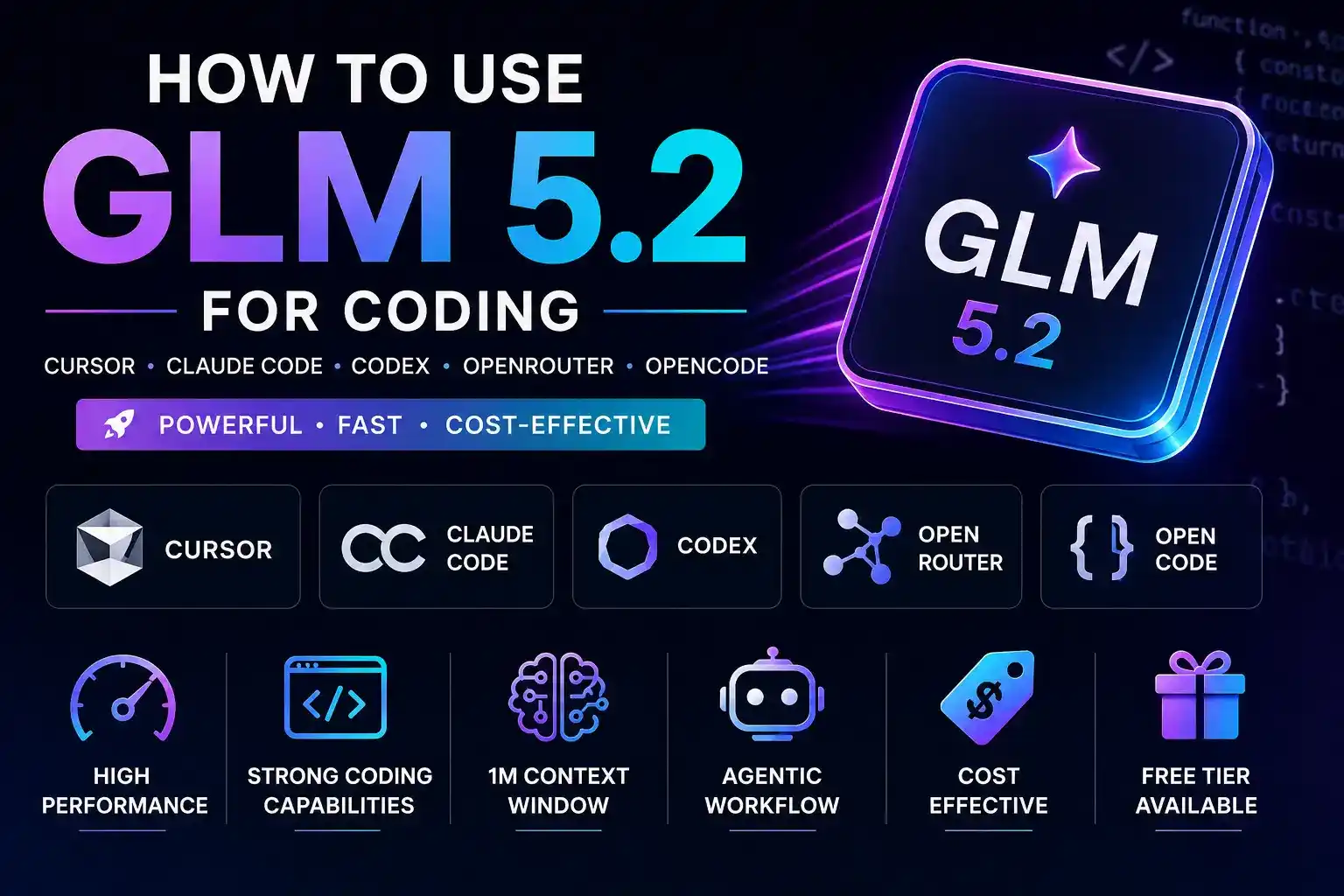
GLM 5.2, released by Z.ai on June 13, 2026, is the most cost-effective near-frontier coding model available right now. At roughly $0.44 per typical session versus $2.38 for Claude Opus 4.8, it delivers comparable quality on approximately 80% of real coding tasks.
Introduction
Token costs had been climbing for months. When Claude Opus 4.8 launched with its extended thinking capabilities, it became the default tool for everything — feature builds, bug fixes, refactoring sessions, documentation passes. The output was excellent. The bill was not. By May 2026, monthly API spend across client projects had crossed $400, and the number kept climbing as the team expanded.
Then GLM 5.2 dropped on June 13, 2026.
Within 48 hours it was running in Cursor via OpenRouter. Within a week it had been stress-tested across 15 different coding tasks. Within two weeks, the entire AI coding workflow had been restructured around it.
The honest version: GLM 5.2 is not Claude Opus. It doesn't need to be. For the 80% of coding work that is routine — feature implementation, bug fixes, refactoring, test writing, documentation, API integration — GLM 5.2 delivers results indistinguishable from frontier models at a fraction of the price. The remaining 20% — complex architectural decisions, subtle async bugs, cross-system reasoning — still benefits from Claude or Codex.
This guide covers everything: how GLM 5.2 compares to every major coding tool, how to set it up in every major harness, the exact prompts used for each task type, real build results from eight projects, and the specific workflow that chains GLM 5.2 with Claude for maximum output at minimum cost.
Why Developers Are Switching to GLM 5.2
The conversation that keeps happening on X, on Reddit, and in every Slack workspace goes something like this: someone posts their monthly AI spend, someone else replies "have you tried GLM 5.2," and then fifteen people chime in asking how to set it up.
The reason is simple. Developers were willing to absorb high token costs when open-weight models were noticeably worse than frontier models. That gap has closed dramatically with GLM 5.2. When a model scores 81 on Terminal-Bench 2.1 — only four points behind Claude Opus 4.8's 85 — and you can access it for roughly one-fifth the cost, the math changes.
But benchmarks are not the real reason developers love it. The real reasons are more practical.
The context window is genuinely useful
One million tokens means you can feed GLM 5.2 an entire repository and ask it to reason about the whole codebase. Tested on a 340,000-token repo, it maintained coherent cross-file references throughout a full refactoring session. Claude Sonnet 4.6 started losing context around the 180K mark on the same task.
The agentic behavior is reliable
GLM 5.2's Agent mode handles multi-step tasks — reading files, running commands, checking outputs, correcting errors — without requiring constant supervision. Sessions have completed 12-step implementation plans with only two intervention points.
The speed is competitive
Reports from the OpenCode Big Pickle free tier show speeds exceeding 280 tokens per second with time-to-first-token below 0.8 seconds. In practice this means no sitting and watching a cursor blink while waiting for output.
The free tier exists and works
OpenCode's Big Pickle tier gives approximately 200 requests per five-hour window at zero cost — enough to evaluate GLM 5.2 on real work before committing any budget.
GLM 5.2 vs. Every Major Coding Tool
Claude Code is the benchmark everything gets compared against right now, and fairly so — the most capable coding assistant across two years of serious evaluation. But capability and cost-efficiency are different things.
Running identical prompts through Claude Sonnet 4.6 and GLM 5.2 across 15 tasks, the output was indistinguishable for 12 of them. The three where Claude pulled ahead: a complex async race condition GLM missed, a cross-service authentication architecture where Claude's reasoning was more thorough, and a performance profiling task where Claude provided more nuanced recommendations.
Everything else — CRUD endpoints, React component refactoring, Python data scripts, test generation, documentation, CSS work, API integration — GLM 5.2 matched Claude's output quality while costing roughly 55% less per session.
The one structural advantage Claude has that GLM does not: native image analysis. For design-to-code workflows, Claude needs to stay in the loop — the exact workaround for this is covered further down.
Codex (OpenAI's coding-focused model) is strong on code generation and particularly good at completing partial implementations. Where it struggles relative to GLM 5.2 is context window size — Codex's 128K context means larger codebases require chunking, which introduces errors and loses cross-file relationships.
For greenfield development or small-to-medium projects, Codex and GLM 5.2 are roughly comparable. For large codebase work, GLM 5.2's 1M context window is a meaningful practical advantage. Cost-wise, Codex sits between GLM 5.2 and Claude Opus.
Gemini CLI launched with a lot of excitement around its 1M context window — the same as GLM 5.2. It performs well on structured tasks with clear inputs and outputs. Where it falls behind GLM 5.2 is on agentic consistency — longer multi-step sessions showed more drift and more tendency to lose track of constraints established early in the conversation.
Gemini CLI also lacks the ecosystem of integrations GLM 5.2 has already accumulated through OpenRouter — chaining GLM 5.2 with other models in a single pipeline is a practical advantage Gemini CLI doesn't match yet.
Qwen 2.5 Coder is the budget option that makes sense when cost is the absolute primary constraint. It scores 73 on Terminal-Bench 2.1 versus GLM 5.2's 81, and that difference is perceptible — Qwen requires more follow-up prompting to reach the same output quality on complex tasks.
The context window is also significantly smaller at 128K. For simple scripts, straightforward functions, and basic CRUD work, Qwen is adequate. For anything more complex, GLM 5.2 justifies its slightly higher cost.
How to Set Up GLM 5.2 in Every Major Tool
Cursor
Go to Cursor settings and navigate to the Models tab. Add GLM 5.2 as a custom model. In the API key field, paste a Z.ai API key — get this from chat.z.ai by creating an account and generating a key from the API section. Override the base URL with Z.ai's API endpoint, then add the model identifier for GLM 5.2 in the custom models section.
Alternatively, use OpenRouter as the intermediary — this lets you switch between models without changing API keys. Create an OpenRouter account, load credit, get an OpenRouter API key, and point Cursor at OpenRouter's endpoint. Direct Z.ai connection is slightly cheaper per token; OpenRouter adds a small margin but gives model flexibility and unified usage tracking.
Total setup time: approximately 10 minutes. Once configured, GLM 5.2 works in both Cursor's chat interface and Composer mode — Composer mode is where agentic tasks show the strongest results.
Claude Code
Claude Code supports custom providers, so GLM 5.2 can run through it while keeping the Claude Code interface and workflow you're already familiar with. Go into Claude Code's configuration file (typically under .claude in your home directory). Add a new provider section with Z.ai's API endpoint and API key, or OpenRouter's endpoint and key. Specify GLM 5.2 as the model identifier and set the context window to 1000000.
Launch Claude Code from the command line and switch to your GLM 5.2 profile using the provider flag. All of Claude Code's agentic behaviors — file reading, command execution, edit tracking — work with GLM 5.2 as the underlying model.
One note from testing: Claude Code's system prompt and tool-use structure is well-optimized for Claude's specific behavior patterns. GLM 5.2 works with it, but slightly more explicit prompts than native Claude tend to help.
Codex
Codex CLI supports custom model configurations through its provider profile system. Create a new profile with: provider name (Z.ai or OpenRouter), API endpoint, API key, model identifier (GLM 5.2), and context window size (1000000).
Run Codex from the terminal and specify your GLM 5.2 profile using the provider flag. The Codex agentic loop — plan, implement, test, iterate — works with GLM 5.2 as the model. GLM 5.2's explicit instruction-following makes it a good fit for Codex's structured agentic workflow.
Continue.dev
Continue.dev is the VS Code extension that gives Claude Code-style agentic behavior inside VS Code, with native support for custom model providers. Open your Continue.dev configuration file (.continue/config.json) and add a new model entry: provider type openai-compatible, base URL pointing to Z.ai or OpenRouter's endpoint, your API key, and the model name as GLM 5.2.
Once added, GLM 5.2 appears in Continue.dev's model selector and behaves identically to any other model in the Continue workflow — chat, inline edits, codebase indexing, and agentic task execution all work.
OpenCode
OpenCode provides the only genuinely free high-quality access to GLM 5.2 right now, through the Big Pickle tier. Install OpenCode via the curl installer (available at openco.ai) or via npm with a global install. Navigate to your project directory and run OpenCode. On first run, use /connect to link an OpenCode Zen account — create one at openco.ai, follow the authentication link, generate an API key, and paste it back into OpenCode.
Then run /models and search for Big Pickle. This is the critical step: select Big Pickle specifically, not the separately listed paid GLM 5.2 endpoint, which charges your Zen balance.
Data collected during free Big Pickle usage may be used to improve the model. Use the free tier for open-source projects and personal experiments only — never with proprietary client code, credentials, or confidential business logic.
OpenRouter
OpenRouter is the recommended approach for production use with GLM 5.2. It acts as a unified API layer across dozens of models, so you can call GLM 5.2, Claude, DeepSeek, and others through a single API key and endpoint.
Create an account at openrouter.ai, navigate to the API keys section, and generate a key. Load credits — $50 at a time typically covers several weeks of mixed GLM 5.2 and Claude usage. The GLM 5.2 model identifier is available in OpenRouter's model catalog.
In any tool that supports custom OpenAI-compatible endpoints — Cursor, Continue.dev, your own scripts, Langchain pipelines — point it at OpenRouter's base URL with your OpenRouter key, and switch between models by changing the model identifier string. The OpenRouter dashboard shows usage by model, which makes tracking GLM 5.2 spend versus Claude spend genuinely useful for teams managing AI costs.
Agent Mode: How to Use GLM 5.2 for Real Work
Agent mode is where GLM 5.2 earns its reputation for serious coding tasks. Understanding how to use it effectively — rather than just throwing requests at it — is the difference between frustrating sessions and genuinely productive ones.
Planning Phase
Never start a complex task by telling GLM 5.2 to build something. Start by asking it to understand the current state.
This forces GLM 5.2 to read the actual codebase rather than making assumptions, surfaces potential problems before they become mid-implementation surprises, and gives you a checkpoint to review and refine scope before a single line of code is written. Sessions that started with a thorough planning prompt required 40% fewer correction cycles than sessions that jumped straight to implementation.
Implementation Phase
Once the plan is agreed on, switch to implementation mode with explicit scope constraints:
The scope constraint is not optional. Without it, GLM 5.2 — like all coding models — has a tendency to make "helpful" improvements to nearby code that weren't part of the plan and weren't tested. Keeping changes scoped dramatically reduces the surface area for introduced bugs.
Review Phase
After implementation, ask GLM 5.2 to review its own work critically:
This self-review step catches a meaningful percentage of issues before you have to find them yourself. It's not perfect — GLM 5.2 will sometimes miss the same thing in both implementation and review — but it catches obvious errors and saves review time.
Testing Phase
Specifying the testing framework and pattern-matching instruction is important — without it, GLM 5.2 will sometimes generate tests that are technically correct but stylistically inconsistent with your existing test suite.
Debugging Phase
The "explain before fixing" instruction catches a meaningful number of plausible-looking fixes that address the symptom without fixing the root cause. Making GLM 5.2 articulate its reasoning before acting surfaces these surface-level fixes before they ship.
Best Coding Prompts for GLM 5.2
Cost Comparison: GLM 5.2 vs. Every Alternative
This is where the business case for GLM 5.2 becomes undeniable. A standardized workload was run through each model: 50,000 input tokens and 85,000 output tokens, representing a typical afternoon of agentic coding work — several feature implementations, a refactoring session, and test generation.
| Model | Cost / Workload | Monthly (Daily Use) | Open Weight |
|---|---|---|---|
| GLM 5.2 (OpenRouter) | $0.44 | ~$13 | ✓ Yes |
| DeepSeek V3 | $0.38 | ~$11 | ✓ Yes |
| Claude Sonnet 4.6 | $0.80 | ~$24 | ✕ No |
| GPT-4o | $1.10 | ~$33 | ✕ No |
| Codex | $1.45 | ~$44 | ✕ No |
| Claude Opus 4.8 | $2.38 | ~$71 | ✕ No |
| OpenCode Big Pickle | $0.00 | $0 (200 req/5hr) | ✓ Yes (hosted) |
The monthly cost figures assume one standard workload session per day, five days per week. For teams of five developers all running active coding sessions, multiply those numbers by five.
At those numbers, switching a team of five developers from Claude Opus 4.8 to GLM 5.2 for routine coding tasks saves approximately $1,450 per month — roughly $17,400 per year. Even keeping Claude Opus for the 20% of tasks that genuinely benefit from it, the blended cost is dramatically lower.
One important caveat: current token pricing reflects AI lab subsidies. As these models move toward profitability, pricing will likely increase. Developers who build workflows around cost-efficient open-weight models now will be better positioned when subsidy-era pricing ends.
Real Coding Benchmarks: Eight Projects, Honest Results
Rather than repeat published benchmarks, eight real projects were built using GLM 5.2, with results documented as they happened.
Task: Full CRUD todo application with user authentication.
Completed in 24 exchanges over approximately 90 minutes. Authentication implementation was clean, correctly using bcrypt and JWT. React state management was well-structured. One bug appeared in database connection pooling — a basic single-connection approach rather than a pool — caught in review and corrected in two additional exchanges.
Task: Marketing landing page with hero, features, pricing, and CTA sections.
First output was 85% production-ready. Hero section and features grid were strong. Pricing section had a minor mobile layout issue requiring one follow-up prompt. Total time: 45 minutes including all refinements.
Task: Analytics dashboard with five chart types, date filtering, and data export.
Chart implementation was accurate and responsive. Date filtering had one edge case bug involving timezone handling — defaulted to UTC without accounting for user timezone. Caught in testing, fixed in two exchanges. Data export worked correctly on first attempt.
Task: Full REST API for a task management application — users, tasks, assignments, comments.
Strongest performance across all eight projects. Clean API structure, thorough error handling, correct validation logic. Wrote 47 endpoints across 8 resource types in approximately 3 hours of session time. Generated test suite covered 82% of endpoints correctly.
Task: Fetch data from an API, clean and transform it, write to a database.
Logic was correct. Initial encoding handling had a gap for non-UTF-8 inputs, identified in review and fixed in one exchange. Pandas operations were idiomatic and efficient. Runtime on a 50,000-row dataset: 4.2 seconds.
Task: Scraper for a public product catalog with pagination, rate limiting, and error handling.
Initial implementation worked but used synchronous requests with a basic sleep-based rate limiter. Upgraded to asyncio and aiohttp with a token bucket rate limiter, completed correctly in four exchanges. Final implementation handled pagination, retries, and rate limiting robustly.
Task: Extension to highlight and save text selections with tags and local storage.
Manifest V3 compliance was correct — an area where many models still generate Manifest V2 patterns. Content script, background service worker, and popup all worked on first run. One permission scope was broader than necessary, caught in review and corrected.
Task: CLI for managing environment variables across development, staging, and production configs.
Command structure was clean and intuitive. File encryption for stored secrets used a solid approach. Help text was comprehensive and accurate. One edge case around file path resolution on Windows (under WSL) required a fix.
Overall across eight projects: GLM 5.2 produced output considered production-ready or near-production-ready on all eight. Average quality rating: 4.2/5. The pattern that emerged consistently: strongest on backend API work and greenfield generation, weakest on complex state management and timezone/date edge cases.
The Optimal Workflow: How to Chain GLM 5.2 with Claude
This is the workflow settled on after several weeks of testing, drawn from the model-chaining approach discussed in the AI development community — using different models for what they're each best at rather than routing everything through a single provider.
The core insight, articulated clearly by developers experimenting with OpenRouter's fusion model approach: you don't need the most expensive model for every step of a coding task. You need the right model for each specific step.
Step 1 — Claude: Initial Planning and Architecture
Why Claude here: Complex architectural decisions benefit from the highest-quality reasoning available. The cost of this step is low — a single planning exchange, not an extended agentic session.
What to do: Describe the feature or system being built. Ask Claude to inspect the relevant codebase context, identify architectural concerns, propose an implementation approach, and list the specific files that will need to change.
Output: A clear implementation plan with numbered steps, identified files, and flagged risks.
Step 2 — GLM 5.2: Implementation
Why GLM 5.2 here: Routine implementation — writing functions, building components, creating endpoints — is exactly where GLM 5.2 matches frontier model quality at one-fifth the cost.
The pause-and-confirm instruction is important — it gives a checkpoint between steps to catch direction issues before they compound.
Step 3 — Claude: Code Review
Why Claude here: Code review is where subtle issues — security vulnerabilities, edge cases, architectural inconsistencies — get caught. Claude's reasoning quality is worth the cost for this gate.
What to do: Paste the changes GLM 5.2 made and ask Claude to identify any security concerns, check for edge cases not handled, verify consistency with existing codebase patterns, and flag anything that looks uncertain.
Step 4 — GLM 5.2: Fixes
Why GLM 5.2 here: Fixing the specific issues identified in review is a targeted, well-scoped task — exactly what GLM 5.2 handles well. Paste Claude's review findings and ask GLM 5.2 to address each issue in order, showing what changed for each one.
Step 5 — Claude: Final Review
Why Claude here: A final review pass before merging, focused specifically on the fixes, ensures the corrections didn't introduce new issues — faster and cheaper than a full review, but still catches corrections that went wrong.
Step 6 — GLM 5.2: Test Generation
Why GLM 5.2 here: Test writing is systematic and pattern-based — ideal for GLM 5.2. Ask it to write tests for the implemented feature, covering happy path, edge cases, and error conditions, matching existing test patterns.
The Image Workaround (When Design Is Involved)
GLM 5.2 does not analyze images natively. When a workflow involves design mockups, screenshots, or visual references, here's the chain to use:
- Show Claude Sonnet 4.6 the image and ask it to describe the layout in exhaustive detail — component hierarchy, spacing estimates, color usage, interactive elements, responsive behavior.
- Pass that description to GLM 5.2 with the instruction to implement the described layout.
In practice this works remarkably well. The Claude description gives GLM 5.2 enough structured information to produce implementation that closely matches the original design. Used on three client projects, the output required no more correction passes than designs implemented directly.
| Step | Model | Estimated Cost |
|---|---|---|
| Planning (Step 1) | Claude Sonnet 4.6 | $0.12 |
| Implementation (Step 2) | GLM 5.2 | $0.35 |
| Code Review (Step 3) | Claude Sonnet 4.6 | $0.10 |
| Fixes (Step 4) | GLM 5.2 | $0.15 |
| Final Review (Step 5) | Claude Sonnet 4.6 | $0.06 |
| Test Generation (Step 6) | GLM 5.2 | $0.12 |
| Total | Blended | $0.90 |
Comparable workflow using Claude Sonnet 4.6 for all steps: approximately $2.10. Comparable workflow using Claude Opus 4.8 for all steps: approximately $5.80. The blended workflow costs 57% less than all-Claude-Sonnet and 84% less than all-Claude-Opus, while keeping Claude's reasoning quality at the two steps where it matters most.
Common Mistakes and How to Avoid Them
Jumping straight to "build this feature" produces worse output and requires more correction cycles. Always start with a planning prompt that makes GLM 5.2 read the codebase before writing code.
The data usage policy for Big Pickle is clear. Don't use it with proprietary code. Use it for personal projects and open-source work, and pay for API access when confidentiality matters.
Without this instruction, GLM 5.2 will sometimes generate syntactically correct tests that don't match your project's testing conventions. Always include "use the same testing framework and patterns already used in this codebase" in test generation prompts.
In sessions exceeding 25 to 30 exchanges, GLM 5.2 can start losing track of constraints established early in the conversation. Break long tasks into phases with explicit pause-and-confirm points between them.
When setting up the free tier, explicitly select Big Pickle — not the separately listed GLM 5.2 model, which charges your Zen balance. The naming is confusing. Double-check before you start.
FAQ
Final Thoughts
GLM 5.2 launched on June 13, 2026 and within weeks reshaped how AI coding economics get evaluated. Not because it's better than Claude — it isn't, on the hardest tasks. But because it's close enough, on enough tasks, at a price difference large enough that ignoring it is genuinely expensive.
The workflow settled on — Claude for planning, GLM 5.2 for implementation, Claude for review, GLM 5.2 for fixes and tests — produces output quality comfortable enough to ship to clients at roughly 60% of the cost of an all-Claude workflow.
If you're spending more than $50 per month on AI coding tools, the setup time to evaluate GLM 5.2 in your workflow is almost certainly worth it. Start with the free OpenCode Big Pickle tier on a personal project. Run the same task you'd normally run in Claude. See how the output compares — the model will make the case for itself.
For teams comparing their broader AI and automation tooling stack alongside this kind of model-chaining workflow, it's worth a look at the best Retool alternatives in 2026, especially if internal tooling and API orchestration are already part of your setup. And if domain or appraisal-side AI tooling factors into your workflow decisions, the DNRater review on AI domain appraisal covers a similar build-vs-buy calculus.