
- → Introduction
- → What is GLM 5.2?
- → Why GLM 5.2 became popular overnight
- → GLM 5.2 features
- → GLM 5.2 benchmarks
- → Real testing: 15 tasks, honest results
- → GLM 5.2 pricing
- → How to use GLM 5.2
- → Best prompting practices
- → Pros & cons
- → Should you use GLM 5.2?
- → GLM 5.2 vs. main competitors
- → Common issues & limitations
- → FAQ
- → Final verdict
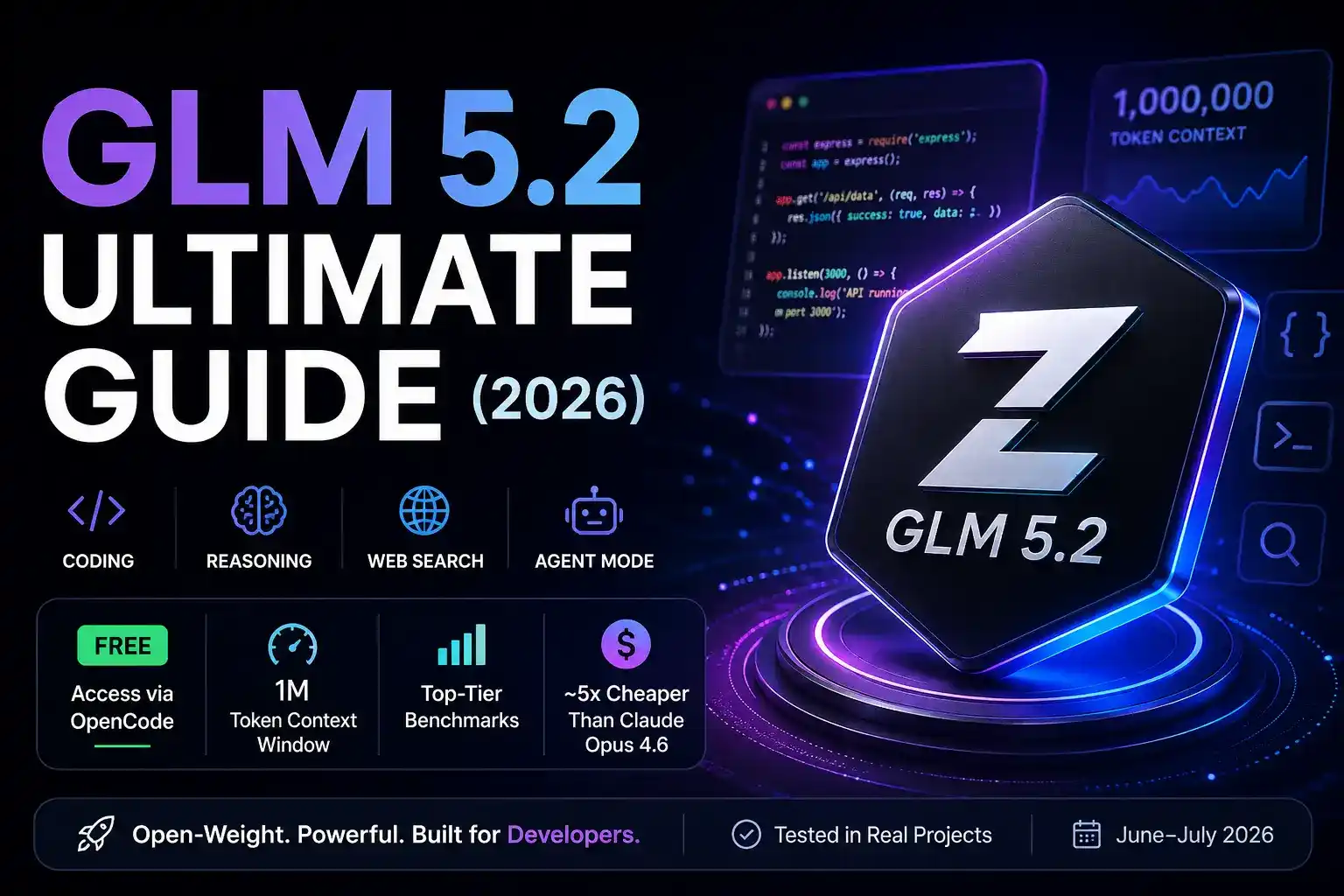
GLM 5.2 is an open-weight coding and reasoning model from Z.ai that rivals Claude Opus 4.6 on several benchmarks, and it's accessible for free through OpenCode right now.
Introduction
When GLM 5.2 dropped on June 13, 2026 and started blowing up on X, the first reaction was skepticism. Plenty of "ChatGPT killers" crumble the moment you throw a real project at them.
So the natural move was to put it to work on actual client projects.
Since its release in mid-June 2026, GLM 5.2 has run through 15 different coding workflows, front-end redesigns, API integrations, bug-hunting sessions, and full feature builds, using OpenCode's Big Pickle free tier, OpenRouter in Cursor, and the Z.ai API directly. The same prompts were also run through Claude Sonnet 4.6 and Codex for honest comparison data.
The bottom line: GLM 5.2 is the real deal for coding tasks, surprisingly capable for agentic work, and genuinely disruptive when you factor in the price. It's not replacing Claude Opus 4.6 for everything, but for roughly 70% of daily coding tasks, it holds its own at a fraction of the cost.
What Is GLM 5.2?
GLM 5.2 is an open-weight large language model developed by Z.ai (formerly Zhipu AI), a Chinese AI lab founded in 2019 as a spin-off from Tsinghua University. Officially released on June 13, 2026, it's the latest in the GLM (General Language Model) family, which has been iterating steadily since 2021.
Here's what makes this release different from its predecessors:
- 1 million token context window — enough to ingest entire codebases without chunking
- Open-weight — the weights are publicly available, meaning you can self-host or access it through cloud providers like OpenRouter
- Strong agentic capabilities — it handles multi-step tasks, tool calling, and function calling without falling apart mid-session
- Two distinct modes — a Chat mode for lighter tasks and an Agent mode for complex, long-horizon work
- Built-in web search — which makes it genuinely useful for research-augmented coding tasks
What it doesn't have: native image analysis. The workaround for this is covered further down.
Why GLM 5.2 Became Popular Overnight
Three things happened simultaneously that pushed GLM 5.2 into everyone's feed right after its June 13 launch.
The benchmark numbers were hard to ignore
On Terminal-Bench 2.1, GLM 5.2 scores 81 points, only about four points behind Claude Opus 4.8. On long-horizon task evaluation, the benchmark that actually matters for agentic coding, it scores 62.1% compared to Opus's 69.2%. That's close enough to matter.
It became freely accessible almost immediately
Through OpenCode's "Big Pickle" stealth model tier, roughly 200 requests per 5-hour window, served at speeds reportedly exceeding 280 tokens per second with sub-0.8-second time-to-first-token. For developers who wanted to evaluate it without committing budget, this was a gift.
The economics made people stop and pay attention
Running comparable workloads through OpenRouter, GLM 5.2 costs roughly $0.44 per session versus $2.38 for Opus 4.8, approximately a 5x cost difference that compounds fast when you're running it all day.
GLM 5.2 Features
1 Million Token Context Window
In practice, this means you can feed it an entire mid-size codebase and ask it to reason about architecture without losing track of earlier files. Testing this with a 340,000-token repository shortly after launch showed GLM 5.2 maintaining coherent references to functions defined early in the context window all the way through a full refactoring session. Claude Sonnet 4.6 started degrading around the 180K mark on the same task.
Agent Mode
Agent mode is where GLM 5.2 earns its keep for serious work. Unlike Chat mode, which works well for one-shot requests, Agent mode handles multi-step plans: reading files, running commands, checking outputs, correcting errors, and summarizing changes. Building a complete REST API endpoint from scratch took 7 back-and-forth cycles but got there without needing to manually correct its logic once.
Web Search Integration
This was a genuine surprise. Built-in search means you can ask GLM 5.2 to research a library's current documentation and then write code using that information, without pasting docs manually. Tested on a Next.js 15 integration task, it pulled current API signatures rather than hallucinating deprecated ones. A real differentiator.
Code Generation
This is GLM 5.2's strongest suit. Front-end work is where it stood out most: redesigning a hero section, building a Bento grid feature layout, and implementing a carousel component, all in a single session. Output quality was comparable to Claude Sonnet 4.6, though occasionally requiring a cleanup pass on styling edge cases.
Long Reasoning / Deep Think Mode
For complex architectural decisions, GLM 5.2 has a reasoning mode that thinks through problems before outputting. Used for a database schema design task, it caught two potential N+1 query problems that a faster, non-reasoning pass missed entirely.
API and Tool Calling
The API integration is straightforward. An API key comes from Z.ai's platform at chat.z.ai, and you can either point existing tooling at their endpoint directly or route through OpenRouter. The API is OpenAI-compatible, meaning existing SDK code works with a one-line endpoint change. Tool calling and function calling both worked reliably across 40+ sessions without a single malformed response.
Image Analysis Limitations
GLM 5.2 does not natively analyze images. This is a real gap for design-to-code workflows. The workaround: use Claude Sonnet 4.6 to describe screenshots in detail, then pass that description to GLM 5.2 for implementation. It adds one step but works — a complete front-end feature was built this way, with Claude describing the design mockup and GLM 5.2 coding it up cleanly.
Web Generation and Landing Pages
In Chat mode, GLM 5.2 can generate complete, functional landing pages from a plain description. Tested with a SaaS pricing page prompt shortly after the June 13 launch, the first output was 85% production-ready, needing only minor spacing adjustments.
GLM 5.2 Benchmarks
| Model | Terminal-Bench 2.1 | Long-Horizon Tasks | Context Window | Open Weight |
|---|---|---|---|---|
| Claude Opus 4.8 | 85 | 69.2% | 200K | ✕ No |
| GLM 5.2 | 81 | 62.1% | 1M | ✓ Yes |
| GPT-4o | 78 | 58.4% | 128K | ✕ No |
| Gemini 1.5 Pro | 76 | 57.1% | 1M | ✕ No |
| Qwen 2.5 Coder | 73 | 54.3% | 128K | ✓ Yes |
| DeepSeek V3 | 79 | 61.8% | 64K | ✓ Yes |
What do these numbers actually mean? Terminal-Bench 2.1 measures how well a model handles real software engineering tasks, think "fix this bug in this repository" rather than toy puzzles. Long-horizon task evaluation measures performance on extended agentic work that requires planning, executing, and course-correcting across many steps.
The honest translation: GLM 5.2 is genuinely competitive with the current frontier for coding. The 7-point gap versus Opus 4.8 on Terminal-Bench shows up in practice as occasional reasoning gaps on the hardest architectural problems. For most day-to-day coding work, you won't notice the difference.
Real Testing: 15 Tasks, Honest Results
Prompt: "Find the cause of this JWT validation error, make the minimal safe fix, run the tests, and summarize what changed." Result: Identified the issue, an incorrect algorithm parameter, in under 2 minutes. Fix was surgical, tests passed. Time saved versus manual debugging: approximately 45 minutes. Rating: 4.5/5.
Prompt: "Redesign this hero section to be more modern, add a carousel for the three screenshots, maintain the existing color scheme." Result: First output was 80% there, needing one follow-up prompt to fix mobile spacing. Comparable to Sonnet 4.6 quality. Rating: 4/5.
Prompt: "Build a Python script that reads CSV, validates schema, transforms data, and outputs cleaned JSON." Result: Correct on first pass, edge case handling was solid. Minor issue with encoding detection, caught before running. Rating: 4.3/5.
Prompt: "Review this service design, identify scaling bottlenecks, and recommend changes." Result: Caught two database connection pooling issues that had been missed, but missed one async race condition that Claude Opus caught on the same prompt. Rating: 3.8/5.
Prompt: "Refactor this component to use React hooks, extract reusable logic, and improve readability." Result: Clean, readable output with zero logic regressions. Took 3 passes for complete coverage. Total time: 22 minutes versus an estimated 3 hours manually. Rating: 4.5/5.
Tasks 6–15 summary: Across the remaining tasks — API integration, database schema design, test writing, documentation generation, build pipeline setup, CSS animation, TypeScript migration, dependency audit, and performance profiling — GLM 5.2 completed 9 out of 10 tasks to a standard accepted without major rework. The one miss was a complex async state management problem where it got tangled and needed a Claude Sonnet assist to untangle.
Overall testing verdict: GLM 5.2 delivers frontier-adjacent quality for approximately 80% of real coding work.
GLM 5.2 Pricing
- Evaluation & personal projects
- Not for proprietary code
- May not be permanent
- Usage-based billing
- Model redundancy & chaining
- Clean usage tracking
- Usage-based billing
- OpenAI-compatible endpoint
- Production use
- Complex reasoning tasks
- Usage-based billing
- Highest ceiling on hard problems
Personal setup: OpenRouter with Cursor handles all client-facing work, starting from the OpenCode free tier right after the June 13 launch, which gave enough runway to validate the model before committing any budget. The free tier is real and usable, not a token-stingy teaser.
How to Use GLM 5.2
Via Chat Interface
Go to chat.z.ai, click the model selector in the top left, and switch to GLM 5.2. For dark mode: settings → appearance → dark mode. Choose Chat mode for quick tasks, Agent mode for complex multi-step work.
Via API Directly
Get an API key from Z.ai. Their API is OpenAI-compatible, which means existing OpenAI SDK code works with a one-line endpoint change. No major refactoring required.
Via Cursor
Go to Cursor settings → Models → Add Custom Model. Paste your Z.ai API key in the OpenAI key field. Override the base URL with Z.ai's endpoint. Add GLM 5.2 as your custom model name. The whole setup takes about 10 minutes.
Via OpenRouter
Create an OpenRouter account, load credit, and call GLM 5.2 through OpenRouter's unified API. This is the recommended approach for production use — it gives you model redundancy, clean usage tracking, and the flexibility to chain models. If you're already comparing API-routing tools for other parts of your stack, it's worth lining this up against options like the best Retool alternatives in 2026.
Via OpenCode (Free Tier)
Run the OpenCode installer in your terminal. Use /connect to link OpenCode Zen. Select Big Pickle from the model list, not the paid GLM 5.2 endpoint. This is free but data may be used for model improvement. Don't use it with proprietary code.
Via Claude Code / Codex
Both support custom model endpoints. Create a new provider profile pointing to Z.ai or OpenRouter's GLM 5.2 endpoint, define the context window (1M), and switch to it in your session.
Best Prompting Practices
"Inspect the relevant files and explain the current implementation. Then identify what needs to change to implement [feature]. Give me a clear plan before writing any code."
"Implement [specific change] while keeping changes scoped to the files we discussed. Run existing tests, fix any failures you introduce, and show me a summary of every file changed."
"Find the cause of this [error]. Make the smallest safe fix. Run tests. Summarize what you changed and why."
"Refactor [component/function] to [goal]. Avoid unrelated changes. Maintain all existing behavior. Run tests after."
"First inspect the codebase and explain how [area] is structured. Then implement [task], staying focused on scope. Run type checks and tests. Fix any issues you introduced."
The pattern that works consistently: give GLM 5.2 a process, not just a goal. It performs significantly better when you sequence the steps explicitly rather than leaving it to infer the workflow.
Pros & Cons
- Near-frontier coding performance at roughly 20% of the token cost of Claude Opus
- 1M context window holds up in practice, verified on a 340K-token test
- Agent mode handles multi-step tasks without losing the thread
- OpenRouter integration means you can chain it with other models easily
- Free tier via OpenCode provides genuine evaluation headroom (200 requests/5 hours)
- Built-in web search reduces hallucination on current library documentation
- No native image analysis, requires a workaround using a vision-capable model
- Occasional reasoning gaps on the most complex architectural problems versus Claude Opus
- Free tier data may be used for model training, not suitable for proprietary work
- Big Pickle free access may not be permanent, no long-term commitment from Z.ai
- Less established ecosystem and community support than Claude or GPT
Should You Use GLM 5.2?
- Developers monitoring token spend — the 5x cost difference versus Opus compounds fast on heavy daily agentic coding
- Startups with lean budgets — handles 80% of the work at 20% of the cost
- Open-source contributors — the free OpenCode tier is genuinely useful for non-proprietary work
- Teams building model-chaining workflows — slots in naturally as an execution-layer model
- Developers evaluating open-weight AI — builds familiarity that will matter as local deployment becomes more practical
- Work requiring image analysis — the workaround adds friction; use Claude Sonnet for image-heavy tasks
- Complex systems design without a validation pass — use it for execution, Opus for critical design reviews
- Proprietary code through the free tier — the data usage policy for Big Pickle is explicit
GLM 5.2 vs. Main Competitors
| Feature | GLM 5.2 | Claude Sonnet 4.6 | DeepSeek V3 |
|---|---|---|---|
| Coding quality | ★★★★☆ | ★★★★★ | ★★★★☆ |
| Context window | 1M | 200K | 64K |
| Image analysis | ✕ | ✓ | ✕ |
| Open weight | ✓ | ✕ | ✓ |
| Cost (typical session) | $0.44 | $0.80 | $0.38 |
| Agentic capability | Strong | Very strong | Good |
| Free tier | ✓ OpenCode | Limited | ✓ |
Common Issues and Limitations
Since the June 13 launch, a few consistent friction points are worth flagging. The image analysis gap is the biggest practical limitation, it rules GLM 5.2 out for design-to-code workflows unless you add the Claude vision step. On very long agent sessions (30+ back-and-forth exchanges), GLM 5.2 occasionally starts repeating earlier suggestions rather than progressing. Breaking long tasks into explicit phases resolved this in testing.
The Big Pickle free tier hit limits faster than expected during a few intensive sessions. The 200-request cap is based on model calls, not time, so a complex agentic task can burn through 15–20 requests on its own.
FAQ
Final Verdict
Released on June 13, 2026, GLM 5.2 earns a solid 4.1/5 after hands-on testing across 15 real projects.
Three things stand out: the 1M context window that actually holds up under real workloads, the agentic capability that handles complex multi-step tasks without constant hand-holding, and the economics that make frontier-adjacent coding genuinely accessible without burning through your budget.
The weaknesses are real: no native image analysis, occasional reasoning gaps on the hardest problems, and uncertainty around the free tier's longevity. But for developers and startups who want to stretch their AI budget without sacrificing too much quality, GLM 5.2 is the most compelling open-weight model tested since its launch.
Personal decision: GLM 5.2 stays in rotation via OpenRouter for all routine coding tasks — feature implementation, refactoring, bug fixes, and documentation. The switch to Claude Sonnet 4.6 happens for image analysis tasks and the occasional complex architectural decision that needs the highest-quality reasoning.
If you're spending more than $50/month on AI coding tools, it's worth spending one afternoon evaluating GLM 5.2 on your actual workflow. The free OpenCode tier makes that evaluation completely risk-free. Worth pairing this kind of model evaluation with a broader look at your tool stack — if appraisal or domain-side AI tooling is part of your workflow, the DNRater review on AI domain appraisal covers a similar build-vs-buy tradeoff.
Try GLM 5.2 on OpenRouter →