Monday vs ClickUp: Why Teams Are Switching
Choosing between ClickUp and Monday.com feels like a high-stakes decision—and it is. You’re not just picking software; you’re committing your team to a workflow system that will shape how projects get planned, tracked, and delivered for the next several years.
Monday.com has built a reputation as the polished, visually intuitive project management tool. Its colorful boards and drag-and-drop simplicity make it appealing for teams that want to get started fast. ClickUp, on the other hand, positions itself as the all-in-one powerhouse—replacing multiple tools with a single platform that includes tasks, docs, dashboards, automations, and AI.
I’ve used both extensively with real teams, and the choice comes down to a fundamental question: Do you want a beautiful, streamlined tool that does project management well, or do you want a comprehensive platform that does project management plus everything else—often at half the price?
Want to test for yourself while you read? Start your free ClickUp workspace now—no card needed.
Quick Summary: Which Should You Choose?
Monday.com is best for teams that prioritize visual simplicity and fast setup. It’s polished, intuitive, and great for straightforward project tracking where you don’t need deep customization or advanced features.
ClickUp is best for teams that want maximum value—more features, deeper customization, better reporting, integrated docs and whiteboards, AI assistance, and significantly lower pricing. It’s built for teams that plan to scale or want to consolidate their tool stack.
Pick Monday if:
- You need the fastest possible team adoption (prettiest UI wins)
- Projects are relatively simple with standard workflows
- You’re willing to pay premium prices for ease of use
- Advanced features like native docs, mind maps, or deep automations aren’t priorities
Pick ClickUp if:
- You want one tool to replace 3-5 others (tasks, docs, dashboards, time tracking)
- You need advanced views (Gantt, Timeline, Workload, Mind Map)
- Budget matters—you want enterprise features at half Monday’s cost
- You’re planning to scale and don’t want to outgrow your PM tool
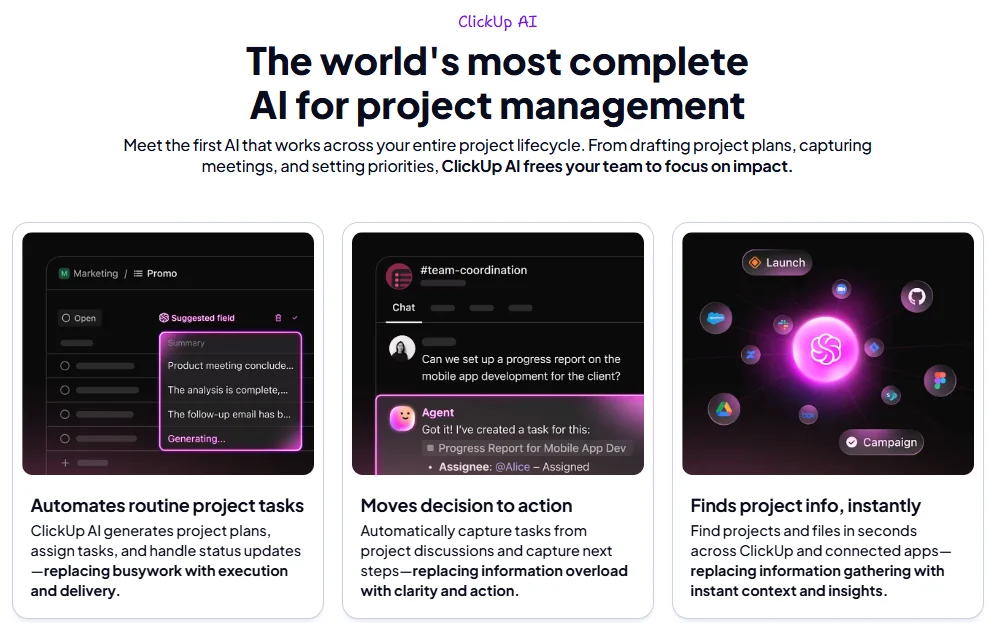
- AI integration (ClickUp Brain) is valuable for your team
Bottom line: ClickUp delivers more functionality for less money. Monday is easier initially but becomes expensive and limiting as you grow.
Feature-by-Feature Comparison
User Experience & Onboarding
Monday.com wins on first impression. Its interface is colorful, visual, and immediately intuitive. The drag-and-drop board builder feels familiar if you’ve used tools like Trello or Airtable. Non-technical users can create boards, add columns, and invite team members within minutes. Monday’s onboarding flow is smooth and minimal—you’re productive almost immediately.
The tradeoff: that simplicity comes from limiting what you can do. Monday’s structure is intentionally constrained to keep things simple, which works great until you need something more complex.
ClickUp has a steeper initial learning curve because it offers more—9+ view types, custom fields, automations, docs, whiteboards, and dashboards. But ClickUp compensates with exceptional onboarding resources: interactive tutorials, a comprehensive help center, 1,000+ templates, and guided setup flows that help you configure exactly what you need.
Most teams find that after 3-5 days in ClickUp, they’re comfortable with the basics and gradually discovering features that save significant time. The learning investment pays off because you’re not rebuilding your system six months later when Monday’s limitations become apparent.
Winner: Monday for day-one simplicity; ClickUp for long-term productivity.
Prefer to learn by doing? ClickUp’s onboarding process is interactive
Views & Project Structure
Both tools offer multiple views, but the depth and flexibility differ significantly.
Monday.com provides:
- Board view (their signature visual kanban)
- Table view (spreadsheet-style)
- Calendar view
- Timeline view (Gantt-style, on higher plans)
- Kanban view
- Chart view (for reporting)
Monday’s views are clean and well-designed. The Board view with its color-coded status columns is genuinely delightful to use. But you’re limited in how you can structure complex projects—everything flows through boards and items, with less flexibility for nested hierarchies or multi-dimensional organization.
ClickUp provides:
- List view (classic task list)
- Board view (Kanban)
- Calendar view
- Gantt view (with dependencies)
- Timeline view
- Workload view (capacity planning)
- Table view (database-style)
- Mind Map view (visual brainstorming)
- Map view (location-based)
ClickUp’s hierarchy (Workspace → Spaces → Folders → Lists → Tasks → Subtasks) gives you much more organizational flexibility. You can structure work at whatever scale makes sense—departments, projects, sprints, clients—without fighting the tool’s architecture.
The Workload view is particularly valuable for project managers who need to balance team capacity. You can see who’s overloaded, redistribute work, and prevent burnout—something Monday doesn’t offer natively.
Winner: ClickUp—significantly more views and better structural flexibility for complex project portfolios.
Automations
Automation capabilities separate tools built for small teams from platforms designed for scale.
Monday.com offers “recipes”—pre-built automation templates you can customize. Examples:
- When status changes to “Done” → notify someone
- When date arrives → send reminder
- When item is created → assign to team member
Monday’s automations work well for simple workflows. The visual builder is approachable. But you’re limited in trigger/action combinations, and automation allowances are stingy: 250 actions/month on Standard plan ($12/user), 25,000 on Pro ($19/user). For active teams, you hit these limits quickly.
ClickUp provides a more powerful automation builder with deeper logic:
- 1,000 automations/month on Unlimited plan ($7/user)
- 10,000 automations/month on Business plan ($12/user)
- More complex triggers: status changes, due dates, custom fields, assignees, priorities, watchers
- More actions: status updates, assignments, notifications, creating tasks, posting to integrations
Real-world ClickUp automation example: When a task in “Client Requests” list is created → automatically assign based on priority field → add “needs-triage” tag → post notification in #requests Slack channel → create due date 3 days out
This level of workflow automation eliminates manual follow-up and ensures nothing falls through cracks—critical for teams running multiple simultaneous projects.
Winner: ClickUp—better automation depth, more generous limits, and lower cost per automation action.
Templates & Industry Fit
Both platforms offer templates to accelerate project setup, but the scale and specificity differ dramatically.
Monday.com has solid templates organized by department (marketing, sales, operations, HR, development). You’ll find content calendars, sprint planning boards, CRM pipelines, and event planning templates. They’re polished and functional but relatively generic—you’ll still need significant customization for most real-world projects.
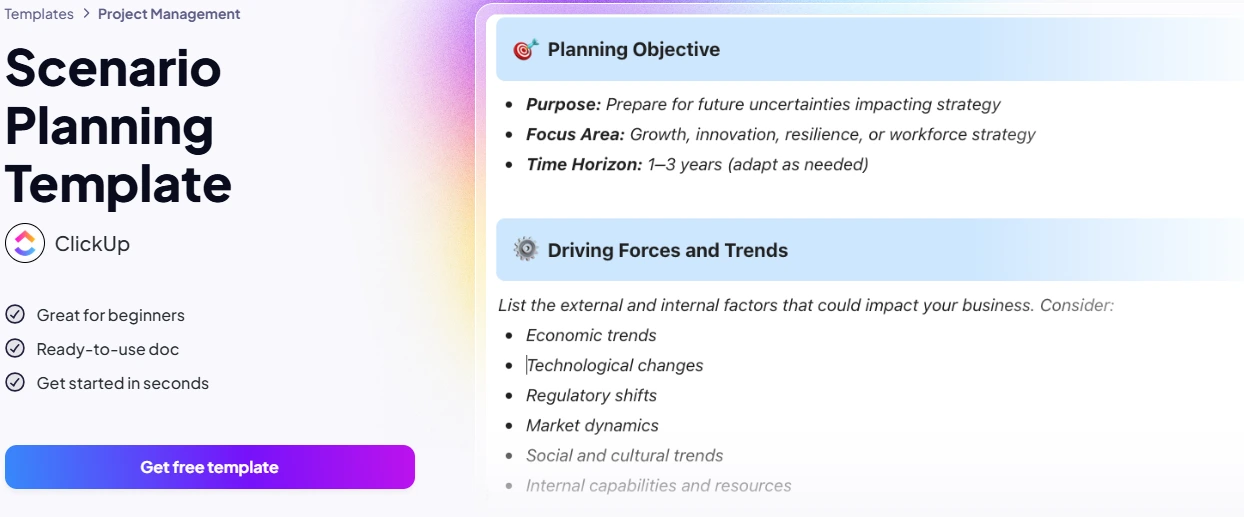
ClickUp offers 1,000+ templates across incredibly specific use cases:
- Software development: sprint planning, bug tracking, release management, feature requests
- Marketing: campaign planning, content calendars, SEO tracking, social media management
- Agency workflows: client onboarding, project delivery, retainer management
- Operations: process rollouts, SOP documentation, cross-functional initiatives
- Product management: roadmaps, user research, product launches
These aren’t just task lists—they’re complete project frameworks with pre-configured views, custom fields, automations, embedded docs, and best-practice workflows from real teams. You can launch a complex campaign or sprint in under 60 seconds.
Winner: ClickUp—massively larger template library with industry-specific depth.
Launch your first project using ClickUp’s ready-made templates
AI: ClickUp Brain vs Monday AI
Artificial intelligence is now a differentiator in project management tools, but implementation quality varies widely.
Monday AI (trial credits included, then paid add-on):
- Generates formula columns
- Summarizes board activity
- Suggests automations
- Creates basic content in updates
Monday’s AI is functional but surface-level. It helps with specific tasks but doesn’t deeply understand your project context or provide strategic assistance.
ClickUp Brain ($5/user/month add-on):
- Answers project questions: “What’s blocking the Q2 launch?” or “Who’s overloaded this week?”
- Summarizes work: Generates project updates from actual task history and comments
- Drafts content: Creates task descriptions, meeting notes, project briefs using workspace context
- Automates writing: Expands bullets into docs, generates subtasks from descriptions, writes standup summaries
- Contextual intelligence: Knows your projects, tasks, team assignments, and deadlines
Because ClickUp Brain has full access to your workspace data, it provides genuinely useful project intelligence rather than generic AI responses. Ask it about capacity and it references real team workload. Request a project summary and it pulls from your actual task data.
For advanced AI workflows and API integration for power users, check our ClickUp AI & API guide.
Winner: ClickUp Brain—deeper project context, more capabilities, better value.
Pricing vs Value
This is where ClickUp’s advantage becomes mathematically undeniable.
| Plan | Monday.com | ClickUp |
|---|---|---|
| Free | Up to 2 users, 3 boards, 200+ templates | Unlimited users & tasks, 100MB storage, core views, 100 automations |
| Basic/Unlimited | €9/user/month ($108/year) – Unlimited items, 5GB storage, basic views | $7/user/month ($84/year) – Unlimited storage, all views, dashboards, 1,000 automations, time tracking |
| Standard/Business | €12/user/month ($144/year) – Timeline/Gantt, automations (250/month), integrations (250/month) | $12/user/month ($144/year) – 10,000 automations, custom roles, API, advanced permissions |
| Pro | €19/user/month ($228/year) – Chart view, time tracking, formula columns, 25K automations | N/A – ClickUp gives you equivalent features at Business level |
Real-World Cost Example: 10-Person Team
Monday Standard (minimum viable for most teams):
- 10 users × €12/user × 12 months = €1,440/year ($1,728/year)
ClickUp Unlimited (more features than Monday Standard):
- 10 users × $7/user × 12 months = $840/year
Savings: $888/year with ClickUp—enough to hire a part-time contractor for a month.
To get features equivalent to ClickUp Business (advanced automations, API, permissions), you’d need Monday Pro at €19/user = €2,280/year ($2,736/year) for 10 users.
ClickUp Business gives you the same capabilities for $1,440/year—literally 47% less expensive.
For detailed plan breakdowns, feature comparisons, and ROI calculations, see our comprehensive ClickUp review.
Why not price-test for your team? ClickUp’s free plan has no hidden fees
Pros & Cons
ClickUp
Pros:
- ✅ Exceptional value – More features for significantly less money across all plan tiers
- ✅ All-in-one platform – Replaces tasks, docs, whiteboards, dashboards, time tracking in one tool
- ✅ 9+ view types – Every role sees work the way they think about it
- ✅ Powerful automations – 10x more automation actions than Monday at the same price
- ✅ 1,000+ templates – Industry-specific, ready-to-use project frameworks
- ✅ ClickUp Brain – AI that understands your project context for $5/user/month
- ✅ Generous free plan – Unlimited users and tasks (Monday limits to 2 users)
- ✅ Better reporting – Custom dashboards with 50+ widget types
Cons:
- ❌ Steeper learning curve than Monday’s simplified interface
- ❌ Can feel overwhelming if you try to use everything at once
- ❌ Mobile app is functional but desktop experience is superior
Monday.com
Pros:
- ✅ Beautiful, intuitive interface that teams love at first sight
- ✅ Fast initial setup and gentle learning curve
- ✅ Excellent board view with satisfying color-coded workflows
- ✅ Strong brand recognition and polish
Cons:
- ❌ Significantly more expensive for comparable features
- ❌ Limited views (no Workload, Mind Map, or advanced Gantt on lower plans)
- ❌ Restrictive automation limits (250 actions/month requires $12/user plan)
- ❌ No native docs, whiteboards, or deep project documentation
- ❌ Weaker reporting and dashboard customization
- ❌ Free plan essentially unusable (2 users only)
- ❌ Features locked behind higher-priced tiers
- ❌ AI capabilities limited and expensive
Verdict: Monday wins on visual appeal and day-one simplicity. ClickUp wins on functionality, scalability, and value—especially for growing teams.
Which Is Best for You?
Startups & Small Teams (5-15 people)
Choose ClickUp. Even small teams benefit from ClickUp’s free plan (unlimited users vs Monday’s 2-user limit). As you add your first paid users, ClickUp Unlimited at $7/user gives you everything Monday Standard ($12/user) offers plus native docs, better dashboards, more automations, and unlimited storage.
Monday makes sense only if literally every team member is non-technical and the visual board interface is critical for adoption. But most startups quickly need more than Monday’s basic features—and then you’re paying premium prices or switching tools.
Scaling Teams (15-50 people)
Choose ClickUp decisively. At this scale, you need workflow automation, capacity planning, cross-project visibility, and reporting. ClickUp Business ($12/user) gives you 10,000 automations/month, advanced permissions, API access, and custom roles. To get equivalent capabilities on Monday, you’re paying $19/user for Pro—that’s 37% more expensive for a less comprehensive platform.
You’ll also consolidate tool costs. ClickUp’s native docs, time tracking, and dashboards replace Notion, Toggl, and reporting tools—real savings add up to thousands annually.
Multi-Team Organizations (50+ people)
ClickUp is the obvious choice. Enterprise teams need hierarchical structure, advanced permissions, integrations, API access, and white-labeling. ClickUp Enterprise delivers all of this at pricing that’s competitive with Monday’s lower tiers.
Plus, as organizations scale, the cost difference becomes massive. For a 100-person team:
- Monday Pro: €19/user × 100 × 12 = €22,800/year ($27,360/year)
- ClickUp Business: $12/user × 100 × 12 = $14,400/year
Savings: $12,960/year—that’s two full-time employees or significant budget for other priorities.
For more detailed comparisons, check out our guides on ClickUp vs Asana and ClickUp vs Notion.
Ready to future-proof your workflow? Sign up for ClickUp’s free trial
FAQ
Is Monday easier to use than ClickUp?
Monday is easier on day one because it’s intentionally simplified. The colorful board interface and drag-and-drop simplicity mean anyone can start creating projects within minutes. ClickUp has a steeper initial curve because it offers more views, features, and customization options. However, ClickUp’s onboarding resources (tutorials, templates, help center) are excellent, and most teams are comfortable within 3-5 days. The learning investment pays off—you won’t outgrow ClickUp like you will Monday.
Is it hard to switch from Monday to ClickUp?
Not particularly. ClickUp provides importers for Monday.com that transfer boards, items, columns, and basic data. The migration typically takes a few hours for medium-sized workspaces. The bigger adjustment is configuring ClickUp’s additional features (views, automations, docs) to match your workflow—but this is actually an opportunity to improve processes. Many teams do a pilot migration of one project first, test for two weeks, then roll out to everyone.
Will ClickUp be “overkill” for a small team?
Only if you try to use every feature immediately. Start simple: use List and Board views just like you would in Monday. Add Calendar view when you need it. Gradually adopt automations, then dashboards, then advanced views. ClickUp’s power is that it grows with you—you’re not forced to use everything. The Free plan works great for small teams who want basic project management without hitting Monday’s 2-user limit or paying $9/user for basics.
How’s the mobile/app experience for each?
Both have functional mobile apps for iOS and Android. Monday’s mobile app feels slightly more polished and consistent with its desktop experience. ClickUp’s mobile app is good for checking tasks, updating statuses, and commenting—but heavy administrative work (building dashboards, complex automations, workspace configuration) is better on desktop. For day-to-day project execution, both mobile experiences are solid.
Can I migrate boards, lists, and templates from Monday?
Yes. ClickUp offers a direct Monday.com import tool that preserves your board structure, tasks (items), custom fields (columns), and basic relationships. Attachments and comments transfer as well. You won’t lose historical data. The import process is straightforward—ClickUp’s migration support can help with complex workspaces. After import, you can enhance projects with ClickUp’s additional features (docs, automations, advanced views).
Where do I get started with ClickUp for free?
Click any of the “Start free” or “Try ClickUp” links throughout this article, or go directly to clickup.com. The signup takes under 60 seconds—no credit card required. You’ll get unlimited tasks, unlimited team members, 100MB storage, and access to List, Board, and Calendar views. This is enough to run real projects and test if ClickUp fits your workflow. Upgrade to paid plans only when you need more storage, advanced views, or additional features.
P.S. Still unsure?
Most teams make up their mind after a week using ClickUp’s Free plan. Test it on one real project—you’ll know quickly if it’s the right fit.

AI tools expert with over 10 years of experience testing and reviewing technology products.