ClickUp vs Asana 2026: The Winner Isn’t Even Close

If your team is outgrowing spreadsheets and you’re comparing project management tools, you’ve probably landed on two names: ClickUp and Asana. Both are popular, both have strong reputations, and both promise to organize your chaos into productive workflows.
But here’s the reality: these tools are built with fundamentally different philosophies. Asana is designed for simplicity—clean, straightforward task management that gets out of your way. ClickUp is built for power users—an all-in-one platform that replaces multiple tools and adapts to complex workflows.
I’ve used both extensively with real teams, and this comparison goes beyond feature checklists. You’ll see how they actually perform in day-to-day project execution, where each tool shines, and which one delivers better long-term value for growing teams.
If you like to try tools as you read, you can open a free ClickUp workspace in a few minutes with our partner link.
Quick Verdict (Before Deep Dive)
TL;DR: ClickUp wins for most teams that want a complete, scalable project management solution.
Choose ClickUp if: You want one tool to handle projects, docs, dashboards, automations, and AI—with deep customization and enterprise-level features at a fraction of the cost.
Choose Asana if: You have a small team, simple projects, and prefer a minimalist interface over advanced capabilities.
For most teams who want one tool to run projects, docs, dashboards and AI, ClickUp is the better long-term bet. You’ll get more features, better value, and room to grow without switching platforms as your needs evolve.
High-Level Comparison Table
| Feature | ClickUp | Asana |
|---|---|---|
| Views | List, Board, Calendar, Gantt, Timeline, Workload, Table, Map, Mind Map | List, Board, Calendar, Timeline, limited Gantt |
| Templates | 1,000+ templates across all use cases | ~80 templates, mostly basic |
| Automations | Visual builder, 1,000–10,000+ automations depending on plan | Limited automations, requires paid plans |
| AI | ClickUp Brain (contextual AI for $5/user/mo) | Asana Intelligence (limited, expensive add-on) |
| Reporting | Custom dashboards with 50+ widget types | Basic reporting, limited customization |
| Docs & Whiteboards | Native Docs and Whiteboards included | No native docs (relies on integrations) |
| Price (typical team plan) | $7/user/month (Unlimited plan) | $10.99/user/month (Starter plan) |
| Learning Curve | Steeper (more features to master) | Gentle (simpler, fewer options) |
Feature Deep Dive
Task Management & Views
Both tools handle basic task management well—assignees, due dates, priorities, subtasks, and comments are standard. But when you dig into how teams actually use these platforms daily, the differences become clear.
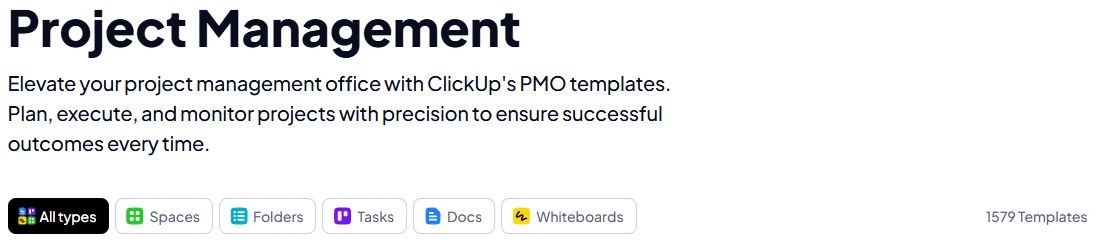
ClickUp gives you nine different view types for the same task data: List, Board (Kanban), Calendar, Gantt, Timeline, Workload, Table, Mind Map, and Map view. This flexibility is massive for teams with different roles. Your developers can work in Board view for sprints, your project manager monitors dependencies in Gantt, your resource planner checks capacity in Workload view, and your executives see high-level timelines—all looking at the same underlying tasks.
Custom statuses and fields in ClickUp are unlimited. You can create any workflow you need—”Backlog → In Progress → Code Review → QA → Deployed” for engineering, or “Pitch → Approved → In Production → Published → Promoted” for content teams. Every field is searchable and reportable.
Asana offers List, Board, Calendar, and Timeline views. The Timeline view is solid but less feature-rich than ClickUp’s Gantt. Asana doesn’t have native workload management or table views, which limits how you can visualize and balance team capacity. Custom fields exist but are more limited in scope and require paid plans for full functionality.
The practical difference: In ClickUp, a software team can run an entire sprint—from planning in Mind Map, execution in Board, dependency tracking in Gantt, to capacity monitoring in Workload—without leaving the platform. In Asana, you’ll likely need supplementary tools for advanced planning and reporting.
Collaboration & Docs
Here’s where ClickUp’s all-in-one philosophy pays off significantly.
ClickUp includes native Docs and Whiteboards as core features. Docs aren’t just notes—they’re collaborative spaces where you can embed live task lists, link to projects, assign action items, and create nested pages for wikis and knowledge bases. When you’re writing a project brief in ClickUp Docs, you can literally create tasks inline, link them to the relevant project, and watch their status update in real-time within the document.
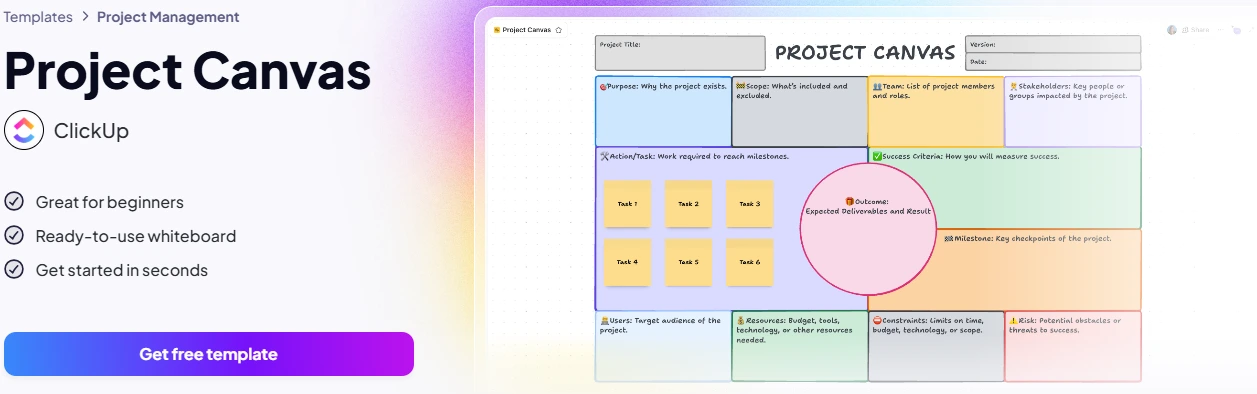
Whiteboards add visual collaboration for brainstorming, process mapping, and sprint planning. You can draw workflows, add sticky notes, and convert ideas directly into tasks with a single click.
The result: your project documentation and execution live in the same workspace with full context. No more “where’s the spec for this task?” or “which Google Doc has the latest version?”
Asana doesn’t have native docs. You can attach files and add descriptions to tasks, but for substantial documentation, you’re integrating with Google Docs, Notion, or Confluence. This means context fragmentation—your project brief lives in Google Docs, your tasks in Asana, and your team is constantly jumping between tabs.
Asana’s task comments are solid for threaded discussions, and you can assign comments as action items. But without integrated docs, you’re always working across multiple platforms rather than from a single source of truth.
Winner: ClickUp, decisively. Keeping documentation and execution in one tool eliminates sync issues and saves significant time. Learn more about ClickUp’s comprehensive features in our detailed ClickUp review.
Automations & Integrations
ClickUp’s automation builder is visual, powerful, and accessible to non-technical users. Even on the free plan you get 100 automations per month; the Unlimited plan ($7/user/mo) gives you 1,000; and Business plan gives you 10,000.
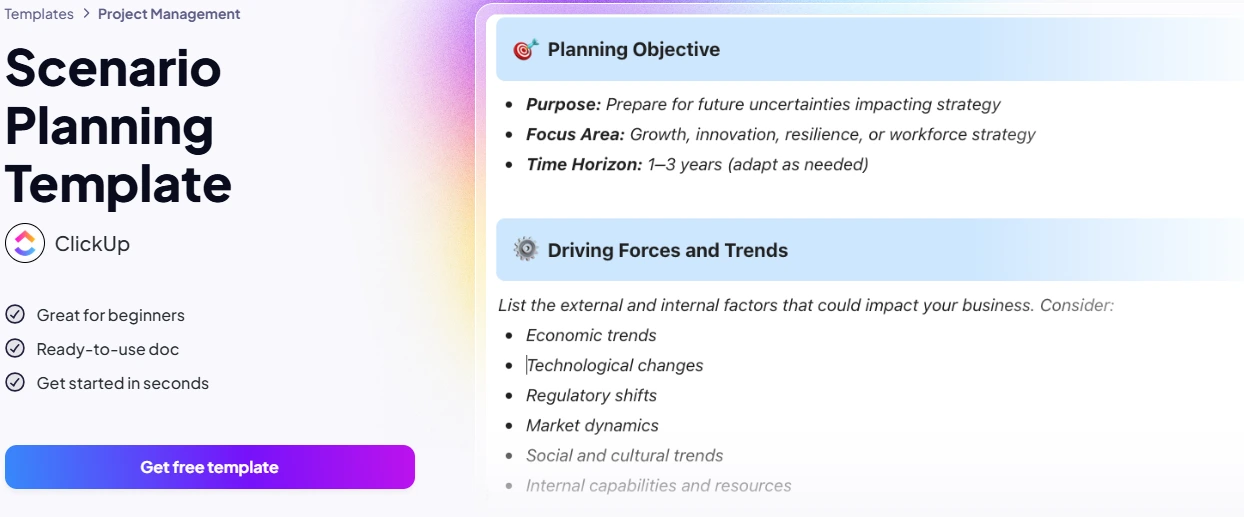
Common automation examples:
- When task status changes to “Ready for QA” → assign to QA lead and post in #testing Slack channel
- When due date is in 2 days and status is “Not Started” → change priority to Urgent and notify manager
- When subtasks are all complete → automatically move parent task to “Done” and notify client
You can trigger automations based on status changes, due dates, assignees, custom fields, watchers, priorities—almost any data point. The actions include status changes, assignments, notifications, creating tasks, posting to integrations, and more.
Asana’s automations are more limited. You get basic rules on paid plans, but the trigger/action combinations are narrower, and you hit limits quickly. For complex workflow automation, many Asana users end up paying for Zapier or other middleware—adding cost and maintenance overhead.
Integrations: Both tools connect to major platforms (Slack, Teams, Google Drive, GitHub, etc.). ClickUp has 1,000+ native integrations compared to Asana’s 200+. ClickUp’s API is also more robust for custom integrations if your team has development resources.
Winner: ClickUp, especially for teams that need workflow automation without coding or paying for third-party tools.
Reporting & Dashboards
This is one of ClickUp’s strongest advantages over Asana.
ClickUp Dashboards are fully customizable project control centers. You build them with 50+ widget types that pull live data from your workspace: burndown charts, velocity tracking, workload views, time tracking summaries, custom calculations, status rollups, task lists filtered by any criteria, and embedded docs.
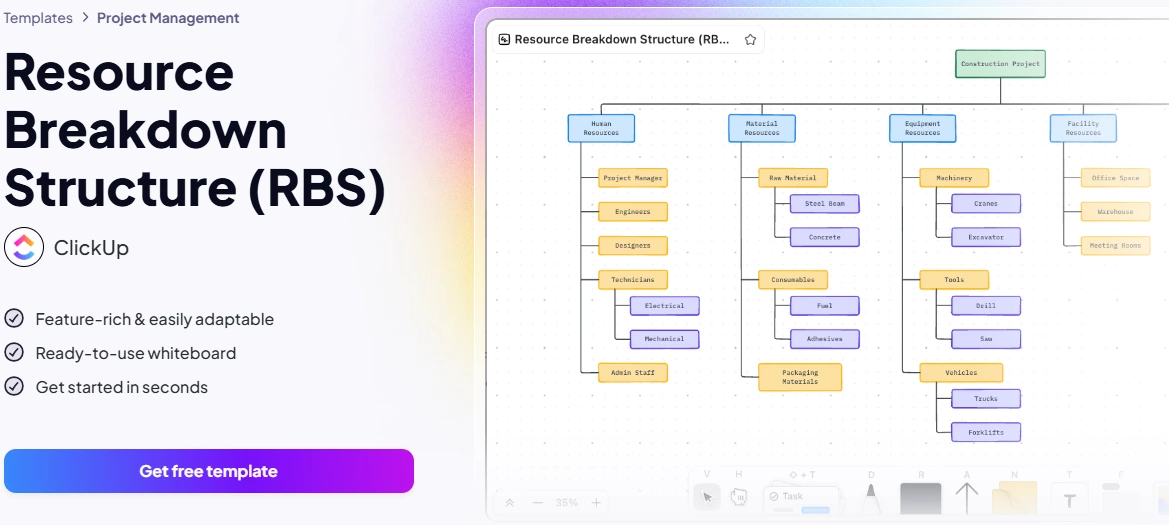
For example, I built a marketing campaign dashboard with:
- Content pipeline status (how many pieces in each stage)
- Budget burn rate (time tracked vs. estimated)
- Team capacity (who’s overloaded this week)
- Deliverable countdown (days until launch)
All of this updates automatically as tasks progress. Stakeholders get real-time visibility without asking for status reports, and project managers stop spending hours compiling updates manually.
Asana’s reporting is significantly more basic. You get project status updates, workload views (on higher plans), and some pre-built reports. But you can’t build custom dashboards with the flexibility ClickUp offers. For advanced reporting, Asana teams often export to Excel or pay for third-party BI tools.
ClickUp also includes native time tracking across all views, which feeds directly into reporting. Asana requires integrations for time tracking.
Winner: ClickUp, by a wide margin. If you’re managing multiple projects or need executive-level visibility, ClickUp’s dashboards are game-changing.
AI – ClickUp Brain vs Asana Intelligence
AI integration is where ClickUp pulls significantly ahead.
ClickUp Brain is a $5/user/month add-on that’s deeply integrated into your workspace. It’s not generic ChatGPT—it has full context of your projects, tasks, docs, and team activity.
What ClickUp Brain does:
- Summarizes projects: Ask “What’s blocking the Q4 launch?” and it scans tasks, comments, and docs to give you a coherent answer
- Drafts content: Generates task descriptions, project briefs, meeting notes, and comment replies based on workspace context
- Answers questions: “Who’s working on the mobile redesign?” or “When is the budget due?” pulls real data from your workspace
- Automates writing: Creates subtasks from descriptions, expands bullet points into full docs, writes standup summaries
Because ClickUp Brain knows your actual work—not just generic information—it’s genuinely useful for project managers. You can ask it to summarize the last two weeks of a project and get a coherent update based on real task history.
Asana Intelligence is Asana’s AI offering, but it’s more limited in scope and significantly more expensive. It provides smart rules, automatic status updates, and goal summaries. But it doesn’t have the conversational question-answering capability or deep content generation that ClickUp Brain offers. And Asana Intelligence is bundled only with higher-tier plans or available as an expensive add-on.
For full details on how ClickUp Brain works for project teams, see our ClickUp AI & API guide.
Winner: ClickUp. Better AI functionality at a much lower price point, with deeper workspace integration.
Pricing Comparison
Let’s compare the plans most teams actually use:
| Plan | ClickUp | Asana |
|---|---|---|
| Free Plan | Unlimited tasks, unlimited members, 100MB storage, List/Board/Calendar views, 100 automations/month | 10 users max, basic features only, limited views |
| Team Plan | Unlimited: $7/user/month – Unlimited storage, all views (Gantt, Timeline, Workload), 1,000 automations, time tracking, goals, dashboards | Starter: $10.99/user/month – Timeline view, 250+ automations, basic reporting |
| Advanced Plan | Business: $12/user/month – Advanced automations (10,000/month), custom roles, advanced permissions, API access | Advanced: $24.99/user/month – Portfolios, workload, advanced reporting, goals |
The math is stark: For a 10-person team, ClickUp Unlimited costs $840/year vs. Asana Starter at $1,318/year. And ClickUp gives you more features—native docs, whiteboards, better dashboards, and more automations.
If you compare feature parity, ClickUp Business ($12/user/month) competes with Asana Advanced ($24.99/user/month)—giving you enterprise-grade features for literally half the price.
If price-to-features ratio matters, ClickUp’s Unlimited plan is usually the sweet spot—especially when you start with the Free plan and upgrade later. You get more capabilities for less money, which matters when you’re paying per user.
Pros & Cons Summary
ClickUp Pros
- All-in-one platform (tasks, docs, whiteboards, dashboards, AI) eliminates tool sprawl
- 9+ view types give every role the perspective they need
- Powerful, unlimited customization (fields, statuses, workflows, automations)
- Better value—more features for lower cost across all plan tiers
- ClickUp Brain provides AI that understands your actual projects
- Massive template library (1,000+ templates) for every use case
- Robust reporting and dashboards without extra tools
ClickUp Cons
- Steeper learning curve due to feature depth
- Can overwhelm new users if not rolled out thoughtfully
- Mobile app is functional but desktop experience is superior
Asana Pros
- Clean, simple interface that’s easy to learn
- Good for small teams with straightforward workflows
- Reliable, stable platform with minimal bugs
- Strong brand recognition and adoption in some industries
Asana Cons
- Limited views and customization compared to ClickUp
- No native docs or whiteboards—requires tool stacking
- Weaker reporting and dashboard capabilities
- More expensive for comparable features
- AI features limited and pricey
- Fewer automations, often requires Zapier for complex workflows
- Template library is small and basic
Verdict: Asana wins on simplicity; ClickUp wins on depth, flexibility, value, and future-proofing.
Which Should You Choose?
Here’s the decision framework based on what actually matters for your team:
Choose ClickUp if:
- You’re managing multiple projects across different teams or departments
- You want one tool instead of three—consolidating tasks, docs, and reporting
- Your team needs different views of the same work (devs in Board, PMs in Gantt, execs in dashboards)
- You’re planning to scale—ClickUp grows with you from 5 users to 500
- Advanced features matter: automations, time tracking, workload management, custom fields
- You want AI built into your workspace without paying enterprise prices
- Budget matters—you need the most features per dollar
- You’re managing complex workflows with dependencies, phases, and handoffs
Choose Asana if:
- You have a small team (under 10 people) with very simple projects
- You prioritize simplicity over power—you’d rather have fewer features than more options
- Your workflows are basic: task lists with due dates and assignees
- You’re already paying for separate doc and reporting tools and don’t mind the fragmentation
- You need everyone up and running in one afternoon with zero training
The reality: Most growing teams outgrow Asana’s limitations and either pay significantly more for Advanced plans or end up switching tools entirely. ClickUp’s architecture is built for scale—you won’t hit a ceiling where you need to migrate to a more powerful platform.
If you’re leaning toward ClickUp, the best way to decide is to set up a free workspace and run your next project in it. Test the views that matter to your team, build one automation, create a simple dashboard—you’ll know within a week if it fits your workflow.
For more comparisons to help your decision, check out ClickUp vs Notion and ClickUp vs Monday.
FAQ
Is it hard to switch from Asana to ClickUp?
Not at all. ClickUp has a native Asana importer that transfers your projects, tasks, subtasks, comments, and attachments automatically. Most migrations take 2-4 hours for medium-sized workspaces. The bigger adjustment is learning ClickUp’s additional features—but you can start simple (just List and Board views) and gradually adopt advanced capabilities. I recommend migrating one pilot project first, testing for two weeks, then rolling out to the full team.
Can I import Asana projects into ClickUp?
Yes, ClickUp provides a direct Asana import tool. It preserves your project structure, task hierarchy, custom fields, attachments, and comment history. You don’t lose work or have to rebuild from scratch. ClickUp’s migration support team can also help with larger, more complex imports if needed.
Which tool is better for software teams? For marketing teams?
For software teams: ClickUp wins decisively. Engineering teams need Gantt charts for release planning, Board views for sprints, GitHub integration for commits, time tracking for velocity, and dashboards for burndown charts. Asana lacks many of these or gates them behind expensive plans. ClickUp gives you everything in one platform.
For marketing teams: Again, ClickUp is stronger. Marketing teams juggle campaigns, content calendars, approval workflows, client reporting, and cross-functional coordination. ClickUp’s Calendar view, automations, client-facing dashboards, and native Docs make campaign management seamless. Asana works for basic content calendars but falls short on reporting and workflow automation.
How does pricing compare for small vs large teams?
Small teams (5-10 people): ClickUp is cheaper and gives you more. ClickUp Unlimited at $7/user/month vs. Asana Starter at $10.99/user/month—ClickUp saves you ~$400/year and includes features Asana doesn’t offer (unlimited storage, all views, better automations).
Large teams (50-100 people): The gap widens. ClickUp Business at $12/user/month provides enterprise features (advanced permissions, API, 10,000 automations) that Asana only offers at $24.99/user/month (Advanced plan). For a 100-person team, that’s $15,600/year savings with ClickUp—enough to hire another team member.
Does ClickUp really replace multiple tools?
Yes, for most teams. ClickUp consolidates: Task management (replaces Asana, Trello, Monday), Documentation (replaces Notion, Google Docs, Confluence), Whiteboards (replaces Miro, Mural), Dashboards (replaces custom BI tools, spreadsheet reports), Time tracking (replaces Toggl, Harvest), and Goals (replaces OKR-specific tools).
You’ll still need industry-specific tools (CRM, accounting, etc.), but for core project execution, ClickUp genuinely delivers on the “all-in-one” promise. That’s why teams switching from Asana often cancel 3-4 other subscriptions after adopting ClickUp.
What if I find ClickUp overwhelming?
Start simple. Use only List and Board views for the first two weeks—treat it exactly like Asana. Once you’re comfortable, add Calendar view. A month later, try one automation. Gradually adopt Docs, then Dashboards, then advanced views. ClickUp’s power is that it grows with you—you don’t have to master everything on day one. Teams that feel overwhelmed are usually trying to use every feature immediately. Slow, intentional rollout solves this completely.
Ready to see if ClickUp fits your team? Start a free workspace and test it on a real project—no credit card required.

AI tools expert with over 10 years of experience testing and reviewing technology products.