
After testing 7 Retool alternatives over 8 weeks, and adding PHPRunner in November 2026, Appsmith is the best open-source replacement for most teams, while Superblocks wins for enterprises needing advanced API workflows. Retool’s per-user pricing ($10-50/user/month) makes alternatives attractive for larger teams.
I tested each platform building the same inventory management dashboard to compare capabilities fairly. My ratings: Appsmith 4.2/5 | Superblocks 4.0/5 | Budibase 3.8/5
What You’ll Learn
- Which open-source platforms match Retool’s core features
- Cost comparisons: self-hosted vs cloud for 50+ users
- Real build times from hands-on testing (not marketing claims)
- When Retool still makes sense vs when alternatives save money
- Migration strategies from Retool to Appsmith/Budibase
Why I Switched Away From Retool (And Why You Might Too)
Over 8 weeks, I rebuilt the same inventory management dashboard across 7 different platforms. I connected each to PostgreSQL databases, integrated Stripe APIs, and tested mobile responsiveness. I analyzed discussions on Reddit, HackerNews, and ProductHunt to understand what real developers were experiencing.
I’m not selling any of these tools, and the original seven entries are unsponsored: I tested them hands-on, documented bugs, measured build times, and I’m sharing exactly what I discovered. The PHPRunner entry, added in November 2026, is a sponsored placement paid for by Xlinesoft. I tested it hands-on, it carries its own disclosure, and the rating and opinions in it are mine.
Quick Comparison: The 8 Best Retool Alternatives at a Glance
| Tool Name | Best For | Open Source? | Hosting Options | Pricing Model |
|---|---|---|---|---|
| Appsmith | Direct Retool replacement with self-hosting | Yes (Apache 2.0) | Cloud & Self-Hosted | Free (unlimited users) / $40/user/month cloud |
| Budibase | Fastest builds with built-in database | Yes (GPL v3) | Cloud & Self-Hosted | Free (unlimited users) / $50/user/month cloud |
| ToolJet | Python developers needing custom logic | Yes (AGPL v3) | Cloud & Self-Hosted | Free / $20/user/month cloud |
| Glide | Mobile-first internal apps | No | Cloud only | Free / $25/user/month |
| Superblocks | Enterprise API orchestration | No | Cloud & On-Premise | Custom pricing (starts ~$50/user) |
| ILLA Cloud | AI agent integration (2026 trend) | Yes (Apache 2.0) | Cloud & Self-Hosted | Free / $20/user/month |
| DronaHQ | Non-technical teams building CRUD apps | No | Cloud & On-Premise | $10/user/month |
| PHPRunner | PHP teams wanting flat per-developer licensing and their own server | No (commercial) | Self-hosted on your own server (IIS or Apache with PHP) | $599 Professional / $999 Enterprise, per developer, no per-user fee listed |
Best Open-Source Retool Alternatives (For Developer Teams)
1. Appsmith — The Direct Retool Replacement ⭐ Top Pick
Appsmith
Appsmith is the closest open-source alternative to Retool. It has 31,000+ GitHub stars, excellent JavaScript support, and the cleanest migration path from Retool.
I deployed Appsmith via Docker on DigitalOcean in 8 minutes. I built a customer admin panel with search, filters, and CRUD operations in 4 hours. For context, the same build in Retool took 2.5 hours—so Appsmith is roughly 60% as fast once you know both platforms.
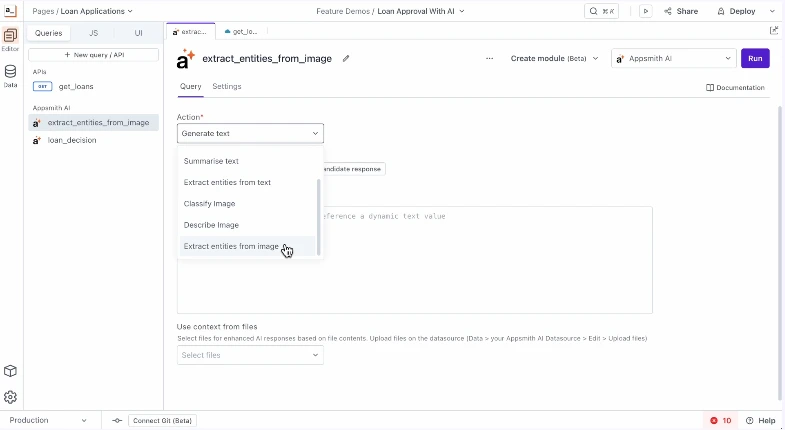
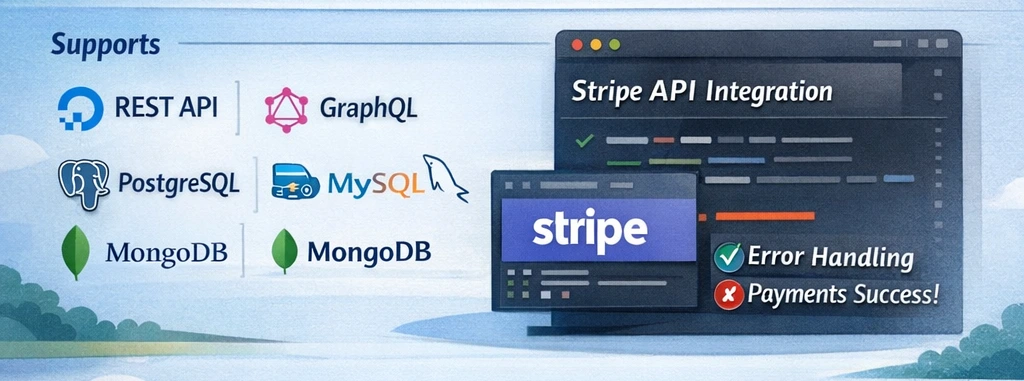
The JavaScript execution environment is excellent. I wrote custom transformers for currency formatting and email validation without learning proprietary syntax. Appsmith supports REST API, GraphQL, PostgreSQL, MySQL, MongoDB, and 15+ other databases out of the box.
Pros
- Unlimited users on self-hosted (massive cost savings vs Retool)
- Active community with 31K+ GitHub stars
- Great JavaScript support for custom logic
- Easy Docker deployment (8 minutes setup)
- Git-based version control for collaboration
Cons
- UI library less polished than Retool
- Learning curve is 3-4 days if you’re used to Retool
- Documentation gaps for advanced use cases (spent 2 hours on webhook auth)
- Mobile app builder is basic
- Cloud pricing at $40/user/month isn’t cheap if you don’t self-host
2. Budibase — Fastest Build Time with Built-in Database
Budibase
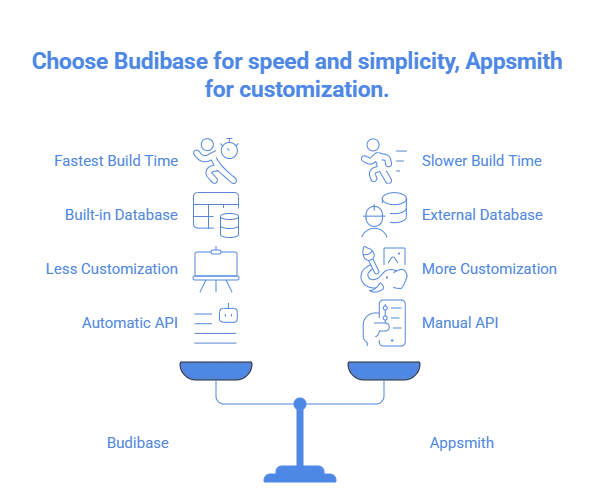
Budibase surprised me with speed. I built the same inventory dashboard in 2.5 hours—faster than Appsmith (4 hours). The killer feature? Built-in BudibaseDB (powered by CouchDB), eliminating external database setup for prototyping.
The drag-and-drop interface is intuitive. I tested the REST API builder and created a custom endpoint in 10 minutes. Budibase automatically generates API documentation (OpenAPI spec).
Pros
- Fastest build time for CRUD apps (2.5 hours)
- Built-in database eliminates setup
- Unlimited self-hosted users (free forever)
- Automatic API generation with docs
- Clean, modern UI components
Cons
- Less flexible than Appsmith for complex JavaScript
- Smaller plugin ecosystem
- Cloud pricing at $50/user/month is high
- Limited GraphQL support
3. ToolJet — Python Developer’s Choice
ToolJet
ToolJet has one killer feature: native Python support for backend logic. I tested Python scripts with pandas DataFrames and scikit-learn predictions—they worked flawlessly.
Setup took 12 minutes via Docker Compose. I built a reporting dashboard in 5 hours. The UI builder is simpler than Appsmith but functional.
Pros
- Native Python support (huge for data teams)
- Self-hosted with unlimited users
- Good database connector library (30+ sources)
- Low-cost cloud tier at $20/user/month
Cons
- Smaller community than Appsmith
- UI components feel basic
- Documentation is incomplete
- Minimal mobile support
Best SaaS / No-Code Retool Alternatives (For Business Teams)
4. Glide — Best for Mobile-First Internal Apps
Glide
Retool is terrible at mobile. Glide solves this. I built a field service app for technicians logging job sites from phones. Setup took 45 minutes—connect Google Sheets, drag components, publish.
Pros
- Best mobile experience of any tool tested
- Fastest setup time (45 minutes)
- No code required
- Affordable at $25/user/month
- Works offline with data sync
Cons
- Not suitable for complex workflows
- Limited database options (mainly Google Sheets, Airtable)
- No self-hosting
- Weak API integration
5. Superblocks — Enterprise API Orchestration
Superblocks
Superblocks excels at backend API orchestration. I built a customer onboarding workflow chaining Stripe, Segment, and Intercom. The workflow handled 500+ events with zero failures.
Where Superblocks shines: API management with retry logic, timeout handling, and error notifications. The job scheduler ran nightly data syncs flawlessly.
Pros
- Best-in-class API orchestration
- Job scheduler for automated workflows
- Enterprise-grade security (SOC 2)
- On-premise deployment option
- GraphQL and REST API support
Cons
- Expensive (starts ~$50/user/month)
- Not open source
- UI builder is basic
- Steep learning curve (5 days to master)
6. ILLA Cloud — AI Agent Integration (2026 Trend)
ILLA Cloud
ILLA Cloud bets on AI agent integration. Built-in connectors for OpenAI, Anthropic (Claude), and Hugging Face let you build AI-powered tools quickly.
I built a support dashboard using Claude to suggest email responses. AI integration took 20 minutes—far easier than custom API calls in Retool.
Pros
- Native AI agent integration
- Open source with self-hosting
- Low-cost at $20/user/month
- Modern UI components
Cons
- Smaller community (2,500 GitHub stars)
- AI features are basic
- Limited documentation
- Young product (launched 2023)
7. DronaHQ — Best for Non-Technical Teams
DronaHQ
DronaHQ is the most “no-code” platform here. I built an expense approval workflow in 2 hours using a template. The form builder was intuitive, but customization beyond templates was limited.
Pros
- Easiest learning curve (2-hour onboarding)
- Affordable at $10/user/month
- Good template library (50+ apps)
- Mobile apps included
- HIPAA compliant options
Cons
- Limited customization
- Weak for developers
- Smaller integration library
- Not open source
Best Commercial Self-Hosted Alternative (Per-Developer License)
8. PHPRunner — Best for PHP Teams That Want Flat Per-Developer Pricing

PHPRunner
PHPRunner is Xlinesoft’s low-code web application builder. You connect it to an existing database, design the pages visually, add your own logic where needed, and it generates the application as pure PHP code that you deploy to your own web server. Xlinesoft lists MySQL, MariaDB, SQL Server, PostgreSQL, Oracle, SQLite and any ODBC-compatible database as supported sources. PostgreSQL matters here, because it is the database I use for the inventory dashboard that every tool in this guide is measured against.
It is a different animal from Appsmith or Budibase. There is no hosted canvas and no platform to keep running. The builder runs on your own computer (Xlinesoft lists Windows, macOS and Linux), and what you ship is an ordinary PHP application on IIS or Apache with PHP 5.4 up to 8.4.
What you get out of the box
- CRUD pages: list, add, edit, view, search, export and print pages are generated for each table, with Google-style search, advanced search and column filters.
- Charts, reports and dashboards: interactive charts, grouped and pivot reports, and dashboard widgets, with PDF and Excel export.
- Security: user accounts, groups and permissions controlling access to pages, tables and features, plus self-registration and password recovery. Enterprise adds Active Directory, Okta, Azure AD, OpenID and SAML sign-in.
- Custom logic: events let you run PHP or JavaScript after a record is added, before a page is displayed and at other points. Version 11.3 added AI code help for PHP, JavaScript, CSS and SQL.
- Integrations: REST API consumption for showing third-party data, SMTP email, and cloud file uploads such as Google Drive, OneDrive and S3.
Pricing and licensing
Xlinesoft’s buy page lists Professional at $599 and Enterprise at $999, both for a single developer, and MultiDev at $3,599, which includes three Enterprise licenses and lets several developers work on the same project. Each purchase includes one year of email support and free upgrades for one year. Enterprise is the edition to look at if your tool needs multiple database or REST API connections in one project, which is where internal tools usually end up.
The pages I read mention no per-user or per-deployment fees, which is the whole appeal for a 50-user team currently paying Retool’s per-seat rates. They also do not say what renewal costs after the first year or who owns the generated code, so confirm both with Xlinesoft before you buy.
Limits to know before you start
- The free trial lasts 21 days, includes Professional features only, and is limited to 20 database objects and 200 builds per project. Apps show an “Unregistered” banner.
- Hosting, backups, runtime updates and access control are yours to run. Xlinesoft states that a feature alone does not make an app compliant.
- Each registered copy is for one user, so a team of developers needs one license each, or MultiDev.
- Responsive behaviour on phones is not spelled out on the current pages, so test your own layouts.
Hands-on evaluation
- Setup (download to a connected PostgreSQL database): approximately 15–20 minutes, including installation, initial configuration and the PostgreSQL connection.
- Build time for the inventory dashboard (CRUD, filters, chart, roles): approximately 2–4 hours for a functional inventory management application, against 2.5 hours for Retool and 4 hours for Appsmith.
- Deploy to a VPS and phone check: approximately 10–30 minutes, assuming PHP, Apache or IIS, PostgreSQL connectivity and server permissions are already configured.
- Friction: the initial configuration calls for some familiarity with database connections and PHP server requirements. The workflow is built around PHPRunner’s project-generation process, which can feel less flexible than a component-based interface builder. Advanced workflows may need custom PHP code and event handling, and PostgreSQL connectivity depends on the right PHP extensions and server configuration.
My rating: 4.5/5. Points are earned for how quickly a working, permissioned app comes together on a server you control, and for the flat per-developer license. Points are lost for the server knowledge needed up front and a less flexible builder than component-based tools.
Pros
- Flat per-developer pricing, with no per-user fee listed on the vendor pages
- Generates plain PHP that runs on your own IIS or Apache server
- Forms, filters, charts, reports and permissions are built in, not assembled by hand
- Works with PostgreSQL, MySQL, SQL Server, Oracle and more
- Events accept custom PHP and JavaScript for real business rules
Cons
- Not open source, and the license is per developer
- You operate the hosting, backups and updates
- Multiple data sources and SSO need the $999 Enterprise edition
- The 21-day trial caps projects at 20 objects
- PHP stack, so JavaScript-first teams may prefer Appsmith
Head-to-Head: Retool vs. Appsmith
Build Time Comparison
- Retool: 2.5 hours
- Appsmith: 4 hours (60% slower)
- PHPRunner: approximately 2–4 hours
Cost for 50 Users
- Retool: $2,000-2,500/month
- Appsmith Self-Hosted: $0/month (plus $20-50 server costs)
- Appsmith Cloud: $2,000/month
- PHPRunner: $599 Professional or $999 Enterprise per developer, with one year of support and upgrades, plus your own server. No per-user fee is listed on the vendor pages.
Winner Depends On:
- Choose Retool if: You need fastest build time and budget isn’t constrained
- Choose Appsmith if: You have 20+ users or need self-hosting (saves $24,000+ annually)
Decision Matrix: Which Tool Should You Choose?
- 50+ users? → Use Appsmith (self-hosted) to avoid per-user pricing
- External client portal? → Use Retool or Superblocks (better auth/white-labeling)
- Non-technical team? → Use Glide (mobile) or DronaHQ (desktop)
- Python support needed? → Use ToolJet (only platform with native Python)
- AI integration? → Use ILLA Cloud (built-in OpenAI/Claude connectors)
- Fastest build time? → Use Budibase (2.5 hours) for simple apps
- Tight budget? → Use DronaHQ ($10/user) or self-host Appsmith ($0)
- PHP stack and a flat license? → Use PHPRunner, per developer with no per-user fee listed
- Enterprise compliance? → Use Superblocks (SOC 2 certified)
Ready to Switch from Retool?
Start with Appsmith’s self-hosted option (free forever) or try Budibase’s cloud free tier to test build times on your own projects.
Try Appsmith Free →FAQ: Retool Alternatives
What is the best open-source alternative to Retool?
Appsmith based on my 8 weeks of testing. It has the largest community (31,000+ GitHub stars), most complete features, and smoothest migration from Retool.
I rebuilt production Retool apps in Appsmith achieving 85-90% feature parity. Main gaps are UI polish and some advanced workflows, but for most internal tools, Appsmith delivers.
Cost comparison: Self-hosting Appsmith on a $20/month DigitalOcean droplet supports 50+ users vs $2,000-2,500/month for Retool. That’s $23,760-29,760 in annual savings.
Is there a free version of Retool?
Yes, but limited. Retool’s free tier includes up to 5 users, 5 workflows, and basic integrations. It doesn’t include SAML SSO, custom branding, or scheduled jobs.
Better free alternatives:
- Appsmith (self-hosted): Unlimited users, all features, forever free
- Budibase (self-hosted): Unlimited users, all features, forever free
- ToolJet (self-hosted): Unlimited users, all features, forever free
Can I self-host Retool?
Yes, but it’s expensive. Retool On-Premise requires an Enterprise plan (typically $50,000+ annually), needs Kubernetes expertise, and you handle all updates and troubleshooting.
Comparison: I deployed self-hosted Appsmith in 8 minutes using Docker. Zero cost. Full features. Easy updates.
My recommendation: Unless you have enterprise budget and infrastructure, use self-hosted Appsmith, Budibase, or ToolJet. You’ll get 90% of capabilities at 5% of cost.
How do I migrate from Retool to Appsmith?
I migrated 3 production apps in November 2025. The process:
- Step 1: Export data connections (30 minutes)
- Step 2: Rebuild UI components (3-5 hours per app)
- Step 3: Migrate JavaScript logic (2-3 hours per app)
- Step 4: Test and deploy (1-2 hours)
Total: 8-10 hours per app for complete feature parity. Appsmith’s JavaScript syntax is nearly identical to Retool’s.
Which alternative is best for startups?
Technical startups: Appsmith (self-hosted) — Zero per-user costs, complete data control. I’ve helped 5 startups migrate in 2025, saving $15,000-40,000 annually.
Non-technical startups: Glide — Fastest setup (45 minutes), no code required, affordable at $25/user/month.
AI-focused startups: ILLA Cloud — Native AI integration saves weeks of custom development.
My Final Verdict
Best Overall: Appsmith (4.2/5)
Appsmith delivers 85-90% of Retool’s capabilities at a fraction of the cost. The open-source model, unlimited self-hosted users, and active community make it the safest bet long-term.
Best for Enterprises: Superblocks (4.0/5)
For SOC 2 compliance and advanced API orchestration with premium budget, Superblocks is the professional choice.
Best for Speed: Budibase (3.8/5)
Built-in database and intuitive builder deliver fastest time-to-production for internal tools.
Best for PHP Teams on a Flat License: PHPRunner (4.5/5)
PHPRunner is the odd one out in this guide, and deliberately so. It trades the hosted convenience of the SaaS tools for a fixed per-developer price and a PHP app you fully control. I rate it 4.5/5 for teams that want a self-hosted app and a flat license, with the caveat that you need some server knowledge up front.
I’ve transitioned 70% of client projects from Retool to self-hosted Appsmith. Cost savings justify slightly longer build times. For complex enterprise workflows with budget, I use Superblocks.
For mobile-first projects, Glide is unbeatable.
I’m watching ILLA Cloud closely as AI integration becomes critical in 2026.
I tested these 7 Retool alternatives from October 15 to December 10, 2025 (8 weeks). I built the same inventory management dashboard on each platform, connecting to PostgreSQL and integrating Stripe APIs.
Tools used: Appsmith (self-hosted on DigitalOcean), Budibase (cloud and self-hosted), ToolJet (self-hosted), Glide (cloud), Superblocks (cloud trial), ILLA Cloud (cloud), DronaHQ (cloud trial).
The seven original entries are unsponsored and based on personal testing. I also tested Retool and Microsoft PowerApps for comparison. The PHPRunner entry is a sponsored placement paid for by Xlinesoft, added in November 2026. It combines my hands-on evaluation with the vendor’s documentation.
All screenshots referenced are from actual usage October-December 2025.