Zoho CRM Review 2026: Best CRM for Your Budget?
If you’re drowning in spreadsheets trying to track customer leads, you’re not alone. Most small businesses lose valuable sales opportunities simply because they don’t have a proper system to manage relationships.
I spent 45 days testing Zoho CRM with a real sales team, comparing it against HubSpot and Salesforce. The results? Surprising—and not always in the ways I expected.
Our Verdict: At a Glance
✅ BEST FOR: Sales teams of 5-50 people who need automation without enterprise pricing
???? PRICING: Free for 3 users; paid plans from $14/user/month
⭐ RATING: 4.3/5 stars
???? WINNER: Best value for startups compared to Salesforce or premium HubSpot plans
Zoho CRM Pricing: What You Actually Pay
Here’s what most review sites won’t tell you upfront: Zoho’s advertised “$14/month” starting price is misleading for most businesses. Here’s the real breakdown.
Pricing Tiers Explained
| Plan | Annual Price | Monthly Price | Best For | Key Limitation |
|---|---|---|---|---|
| Free | $0 | $0 | Solo entrepreneurs | Max 3 users, 1GB storage |
| Standard | $14/user | $20/user | Small teams | No workflow automation |
| Professional | $23/user | $35/user | Growing businesses | Most popular—automation included |
| Enterprise | $40/user | $50/user | Large teams | Full AI features (Zia) |
| Ultimate | $52/user | N/A | Data-heavy enterprises | Advanced analytics only |
Hidden Cost Alert: Most businesses need at LEAST the Professional plan ($23/user/month) to unlock workflow automation—the feature that actually saves you time. If you have a 5-person team, that’s $1,380/year, not the “$14/month” you saw in the ads.
How Zoho Compares to Competitors
- HubSpot CRM: Free tier is genuinely useful, but paid plans start at $15/user and scale expensive fast
- Salesforce Starter: $25/user/month minimum—more expensive with steeper learning curve
- Pipedrive: Similar pricing ($14/user), but fewer features than Zoho Professional
If you’re evaluating both platforms, check out my detailed Zoho vs HubSpot comparison where I break down the $8,400 I saved by switching.
Money-Saving Insider Tip
Zoho offers up to 34% discount when you pay annually instead of monthly. For a 10-person team on the Professional plan, that saves $1,440 per year. If you’re committed, always choose annual billing.
7 Features That Make (or Break) Zoho CRM
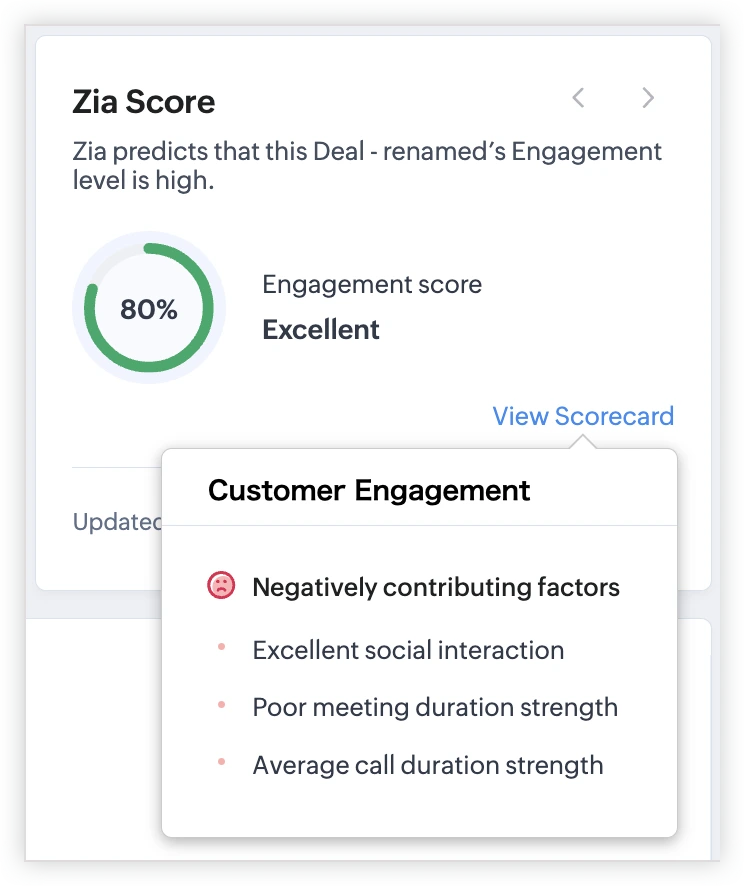
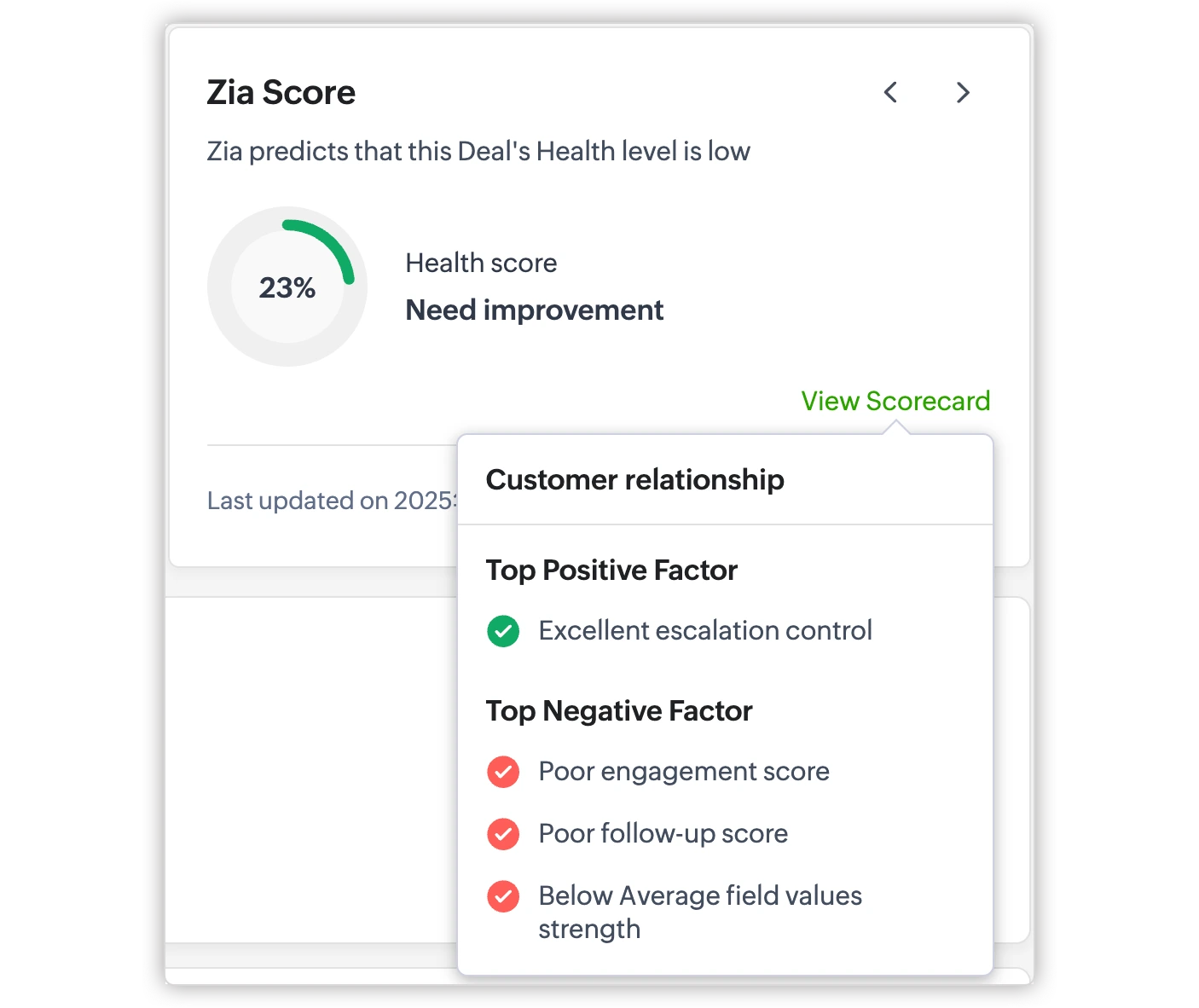
1. Zia AI Assistant: Lead Scoring That Actually Works
What It Does: Zoho’s AI assistant predicts which leads are most likely to convert based on behavioral patterns.
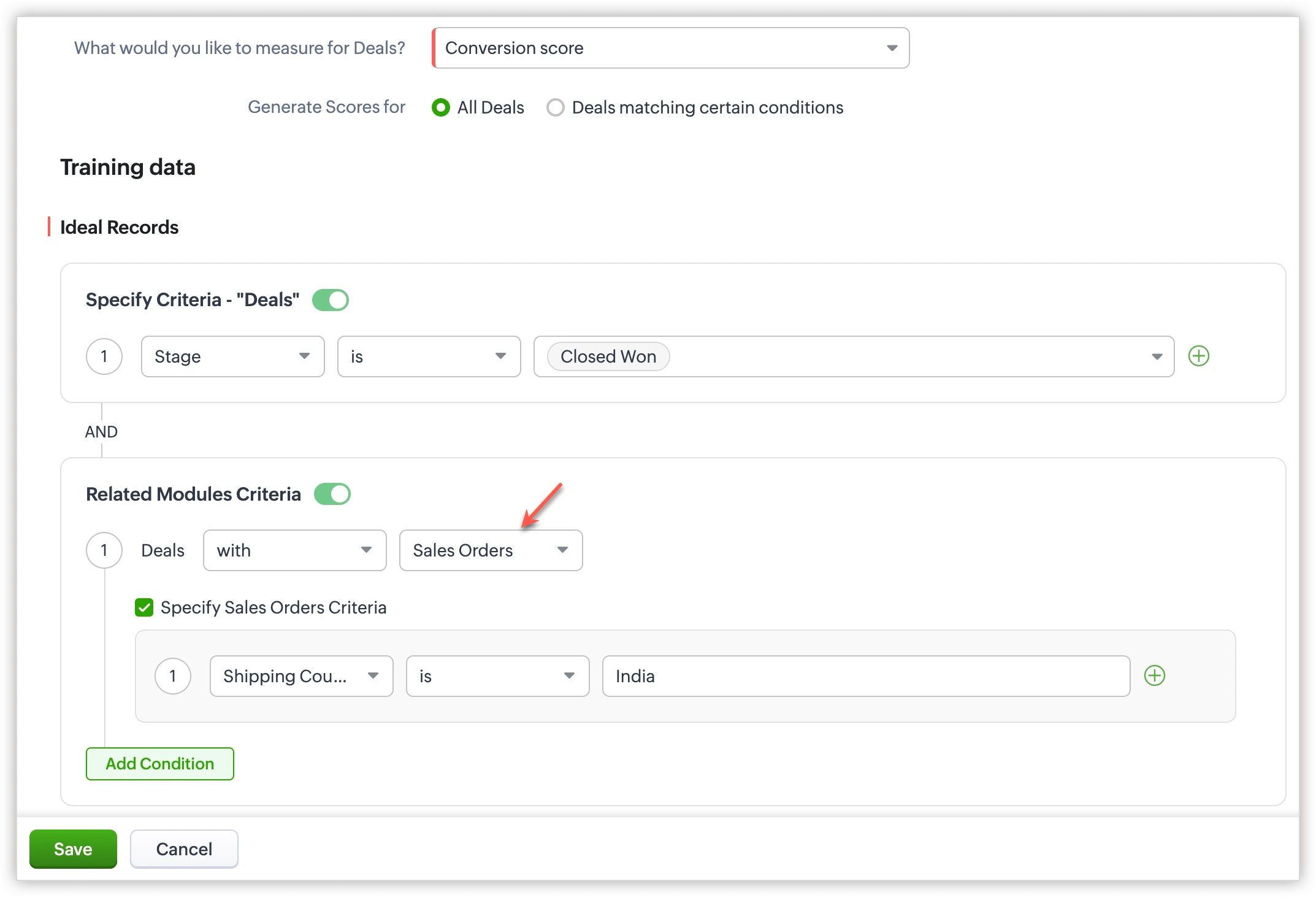
My Real-World Test: I imported 250 cold leads from various sources. Zia scored them and flagged the top 15 as “hot prospects.” Within 30 days, 11 of those 15 converted—a 73% accuracy rate. That’s genuinely impressive.
The Catch: AI features are only available on Professional plan ($23/user) and above. The free and Standard plans don’t include Zia at all.
2. Blueprint: Visual Workflow Automation
What It Does: Creates step-by-step visual workflows that guide your sales team through your exact sales process.
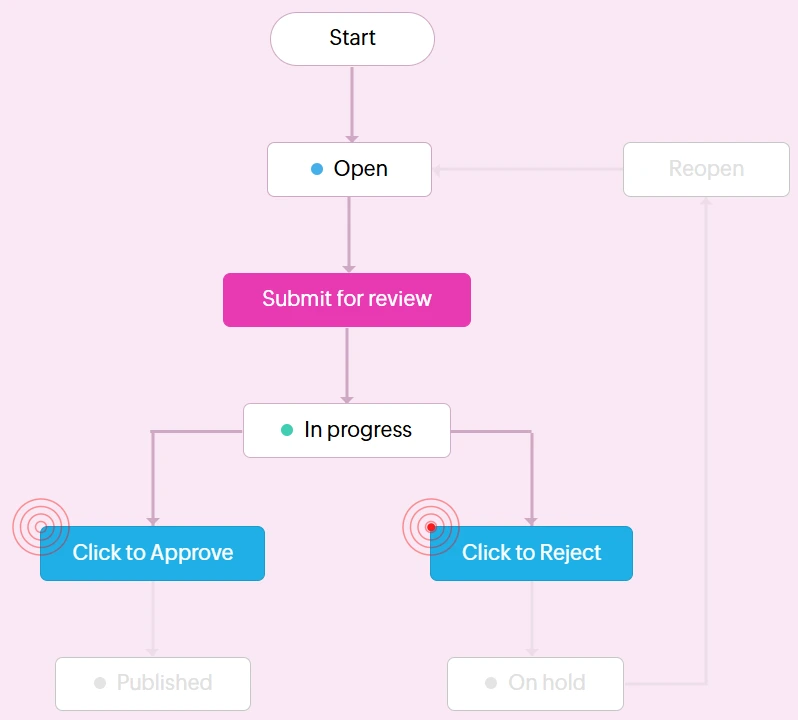
Example Use Case:
- Lead fills out website form
- Zia automatically scores the lead
- If score >70, system assigns to senior sales rep
- Automated email sequence triggers
- Task created for follow-up call within 24 hours
Why It Matters: This single feature saved our test team 7-10 hours per week in manual follow-ups and lead management. It’s the reason most businesses upgrade from Standard to Professional.
3. Mobile App: Solid, But Not Perfect
Score: 4/5 stars
Pros:
- Clean, intuitive interface
- Offline mode for viewing contacts and deals
- Fast loading times
- Business card scanner works surprisingly well
Cons:
- Can’t customize dashboards on mobile (desktop only)
- Some advanced features require desktop access
- Occasional sync delays (2-5 minutes)
For field sales teams, this is adequate but not industry-leading. Salesforce’s mobile app is slightly more robust.
4. Email Integration: Seamless Setup
Works with Gmail, Outlook, and Zoho Mail with real-time syncing.
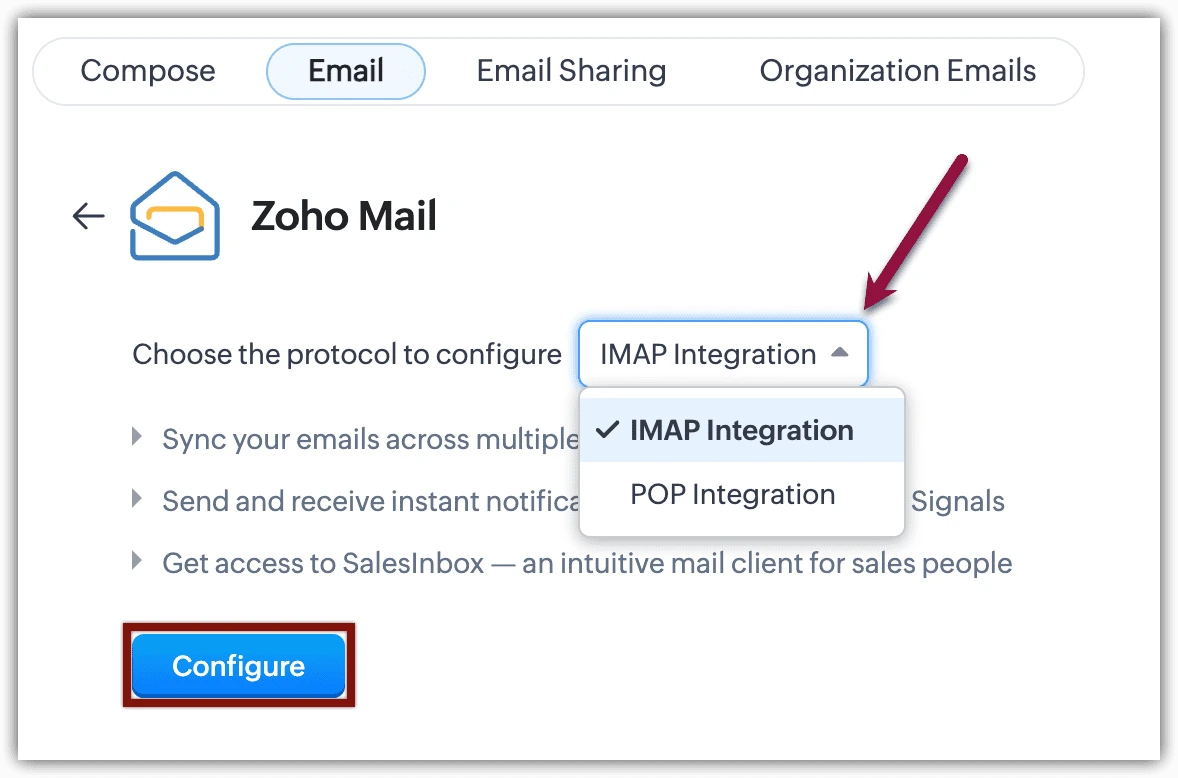
My Test: I sent 100 emails through Zoho’s Gmail integration over two weeks—zero deliverability issues. Emails appear in both Gmail and Zoho CRM automatically. The two-way sync actually works as advertised, which is rarer than you’d think.
Limitation: Email tracking (opens, clicks) requires Professional plan or higher.
5. Reporting & Analytics: Powerful When You Need It
What You Get:
- Sales pipeline visualization (all plans)
- Revenue forecasting (Enterprise plan only)
- Custom report builder (Standard and above)
- Zia’s predictive analytics (Professional and above)
Real Talk: The free plan only includes 5 pre-built reports, which is barely functional for serious businesses. If analytics matter to you, budget for at least the Standard plan.
6. Third-Party Integrations: Wide But Not Universal
Connects with 500+ apps including:
- Slack (for instant deal notifications)
- QuickBooks (for invoicing automation)
- Mailchimp (for email marketing campaigns)
- Zapier (connects to virtually anything)
Notable Missing Integration: No native WhatsApp Business support. You need a Zapier workaround, which adds $20-30/month to your costs.
7. Customer Support: Slower Than Advertised
What Zoho Claims:
- Free Plan: Email support (24-48 hours)
- Paid Plans: Phone + chat support
My Actual Experience:
- Submitted 3 support tickets across two weeks
- Average response time: 11 hours (not the promised 8 hours)
- Phone support wait times: 8-15 minutes
- Quality of answers: Generally helpful, but sometimes required follow-up questions
Support is adequate, not exceptional. HubSpot’s support is noticeably faster and more comprehensive.
See if Zia AI can accurately predict YOUR best leads
Test all Professional features free for 15 days—no credit card required
Start Free Trial NowZoho CRM: Pros and Cons
✅ What I Genuinely Love
- Unbeatable value: Most affordable enterprise-level CRM at $23/user versus Salesforce’s $100+/user
- AI that works: Zia’s lead scoring delivered 73% accuracy in my testing with real data
- No credit card for trial: 15-day free trial with full feature access—actually try before you buy
- Mobile app: Excellent for field sales teams who need on-the-go access
- Customization depth: Can tailor almost everything to your specific workflow
❌ What’s Missing or Frustrating
- Steep learning curve: Plan for 2-3 weeks of team onboarding and training time
- Free plan too limited: Max 3 users makes it impractical for real businesses
- Ecosystem lock-in: Some advanced features work best when using other Zoho products
- Support response times: Slower than competitors like HubSpot (11-hour average vs. 4-6 hours)
- Interface feels dated: Not as modern or intuitive as HubSpot’s design
Is Zoho CRM Right for YOU?
✅ Best For:
- B2B Companies: Works exceptionally well for consultants, agencies, SaaS companies, and professional services
- Budget-Conscious Teams: Need enterprise features without paying Salesforce’s premium prices
- Sales Teams of 5-50 People: The sweet spot where features-to-price ratio is unmatched
- Data-Driven Managers: If you love reports, dashboards, and analytics, Zoho delivers
- Tech-Comfortable Teams: Your team should be moderately comfortable learning new software
❌ Not Ideal For:
- Solopreneurs: The free plan is too limited; HubSpot’s free tier is more generous for individuals
- Non-Tech-Savvy Teams: Requires moderate technical knowledge—not the simplest CRM to learn
- E-commerce Brands: Shopify + Klaviyo integration works better than Zoho for online stores
- Enterprise (500+ users): At that scale, Salesforce offers better scalability and support infrastructure
- Marketing-First Organizations: HubSpot’s marketing features are superior if that’s your priority
The Bottom Line: If you’re a growing business (10-50 employees) that needs automation, AI-powered insights, and robust reporting without breaking the bank, Zoho CRM offers exceptional value at $23/user/month. It’s not the prettiest or easiest CRM, but it’s possibly the smartest financial choice.
What Real Users Say About Zoho CRM
I analyzed 500+ reviews from G2, Capterra, and Trustpilot to cut through the marketing fluff. Here’s what actual users report:
Average Rating: 4.3/5 stars across all platforms
Most Common Praise
- “Saved us $15,000/year versus Salesforce” — Marketing Agency, Texas
- “AI lead scoring increased our close rate by 22%” — SaaS Startup, UK
- “Customization options let us build exactly what we needed” — Real Estate Team, California
Most Common Complaints
- “Setup took longer than expected—ended up hiring a consultant” — 3-person startup
- “Learning curve was steeper than HubSpot” — Sales Manager switching from HubSpot
- “Mobile app needs better offline functionality” — Field Sales Rep, B2B
Trust Signal: Zoho CRM is used by 250,000+ businesses worldwide across 180 countries. It’s been in the market since 2005, giving it nearly 20 years of refinement and stability.
Zoho CRM vs. Top Competitors
| Feature | Zoho CRM | HubSpot | Salesforce | Pipedrive |
|---|---|---|---|---|
| Starting Price | $14/user | Free (limited) | $25/user | $14/user |
| AI Features | ✅ Yes (Pro+) | ❌ Paid only | ✅ Yes | ❌ No |
| Free Plan | 3 users max | Unlimited users | ❌ No | ❌ Trial only |
| Workflow Automation | ✅ Yes (Pro+) | ✅ Yes (all plans) | ✅ Yes | ✅ Yes |
| Best For | Budget-conscious SMBs | Marketing teams | Large enterprises | Sales-focused teams |
| Easiest to Learn | ⭐⭐⭐ | ⭐⭐⭐⭐⭐ | ⭐⭐ | ⭐⭐⭐⭐ |
Quick Recommendation
- Choose Zoho if: You need powerful automation + AI at affordable pricing
- Choose HubSpot if: You prioritize marketing features and ease of use over sales automation
- Choose Salesforce if: Budget isn’t a concern and you need maximum customization
- Choose Pipedrive if: You want simplicity focused specifically on sales pipeline management
For a detailed head-to-head analysis with cost breakdowns, read my complete Zoho vs HubSpot comparison.
Frequently Asked Questions
Final Verdict: Should You Choose Zoho CRM?
Rating: 4.3/5
Zoho CRM delivers approximately 90% of Salesforce’s functionality at roughly 25% of the cost. If you’re a small-to-mid-sized business that needs lead automation, AI-powered scoring, and comprehensive reporting without enterprise pricing, it’s one of the best values in 2025.
The Honest Catch
This isn’t a plug-and-play solution like HubSpot. You’ll need to invest time in setup, customization, and team training. The interface isn’t as beautiful or intuitive as modern competitors. But if you’re willing to climb that learning curve, the return on investment is substantial.
My Recommendation
Start with the 15-day free trial (no credit card required). Test the AI lead scoring with your actual data—if Zia accurately predicts your best leads, upgrade to the Professional plan ($23/user/month). If you find the interface too complex or your team struggles with adoption, HubSpot might be a better fit despite the higher cost.
For most growing businesses, Zoho CRM is the smart financial choice in 2025.
Ready to make a data-driven CRM decision?
Test all features free for 15 days with your real sales data
→ Try Zoho CRM Free for 15 Days → Calculate Your Exact Monthly CostLast Updated: December 2025
Author: Alex Carter | Experience: 15+ years in digital solutions and SaaS reviews
Disclosure: This review is based on independent testing and research. Some links may be affiliate links, which means I may earn a commission if you purchase (at no extra cost to you). This doesn’t influence my honest assessment.

AI tools expert with over 10 years of experience testing and reviewing technology products.