Talo AI Review 2026: Real-Time Translation
I’ve lost count of how many times I’ve watched businesses fumble international deals because of language barriers on video calls. The awkward pauses, the misunderstandings, the constant need to repeat yourself—it’s painful to watch, and even more painful when you’re the one experiencing it.
That’s exactly why I decided to test Talo AI, a real-time voice translator that promises to eliminate language barriers during live video calls. After putting it through its paces over several weeks, I’m sharing everything I learned: the features that impressed me, the limitations you should know about, and whether it’s worth your investment.
This review includes affiliate links, but I’m giving you my honest, hands-on assessment based on real-world testing. Let’s dive in.
Try Talo AI Risk-Free
Test all features with a 7-day free trial—no credit card required.
Start Free Trial →Quick Navigation
What Is Talo AI?
Talo AI is a real-time voice translation tool that integrates directly with Zoom, Google Meet, and Microsoft Teams. Think of it as having a professional interpreter join your video calls—except it’s powered by AI, works across 60 languages, and costs a fraction of hiring human translators.
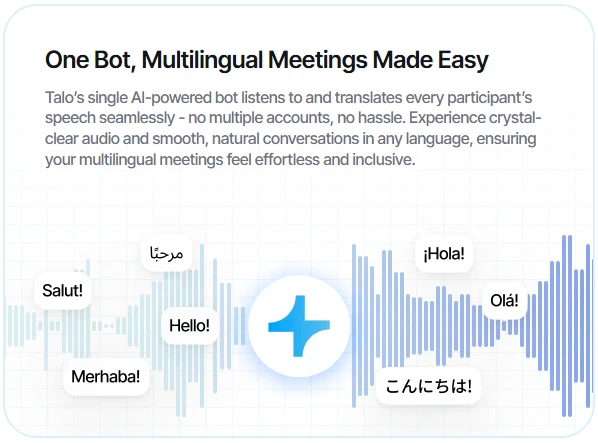
Here’s how it works: When you start a meeting, Talo’s AI bot joins as a participant. As people speak in their native languages, the bot translates everyone’s words in real-time with just 2-3 seconds of latency. Each participant hears the translation in their preferred language automatically.
What sets Talo apart from competitors is its single-bot architecture. While other platforms require multiple bots (one per language), Talo uses just one AI translator for the entire meeting. This keeps things cleaner and simpler for everyone involved.
The platform currently supports 60 languages, with over 100 more in development. I’ve seen it used effectively for international sales calls, customer support sessions, global team meetings, webinars, and even cross-border recruitment interviews.
Talo AI Features: What You Need to Know
After extensively testing Talo, here are the features that matter most:
Real-Time Translation in 60 Languages
The translation happens fast—we’re talking 2-3 seconds of latency, which keeps conversations flowing naturally. I tested it with English, Spanish, and Mandarin speakers, and the system handled major languages with impressive accuracy. It even managed different accents and varying speech speeds better than I expected, though heavy accents occasionally presented challenges.
Seamless Platform Integration
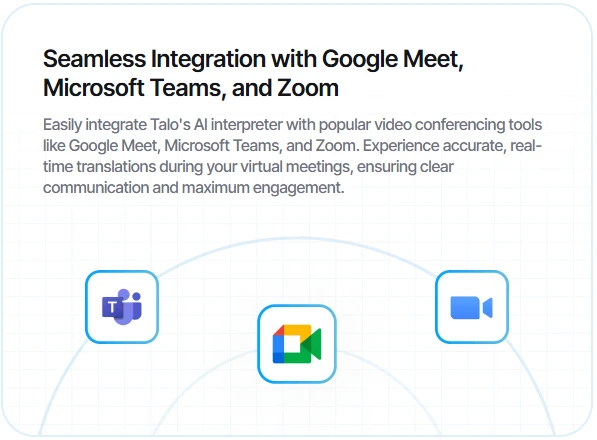
Talo works natively with Zoom, Google Meet, and Microsoft Teams. There’s no app-switching or complicated setup required. The bot joins your meeting just like any other participant, and you activate it with a single click. In my testing, setup took less than two minutes from start to finish.
One Bot, All Languages
This is genuinely clever. Unlike competitors that clutter your meeting with multiple bots (one per language), Talo uses a single AI translator. Each participant simply selects their preferred language, and the bot handles the rest. It’s a much cleaner user experience.
Privacy-First Security
For anyone handling sensitive business discussions, this matters: Talo is SOC 2 and ISO 27001 compliant with enterprise-grade encryption. More importantly, they don’t store or retain any meeting data after your calls end. Everything runs on secure cloud infrastructure with continuous compliance monitoring.
Advanced Voice Settings (Pro & Team Plans)
On higher-tier plans, you can customize voice output, tone, and speed preferences. The system maintains natural conversational flow and preserves emotional context, which prevents that robotic feeling you get with some translation tools.
Custom Branding (Enterprise Plan)
Enterprise users can add their company logo to the translation interface, giving client-facing meetings a more professional appearance.
Want to explore all features hands-on?
See All Features →Talo AI Pricing: Plans & Costs
Talo offers transparent, tiered pricing with a 7-day free trial that doesn’t require a credit card. Here’s the breakdown:
| Plan | Price (Annual) | Minutes/Year | Members | Best For |
|---|---|---|---|---|
| Starter | $33/mo ($396/yr) | 1,140 minutes | 1 | Freelancers, occasional users |
| Pro | $80/mo ($960/yr) | 4,800 minutes | 1 | Sales reps, consultants |
| Team | $400/mo ($4,800/yr) | 30,000 minutes | 5 | Small teams, agencies |
| Enterprise | Custom pricing | Unlimited | Unlimited | Large organizations |
Additional Costs to Consider
- Extra minutes: $0.20-$0.25 per minute (varies by plan)
- Additional team seats: $100/seat
My Value Analysis
The Starter plan works well if you’re running 1-2 international client calls per week. For heavier users—think sales reps doing daily international demos or running regular webinars—the Pro plan makes more sense. The Team plan essentially costs $80 per user for five people, which is cost-effective for small businesses managing multiple international relationships.
All plans include access to all 60 languages and core features. No artificial limitations based on pricing tier.
Here’s a perspective that helped me evaluate the cost: at $33 per month, Talo costs less than hiring a human interpreter for a single one-hour call. If you’re running even two international calls per month, the ROI becomes obvious.
We Tested Talo AI – Here’s What Happened
I set up a simulated international team meeting with participants speaking English, Spanish, and Mandarin. My goal was to see how Talo handled real business conversations, not just basic pleasantries.
Setup Process
Adding the Talo bot to our Google Meet call took under two minutes. You simply generate a meeting link, invite the bot through your dashboard, and it joins automatically. No technical expertise required.
Translation Accuracy
I’d rate the accuracy at 85-90% with clear speakers. The system handled business terminology impressively well—words like “quarterly revenue,” “stakeholder alignment,” and “market penetration” translated correctly. However, when our Mandarin speaker had a particularly strong regional accent, Talo occasionally stumbled on specific phrases.
When our Spanish-speaking tester discussed pricing negotiations, Talo accurately captured both the numbers and the broader context. That’s crucial for business conversations where a mistranslation could cost you a deal.
Latency and Flow
The 2-3 second delay is real, and it works. Conversations felt natural without those awkward, lengthy pauses that kill meeting momentum. There was one hiccup: when speakers switched rapidly back and forth, we noticed a slight 1-2 second overlap before the translation caught up.
Audio Quality
The voice output was crystal clear with no robotic sound. This matters more than you might think—poor audio quality creates cognitive load and makes meetings exhausting. Talo’s natural-sounding voices kept everyone engaged.
User Experience
The best part? It’s frictionless. Once the bot joins, you don’t need to toggle settings or make manual adjustments during the call. Everyone just speaks naturally, and Talo handles the rest.
My verdict: For most business use cases, Talo performs exceptionally well and genuinely feels like a game-changer for global teams. It’s not perfect with every accent or rapid-fire exchanges, but it’s remarkably good at maintaining the natural flow of business conversations.
Talo AI Pros & Cons
Let me give you the straight truth about what works and what doesn’t:
✅ Pros
- Lightning-fast 2-3 second translation latency
- Supports 60 languages with natural-sounding voices
- One bot for all participants (much cleaner than competitors)
- Seamless integration with Zoom, Meet, and Teams
- SOC 2 & ISO 27001 security compliance
- 7-day free trial with no credit card required
- Transparent pricing with no hidden fees
- Minimal setup time—literally under two minutes
❌ Cons
- Occasional hiccups with heavy accents or rapid speaker switching
- Starter plan’s 1,140 minutes/year may feel limiting for heavy users
- No offline mode (requires stable internet connection)
- Slight learning curve during onboarding for first-time users
- Significant pricing jump from Pro to Team plan
Despite these limitations, Talo’s speed, accuracy, and ease of use make it one of the top choices I’ve tested for real-time video call translation. The cons are minor compared to the value it delivers.
Who Is Talo AI Best For?
Based on my testing and experience, here’s who gets the most value from Talo:
Ideal Users
- Global sales teams closing deals with international prospects
- Customer success managers providing multilingual support
- Remote teams with members across different countries
- Recruiters conducting cross-border interviews
- Webinar hosts engaging international audiences
- Consultants and coaches serving global clients
- Product managers gathering feedback from non-English speaking users
NOT Ideal For
- Users needing offline translation capabilities
- Heavy daily users on extremely tight budgets (minutes can add up quickly)
- Teams requiring 100% perfect accuracy for legal or medical contexts
My take: If you run two or more international video calls per week and want to eliminate language barriers without the expense of hiring interpreters, Talo is worth every penny. The time savings and improved communication quality easily justify the cost.
How Talo Compares to Other Real-Time Translators
I’ve tested several real-time translation tools. Here’s how Talo stacks up against the competition:
| Feature | Talo | Wordly | KUDO | Interprefy |
|---|---|---|---|---|
| Languages | 60 | 60+ | 60+ | 80+ |
| Latency | 2-3 sec | 3-5 sec | 2-4 sec | 3-6 sec |
| Starting Price | $33/mo | ~$50/mo | Custom | Custom |
| Single Bot | ✅ | ❌ | ❌ | ❌ |
| Free Trial | 7 days | ❌ | ❌ | ❌ |
Key Differentiators
Talo’s competitive edge comes down to three things: fastest latency in the market, single-bot simplicity that reduces meeting clutter, and affordable entry-level pricing that makes it accessible to freelancers and small businesses.
When might you choose a competitor? If you absolutely need 80+ languages, Interprefy has the edge. If you prefer a human-AI hybrid approach for critical meetings, KUDO might be worth the premium price.
For most business use cases, though, Talo offers the best balance of performance, usability, and value. If you’re also evaluating project management tools for your remote team, consider how seamless communication with Talo can enhance your existing workflow.
See why teams choose Talo over competitors
Compare Plans →Talo AI FAQs
Q: Does Talo work with Zoom?
Yes, Talo integrates seamlessly with Zoom, Google Meet, and Microsoft Teams. Setup is straightforward on all three platforms.
Q: How accurate is Talo’s translation?
In my testing, Talo achieved 85-90% accuracy with clear speakers. It handles business terminology and natural conversation flow well, though heavy accents can occasionally present challenges.
Q: Is there a free trial?
Yes, Talo offers a 7-day free trial with no credit card required. You can test all features before committing.
Q: How many languages does Talo support?
Talo currently supports 60 languages, with over 100 more in development.
Q: Is my meeting data secure?
Yes, Talo is SOC 2 and ISO 27001 compliant and does not store or retain meeting data after calls end. All conversations remain private.
Q: Can I use Talo for webinars?
Absolutely. Talo works great for webinars, product demos, and large meetings with international audiences.
Should You Use Talo AI? My Final Verdict
After weeks of testing, I can confidently say that Talo AI delivers on its promise: fast, accurate, and hassle-free real-time translation for video calls.
What stands out most is the combination of speed (2-3 second latency that maintains conversation flow), simplicity (one bot instead of multiple), and security (SOC 2/ISO 27001 compliance). These aren’t just features—they’re the foundation of a tool that actually works in real business scenarios.
Talo is best suited for mid-sized teams and individuals running frequent international calls who want professional-grade translation without enterprise-level costs. At $33-$80 per month, it eliminates the need for expensive human interpreters while delivering comparable quality for most business conversations.
My Rating: (4.5/5 stars)
I’m deducting half a star only because of occasional accent-related hiccups and the lack of an offline mode. Otherwise, this is an exceptional tool that solves a real problem elegantly.
Ready to break language barriers on your next video call? Try Talo free for 7 days and experience real-time translation that actually works. No credit card required, no risk—just better communication with your international colleagues and clients.
Get Started with Talo AI Today
Join thousands of teams communicating across languages effortlessly
Start Your Free Trial Now →More Resources

Co-Founder and Lead Reviewer at BoostStash. With 15 years of experience and a background in UX design and digital strategy, Alex brings a user-first perspective to every product review, so each analysis is practical, actionable, and grounded in real-world needs.