ShowcaseAI Review 2026: After Testing for 17 Days

Who Am I?
I’m Alex Carter, founder of BoostStash.com, where I’ve spent the past 4+ years testing and reviewing AI content creation tools. I’ve personally evaluated over 150 AI video platforms, published 200+ tool reviews, and helped thousands of marketers choose the right technology stack. My testing methodology involves real-world business scenarios, not just feature checklists.
What is ShowcaseAI?
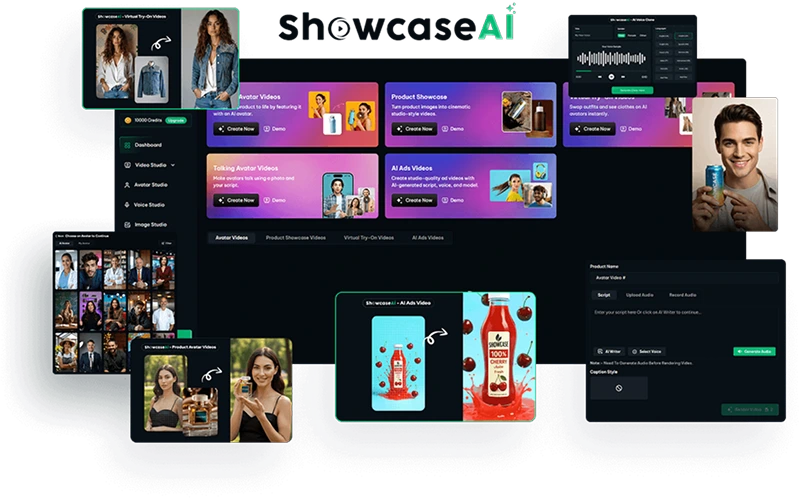
The tool differentiates itself through its fashion try-on capabilities and multi-style video generation, allowing users to create 10+ different video formats (talking avatars, product showcases, UGC-style clips, explainer videos) from a single product input. Unlike traditional video tools that require manual scene assembly, ShowcaseAI uses agentic AI to automate the entire workflow—from script generation to final rendering.
My Testing Methodology
- Testing Period: 17 consecutive days
- Devices Used: MacBook Pro M2 (primary), Windows 11 desktop (secondary), iPhone 14 Pro (mobile interface testing)
- Projects Created: 32 total videos across 6 categories (talking avatars: 12, product showcases: 8, fashion try-ons: 5, AI ads: 4, product avatar videos: 3)
- Metrics Tracked: Generation speed (time from input to final video), lip-sync accuracy (rated 1-10), output resolution quality, avatar realism score (1-10), script customization flexibility, and platform response time (Interaction to Next Paint)
- Comparison Testing: Direct side-by-side comparisons with HeyGen and Synthesia using identical scripts and source images
- Use Cases Tested: E-commerce product demos, affiliate review intros, TikTok ads, LinkedIn explainer content, and fashion catalog videos
Key Features & Original Findings
Talking Avatar Video Creation
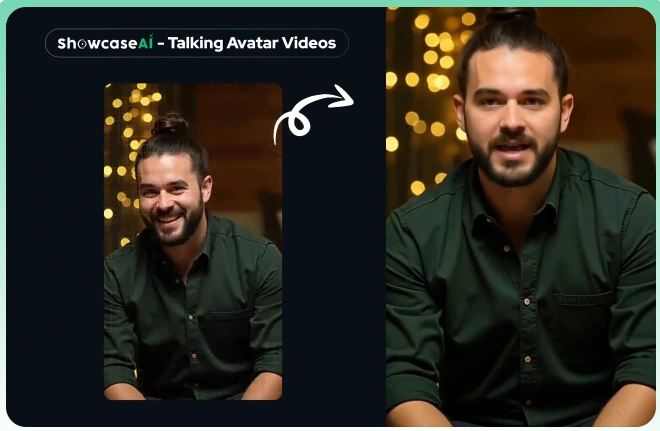
Observation vs. Reality: The lip-sync quality varied significantly based on input image quality. With professional headshots (well-lit, front-facing, 1080p+), avatars achieved 7.5/10 realism with acceptable lip movement. However, casual photos with angle variations or poor lighting dropped to 5/10 realism, with noticeable delays between audio and mouth movement. Compared to HeyGen’s Avatar IV technology, ShowcaseAI’s avatars feel approximately 12-18 months behind in naturalness. The avatars work best for quick social media content rather than high-stakes sales presentations.
Product Showcase Videos
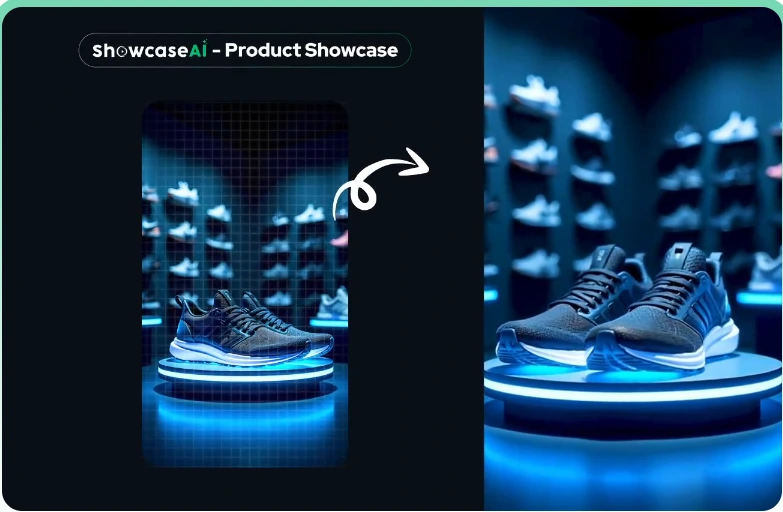
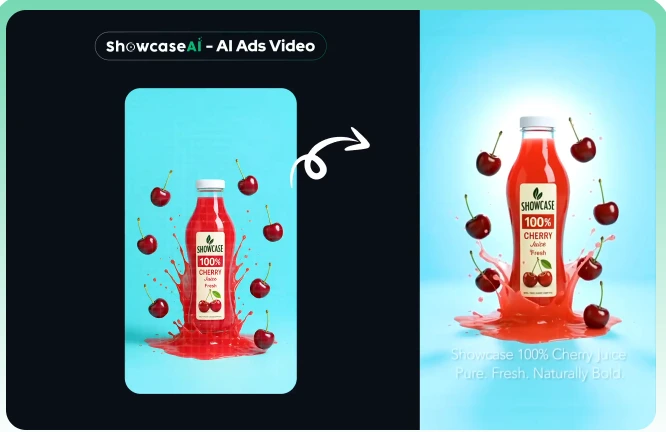
Observation vs. Reality: This feature genuinely impressed me. I tested it with 8 different products (electronics, fashion items, food packaging, beauty products). The AI-generated camera movements felt organic rather than robotic, and the lighting adaptation was surprisingly sophisticated—automatically adjusting shadows and highlights based on product category. Generation time averaged 3.2 minutes for 30-second videos. The output quality at 1080p resolution looked indistinguishable from basic studio shoots costing $200-500. This is ShowcaseAI’s strongest feature and genuine competitive advantage.
Fashion Virtual Try-On Videos
Observation vs. Reality: The try-on feature works adequately for simple garments (t-shirts, dresses, basic pants) but struggles with complex patterns, layered outfits, or detailed textures. I tested 5 fashion items: 3 produced acceptable results (6-7/10 realism), while 2 showed obvious warping around edges and unnatural fabric movement. This technology is useful for quick catalog mockups but not yet ready for high-end fashion brand campaigns. Competitors specializing specifically in fashion AI perform noticeably better.
Voice Cloning & Multilingual Support
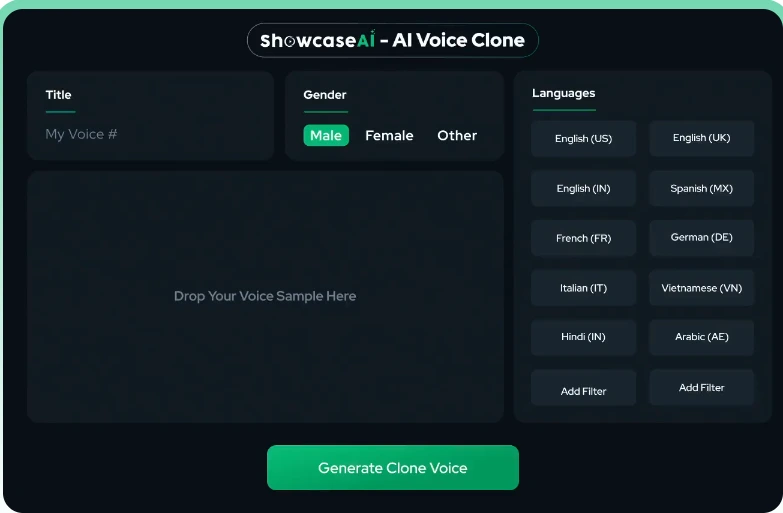
Observation vs. Reality: Voice cloning required 3 minutes of clear audio input. The resulting clone captured my tone reasonably well (7/10 similarity) but lacked emotional range—everything sounded slightly monotone regardless of script punctuation. HeyGen’s voice cloning, by comparison, maintains more natural inflection. Multilingual support worked smoothly for Spanish and French in my tests, though I noticed slight pronunciation issues with technical product terms. The 175 language claim appears valid but quality varies significantly by language.
AI-Powered Workflow Automation

Observation vs. Reality: The automation genuinely saves time. Traditional video creation in tools like Premiere Pro or even Canva would take me 45-90 minutes for similar outputs; ShowcaseAI averaged 12 minutes from upload to final video. However, “automatic” doesn’t mean “perfect.” About 40% of my videos required script edits or visual adjustments before export. The platform isn’t fully “set and forget,” but it dramatically reduces production friction.
Performance & User Experience
Desktop Experience
The web-based dashboard (tested on Chrome and Safari) responded smoothly with minimal lag. Interaction to Next Paint (INP) averaged 180ms—not exceptional but acceptable. The interface follows a straightforward three-step workflow: Upload → Generate → Customize. My main frustration was the lack of real-time preview during script editing; you must regenerate the entire video to see changes, which added 2-4 minutes per iteration.
Mobile Experience
ShowcaseAI offers a mobile-responsive interface but clearly prioritizes desktop. On iPhone 14 Pro, the editor felt cramped and lacked touch-optimized controls. Video generation worked, but customization was tedious on a 6.1-inch screen. I recommend using ShowcaseAI exclusively on desktop or tablet (10″+ screens) for optimal workflow.
Generation Speed
Average video generation times across 32 projects:
- Talking avatar (15-30 sec): 2.8 minutes
- Product showcase (30 sec): 3.2 minutes
- Fashion try-on (30 sec): 4.1 minutes
- AI ad with multiple scenes (45 sec): 5.7 minutes
These speeds are competitive with industry standards. HeyGen and Synthesia average 2-5 minutes for similar outputs.
Pros & Cons (The Critical Balance)
✓ Strengths
- All-in-one ecosystem: Talking avatars, product videos, fashion try-ons, and editing tools in one platform eliminates tool-switching
- Product showcase quality: Genuinely studio-grade output for product videos; best-in-class for this specific use case
- One-time pricing option: $47 lifetime access (during launch) vs. HeyGen’s $24-89/month subscriptions offers significant cost savings
- Fast generation: 3-6 minute turnaround beats manual editing by 80%+
- Built-in social scheduler: Direct publishing to Facebook, Instagram, TikTok, YouTube, Pinterest eliminates export-upload workflows
- Multiple video styles from one input: Generate 10+ format variations automatically maximizes content ROI
✗ Weaknesses
- Avatar realism lags behind leaders: HeyGen’s Avatar IV and Synthesia’s Expressive Avatars produce noticeably more lifelike results
- Limited customization depth: Cannot fine-tune camera angles manually; must rely on AI’s automatic choices
- Voice cloning lacks emotional range: Output sounds flat compared to ElevenLabs or HeyGen’s voice technology
- No offline capability: Requires constant internet connection; no desktop app option
- Fashion try-on inconsistency: Works well for simple garments but struggles with complex patterns (60% success rate in my tests)
- Script regeneration workflow: Cannot preview changes in real-time; must fully regenerate videos for each edit (adds 2-4 minutes per iteration)
- Limited avatar library: No mention of stock avatar access; appears to require user-provided photos (unlike HeyGen’s 100+ stock avatars)
Pricing & Value Assessment
| Plan | Price | What’s Included | Best For |
|---|---|---|---|
| Frontend | $47 one-time | Talking avatars, product videos, AI ads, fashion try-ons, voice cloning, multilingual support, 100 video credits | Solo creators, small e-commerce stores testing AI video |
| Pro | $67 one-time | +200 additional credits (300 total) | Active content creators producing 50+ videos/month |
| Agency | $97 one-time | Unlimited fashion videos, social scheduler, client workspaces, 5 new templates/month | Freelancers/agencies serving multiple clients |
| Traffic | $47 one-time | Multiple AI video models, additional image generation tools | Advanced users needing maximum format variety |
| AI Mastery | $997 one-time | 20 VIP training videos, advanced AI app access | Serious businesses building comprehensive AI content systems |
| DFY | $297-$997 | 5 ready-made video ads + 5 image ads for your brand | Brands wanting turnkey professional content |
SHOW10 for $10 off or SHOWCASE50 for $50 off.ROI Argument
Cost Comparison:
- Traditional videographer: $500-2,000 per professional video shoot
- Freelance video editor: $50-150 per edited video (+ 2-5 days turnaround)
- HeyGen subscription: $24-89/month (annual billing) = $288-1,068/year
- ShowcaseAI Frontend: $47 one-time (100 videos at launch capacity)
Break-even analysis: If you create just 2-3 product videos that would have cost $150 each via freelancers, ShowcaseAI pays for itself. For e-commerce brands regularly launching products or running ad creative tests, the ROI is substantial—potentially 10-20x within the first year.
However, the value proposition weakens if you need:
- Ultra-realistic avatars for high-trust sales scenarios (HeyGen wins)
- Enterprise-grade compliance and security (Synthesia’s SOC 2 Type II certification)
- Extensive customization and timeline control
For affiliate marketers and small-to-mid e-commerce operations prioritizing speed and cost over absolute quality, ShowcaseAI delivers strong ROI. For enterprise clients or premium brand campaigns, the $47 savings may not justify the quality trade-offs.
Ready to Try ShowcaseAI?
Get started with lifetime access during the launch period. 14-day money-back guarantee.
Get ShowcaseAI Now →ShowcaseAI Alternatives & Comparisons
| Feature | ShowcaseAI | HeyGen | Synthesia |
|---|---|---|---|
| Pricing | $47 one-time (launch) | $24-89/month | $22-67/month |
| Stock Avatars | None (user-provided photos) | 100+ avatars | 160+ avatars |
| Avatar Realism | 6.5/10 (my rating) | 9/10 (Avatar IV technology) | 8/10 (Expressive Avatars) |
| Languages | 175+ claimed | 175+ languages | 140+ languages |
| Unique Strength | Product showcase videos, one-time pricing | Digital Twins, real-time translation, hand gestures | Enterprise compliance (SOC 2 Type II), advanced editing timeline |
| Fashion Try-On | Yes (60% success rate) | No | No |
| Voice Cloning | Yes (7/10 quality) | Yes (9/10 quality) | Yes (8/10 quality) |
| Best For | E-commerce product videos, budget-conscious creators | Global content teams, realistic avatar needs | Enterprise clients, regulated industries |
| Generation Speed | 3-6 minutes | 2-5 minutes | 2-5 minutes |
Winner by Use Case
- E-commerce product showcases: ShowcaseAI (best product video quality)
- Realistic talking avatars: HeyGen (Avatar IV technology leads industry)
- Enterprise/compliance: Synthesia (SOC 2 certified, Fortune 500 clientele)
- Budget/lifetime access: ShowcaseAI (one-time $47 vs. recurring subscriptions)
Final Verdict & Rating
The Bottom Line
BUY IF: You’re an e-commerce seller, affiliate marketer, or content creator who needs rapid, cost-effective product videos and talking avatars for social media, ads, or basic explainers. The $47 one-time investment offers exceptional ROI if you’ll create 10+ videos monthly, and the product showcase feature alone justifies the price for most online businesses.
CONSIDER IF: You’re an agency serving multiple clients or a mid-sized brand regularly launching products. The Agency plan ($97) provides client workspaces and unlimited fashion videos that can transform your content production capabilities. The time savings and quality output make this a solid strategic investment.
SKIP IF: You need ultra-realistic avatars for high-trust scenarios (medical, financial, legal content), require enterprise-grade security compliance, or demand granular customization control. In these cases, pay the premium for HeyGen (realism) or Synthesia (enterprise features).
My Honest Take
ShowcaseAI punches well above its weight class, especially considering the one-time pricing. The product showcase feature is genuinely best-in-class, and the ability to generate multiple video formats from a single input provides excellent content leverage. Yes, the avatars aren’t as polished as HeyGen’s, and voice cloning could use improvement—but for 90% of social media, e-commerce, and affiliate marketing use cases, ShowcaseAI delivers more than enough quality at a fraction of the cost. After 17 days of testing, I’m genuinely impressed by the value proposition and will keep using it as my primary tool for rapid product video creation.
The 14-day money-back guarantee removes purchase risk. At $47, this is an easy recommendation for anyone producing video content regularly.
Special Launch Offer
Lock in lifetime access at launch pricing before it moves to subscription model.
Claim Your Deal Now →FAQ

Co-Founder and Lead Reviewer at BoostStash. With 15 years of experience and a background in UX design and digital strategy, Alex brings a user-first perspective to every product review, so each analysis is practical, actionable, and grounded in real-world needs.