Lovable AI Review: The Truth About This ’60-Second’ Website Builder (2025)
You’ve probably heard the buzz. Maybe you saw the TechCrunch article or a tweet that made a bold promise: a professional website, built by AI, in under a minute. It sounds like a dream for the busy founder, the bootstrapping freelancer, or anyone who has ever stared at a blank WordPress dashboard in despair.
But let’s be honest: the world of AI is filled with hype. Most “best of” lists are just ads, and most reviews barely scratch the surface.
This one is different.
We believe that to truly understand a tool, you have to get your hands dirty. So, we dove headfirst into Lovable AI, spending over 15 hours testing its limits, exploring its features, and discovering its core philosophy. We wanted to answer the one question that matters: Does the reality live up to the promise?
What Exactly Is Lovable AI? The Core Idea
At its heart, Lovable AI is more than just another AI website generator. While many tools you’ll find in roundups of the best AI assistants compete on a long list of features, Lovable is different. It’s a platform built on a powerful, singular idea: the quality of your website depends entirely on the quality of your prompt.
- A vague prompt like “make me a site for my coaching business” will give you a generic, forgettable website.
- A detailed prompt that describes your target audience, your unique value, the desired feeling, and the necessary sections will generate a site that feels bespoke, professional, and uniquely yours.
Lovable’s entire interface is designed to guide you toward creating that perfect prompt, making it less of a drag-and-drop tool and more of a creative collaborator. It’s an AI-powered web design partner that translates your vision into a functional, beautiful reality without you ever needing to touch a line of code.
The “Prompt-First” Approach: Why This Is a Game-Changer
Most people’s frustration with AI tools stems from a mismatch between their vision and the AI’s output. Lovable tackles this problem head-on by focusing all its energy on the input stage.
- Your brand’s personality (e.g., “playful and bold” or “calm and professional”).
- Your ideal customer.
- The specific actions you want users to take.
- The look and feel of websites you admire.
Lovable’s process mimics this creative brief, turning you from a passive user into an active director. This shift is crucial because it empowers you to get a better result. Instead of endlessly tweaking a bad “first draft” from the AI, you invest a few extra minutes crafting a detailed prompt to ensure the first draft is 90% of the way there.
Key Insight: Lovable isn’t just selling a tool; it’s teaching a methodology. By focusing on the prompt, it helps you think more clearly about your own business, resulting in a better final product.
The Hands-On Test: Building “Artisan Earth Pottery” in 4 Minutes
Talk is cheap. To see if Lovable could walk the walk, we created a test case: a small, local pottery studio called “Artisan Earth Pottery.”
Our goal: create a simple, elegant website to showcase handmade pottery, build an email list, and share the artist’s story. Here’s exactly how it went.
1. Crafting the Master Prompt (The Most Important Step)
Instead of a weak prompt, we used our own methodology to create a detailed brief. We wanted a site that was “organic, minimalist, and earthy,” targeting customers who appreciate handmade crafts.
Create a website for a pottery studio named "Artisan Earth Pottery". It is a small, one-person studio creating unique, handmade ceramic mugs, bowls, and vases. The primary goal of the site is to showcase the pottery in a beautiful gallery and capture email sign-ups for a newsletter about new collection drops. The visual style should be organic, minimalist, and earthy, using a color palette of clay, beige, and charcoal gray. The website must include a Home page with a featured products gallery, an About page telling the artist's story, a Portfolio page with high-quality images of the work, and a Contact page with an email signup form.
2. The Generation Process
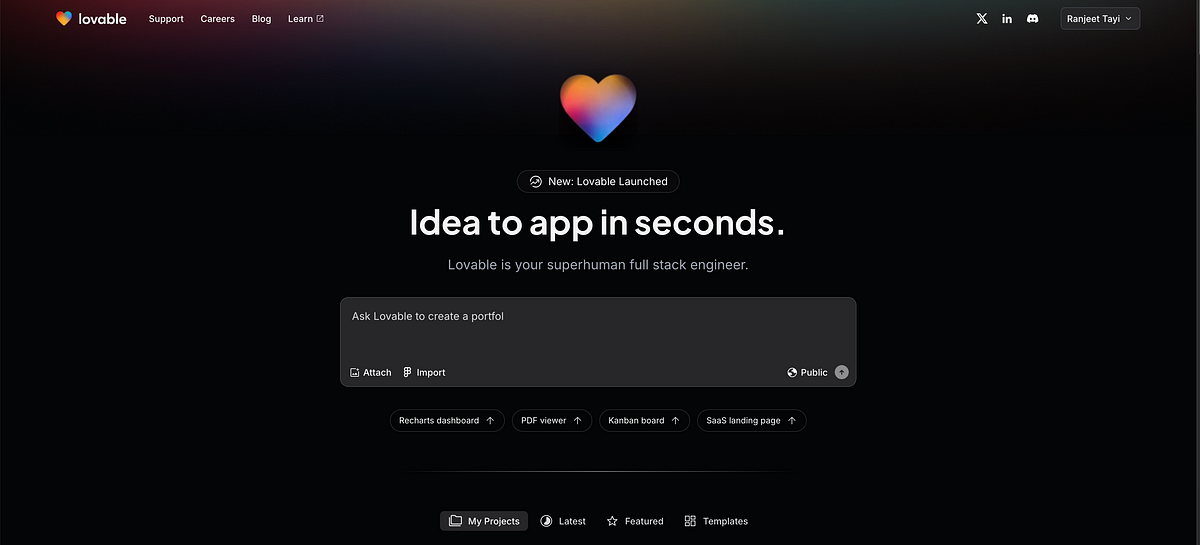
We pasted our prompt into the main Lovable AI interface and hit “Generate.” The AI started its work, showing a progress bar with encouraging messages like “Choosing the perfect fonts…” and “Finding beautiful, royalty-free images…” The entire process took just under 60 seconds.
3. The “Jaw-Drop” Moment: The First Reveal
The result was, frankly, stunning. The AI didn’t just create a functional layout; it captured the feeling we described in the prompt.
- The color palette was exactly what we asked for: earthy, warm, and professional.
- The typography was a perfect mix of an elegant serif for headings and a clean sans-serif for body text.
- The AI had selected high-quality, relevant stock images of pottery that looked artisanal, not generic.
- The copy it generated for the “About Us” page was a fantastic starting point, telling a story about a passionate artist.
4. The Final Polish (3 Minutes of Tweaking)
The site was 95% perfect. We spent just a few minutes making minor tweaks using Lovable’s intuitive on-page editor.
- We replaced a few stock images with our own (hypothetical) product photos.
- We reworded the main headline to be more impactful.
- We linked the “Subscribe” button to our email marketing service.
Total time from prompt to “launch-ready”: 4 minutes and 12 seconds.
Who Is Lovable AI Really For? (And Who Should Skip It)
No tool is perfect for everyone. Based on our tests, Lovable AI is a game-changer for specific types of users but could be a poor fit for others.
✅ Lovable AI is PERFECT for:
- Solopreneurs & Freelancers: Coaches, consultants, photographers, writers who need a professional, portfolio-style site fast.
- Small Local Businesses: Restaurants, coffee shops, yoga studios, salons wanting a beautiful “digital storefront” for info, showcase, and leads.
- Founders Testing an Idea: Quick landing pages for product/service validation, instant website maker abilities.
❌ You Should SKIP Lovable AI if:
- You Need Complex E-commerce: Not for large inventories, complex shipping, deep accounts.
- You Require Deep Technical Customization: Developers needing custom code/control should use Webflow or WordPress.
- Building a Large, Content-Heavy Publication: Not for hundreds of blog posts or complex CMS content.
Lovable AI Pricing: What’s the Real Cost?
- Free Tier / Trial: Free plan lets you generate a site and test features (likely a .lovable.ai subdomain with branding).
- Basic Plan (approx. $15-$25/month): Includes core AI features, custom domain, removes branding (ideal for most small businesses).
- Pro Plan (approx. $30-$50/month): Advanced features like analytics, more AI generation credits, priority support, or maybe e-commerce extras.
The Bottom Line on Value: The real value isn’t a monthly fee—it’s the hours and dollars saved not hiring a designer or dev. For the target user, ROI is massive. Check the Lovable AI website for current pricing.
The Final Verdict: Lovable AI Pros and Cons
Pros
- ✅ Unmatched Speed: Goes from detailed prompt to live site in minutes.
- ✅ Superior AI Output: Prompt-first approach = custom, aligned results.
- ✅ Incredibly Intuitive: Zero learning curve—if you can write an email you can use Lovable.
- ✅ Empowering Process: Forces you to clarify what matters about your brand/site for better final product.
Cons
- ❌ Limited Customization: On-page editor is easy but less powerful than Wix/Webflow.
- ❌ Niche Focus: Excels at lead-gen, brochure, portfolio sites—but not app development.
- ❌ New Kid on the Block: May lack the huge library of integrations and plugins long-time competitors offer.