
How to “Vibe Code” with Wispr Flow
Here’s something developers realized after years of writing code: in 2025, the bottleneck isn’t how fast you type syntax—it’s how fast you can articulate logic. When you’re in flow state with a crystal-clear mental model of the architecture, context-switching to write commit messages or documentation breaks your momentum. This is where “Vibe Coding” comes in—the shift from typing every character to managing code generation and directing AI tools at the speed of speech.
Wispr Flow is an LLM-powered voice-to-text tool built specifically for developer context. It understands the difference between “camelCase” as a naming convention versus typing literal words, and formats spoken thoughts into clean, structured text. This guide explores how to integrate voice-first workflows into your development process to eliminate the most tedious 30% of typing.
Quick Navigation
Why Voice Coding Matters
When you’re deep in code, your working memory juggles function signatures, edge cases, state management, and architectural decisions. Stopping to type lengthy comments or documentation forces a context switch from “architect mode” to “transcriptionist mode.” Speaking allows you to verbalize your thought process while keeping your mental model intact.
The speed difference is significant: average developer typing reaches 40-60 words per minute, while Wispr Flow dictation achieves 120-180+ words per minute—roughly 3x faster. Beyond speed, voice coding addresses repetitive strain injury (RSI) concerns that affect developers after years of keyboard-intensive work.
Setting Up Wispr Flow
Privacy Considerations
Wispr Flow processes audio through their LLM pipeline. According to their documentation, they don’t store audio recordings or use your data for training unless you opt in. For proprietary code, the recommended approach is using voice for documentation, comments, and prompts rather than dictating actual business logic or sensitive credentials.
Developer Persona Configuration
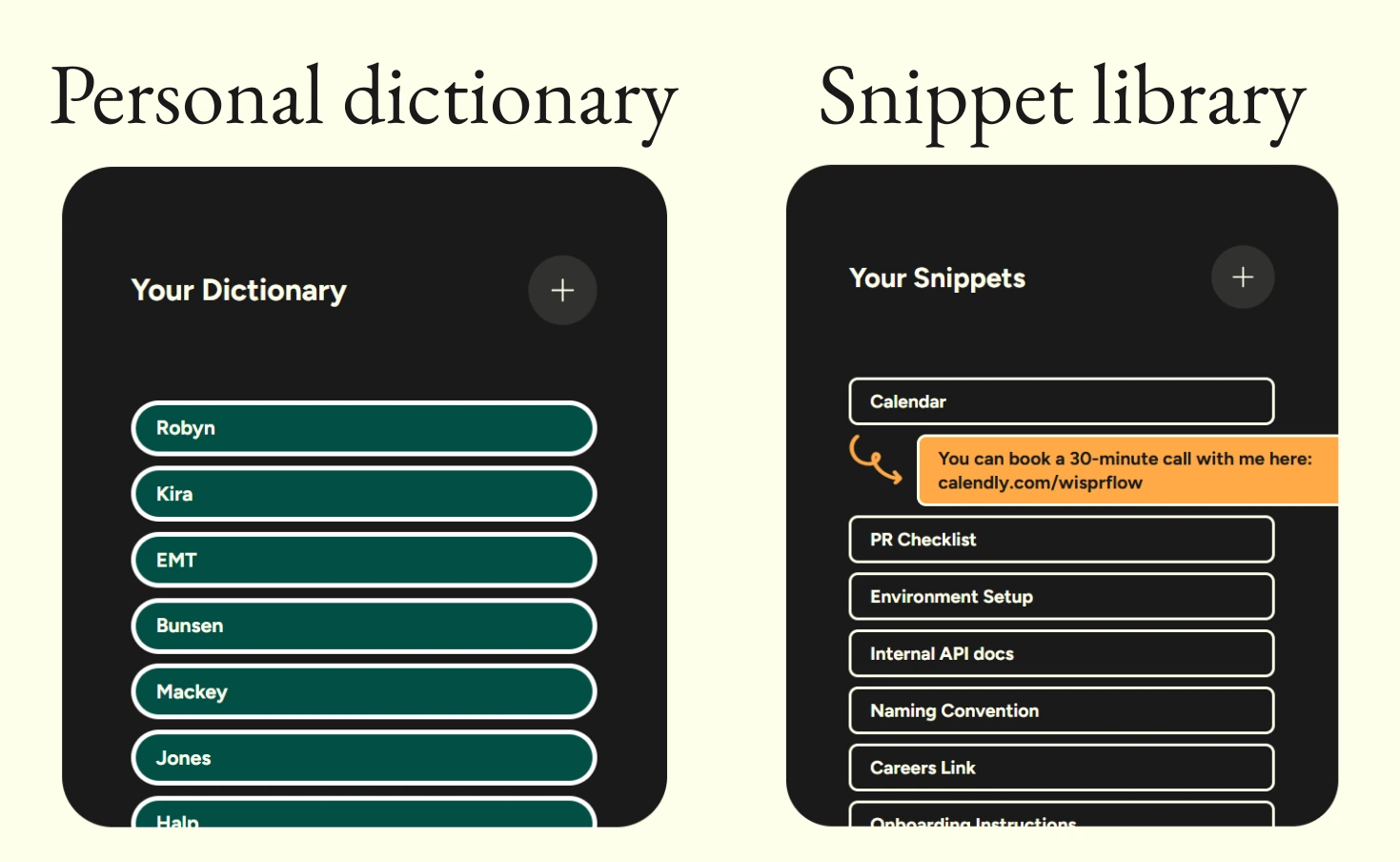
Wispr Flow allows prompt customization to create a “Developer Persona.” The tool can be configured to preserve technical terms as acronyms (API, JSON, REST, JWT), maintain code-related formatting (camelCase, snake_case, kebab-case), format lists as Markdown, and capitalize framework names correctly (React, TypeScript, PostgreSQL).
Ready to Try Voice-First Development?
Wispr Flow offers a free tier with 2,000 words per week to test the workflow. The Pro plan ($12/month annually) provides unlimited dictation and AI Command Mode for advanced editing.
Get Started with Wispr FlowGit Commit Messages with Voice
Poor commit messages like “fixed bug” or “updates” create maintenance nightmares months later when trying to understand code changes. Voice dictation reduces the friction of writing proper commits during rapid iteration.
The workflow involves hitting the Wispr hotkey and speaking naturally: “Refactored the auth middleware to handle JWT tokens better and fixed that timeout bug on the login screen.” Wispr automatically formats this into conventional commit style, capitalizes correctly, and removes filler words. This transforms a rushed habit into professional documentation without slowing down development velocity.
Documentation & Pull Request Descriptions
Writing comprehensive PR descriptions traditionally takes 10-15 minutes of typing. With voice dictation, explaining what you did, why you did it, and how to test it becomes a 2-minute conversation. Speaking through the implementation like you’re talking to a colleague produces structured output with proper headings, bullet points, and formatted code references automatically.
This same workflow applies to README.md files. Instead of staring at a blank file, talking through the project as if onboarding a new developer creates a structured document instantly. Wispr infers the document structure from conversational context without requiring explicit formatting commands.
AI-Assisted Coding with Voice Prompts
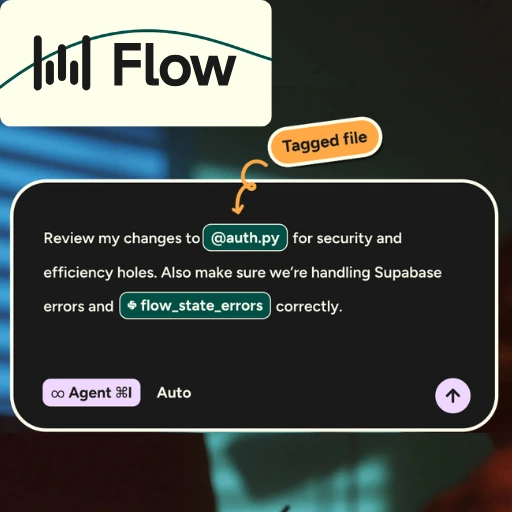
The “Vibe Coding” force multiplier comes from using voice to dictate prompts to AI coding assistants like Cursor or GitHub Copilot. Speaking detailed requirements for a complex React component—including pricing tiers, toggle functionality, conditional displays, and styling preferences—produces a perfectly structured prompt for the AI in seconds.
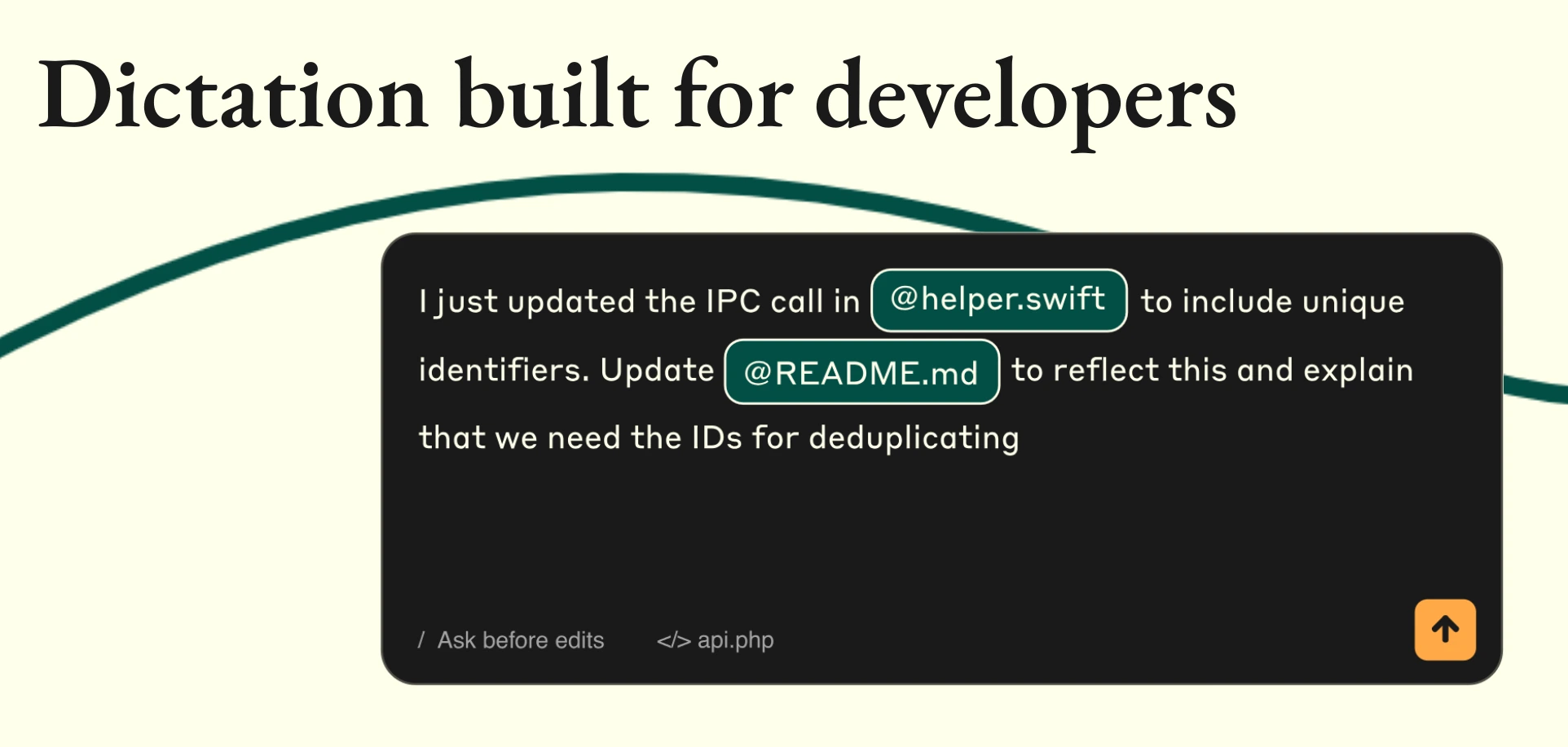
Wispr Flow’s new file tagging feature allows developers to reference specific files by voice, bringing relevant context into AI prompts without manual selection. This creates a seamless chain from thought to voice to structured prompt to AI-generated code.
Code Comments That Document Logic
Complex algorithms, non-obvious business logic, and tricky edge cases require comments, but typing them breaks flow state. Voice dictation allows verbalizing the reasoning behind complex functions while staying in the logic. A spoken explanation about timezone conversion handling during DST transitions becomes a clean, properly formatted comment in 5 seconds instead of 30.
Where Voice Dictation Struggles
Voice isn’t a complete keyboard replacement. It struggles with specific variable names containing underscores, version numbers, and exact casing. Complex regex patterns are nearly impossible to dictate clearly. Refactoring existing code and rapid syntax editing remain faster with keyboard shortcuts.
The effective approach uses voice for natural language tasks—comments, documentation, commit messages, AI prompts, and README files—while relying on keyboard for syntax, refactoring variable names, editing existing code, and debugging. Most developers find voice covers 30-40% of their “writing” time, specifically the tedious documentation tasks.
Wispr Flow vs Native OS Dictation
Mac’s built-in dictation and Windows Voice Typing lack developer context. Testing shows native dictation converts “JSON” to “Jason” and “camelCase” into two separate words. These tools provide basic speech-to-text transcription without understanding technical terminology.
Wispr Flow’s LLM foundation enables context-aware intelligence. It recognizes that JSON is an acronym, camelCase is a single formatting convention, and “async/await” has specific capitalization. The tool also automatically strips filler words like “um” and “so” that native dictation transcribes verbatim.
Pro Tips for Voice Development
Voice Macros for Repetitive Phrases
Wispr Flow’s snippet library allows creating shortcuts for frequently used phrases. Voice triggers can auto-expand PR templates, code block formatting, or bullet list modes.
Architecture Planning Sessions
Speaking through architecture in a blank markdown file before writing code creates living design documentation in 5 minutes instead of 30. This produces a reference that captures the initial technical thinking and decisions.
Standup Update Dictation
Voice-dictating daily standup updates about yesterday’s work, today’s plans, and blockers produces more detailed status reports with less friction than typing. The lower resistance of speaking versus typing results in more comprehensive team communication.
Pair Programming Transcripts
Recording pair programming sessions or rubber duck debugging with Wispr creates transcripts of technical conversations, including decision-making processes and “aha” moments valuable for documentation.
Getting Started with Voice-First Development
The adoption curve for voice coding mirrors AI-assisted coding tools. Developers not using GitHub Copilot or Cursor face competitive disadvantages today. Voice coding follows the same trajectory—early adopters building these workflows now will have significant advantages as voice-first development becomes standard practice.
Recommended First Steps:
- Start by using Wispr Flow only for commit messages during the first week to build muscle memory
- Add PR descriptions once commit dictation feels natural
- Experiment with dictating prompts to AI coding assistants
- Track time savings on documentation tasks
Wispr Flow pricing includes a free tier with 2,000 words weekly, Pro at $12/month annually with unlimited dictation, Teams at $10/user/month for collaborative features, and Enterprise with custom pricing for SOC 2 compliance. The Pro plan unlocks AI Command Mode for advanced text editing capabilities.
Transform Your Developer Workflow
Voice coding isn’t replacing keyboards—it’s eliminating the tedious 30% of typing that breaks flow state and causes wrist strain. If you use AI coding assistants, write documentation, or struggle with RSI, Wispr Flow is worth testing.
Download Wispr Flow FreeThe learning curve is gentler than learning a new programming language. You’re simply learning to articulate code instead of typing about it. Start with your next PR description and experience the difference between mechanical typing and fluid, speech-based documentation.