Proton Workspace Review (2026): Can It Replace Google Workspace or Microsoft 365?
Disclosure: this article is part of a paid partnership with Proton, and BoostStash may earn a commission if you subscribe through the links on this page. Prices and limits were checked on Proton’s site on October 21, 2026.
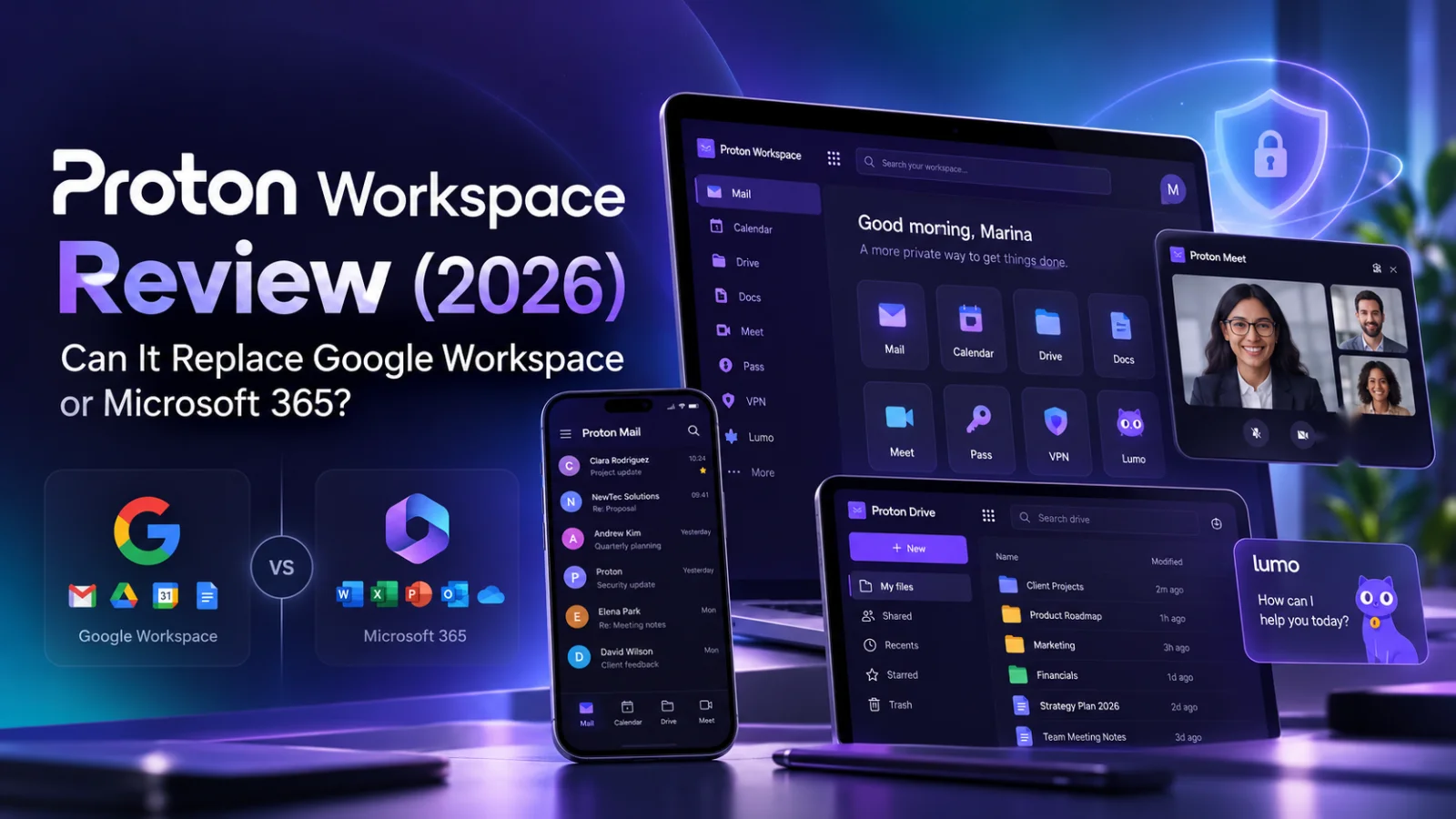
This Proton Workspace review answers one question: can a small team move email, files, documents and meetings to a privacy-first suite without losing the work? Proton Workspace bundles encrypted email, calendar, file storage, documents, spreadsheets, video meetings, a VPN and a password manager from $12.99 per user per month on annual billing, with a 14-day free trial. Start the Workspace trial here.
⚡ The Verdict
Proton Workspace is worth a 14-day trial if client data or privacy drives your buying decision. It is a strong pick for small teams that handle confidential information and want one encrypted suite instead of five separate subscriptions. It is a weaker pick for teams that live in PowerPoint decks, complex spreadsheet models or a long list of third-party integrations. Price is not the deciding factor: on headline rates it sits close to Google Workspace and Microsoft 365, so the real question is whether the privacy model and the bundle fit the way you work.
Proton Workspace is worth a 14-day trial if client data or privacy drives your buying decision
Here is a quick way to tell whether you are the target customer:
| Team type | Good fit | Think twice |
|---|---|---|
| Email and tools | Agencies, consultants, legal, finance, healthcare-adjacent and nonprofit teams handling client or donor data. You want business email on your own domain with encryption between Proton users. You would use Mail, Drive, Docs, Meet, VPN and a password manager together. | Teams built around slide decks, advanced Excel models or heavy CRM and ERP integrations. Most of your mail goes to outside inboxes and you expect all of it to be end-to-end encrypted. You only need one of the apps and are happy with what you pay now. |
| Switching | You can spend a week testing imports and DNS before cutting over. | You need an instant, zero-retraining move. |
The low-risk way to find out is the free trial. Try Proton Workspace free for 14 days and run the checklist near the end of this review before you decide.
Both Workspace plans include eight apps; Premium adds capacity, retention and fuller AI access
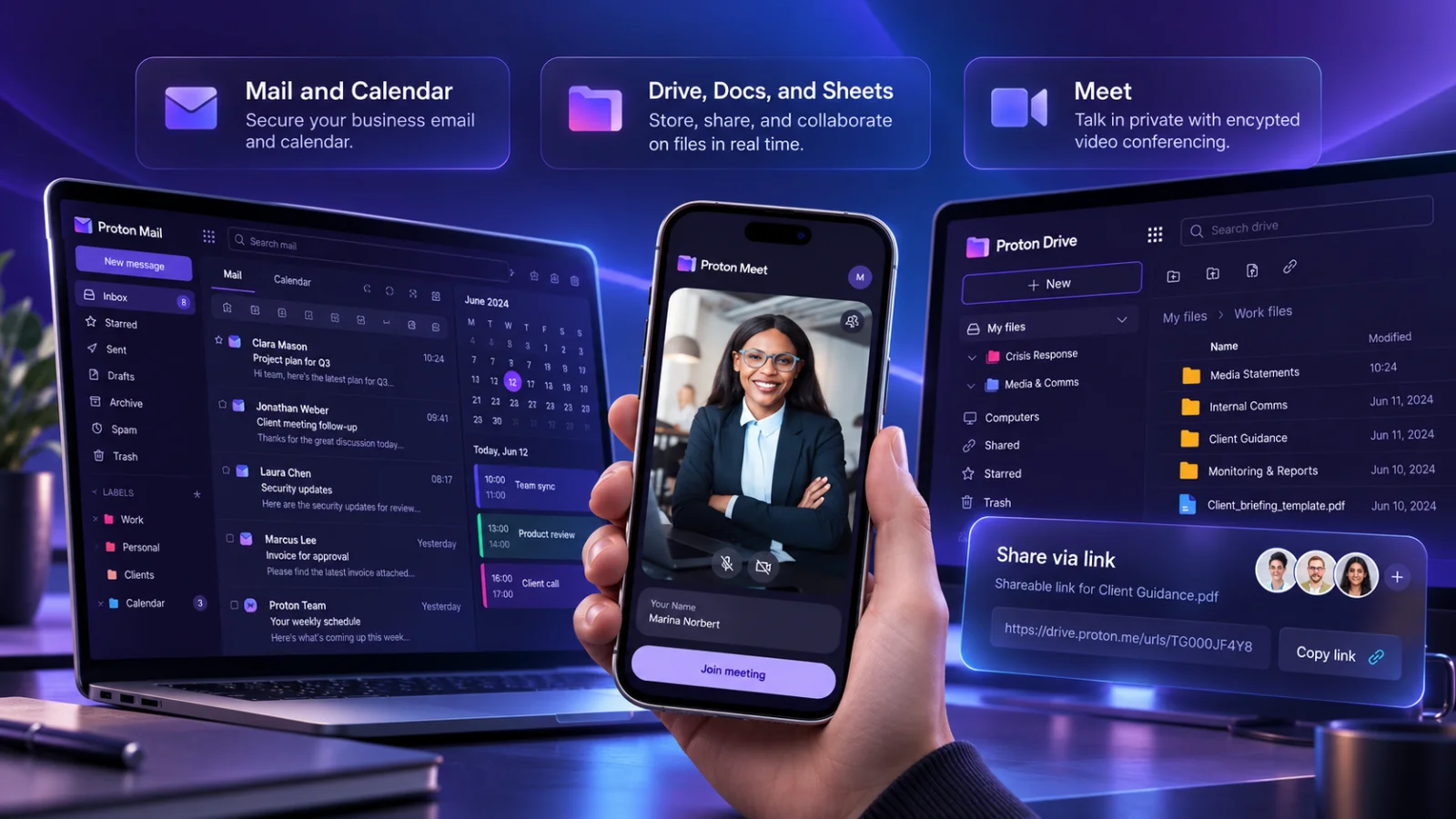
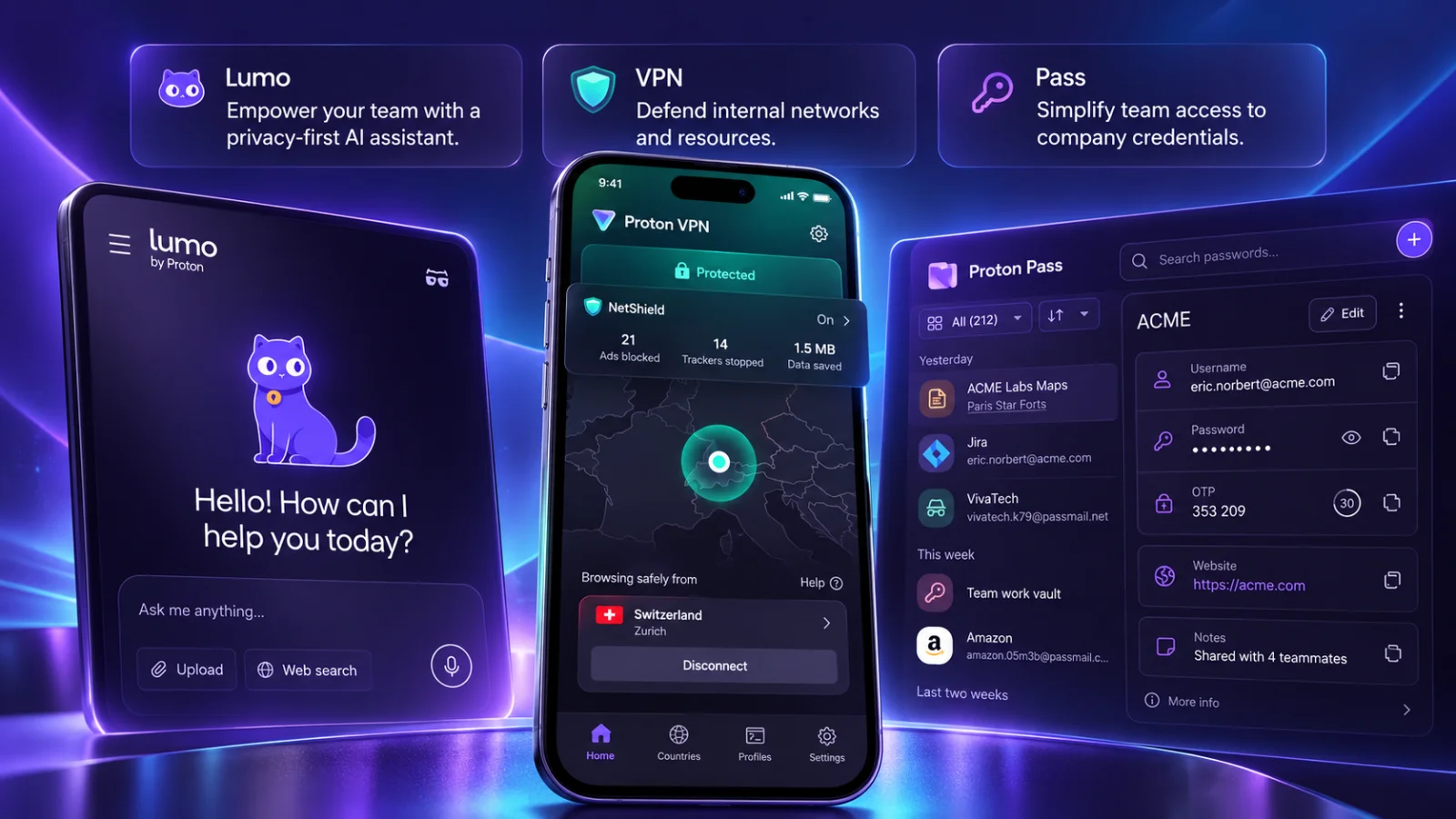
Every Workspace plan includes Proton Mail, Calendar, Drive, Docs, Sheets, Meet, VPN and Pass (the password manager), managed from one admin panel. Proton also lists its Sentinel account protection program on both plans. The difference between Standard and Premium is mostly headroom.
| Per user, annual billing | Workspace Standard | Workspace Premium |
|---|---|---|
| Price per month (equivalent) | $12.99 | $19.99 |
| Charged per user per year | $155.88 | $239.88 |
| Storage per user | 1 TB | 3 TB |
| Custom email domains | 15 | 20 |
| Email addresses per user | 20 | 20 |
| Video meeting participants | 100 | 250 |
| Lumo AI assistant | Limited prompts, basic chat history | Unlimited prompts, extended history, advanced model access |
| Email writing assistant | Paid add-on with free trial | Included |
| Data retention policies | Not listed | Included |
These figures come from Proton’s business plans page, checked on October 21, 2026. Prices are in US dollars, exclude tax, and the monthly figures are billed as one annual payment.
Start with Standard. Move to Premium only if you need meetings above 100 people, data retention policies, more than 1 TB per person, or regular use of the Lumo AI assistant. The jump costs $84 per user per year.
What about Proton Unlimited?
If you are searching for “is Proton Unlimited worth it”, note that it is a personal bundle at $9.99 per month equivalent on annual billing, with 500 GB and three custom domains. A solo freelancer may find it enough. A team should check whether it covers the shared admin controls and meeting capacity it needs before choosing it over Workspace.
If email is all you need, see Proton Mail’s personal plans instead of paying for a full business suite.
This review rests on documentation and public pricing, not a hands-on teardown
BoostStash reviews are meant to separate what a product claims from what it does. In this piece, here is where each claim comes from:
- Checked directly: Proton’s live plan and pricing page on October 21, 2026, and the public pricing of Google Workspace and Microsoft 365 on October 20, 2026.
- Taken from documentation: feature limits, encryption behavior, address types, version history, hosting locations and trial terms, all linked to Proton’s own support pages or independent sources where they appear.
- Not tested here: migration speed, search quality, call quality, Sheets formula compatibility, offline behavior and day-to-day reliability. Where other reviewers report gaps in these areas, this review says so and labels them as reported, not confirmed.
That last list is the reason the 14-day trial matters. Documentation tells you what a product is built to do. Only your own files, your own domain and your own team tell you whether it holds up. The checklist near the end shows how to test it in two weeks.
Custom domain setup uses the domain you already own, and Standard supports up to 15
If you are researching how to add Proton Mail with your own domain, the process is familiar to anyone who has set up business email before. You connect a domain you already own or buy elsewhere, verify ownership, then add the DNS records Proton asks for. Proton does not hand you a free registered domain, and a public gmail.com or outlook.com address does not turn into a company domain. What you keep is your own domain, so your team can send and receive as [email protected] after the cutover.
The records that matter for deliverability are SPF, DKIM and DMARC. They help receiving servers confirm your mail is genuine and reduce spoofing of your domain. They do not encrypt message bodies, so treat them as a delivery and anti-fraud step, not a privacy feature. Proton’s custom domain guide and anti-spoofing guide cover the exact records.
Moving mail and files over
Proton’s Easy Switch imports mail, calendars and contacts from other providers. Google Drive files move through a separate import workflow. Importing a file does not guarantee that formatting, sharing permissions or revision history arrive intact, so test a representative sample before you delete anything at the old provider.
A sensible order for a small team:
- List every mailbox, domain, shared folder and outside collaborator.
- Import one test mailbox and check dates, attachments, folders and contacts.
- Add the domain records and send test messages in both directions, including to a Gmail and an Outlook address.
- Keep forwarding or the old connection active during the transition, then cut over and keep a rollback plan.
Who does this suit? Teams with a single domain and a few mailboxes will find it manageable in an afternoon of DNS work and imports. A company with years of shared Drive permissions and automations should treat it as a staged project, not a weekend switch.
Proton Mail for business covers the daily basics, and Calendar adds booking pages
Searching for Proton Mail for business usually means one question: does it behave like a normal work inbox? On paper, yes. Both Workspace plans list unlimited filters, folders and labels, password-protected emails, a catch-all address, automatic forwarding, email groups, custom workspace branding and SMTP access for external tools. Each user can have up to 20 email addresses. Proton also lists compatibility with Outlook, Thunderbird and Apple Mail through its Bridge app, so check your exact client version before you promise anyone their desktop setup will not change.
Proton Calendar gives each user up to 25 calendars, sharing, an availability view and an appointment scheduling feature with 25 booking pages. If clients book calls with you today, that last item is worth a look. External invitations, recurring events and sync with the calendars your clients use are the things to test first, because those are where calendar switches usually go wrong.
Three kinds of extra addresses, three different jobs
| Type | What it is | Good for | Limit |
|---|---|---|---|
| Additional address | A real sending identity on your domain | info@, billing@, support@ | Capped at 20 per user |
| Hide-my-email alias | A forwarding address from the Pass password manager | Signing up for tools without exposing a main mailbox | If a service is breached, other data you gave it can still leak |
| Plus address | name+tag@yourdomain | Sorting incoming mail | Easy to strip, so it is not identity protection |
Heads up: do not use a disposable alias for accounts you must always be able to recover, such as banking or domain registrar logins. Disabling an alias also cuts off the legitimate mail sent to it.
Drive, Docs and Proton Sheets handle shared files and editing, but there is no slide editor
Proton Drive encrypts files before they leave your device, and Proton’s security page says this covers file content and file names. For a small team, the practical value is in the sharing controls and the recovery tools, so those are worth understanding before you move anything.
Sharing and permissions
Proton’s sharing guide distinguishes public links from email invitations, and Viewer from Editor access. A recipient can open a public link without a Proton account. Folder Editors can upload files, and those uploads count against the owner’s storage. Passwords, expiry dates and revoking access all help control future access, but none of them can erase a copy someone has already downloaded. Both Workspace plans list file sharing with no per-file size limit, though your plan’s storage allowance still applies.
Version history and where files live
On paid plans, Proton’s version history guide says you can keep up to 200 versions of a file for up to ten years, with adjustable settings. Free accounts keep up to ten versions for seven days. Read the limit as a ceiling you configure, not a promise that every file has ten years of history by default. Version history helps you roll back a bad edit. It is not a ransomware defense or a substitute for a tested backup plan.
Proton’s Drive privacy policy lists company-operated servers in Switzerland, Germany and Norway, and describes encrypted backups kept for up to 30 days. If a client contract names a specific data location, quote that wording, not a Switzerland-only summary.
Docs and Proton Sheets in real work
Proton Docs and Proton Sheets are online editors that live inside Drive and support shared editing. Proton lists them as part of both plans, but being in the suite does not make them equal to Google Docs, Google Sheets or Excel. Other reviewers, including Digital Citizen, report that Sheets is less complete than Google Sheets or Excel, that offline editing is limited and that there are fewer integrations. This review did not test those points, so treat them as reported issues to check in your trial.
One gap is visible on Proton’s own plan list: there is no presentation editor. If your team builds client decks weekly, you will keep PowerPoint, Keynote or Google Slides next to Proton, and that is a real cost in both money and workflow.
Before you rely on Sheets, load your most formula-heavy workbook and compare the outputs line by line. Macros, external data connections and complex financial models are the usual failure points.
Proton Meet allows 100 participants on Standard and 250 on Premium
Meet is Proton’s video meeting app, and Proton describes its calls, screen shares and messages as end-to-end encrypted. The limits below come from Proton’s plans page as of October 21, 2026.
| Meet limit | Standard | Premium |
|---|---|---|
| Participants per meeting | 100 | 250 |
| Meeting duration | 24 hours | 24 hours |
| Simultaneous active meetings | 2 | 2 |
| Meetings per day | Unlimited | Unlimited |
| Recording and screen sharing | Included | Included |
Third-party reviews have listed different participant numbers for Standard, including 50. Proton’s own page shows 100, so use that figure and recheck it on the day you buy. The two-meeting cap is easy to overlook: a team running two client calls at once is fine, but a third simultaneous call is not.
What this review cannot tell you is how calls feel. Audio and video quality, the guest join experience for clients who have no Proton account, and how well it handles a weak connection all need a real call. Invite one outside guest during your trial and run a screen share before you decide Meet can replace what you use now.
Email encryption for small business depends on who you are emailing
This is the part of the Proton pitch most often overstated, so it is worth reading carefully. Proton Mail does not turn every message you send into an end-to-end encrypted one. What protects a message depends on where it goes.
| Scenario | What Proton documents | What to tell your team |
|---|---|---|
| Proton to Proton | Automatic end-to-end encryption of message content | The simplest case and the strongest one |
| Proton to Gmail or another outside inbox | Usually transport encryption (TLS), not end-to-end | The recipient’s provider can access its own copy |
| Outside sender to Proton | Content is encrypted for storage once it arrives | This does not protect the sender’s copy |
| Password-protected message to an outside recipient | An encrypted option for people outside Proton | The recipient needs the password, shared separately |
| Outside recipient using compatible PGP | End-to-end encryption when keys are set up | Both sides must have configured it |
The scenarios come from Proton’s encryption documentation. If you want an encrypted email service for a small business, the honest pitch is this: Proton gives you strong default protection inside its own network and workable tools for the rest, as long as your team uses them.
What stays visible
Proton’s Mail privacy policy says metadata such as sender and recipient addresses, subject lines, timestamps and attachment names is accessible, and that ordinary external messages can be scanned for spam and viruses in memory before encrypted storage. “Proton can see nothing” is therefore not accurate. “Proton cannot read the stored body of your encrypted messages” is.
The rest of the suite works differently
- Meet, Calendar and Pass: documented as encrypted, with Pass covering credential storage and sharing.
- VPN: an encrypted connection with a no-logs policy. It does not make you anonymous to the websites you sign in to.
- Lumo AI: saved chats are protected and Proton says conversations are not used for model training, but the server has to decrypt a prompt briefly to run the model. Do not describe it as end-to-end encrypted in the same sense as a file only your team can open.
- Account protection: Sentinel is listed on both plans and has to be enabled. Proton also warns that losing a password without a recovery method can permanently lock you out of encrypted data, so set up recovery before you migrate.
Encryption does not stop phishing, an unlocked laptop, a stolen session or a client who forwards your file.
Compliance claims, kept in proportion
Proton’s trust center states that the company is ISO 27001 certified and has completed a SOC 2 Type II audit, first announced in July 2025. Those are signals about Proton’s own controls, not your company’s certification. HIPAA, in particular, requires more than encryption: US health regulators say a cloud provider holding protected health information can be a business associate even without the key, which brings in a business associate agreement. GDPR also covers your own processing and retention. Proton’s plan page promises easy compliance, but your obligations stay yours. Ask for the current certificate, audit scope and any agreement you need before telling a client or auditor you are covered.
On jurisdiction, Proton is based in Switzerland and handles legal requests through Swiss authorities, as its transparency report describes. That governs how binding requests reach the company. It is not immunity from lawful requests.
Pricing: Proton is about $1 per user per month cheaper than Google Business Standard, so buy it for the fit
On headline rates, Proton Workspace Standard is close to the competition, not dramatically cheaper. The figures below are US-dollar monthly equivalents on annual or fixed-term plans, checked on October 20 and 21, 2026, before tax and add-ons.
| Plan | Per user per month | Notes |
|---|---|---|
| Proton Workspace Standard | $12.99 | Core suite; Lumo access limited |
| Proton Workspace Premium | $19.99 | Larger limits; fuller Lumo access |
| Google Workspace Business Standard | $14.00 | Annual or fixed-term plan |
| Google Workspace Business Plus | $22.00 | A higher edition, not a surcharge on Standard |
| Microsoft 365 Business Standard with Teams | $14.00 | Annual subscription; AI is priced separately |
These are not like-for-like. The suites differ in storage, apps, admin tools and AI, and Microsoft sells its Copilot assistant as a separate paid add-on. Compare the exact editions and features your team would use before you calculate savings. Sources: Google Workspace business editions and Microsoft 365 business plans with Teams.
What a team actually pays per year
| Team size | Proton Standard | Proton Premium | Google Business Standard (headline) |
|---|---|---|---|
| 1 user | $155.88 | $239.88 | $168.00 |
| 5 users | $779.40 | $1,199.40 | $840.00 |
| 10 users | $1,558.80 | $2,398.80 | $1,680.00 |
For ten people, Standard works out to about $121 less per year than Google Business Standard on headline rates. That is a nice bonus, not a reason to migrate by itself. The reason to move is that your email, files, calls and passwords sit in one encrypted suite, and that you can drop a VPN and password manager subscription if you pay for them separately today.
Trial and billing terms to know before you start
- Proton’s business trial lasts 14 days for eligible new customers, with up to ten trial users.
- It converts to a paid plan automatically unless you cancel before it ends, according to Proton’s trial terms. Switching from monthly to annual billing during the trial can end the remaining trial and charge you immediately.
- Proton’s plans page also lists a 30-day money-back guarantee.
- The percentage labels on the plans page (13% on Standard, 20% on Premium) appear to compare annual with monthly payment. Confirm the final price, any discount and the renewal rate at checkout, and do not assume they stack with other offers.
Start your 14-day Workspace trial and check the checkout screen before you enter payment details.
Where Proton Workspace falls short: no slide editor, unproven spreadsheet parity and a real switching cost
A review that only lists strengths is a brochure. These are the limits that matter, in rough order of how likely they are to affect a small team:
- No presentation editor. Proton’s plan list covers Docs and Sheets but not slides. Decks stay in another tool.
- Spreadsheet and document parity is unproven. Proton Sheets and Docs support shared editing, but reviewers report fewer features than Google Sheets or Excel. Test your heaviest workbook before you commit.
- Outside email is not automatically end-to-end encrypted. Protected messages to outside recipients need a password exchange, and your clients have to be willing to use it.
- Fewer integrations. If your CRM, accounting or ERP tools connect to Google or Microsoft accounts, confirm each connection individually. A missing one can cost more than the subscription saves.
- Switching takes work. Imports do not guarantee that formatting, sharing permissions or revision history carry over, and staff need time to learn a new set of apps.
- Standard has ceilings. Meetings cap at 100 participants and two at a time, Lumo access is limited, and data retention policies are a Premium feature.
- Recovery is your job. If a user loses a password and has no recovery method, Proton warns that access to encrypted data can be lost permanently. Set up recovery methods before you migrate.
- Support promises need checking. The plans page lists 24/7 support, but it does not publish response times, so ask before you build a compliance process around it.
None of these is a reason to skip the trial. Each one is a reason to test it properly.
Choose Proton Workspace if privacy is part of what you sell, and run this 14-day test first
✅ Choose Proton Workspace if…
- You run a consultancy, agency, law or accounting practice, nonprofit, or newsroom whose clients ask hard questions about where their data lives.
- You handle health, financial or personal records.
- You are tired of paying separately for email, storage, a VPN and a password manager.
⚠️ Stay where you are if…
- Your work depends on slide decks, advanced spreadsheet models or deep integrations.
- Most of your correspondence goes to outside inboxes and you expect every message to be end-to-end encrypted.
A 14-day test that gives you a real answer
The trial supports up to ten users, so use a small pilot group and real files. Do these in order:
- Domain and mail. Connect a test domain, add the DNS records and send messages to and from a Gmail and an Outlook address. Pass if mail arrives in both directions without landing in spam.
- Import. Run Easy Switch on one real mailbox. Pass if dates, folders, attachments and contacts match the original.
- Protected email. Send a password-protected message to an outside contact and ask how the experience felt for them.
- Drive sharing. Share a folder as Viewer and as Editor, add a password and expiry, then revoke access. Pass if each permission behaves exactly as expected.
- Docs and Sheets. Co-edit a document with a colleague, then open your most complex spreadsheet and compare every key output. Pass if the numbers reconcile and nothing you rely on is missing.
- Recovery. Restore an earlier file version and a deleted file.
- Meet. Invite an outside guest, share a screen and record a short call.
- Admin and offboarding. Add a user, remove one, and rotate any shared passwords that person could access. Removing someone from a shared vault does not erase credentials they already copied.
Set a calendar reminder for day 12. The trial converts to a paid plan automatically, so cancel before it ends if you decide against it.
If at least six of the eight pass without workarounds, move your pilot group first, keep the old provider running until you are sure, and then roll out to the rest of the team.
Start your free 14-day Proton Workspace trial and put it through that checklist. Two weeks of real work will tell you more than any review, including this one.
Proton Workspace FAQ
It is worth testing if you handle confidential data, want business email on your own domain and would use several of the bundled apps. At $12.99 per user per month on annual billing it costs roughly the same as Google Workspace or Microsoft 365, so the value comes from the privacy model and the bundle, not from a big discount.
Not for every team. It covers mail, calendar, files, documents, spreadsheets and meetings, but it has no presentation editor, and its spreadsheet and integration coverage needs testing against your own workflow.
No. Messages between Proton users are end-to-end encrypted automatically. Messages to outside inboxes usually rely on transport encryption unless you use a password-protected message or the recipient uses compatible PGP. Metadata such as addresses, subject lines and timestamps remains accessible.
Yes, if you own the domain. You connect it to Proton, verify ownership and update DNS records. A public gmail.com or outlook.com address cannot be moved to Proton as a custom domain.
The trial lasts 14 days for eligible new customers and covers up to ten users. It converts to a paid plan unless you cancel first. Switching from monthly to annual billing during the trial can end it early and trigger payment, so read the checkout screen carefully.
No product does that alone. Proton lists ISO 27001 certification and a SOC 2 Type II audit for its own operations, but your compliance depends on your configuration, contracts and processes. For healthcare data, ask about a business associate agreement before you migrate.
Final Verdict
Proton Workspace is the right call for small teams where privacy is part of the job: one encrypted suite for mail, calendar, files, documents, meetings, a VPN and a password manager, at a price close to Google Workspace and Microsoft 365. It is the wrong call for deck-heavy, spreadsheet-heavy or integration-heavy teams. The 14-day trial makes the decision cheap, so test it with real files before you commit.
My rating: Proton Workspace 4.8/5 for privacy-first small teams in 2026.
👉 Try Proton Workspace Free for 14 Days →Testing transparency: this review is part of a paid partnership with Proton and rests on documentation and public pricing, not a hands-on teardown. Pricing and plan limits were checked on October 21, 2026 (Proton) and October 20, 2026 (Google and Microsoft). Recheck them on the day you buy.

Co-Founder and Lead Reviewer at BoostStash. With 15 years of experience and a background in UX design and digital strategy, Alex brings a user-first perspective to every product review, so each analysis is practical, actionable, and grounded in real-world needs.