GLM 5.2 Review (June 2026): I Ran It Against Claude Opus 4.8 Across 40 UI Challenges
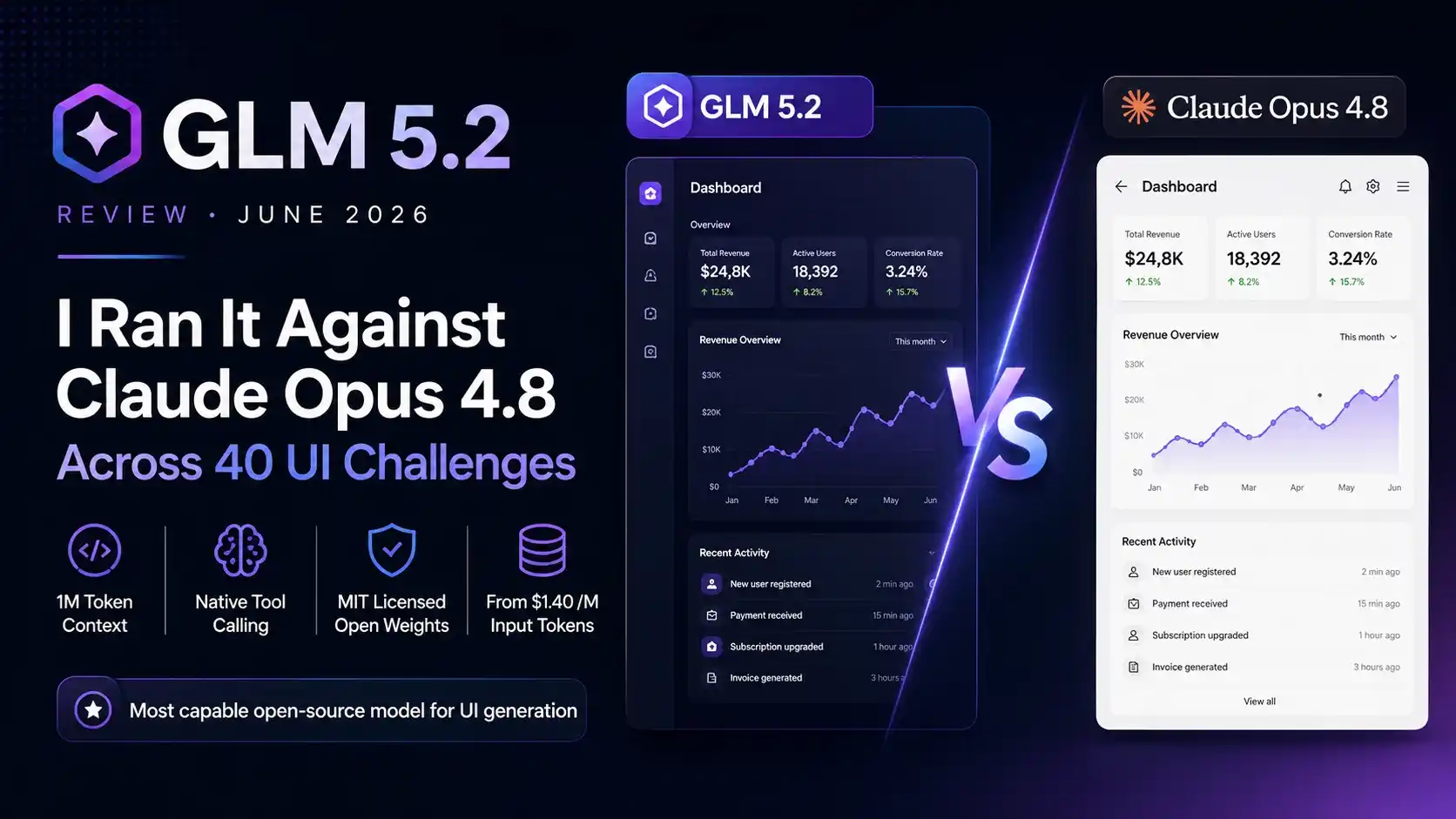
Model Review · Updated June 2026
Why I Dropped Opus 4.8 for My Daily UI Workflow
I’ve been running AI-powered UI generation workflows for over two years, testing everything from GPT-4o to Gemini to the various Qwen releases. When Z.ai dropped GLM 5.2 on June 13, 2026, I didn’t expect much. Another open-source flagship claiming to rival closed models — I’d heard that story before.
Then I actually ran it.
Over two weeks in June 2026, I put GLM 5.2 through 40 head-to-head challenges against Claude Opus 4.8, covering 3D WebGL scenes, interactive explainers, analytics dashboards, landing pages, and mini-games. I connected both models to Open Design — a free, open-source agentic design workspace — and ran identical prompts through each.
What I found surprised me enough to switch GLM 5.2 to my daily driver for UI work.
In this review, I’ll walk you through the full benchmark results, the complete setup process inside Claude Code, Open Code, and Crush, the best API providers for cost control, and an honest breakdown of where GLM 5.2 still falls short.
What Is GLM 5.2?
GLM 5.2 is a large language model made by Z.ai, a Chinese AI lab that spun out of Tsinghua University in 2019 and was known as Zhipu AI until its 2025 international rebrand. The company IPO’d on the Hong Kong Stock Exchange in January 2026, the first major Chinese LLM maker to go public, and is backed by Alibaba, Tencent, and Saudi Arabia’s Prosperity7.
GLM 5.2 is the third major release in the GLM-5 line, following GLM-5 (February 11), GLM-5-Turbo (March 15), and GLM-5.1 (April 7) — making four flagship-tier coding releases in roughly four months.
The technical specs are genuinely impressive:
- 1 million token context window — Z.ai labels it glm-5.2[1m], with maximum output of 131,072 tokens per response
- Native tool calling and structured output
- Two thinking-effort levels: High and Max
- 744 billion parameters, Mixture-of-Experts architecture — only ~40 billion parameters are active for any given token, meaning you get the knowledge of a huge model at the running cost of a much smaller one
- MIT licensed open weights — a fully permissive license, not a restricted or research-only one
The 1M context window changes how a coding agent works in practice. The agent can hold an entire mid-sized repository in working memory — source files, tests, configuration, and conversation history — avoiding the constant summarization that smaller windows force.
That matters enormously for UI work. A complete landing page with navigation, hero sections, pricing, FAQ, and footer can easily push past 50,000 tokens once you include all the CSS, JavaScript, and HTML. GLM 5.2 holds its design instructions across that entire span without degrading into random gradients and generic card layouts — exactly where most models fall apart.
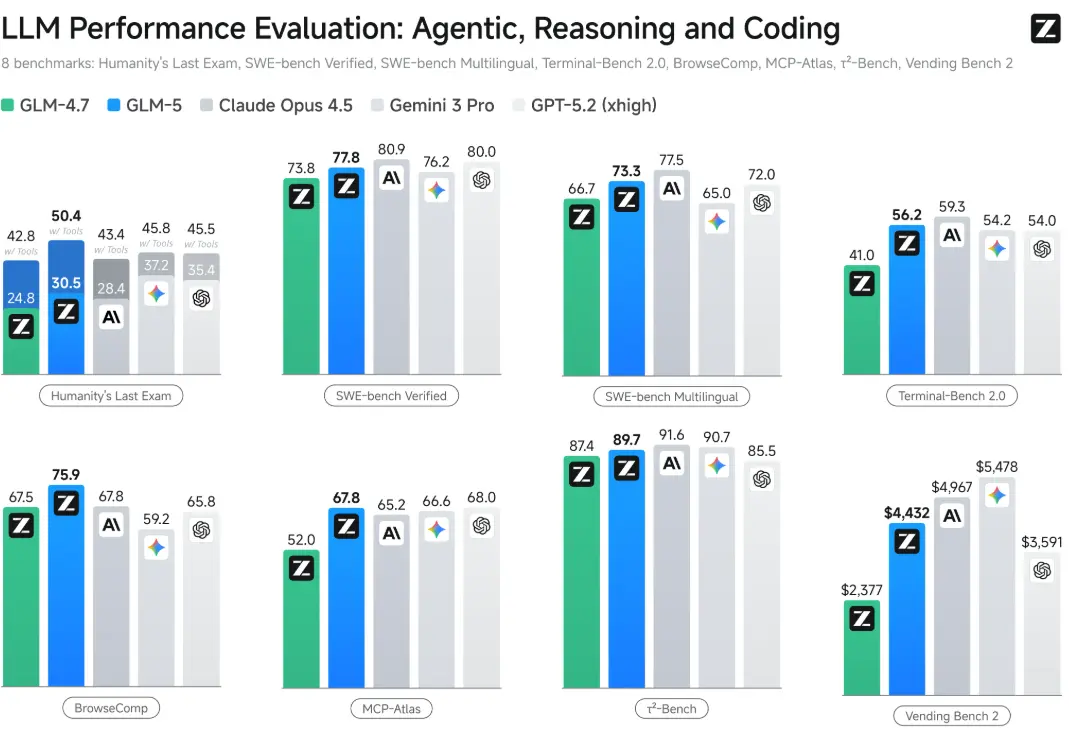
For the official rundown straight from the source, Z.ai’s own announcement covers the architecture and benchmark claims in more depth: read Z.ai’s GLM 5.2 blog post.
My Testing Setup: Open Design + GLM 5.2
To give both models a fair environment, I connected GLM 5.2 to Open Design — an open-source, model-agnostic design workspace that functions as an alternative to commercial tools like Claude Design. Open Design includes over 100 design skills, 150+ design systems inspired by Linear, Stripe, Vercel, Apple, and Notion, and critically produces real HTML and CSS output — not screenshots you have to rebuild.
That last point is critical. I export artifacts from Open Design directly to Claude Code for integration into live React and Next.js projects. A flat image means I’ve wasted half my time.
Open Design is local-first, Apache 2.0 licensed, and works with any OpenAI-compatible API. That’s how I plugged in GLM 5.2 via OpenRouter.
Head-to-Head Results: GLM 5.2 vs. Claude Opus 4.8
3D WebGL Scenes
Both models received identical prompts to generate a nebula spiral visualization. GLM 5.2 produced a clean, interactive result with orbit controls, adjustable glow, and particle size settings. Color balance was visually coherent from the first render.
Opus 4.8’s version had a glaring flaw: the galaxy was nearly invisible because the scene was dramatically overexposed. That’s not a subtle issue — it’s a functional failure on a straightforward visual prompt.
Cleaner first-pass render with working interactive controls and coherent color balance.
Interactive Explainers
I prompted both models to build interactive educational content explaining a visual concept. GLM 5.2 chose clean serif typography, restrained layout hierarchy, and an information flow that actually teaches. Opus 4.8 produced something functional but visually cluttered, with a generic type treatment that felt templated.
The difference wasn’t subtle. GLM 5.2 understood that an explainer needs readability over decoration — a design judgment call, not just code execution.
Better typographic restraint and information hierarchy for teaching content.
Procedural Terrain Generation
Both models built low-poly terrain flyover experiences. GLM 5.2’s output had higher visual coherence — good color separation between ground and sky, and procedural generation that felt intentional. Opus 4.8’s version worked technically but delivered lower aesthetic quality in overall scene composition.
Stronger color separation and a more intentional-feeling procedural result.
Analytics Dashboards
This is where the test mattered most to me, since dashboards make up a significant portion of my client work. I prompted both models to build a high-density operations dashboard for monitoring renewable energy sites — live power generation metrics, alert systems, 24-hour output charts, maintenance queues, and weather risk indicators.
GLM 5.2 produced a dark interface with excellent information density, clear status colors, readable chart labels, and a layout hierarchy that felt genuinely operational. It understood the difference between a dashboard that manages real data and a landing page with a dashboard screenshot dropped in as decoration.
Better information density and a layout hierarchy that reads as genuinely operational.
Landing Pages
Same pattern. GLM 5.2 demonstrated a consistently higher style ceiling — better typographic decisions, more purposeful spacing, restrained use of accent colors. Both models generated working pages, but GLM 5.2’s output required fewer revision cycles.
Fewer revision cycles needed to reach a publish-ready result.
Mini-Games
This is where Opus 4.8 regained ground. I tested a tower stacker game with both models. Opus 4.8 delivered clean physics and appropriate timing. GLM 5.2’s version was technically functional but ran too fast, making it nearly unplayable. The logic was correct; the calibration was off. It needed a follow-up prompt to fix — adding friction to an otherwise smooth workflow.
Interestingly, Z.ai’s own documentation positions GLM 5.2 as well suited for mini-game development, citing rule understanding, state machine design, and scoring logic as strengths. My testing suggests the architecture is there, but calibration still needs human-in-the-loop checking.
Better out-of-the-box timing and physics calibration on the same prompt.
Overall across 40 challenges: GLM 5.2 dominated in 5 of 7 categories.
It’s also worth noting that on Design Arena — a benchmark built specifically around HTML web design — GLM 5.2 bested Claude Fable 5, the recently headline-generating Anthropic model. That aligns closely with what I saw in hands-on testing.
Setting Up GLM 5.2 in Claude Code (Step-by-Step)
This is the setup I use daily. Claude Code is the most intuitive harness for this workflow, and connecting GLM 5.2 takes under ten minutes.
Get an OpenRouter API key
Go to openrouter.ai, create an account, navigate to the API section, click “Add New Key,” and copy your key.
Configure the Claude Code environment
Anthropic’s Claude Code supports a configuration variable called ANTHROPIC_BASE_URL. By swapping this endpoint to point at OpenRouter’s API — which mirrors Anthropic’s spec — you can run any compatible model, including GLM 5.2, inside the Claude Code harness. The cleanest method: paste your OpenRouter key details into Claude Code and ask it to configure a new GLM instance in a fresh directory. The agent builds the full configuration, tests the connection, and confirms it’s working.
Verify the setup
Ask the model: “What model are you running?” It should confirm GLM 5.2 via OpenRouter — not a Claude model. Once you see that confirmation, you’re live.
Setting Up GLM 5.2 in Open Code and Crush
For developers preferring alternative harnesses:
Open Code: Install with brew install open-code. Configure your OpenRouter API key and model endpoint the same way as Claude Code. Z.ai lists GLM 5.2 as working with OpenCode, Roo Code, OpenClaw, Kilo Code, Crush, and Goose — most of which support custom model configuration the same way. Open Code tracks spend in real time and supports Exa.ai web search once configured.
Crush: Install with brew install crush. Same configuration process. The harness works but the UX is less polished than Claude Code in my daily use.
Both confirmed GLM 5.2 via OpenRouter when queried directly. The low switching cost is intentional — for anyone already on a GLM Coding Plan, evaluating GLM 5.2 is a settings edit and a relaunch, not a procurement decision.
Pricing and Provider Options
The Z.ai API charges $1.40 per million input tokens and $4.40 per million output tokens — roughly a sixth of what GPT-5.5 or Claude Opus 4.8 charge. There’s also a flat GLM Coding Plan from $18 to $160 a month for use inside coding tools, and the open weights are free to self-host if you have the hardware.
| Provider | Pricing | Best for |
|---|---|---|
| Z.ai Direct API | $1.40/M input · $4.40/M output | Individual developers, pay-as-you-go |
| Z.ai Coding Plan | $18–$160/month flat | High-volume teams, predictable budgets |
| OpenRouter | Pay-per-token, auto-routed to cheapest provider | Most individual developers (my recommendation) |
| Fireworks / Deep Infra / GMI | Direct per-token hosting | Specific latency or compliance requirements |
| Self-hosted (quantized) | Hardware cost only | Privacy-first, offline, airgapped workflows |
My personal choice: OpenRouter. A heavy week of testing across 40 UI challenges cost approximately $4 total. For comparison, Claude Max runs $80 per month regardless of usage. OpenRouter automatically routes to the cheapest available inference provider per call with no manual configuration required.
The self-hosted option is also more realistic than it sounds in 2026. A community-quantized 2-bit version retains approximately 82% accuracy at an 84% size reduction and runs on a 256GB Mac or comparable VRAM setup. For users with hard privacy requirements, this is now a genuine option.
Pros and Cons From Two Weeks of Real Testing
Pros
- Exceptional design taste — outperformed Opus 4.8 in 5 of 7 UI categories
- 1M context window holds design instructions across full-length pages without degrading
- Dramatically cheaper than closed alternatives — ~$4 for 40 complex UI sessions via OpenRouter
- MIT licensed open weights — no API dependency risk, no policy changes that can break your workflow overnight
- Works across Claude Code, Open Code, Crush, Open Design, and more
- 128K output tokens — complete production-ready UI artifacts without truncation
Cons
- No native web search — requires Exa.ai integration as a separate configuration step
- Game physics calibration was off — tower stacker ran too fast, required a follow-up prompt
- Self-hosting requires 256GB RAM/VRAM minimum even for the quantized version
- Released June 13, 2026 — still very new, edge cases and long-term stability data still accumulating
Who Should Use GLM 5.2?
- Freelancers and small agencies generating UI prototypes for clients who need consistent visual quality at low API cost
- Developers building SaaS dashboards requiring high-density, information-rich interfaces that hold design coherence across complex layouts
- Teams concerned about AI API risk who want a genuinely competitive open-source alternative that won’t disappear behind a policy change or price hike
- Game developers using AI for rapid prototyping — expect to manually calibrate physics and timing parameters that GLM doesn’t always nail in the first pass
- Teams needing built-in web search without willingness to configure Exa.ai separately
- Users who need the absolute best mini-game generation — Claude Opus 4.8 still leads in this specific subcategory
If you’re weighing GLM 5.2 against other Anthropic-adjacent tools for your own workflow, it’s also worth reading how it stacks up against agentic options like Claude — see our Claude Cowork review for a deeper look at that side of the comparison.
Common Issues I Hit During Testing
Web Search Failures: The most frequent friction point in my setup. GLM 5.2 attempts to use Claude Code’s native search endpoint, which isn’t compatible. The Exa.ai fix works reliably post-configuration, but it’s an avoidable extra step.
Game Physics Calibration: The tower stacker ran at roughly double the appropriate speed. Underlying logic was correct; timing constants were miscalibrated. Fixed with one follow-up prompt, but it shouldn’t have needed one.
Very New Model: GLM 5.2 is days old as of this writing, so it’s worth separating what’s settled from what isn’t. Performance figures are still early and the ecosystem reaction is still forming. I’m reviewing this based on two weeks of intensive hands-on use, not months of production deployment.
No GUI Configuration: All setup happens via terminal and environment variables. If you’re not comfortable with command-line work, the initial setup has a steeper curve than the model quality itself would suggest.
Final Verdict
After two weeks of intensive testing across 40 UI challenges, GLM 5.2 is the most capable open-source model I’ve used for design-adjacent coding tasks — and it’s not particularly close.
It doesn’t win because of benchmark scores. As one analyst put it, benchmarks are half dead these days. To really understand a model and pit one against another, you need to evaluate it from a taste perspective. On taste, GLM 5.2 wins clearly across landing pages, dashboards, 3D scenes, and interactive explainers.
Three main strengths:
- Higher visual taste ceiling than Opus 4.8 across most UI categories
- OpenRouter setup inside Claude Code takes under ten minutes and costs essentially nothing at individual developer usage levels
- MIT licensing means no sudden pricing changes, API shutdowns, or policy shifts
Two genuine weaknesses:
- Mini-game calibration still trails Opus 4.8
- No native web search without an additional Exa.ai integration step
I’m continuing to use GLM 5.2 as my primary model for UI prototype generation. For game logic or heavy web search workflows, I still reach for Opus 4.8. For everything else in my daily stack, GLM 5.2 is where I’m spending my tokens.

AI tools expert with over 10 years of experience testing and reviewing technology products.