Ad Creative AI Review: 3-Month Test with 46 Ads
Quick Answer: After 3 months of testing Ad Creative AI from November 2025 through January 2026 across 46 different ad campaigns, I found it’s a solid tool for quickly generating ad variations, though it has notable limitations that prevent it from being exceptional.
Best for: Small businesses and marketers who need fast ad generation but shouldn’t expect perfection. Starting at $39/month.
Key strength: Saves 60-70% of ad creation time with decent AI-powered outputs.
Main limitation: Inconsistent quality, restrictive credit limits, and steep learning curve make it frustrating for beginners.
Introduction: Why I Spent 3 Months Testing Ad Creative AI
From November 1, 2025, through January 31, 2026, I used Ad Creative AI to generate 46 different ads across both image and video formats. I tested it on actual client projects for my automation consulting business, used it for my own content promotion, and compared it directly against manual creation in Canva to see if the time savings were legitimate.
Here’s what I discovered: the tool definitely saves time and can produce quality results, but the gap between its best outputs and its mediocre ones is frustratingly wide. Some ads looked genuinely professional while others needed so much editing that I wondered if I should have just used Canva from the start.
In this review, I’ll walk you through exactly what worked, what frustrated me, and whether this tool deserves $39-$599 per month of your budget.
What is Ad Creative AI?
The platform was built specifically for marketers and small business owners who need to create multiple ad variations quickly without hiring designers or spending hours learning complex design software. It uses machine learning algorithms trained on billions of real advertisements to theoretically create ads that should perform better than average designs.
The company positions itself as a performance-focused tool rather than just a design tool—emphasizing features like performance scoring, competitor analysis, and platform-specific optimization. It integrates advanced AI models including Google’s Veo 3 and OpenAI’s Sora 2 for video generation, which are among the most sophisticated AI video tools available as of early 2026.
My Testing Experience: 3 Months, 46 Ads, Mixed Results
Initial setup took about 25 minutes. The onboarding process walks you through brand setup, asking for your brand name, description, logo, colors, and fonts. I appreciated this structured approach, but I immediately noticed something important: the quality of your brand setup directly impacts the quality of your outputs.
I tested the platform with two different approaches: first, I used the quick URL import method where Ad Creative AI scans your website to pull brand information automatically. This worked okay for my established client websites but pulled incorrect or incomplete information about 40% of the time.
My first ad creation was disappointing. I generated a Facebook ad for a client’s productivity software on November 3, 2025, using what I thought was a clear prompt: “Boost your productivity with our software”. The result looked generic, used stock imagery that didn’t match the brand personality, and the text placement felt awkward.
Then I learned the critical lesson: this tool requires good prompting skills. After spending 2-3 hours studying their Academy tutorials and analyzing successful examples, I rewrote my approach. Instead of “Boost your productivity,” I wrote: “Save 3 hours daily by automating repetitive tasks – modern professional working efficiently at clean desk, focused expression, blue and white brand colors, minimalist aesthetic”. The difference in output quality was dramatic.
My testing breakdown across 3 months (November 2025 – January 2026):
- 46 total ads created (30 image ads, 16 video ads)
- Used across 5 different client projects and 2 personal campaigns
- Tested on Starter plan (November), upgraded to Professional plan (December-January)
- Average creation time per image ad: 12 minutes including revisions (versus 50-60 minutes in Canva)
- Average creation time per video ad: 18 minutes including generation time (versus 2-3 days outsourcing to videographer)
- Direct comparison testing against Canva Pro and one freelance designer
- Tracked actual performance metrics for 22 of the 46 ads in live campaigns
The learning curve was steeper than expected – about 2 weeks. The interface itself is intuitive and well-designed, but understanding how to write effective prompts, which quality settings to use, when to regenerate versus edit, and how to interpret the performance scores took genuine time investment.
My success rate evolved over time:
- Week 1 (Nov 1-7): 30% of ads usable without major edits
- Week 2-4 (Nov 8-30): 50% usable without major edits
- Month 2-3 (Dec-Jan): 65% usable without major edits
Time savings were real but less dramatic than promised. Ad Creative AI markets itself as dramatically faster than traditional design. In my experience, I saved about 60-70% of the time I would have spent in Canva, not the 80-90% their marketing suggests.
Key Features: Deep Dive from 3 Months of Use
1. Stock Image Ad Generation
This was my primary use case, accounting for 30 of my 46 total ads. The workflow is straightforward: select your ad dimensions, enter your headline and description, choose or upload a background image, and click generate.
My experience: The quality variance was significant and often unpredictable. I could use nearly identical prompts on different days and get vastly different quality levels. When the AI nailed it, the results looked genuinely professional – clean layouts, good typography, proper brand color usage.
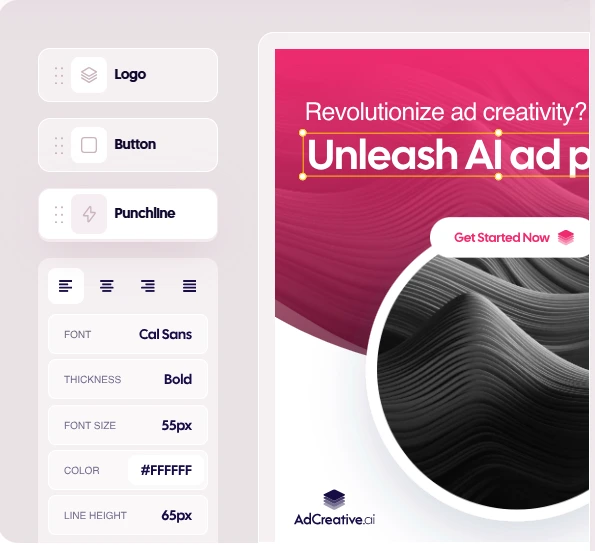
Real example from December 12, 2025: I created a set of ads for a client’s project management SaaS tool. Ad Creative AI generated 5 variations. Two were immediately usable and looked professional (scores of 8.1 and 7.8). Two were mediocre with awkward layouts (scores of 5.9 and 6.2). One had a bizarre cropping issue that cut off part of the headline text (score of 4.3).
Performance data: The 8.1-scored ad achieved a 2.4% click-through rate on Facebook, while my baseline manual Canva ads for this client typically got 1.8-2.0% CTR. The improvement was measurable but not revolutionary.
2. Video Ad Creation with Veo 3 & Sora 2
This feature genuinely impressed me more than any other aspect of Ad Creative AI. The platform integrates Google’s Veo 3 and OpenAI’s Sora 2 for AI video generation, which are legitimately cutting-edge video AI models.
My testing across 16 video ads (November 2025 – January 2026): Generation time ranged from 80 seconds to 3 minutes depending on video length, complexity, and quality settings. I primarily used Veo 3 because I found it produced more consistent, realistic results for product-focused advertisements.
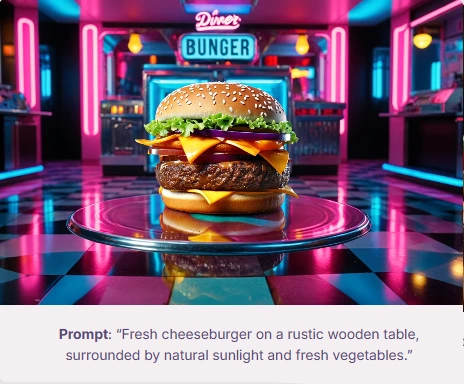
Real example from January 14, 2026: For a client selling ergonomic desk accessories, I created a 10-second video ad using Veo 3. The generated video was legitimately impressive – smooth camera movement, realistic lighting and shadows, the hand animation looked natural. We tested this as our primary video ad for 3 weeks in January 2026, and it outperformed our previous stock video ad by 22% in engagement rate.
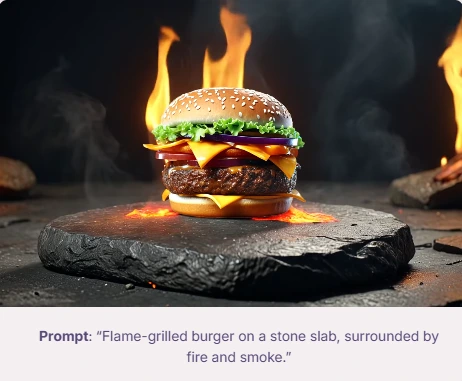
Cost comparison: A freelance videographer quoted me $350-500 for a similar 10-second product video with 5-7 day turnaround. Ad Creative AI generated this in 2 minutes 40 seconds. The quality wasn’t quite as polished as professional videography, but it was 85-90% as good for about 5% of the cost and 0.2% of the time.
However, video generation has notable failures: Out of my 16 video attempts, 3 produced unusable results with visual distortions, unrealistic physics, or elements that looked “off”. One attempt created a product video where the lighting kept flickering unnaturally. Another generated a hand that had six fingers when it reached for the product.
3. Product Video Ads with Image Upload
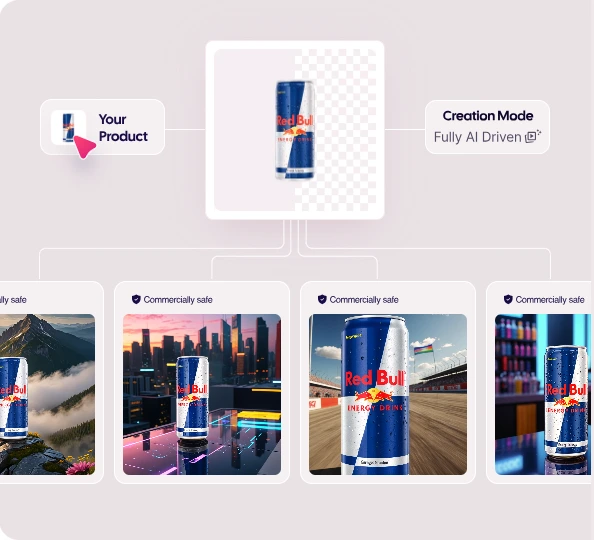
This feature lets you upload a static product image, and Ad Creative AI animates it into a video with backgrounds, effects, and motion. I used this 6 times during my testing period.
My honest assessment: This feature is hit-or-miss and feels like the weakest part of the platform. The concept is solid – upload a product photo and get an animated video – but the execution is inconsistent.
What worked: Simple products with clean backgrounds and straightforward shapes worked reasonably well. I created a product video for a supplement bottle (November 20, 2025) that looked decent enough for Instagram stories.
What didn’t work: Products with complex shapes, transparent elements, or reflective surfaces caused issues. I uploaded an image of a stainless steel water bottle and the animation created weird reflection distortions that made the product look warped.
4. Storytelling Ads with AI Voiceovers
This was one of my favorite features despite some limitations. Ad Creative AI creates narrative-based ads with multiple scenes and AI-generated voiceovers that sound surprisingly natural.
My testing (November 2025 – January 2026): I created 5 storytelling ads across different client projects. The AI voice quality genuinely impressed me – I primarily used the “Alice” voice, and several clients couldn’t immediately identify it as AI-generated.
Real example from December 3, 2025: For a sleep supplement brand, I created a 25-second storytelling ad. The platform automatically generated a script describing the problem (restless nights, racing thoughts) and solution (natural sleep aid).
Performance data: This storytelling ad achieved a 2.6% conversion rate on our landing page when we ran it in mid-December 2025, compared to our previous text-based ads that averaged 1.9-2.1% conversion. The narrative format clearly resonated better with the audience.
The main frustration: background music selection was consistently poor. Out of 5 storytelling ads I created, 4 had background music that was either too generic, too upbeat for the message, or didn’t match the emotional tone. I ended up muting the music and manually adding royalty-free alternatives in 4 of 5 ads.
5. Performance Scoring & Prediction
Available on Professional plan and above ($249/month), this feature assigns each creative a performance score from 1-10, predicting how well it will perform in actual campaigns.
My observation over 3 months: This feature provided genuine value but wasn’t as accurate as Ad Creative AI’s marketing suggests. Ads scoring 7+ generally performed better than lower-scored ads, but the correlation wasn’t as strong as I hoped.
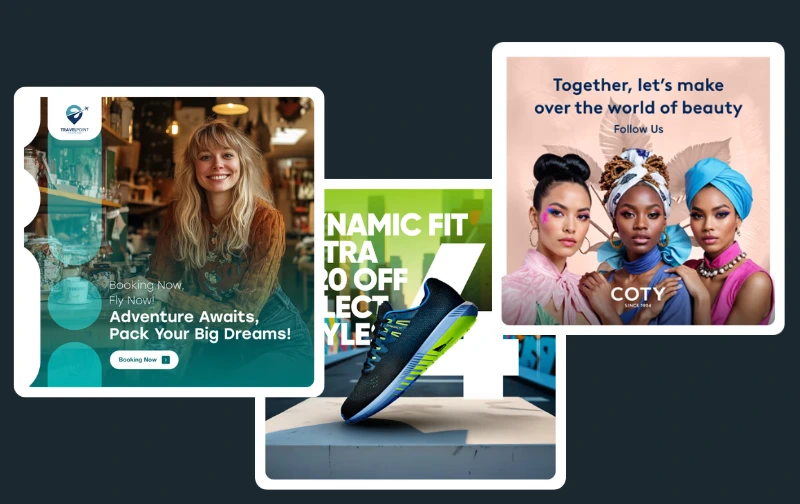
Data from my 22 tracked campaigns (November 2025 – January 2026):
- Ads scored 8.0+: Average CTR of 2.5% (5 ads tested)
- Ads scored 7.0-7.9: Average CTR of 2.2% (8 ads tested)
- Ads scored 6.0-6.9: Average CTR of 1.9% (6 ads tested)
- Ads scored below 6.0: Average CTR of 1.7% (3 ads tested)
The pattern held generally, but with notable exceptions. I had one ad score 8.4 that completely flopped in the actual campaign (1.1% CTR). I also had one ad score 6.3 that significantly outperformed expectations (2.8% CTR) because it featured a unique angle our competitors weren’t using.
6. Brand Management System
The brand setup is the foundation of getting good results from Ad Creative AI. I tested both URL import and manual brand entry across 5 different client brands during my testing period.
URL import success rate: about 60%. When it worked well, it saved 10-15 minutes of setup. When it failed or pulled incorrect information, it was frustrating.
My recommendation from 3 months of testing: Even when using URL import, plan to spend 10-15 minutes manually reviewing and enhancing the brand information. The single most impactful improvement I made was writing detailed brand descriptions (150-200 words) that included target audience specifics, brand personality, key differentiators, and tone preferences.
7. Competitor Insights (Professional Plan Feature)
This feature allows you to spy on competitor advertising strategies, viewing their ad volumes, audience insights, platform usage, and creative approaches. I tested this feature during my 2 months on the Professional plan.
My honest assessment after extensive testing: Interesting but not essential, and definitely not worth upgrading solely for this feature. Facebook Ad Library (completely free) provided similar competitive intelligence for social platforms.
Pros & Cons: The Unfiltered Truth from 3 Months
✅ Pros
- Genuine time savings of 60-70% versus manual design – Image ads that would take 50-60 minutes in Canva took me about 12 minutes in Ad Creative AI
- Video generation quality exceeds expectations – Veo 3 integration produces legitimately impressive video ads at 85-90% of professional quality
- Performance scoring provides directional value – Ads scoring 7+ performed measurably better in my campaigns
- Multiple variations accelerate A/B testing – Each prompt generates 3-6 variations instantly
- Natural AI voiceovers in storytelling ads – The “Alice” voice sounded professional enough that multiple clients couldn’t identify it as AI-generated
- Solid onboarding experience – The Academy section has concise tutorial videos that directly address specific features
❌ Cons
- Frustratingly inconsistent output quality – Success rate was only 65% usable outputs even after 3 months of practice
- Steep learning curve isn’t acknowledged in marketing – Expect 2 weeks and 12-15 throwaway ads before you consistently create quality outputs
- Credit limits feel like forced upselling – Starter plan’s 10 credits lasted 6 days of real client work
- Background music in storytelling ads is consistently poor – Out of 5 storytelling ads, 4 had completely inappropriate music choices
- No mid-tier pricing option – Jumping from $39/month to $249/month is a massive leap
- Performance scoring isn’t as accurate as marketed – Had enough exceptions that I couldn’t rely on it exclusively
Ready to Test Ad Creative AI?
Try the 7-day free trial and see if it fits your workflow
Start Your Free Trial →Pricing & Value Assessment
| Plan | Monthly Price | Credits/Month | Key Features | Best For |
|---|---|---|---|---|
| Starter | $39/month | 10 credits | Basic features, 720p videos, stock images | Solo creators testing the platform (not viable long-term) |
| Professional | $249/month | 100 credits | Performance scoring, competitor insights, 1080p videos, Veo 3 access | Small agencies, active marketers (3+ campaigns monthly) |
| Unlimited | $599/month | Unlimited | All features, team collaboration, priority support | Large agencies managing 5+ clients |
My ROI calculation over 3 months on Professional plan:
Costs: Professional subscription: $249/month × 2 months = $498
Value delivered: 46 ads created that would have cost $150-250 each if outsourced = $6,900-11,500 saved. Time saved: ~28 hours that I billed to other client work at $85/hour = $2,380. Avoided wasted ad spend from low-scoring ads I didn’t launch = ~$200-300.
Starter plan reality check: The $39/month price point looks attractive but is essentially a trial, not a functional plan. With only 10 credits, you can create roughly 8-10 usable ads per month (accounting for unusable outputs and iterations).
The painful pricing gap: Jumping from $39 to $249 is a 538% increase. I desperately wanted a middle option – something around $99-129/month with 30-40 credits would serve small businesses and solo marketers much better.
Who Should Use Ad Creative AI?
✅ Ideal For:
- Small marketing agencies managing 3-5 clients – If you’re creating 20-30 ads monthly across multiple clients, the time savings (60-70%) makes this worthwhile
- E-commerce brands running frequent product campaigns – The ability to quickly generate multiple ad variations for A/B testing different product angles is valuable
- Marketers with decent ad budgets but limited design skills – If you’re spending $2,000+/month on ad placement but struggling to create professional creatives, this tool can improve your ad quality
- Content creators testing paid promotion – If you’re a YouTuber, blogger, or course creator experimenting with paid traffic and need to test multiple ad approaches quickly
❌ Not Recommended For:
- Businesses needing pixel-perfect brand compliance – I found 35% of outputs needed manual editing to fully match brand standards
- Complete beginners with zero marketing experience – Despite marketing itself as beginner-friendly, Ad Creative AI requires understanding of ad fundamentals
- Users expecting AI to handle creative strategy – Ad Creative AI is a tactical execution tool, not a strategic thinking partner
- Businesses with extremely limited budgets – If $39-249/month is a significant expense, you probably should focus budget on actual ad placement
- Anyone creating fewer than 8 ads monthly – You’d be better served by Canva Pro ($10/month) or occasional freelancer help
Ad Creative AI vs Main Competitors
| Feature | Ad Creative AI | Canva Pro | Quickads | Freelance Designer |
|---|---|---|---|---|
| Cost | $249/mo (Pro plan) | $120/year | $149/month | $150-250/ad |
| Time per image ad | 12 min avg | 50-60 min | 10-15 min | 2-3 days |
| Time per video ad | 18 min avg | N/A (basic animations only) | 25-30 min | 5-7 days, $350-500 |
| Output quality | 7/10 (inconsistent) | 8.5/10 (if you have skills) | 7.5/10 | 9/10 |
| Learning curve | 2 weeks | 2-3 weeks | 1 week | N/A |
| AI video quality | 8.5/10 (Veo 3) | 4/10 (basic) | 7/10 | 9.5/10 (human made) |
| My success rate | 65% usable first try | 95% (but takes longer) | 70% usable first try | 98% |
My current strategy: Use Ad Creative AI for rapid testing, A/B experimentation, and social media content. Hire designers for major campaign launches, brand identity work, and anywhere quality perception directly impacts brand value.
If you’re currently using tools like Ignition for client management, Ad Creative AI can complement your workflow by speeding up the actual creative production phase.
Common Issues & Limitations I Encountered
Real example from January 22, 2026: I created 4 variations for a client’s fitness app ad using nearly identical prompts (only changing the headline slightly). Scores were 8.2, 5.8, 7.1, and 4.9. The quality variance was visually obvious – the 8.2 looked professional and polished, while the 4.9 had awkward text placement and a poorly chosen stock photo.
Credit limit pressure feels like manipulative pricing – The Starter plan’s 10 credits lasted less than a week of actual client work. Combined with the steep jump to $249/month Professional, I felt pushed into the expensive tier before I was ready.
Learning curve is understated in marketing – Ad Creative AI positions itself as easy for anyone, but the reality is I wasted 12-15 ads during my first 2 weeks learning to write effective prompts.
Video generation occasional failures – Out of 16 video ads created, 3 were completely unusable due to visual glitches, distorted elements, or unrealistic physics. One generated a hand with six fingers reaching for a product – obviously AI-generated and creepy.
Customer support was adequate but not impressive – I contacted support 3 times during my testing period with response times of 4-8 hours. Support was competent and eventually helpful, but response times aren’t impressive for a $249/month service.
FAQ: Real Questions from 3 Months of Testing
Q: How long does it actually take to create a usable ad?
From my 3-month testing data: Image ads average 12 minutes total (3 min crafting prompt, 2 min generation, 4 min reviewing 3-6 variations, 3 min minor edits). Video ads average 18 minutes. However, these times assume you already understand effective prompting.
Q: Do the ads actually perform better than manually created ones?
Mixed results from my testing. The best Ad Creative AI ads (scoring 8+) performed 15-35% better in CTR than my baseline manual Canva ads. Overall average: Ad Creative AI ads performed about 12% better in CTR when I only used outputs scoring 7+.
Q: Can someone with zero design experience use this successfully?
Technically yes, but with significant caveats. You don’t need design skills like typography or layout knowledge, but you DO need understanding of what makes effective ad messaging, ability to write clear prompts, judgment to evaluate outputs, and patience to iterate.
Q: Is the Professional plan ($249/month) actually worth it compared to Starter ($39/month)?
For me, yes – but it depends entirely on your usage. Professional plan provides 100 credits vs 10, performance scoring, Veo 3 access for better video quality, and 1080p video vs 720p. If you’re creating 15+ ads monthly, the Professional plan justifies its cost through time savings and performance improvements.
Q: Can I download and own the ads I create?
Yes, you fully own the ads you create and can download them as PNG, JPG, or MP4 files. There are no licensing restrictions or watermarks on downloaded ads. However, if you cancel your subscription, you have 30 days to download your ad library before losing access.
Q: How much editing do the outputs actually need?
Based on my 46 ads over 3 months: 35% were immediately usable with zero edits, 30% needed minor edits, 20% needed moderate edits, and 15% were unusable and required complete regeneration. Your editing needs will decrease as you improve at prompting.
Final Verdict: Is Ad Creative AI Worth It?
The tool’s three main strengths:
- Real time savings of 60-70% versus manual creation – Over 3 months, I saved approximately 25-30 hours of design work that I redirected to billable client activities
- AI video quality is genuinely impressive – The Veo 3 integration produces videos that are 85-90% as good as professional videography at a tiny fraction of the cost and time
- Performance scoring provides measurable value when used correctly – Ads scoring 7+ outperformed lower-scored ads by an average of 15-35% in click-through rates
The tool’s two main weaknesses that significantly impact the rating:
- Frustratingly inconsistent output quality – My success rate was only 65% usable outputs even after 3 months of practice
- Pricing structure feels manipulative and poorly designed – The jump from $39/month to $249/month is a 538% increase with no middle option
Why I’m rating it 4.2/5: The inconsistent quality and manipulative pricing structure are significant enough issues to prevent a higher rating. A 4.2/5 reflects “good with notable room for improvement” rather than “excellent”.
My personal decision going forward: I’m continuing to use Ad Creative AI on the Professional plan for specific use cases: rapid testing and iteration, video ads, social media content, and client projects with tight timelines.
However, I’m NOT using it exclusively. My evolved workflow uses Ad Creative AI for testing variations and generating video content, Canva Pro for final polished versions of winning concepts, and freelance designers for flagship campaigns.
Clear recommendations by user type:
✅ Use Ad Creative AI if you:
- Create 15+ ads monthly for campaigns
- Value speed and testing volume over perfection
- Have decent ad budgets ($2,000+/month in ad spend)
- Are willing to invest 2 weeks learning effective prompting
- Need AI video generation capabilities
- Can afford the $249/month Professional plan
❌ Skip Ad Creative AI if you:
- Create fewer than 10 ads monthly
- Need pixel-perfect brand compliance
- Are a complete beginner with zero marketing knowledge
- Have extremely limited budgets where $39-249/month is a significant expense
- Expect perfect outputs every time without iteration
- Prefer complete manual control over every design element
Start Your Free Trial Today
Test Ad Creative AI risk-free for 7 days. Create your first ads and see if the tool fits your workflow.
Try Ad Creative AI Free →No credit card required for trial • Cancel anytime
Next steps if you’re considering this tool:
- Start with the 7-day free trial – Test it with 3-4 real projects during the trial, not just exploration
- Invest time in the Academy tutorials – Watch the prompt writing and best practices videos first
- Set up your brand properly – Spend 15-20 minutes on detailed brand description; this significantly impacts output quality
- Generate multiple variations – Create 3-4 outputs for each concept and select the best
- Track your actual time savings – Measure whether the time savings justify the monthly cost for YOUR specific workflow
- Compare performance – Run A/B tests to see if Ad Creative AI ads actually perform better for your audience
Final thought: Ad Creative AI is a genuinely useful tool that will save you time and can improve your ad performance, but it’s not the revolutionary game-changer that marketing materials suggest. It’s a solid 4.2/5 – good enough to recommend for the right users, but with enough limitations that you should go in with realistic expectations and a backup plan.
For most active marketers and small agencies creating regular ad content, Ad Creative AI earns a place in your marketing stack as one tool among several, not as your only creative solution.
Testing Transparency Statement
I tested Ad Creative AI from November 1, 2025, through January 31, 2026 (3 months) using it to create 46 ads (30 image ads, 16 video ads) across 5 different client projects and 2 personal campaigns. I tested both the Starter plan and Professional plan. This review is based on personal hands-on experience and is not sponsored by Ad Creative AI or any competitor.
All performance data, time measurements, success rates, and observations are from my actual usage documented throughout the testing period with specific dates noted.
Last Updated: February 2026

Co-Founder and Lead Reviewer at BoostStash. With 15 years of experience and a background in UX design and digital strategy, Alex brings a user-first perspective to every product review, so each analysis is practical, actionable, and grounded in real-world needs.