Claude in Chrome Review 2026
Quick Verdict: Claude in Chrome is the most capable AI browser assistant available. It saves genuine hours on repetitive tasks through multi-tab automation, scheduled workflows, and natural language control. Available to all paid Claude subscribers ($20/month minimum).
After 15+ years testing automation tools, I’ve seen countless products promise to revolutionize workflows. Most deliver incremental improvements at best. Claude in Chrome is different. It’s an AI agent that genuinely does your browser work for you.
I’ve spent months testing this extension daily across dozens of real-world workflows. This review covers everything you need to know: what it does, how it performs, and whether it’s worth your investment in 2025.
Quick Navigation
What is Claude in Chrome?
Claude in Chrome is Anthropic’s AI-powered browser extension that transforms Claude from a conversational assistant into an autonomous browser agent. Instead of just answering questions, Claude can:
- Navigate websites and click buttons automatically
- Fill forms and extract data across multiple tabs
- Execute scheduled workflows on autopilot
- Manage your calendar and emails
- Coordinate complex multi-step tasks
It operates from a side panel in Chrome, seeing your browser exactly as you do and executing tasks based on natural language instructions.
How Does It Actually Work?
The Side Panel Interface
Claude lives in a persistent side panel accessible via hotkey or toolbar icon. This design is brilliant. Claude stays visible while you work, eliminating constant opening and closing. You can give instructions, switch tabs to do other work, and Claude continues executing tasks in the background.
Multi-Tab Coordination
This is where Claude in Chrome becomes genuinely powerful. Group multiple tabs together, and Claude orchestrates actions across all of them simultaneously.
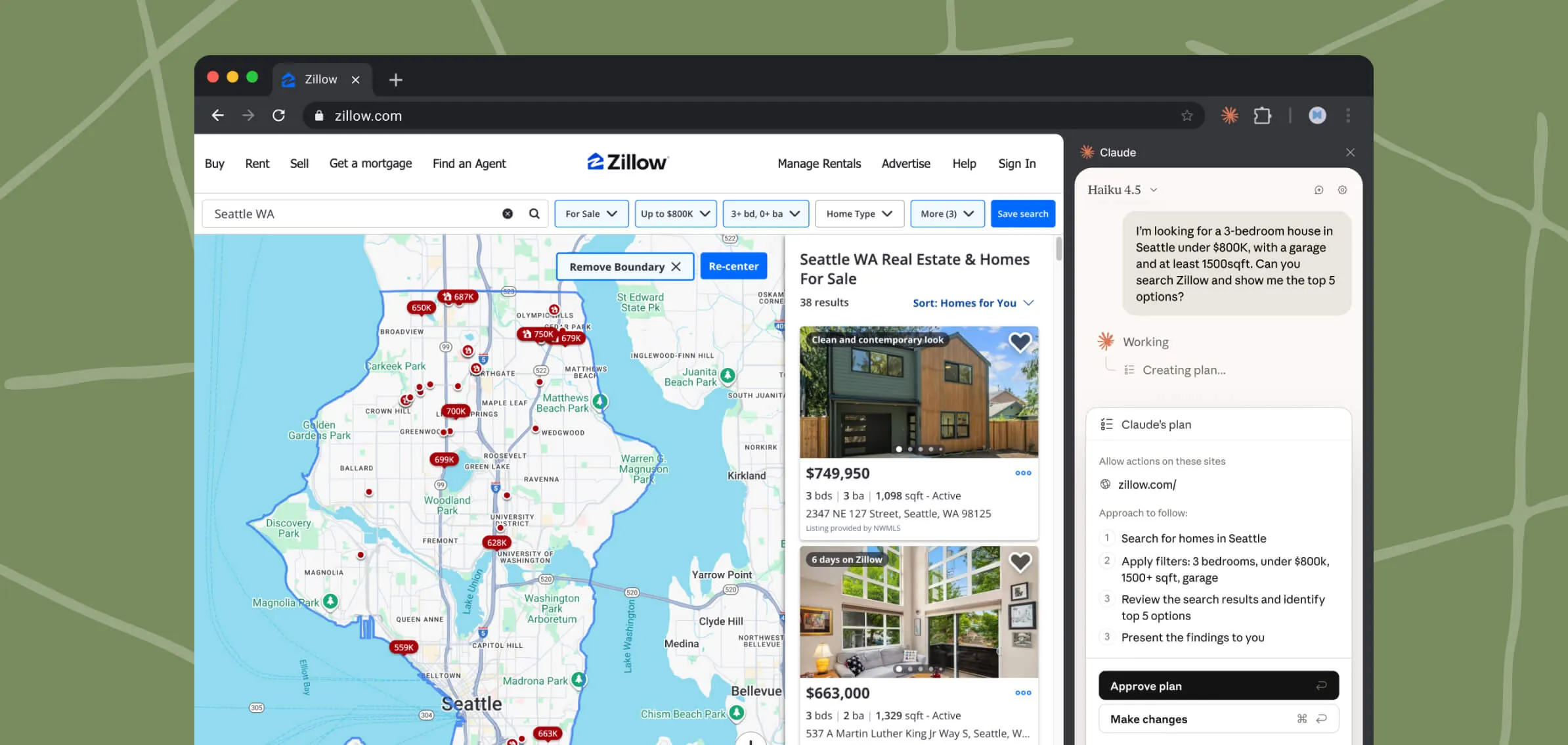
Real Test: I asked Claude to analyze 15 competitor websites for pricing and features. Claude navigated each site, extracted relevant data, and compiled a comprehensive comparison table, all in about 12 minutes. Manually, this would have taken 3+ hours.
Natural Language Control
The standout feature is how well Claude understands complex instructions without special syntax. I can say: “Go through my inbox, find unread messages from the past week requesting feedback, and draft appropriate responses for my review.”
Claude executed this flawlessly for 27 emails in about 3 minutes, a task that would have taken me 30+ minutes manually.
Key Features That Matter
1. Scheduled Workflows
This feature transforms Claude from reactive assistant to proactive automation engine. Create a workflow once, schedule it to run daily, weekly, or monthly, and forget about it.
My Use Case: Every Monday at 9 AM, Claude pulls metrics from my analytics dashboard, CRM, and financial tools, then compiles a weekly summary report. This used to consume 25-30 minutes weekly. Now it runs automatically while I’m having coffee.
2. Workflow Recording
You can “teach” Claude custom tasks by recording yourself doing them once. Click record, perform your task manually, save it, and Claude can repeat that exact workflow on command or on schedule.
Practical Application: I recorded my expense submission process once. Now whenever I have expenses, I tell Claude to “run the expense workflow,” provide the details, and it handles all the tedious form filling automatically.
3. Developer Integration
For developers, Claude in Chrome integrates with Claude Code (Anthropic’s terminal tool) for a complete build-test-debug cycle. Claude can read browser console logs, identify errors, and coordinate with Claude Code to implement fixes, all without leaving your workflow.
4. Calendar and Email Management
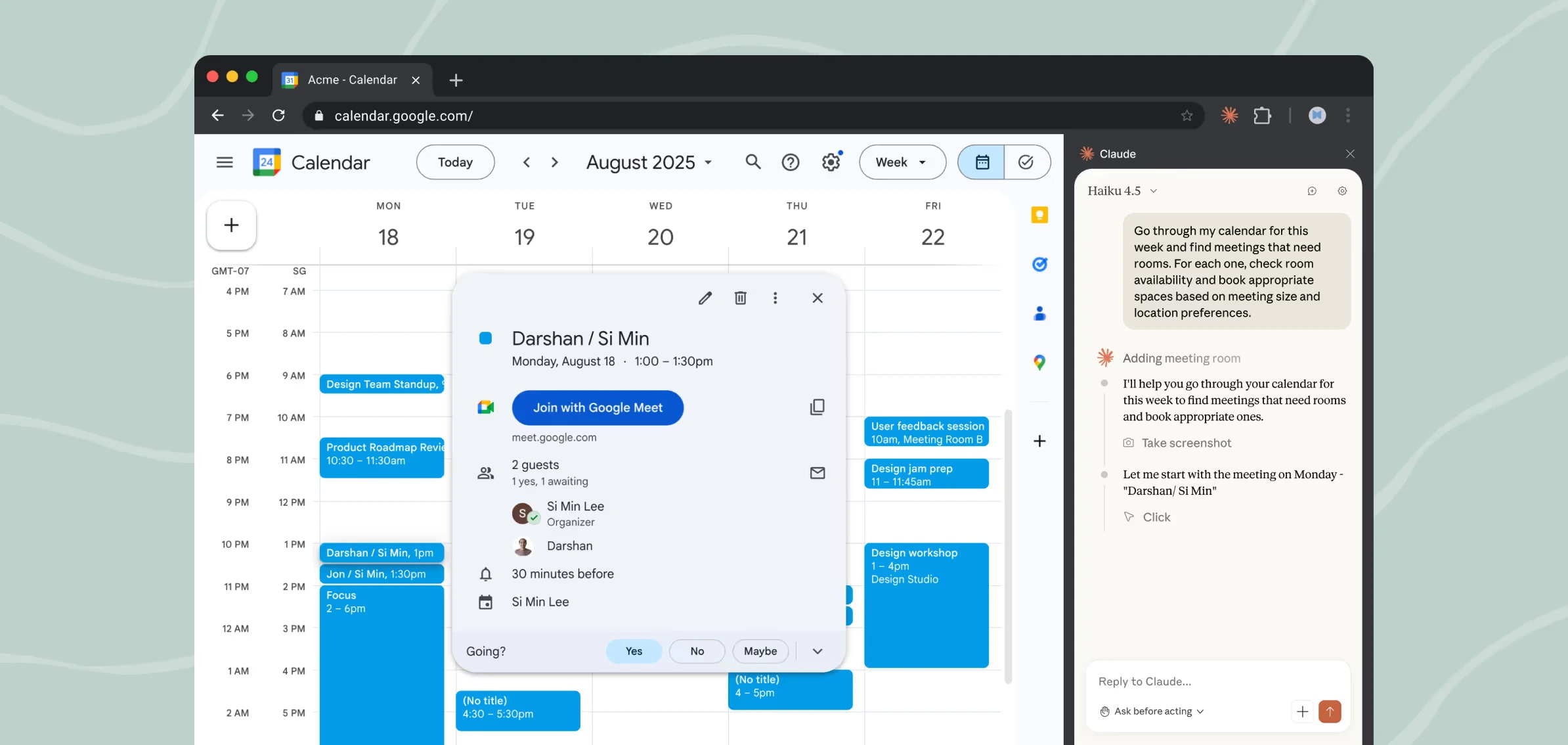
Claude’s understanding of tools like Google Calendar and Gmail is impressive. It can scan your calendar for meetings needing rooms, check availability, and book appropriate spaces based on meeting size and preferences, all from a single instruction.
Ready to Automate Your Browser Workflows?
Start saving hours on repetitive tasks with Claude in Chrome. Available to all paid Claude subscribers.
Get Started with ClaudeReal-World Performance (From My Testing)
Competitive Research
Task: Analyze 15 competitors’ pricing and positioning
Manual Time: 3-4 hours
Claude Time: 12 minutes
Result: 90% ready-to-use comparison document
Weekly Reporting
Task: Compile business metrics from multiple dashboards
Manual Time: 25-30 minutes weekly
Claude Time: Automated, runs every Monday morning
Annual Savings: 20+ hours
Content Research
Task: Research and summarize 20 articles on AI automation
Manual Time: 4-5 hours
Claude Time: 18 minutes
Quality: Captured main points accurately; still read full articles for depth
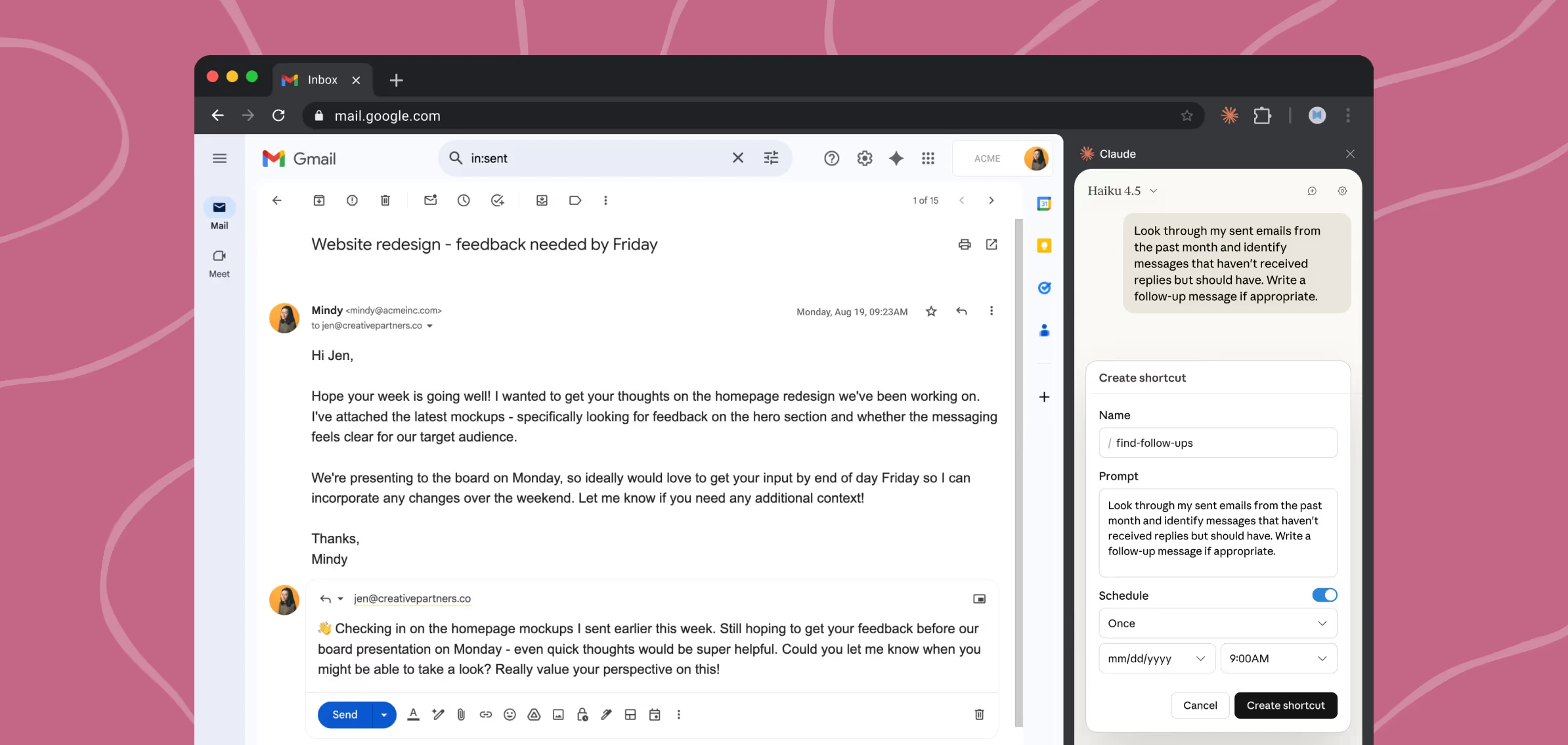
Email Follow-ups
Task: Identify sent emails lacking responses, draft follow-ups
Manual Time: 30-40 minutes weekly
Claude Time: 8-10 minutes
Value Add: Caught several dropped threads I’d missed
Who Should Use Claude in Chrome?
After extensive testing, here are the profiles that benefit most:
- Researchers and Students: Literature reviews, multi-source analysis, organizing academic papers
- Developers: Build-test-debug cycles, automated testing, console log analysis
- Business Analysts: Recurring reports, dashboard data aggregation, workflow automation
- Content Creators: Research acceleration, competitive analysis, source organization
- Small Business Owners: Market research, lead generation, administrative task automation
If you spend 2+ hours weekly on repetitive browser tasks, Claude in Chrome will pay for itself quickly. Similar to how ClickUp streamlines project management, Claude automates your browser-based workflows.
Pricing and Availability
Claude in Chrome requires a paid Claude subscription:
- Claude Pro: $20/month (full access to all features)
- Claude Max: $200/month (priority access, extended limits)
- Claude Team: Starting at $25/user/month (admin controls included)
- Claude Enterprise: Custom pricing (organization-wide deployment)
Not available to free Claude users. It’s a key premium feature.
Installation: Visit Chrome Web Store, search “Claude,” install, sign in. Total time: under 2 minutes.
Browser Compatibility: Chrome and Chromium-based browsers (Edge, Brave, Opera). Not available for Firefox or Safari.
The Pros (What I Genuinely Loved)
Pros
- Massive time savings on repetitive tasks
- Natural language interface that actually works
- Multi-tab coordination enables complex workflows
- Scheduled automation runs workflows forever
- Workflow recording makes custom automation accessible
- Developer-friendly with console log reading
- Thoughtful security with granular permissions
- Side panel design keeps AI always accessible
- Background operation while you work
- Continuous improvements and updates
Cons
- Learning curve for complex task instructions
- Slower than manual for simple single-step tasks
- Occasional processing gaps on very long lists
- Chrome dependency, requires active window
- No cross-session memory of previous work
- Security vigilance required, never use for banking
- Browser limitations (Chrome/Chromium only)
- Paid subscription required ($20/month minimum)
How It Compares to Alternatives
vs. ChatGPT Atlas Browser
ChatGPT Atlas is a full browser built from scratch with AI integration. Claude in Chrome works within your existing Chrome browser.
Choose Claude if: You’re happy with Chrome and don’t want to migrate browsers
Choose Atlas if: You want a browser built specifically for AI workflows
vs. Traditional Automation (Selenium, Playwright)
Traditional tools offer maximum control but require coding. Claude delivers similar functionality through natural language.
Choose Traditional if: You need pixel-perfect control, CI/CD integration, production testing
Choose Claude if: You want automation quickly without writing code
vs. Zapier/Make
Zapier/Make connect apps through APIs. Claude automates browser-based manual work.
These tools are complementary, not competitive. Use both for complete workflow coverage.
Security and Best Practices
The Prompt Injection Risk
Malicious websites could try to override your instructions. Anthropic has implemented substantial defenses, but you should:
- Start with trusted sites only
- Never use for financial transactions
- Review sensitive actions before confirmation
- Grant permissions selectively
Best Practices for Maximum Value
- Be Extremely Specific: Detailed instructions produce better results than vague commands
- Include Checkpoints: “Process all 60 records, pausing after every 20 to confirm progress”
- Save Successful Prompts: Create /slash commands for workflows that work well
- Use Workflow Recording: Teach Claude custom tasks by demonstrating them once
- Schedule Immediately: When you create a recurring workflow, schedule it right away
- Iterate on Failures: Most complex workflows need 2-3 refinements to perfect
Frequently Asked Questions
My Final Verdict
Claude in Chrome is essential for knowledge workers, developers, and anyone spending significant time on repetitive browser tasks.
After months of daily use, the time savings are undeniable. Tasks that consumed hours now take minutes. Workflows I dreaded now run automatically. The $20/month subscription pays for itself within the first week for most users.
Pros: Genuine time savings, powerful automation, scheduled workflows, accessible to non-coders, developer-friendly
Cons: Paid subscription required, Chrome-only, learning curve for complex tasks, security vigilance needed
Bottom Line: If you spend 2+ hours weekly on repetitive browser work, subscribe to Claude Pro, test for two weeks, and evaluate. For most committed users, the value will be obvious.
The question isn’t whether Claude in Chrome is good. It’s whether your workflow needs it. If you’re drowning in browser tabs, copying data between sites, or spending hours on manual tasks, this extension is transformative.
Start Automating Your Browser Today
Join thousands of professionals saving hours weekly with AI-powered browser automation.
Try Claude in ChromeAbout the Author: I’m Alex Carter, a digital solutions expert with 15+ years testing automation tools and AI-powered software. I’ve spent months using Claude in Chrome daily across real workflows, and I only recommend tools delivering genuine value.
Last Updated: December 2025 | Independent, unsponsored review
More Resources

AI tools expert with over 10 years of experience testing and reviewing technology products.