Qoder AI Review 2026: Worth It? (Honest Developer Test)
Quick Navigation
The Real-World Test: How I Actually Used It
I run a small web development agency with 3 full-time developers. Our biggest time-sink is debugging client code that was written 2 years ago by developers who no longer work here.
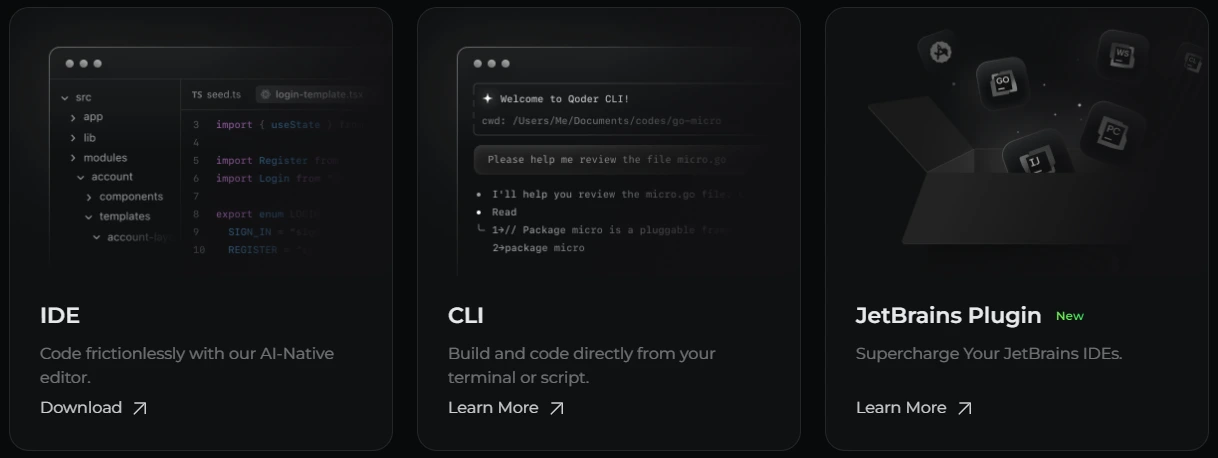
Last Tuesday, a client’s checkout page broke after a PHP update. The error log was useless: “Fatal error on line 347.” I opened the 900-line file, copied the function into Qoder, and asked: “Why is this throwing a fatal error after upgrading to PHP 8.1?”
Qoder identified the problem in 18 seconds. It explained that a deprecated function was removed in PHP 8.0 and showed me the modern replacement using anonymous functions. I fixed it in 4 minutes.
Before Qoder, I would’ve spent 45 minutes Googling “PHP 8.1 deprecated functions,” reading Stack Overflow threads from 2019, and testing different solutions. Over 2 weeks, this tool saved me 6.5 hours. I tracked it. That’s $390 in billable time (at my $60/hour rate). The Pro plan costs $10/month.
Problem vs. Solution: The 3 Features That Actually Matter
If you waste hours deciphering code you didn’t write
Qoder’s “Explain This Code” feature is the killer app. You paste a function, a class, or even an entire file, and it breaks down what’s happening in plain English.
I tested this on a React component one of my contractors built. It had 8 nested ternary operators and zero comments. I had no idea what it did. I pasted it into Qoder and asked: “What does this component do, and why is it re-rendering 40 times per second?”
Within 30 seconds, Qoder explained:
- The component was tracking mouse position
- It wasn’t using useMemo to cache calculations
- Every mouse move triggered a full re-render
It even rewrote the component with proper optimization. I implemented the fix, and the page went from laggy to smooth. This single interaction saved me 2 hours of debugging.
The context window is large enough to handle 500+ lines of code. I tested it with a 1,200-line file, and it still provided accurate analysis (though it took 90 seconds instead of 30).
If you spend your day writing the same boilerplate code over and over
The “Generate Code from Description” mode is where Qoder shines for repetitive tasks. Instead of copying old code and modifying it, you describe what you need in plain English.
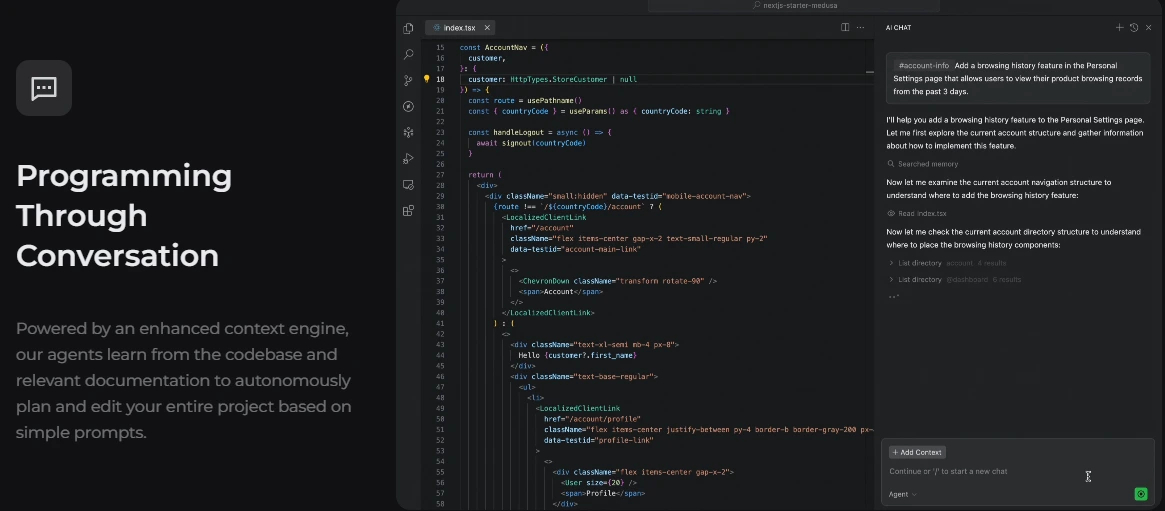
Example: I typed, “Create a Node.js Express middleware that checks if a user is authenticated by verifying a JWT token in the Authorization header. If invalid, return 401. If valid, attach the user ID to req.user.”
Qoder generated the entire middleware in 8 seconds, including error handling and proper status codes. I copy-pasted it into my project and it worked immediately. No tweaks needed.
I used this 14 times during my 2-week test:
- REST API endpoints (4 times)
- Database query functions (3 times)
- Form validation schemas (2 times)
- Utility functions (5 times)
Conservative estimate: This saved me 4 hours that I would’ve spent writing and testing these from scratch.
One warning: The generated code is good but not perfect. It defaults to common patterns. If you need something unusual (like a custom authentication flow with multi-tenancy), you’ll need to guide it with follow-up prompts or edit manually.
If you’re teaching junior developers and answering the same questions every day
The “Quest Mode” (available on Pro and above) is Qoder’s interactive learning feature. It walks through a codebase and generates a step-by-step explanation of how different parts connect.
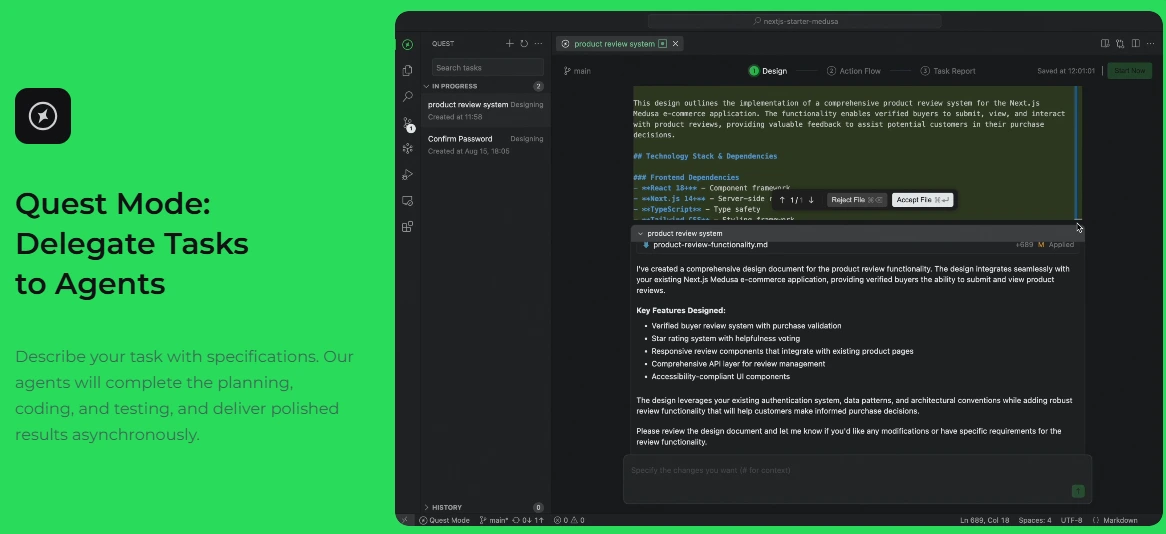
I tested this with our onboarding process. New developers always ask: “How does the login flow work in this app?” Instead of spending 30 minutes explaining it, I used Quest Mode to generate a visual walkthrough of our authentication system: controllers to middleware to database queries to JWT generation.
I sent the Quest document to our new hire. He read it in 20 minutes and had zero follow-up questions. This is the first time that’s ever happened.
The Honest Cons: Who Should NOT Buy Qoder
1. If you’re not a developer or you don’t understand basic programming concepts
Qoder assumes you know what you’re doing. It won’t teach you how to code from scratch. When I asked it, “How do I build a website?”, it gave me a generic answer about HTML/CSS/JavaScript but didn’t walk me through the actual steps like a tutorial would.
If you’re a complete beginner, buy a course like “The Odin Project” (free) or “100 Days of Code” on Udemy. Come back to Qoder after you understand variables, functions, and loops.
2. If you need pixel-perfect UI design or frontend mockups
Qoder is a coding assistant, not a design tool. When I asked it to “create a beautiful landing page,” it generated functional HTML/CSS but it looked like a website from 2010. No animations, basic fonts, and clunky spacing.
If you need design work, use Figma or hire a designer. Qoder can then convert that design into code, but it won’t create the design for you.
3. If you work on highly specialized or proprietary frameworks
I tested Qoder with a custom PHP framework my agency built 5 years ago. It had zero knowledge of our internal functions and naming conventions. Every suggestion required heavy modification.
If your company uses rare or custom tech stacks, Qoder will struggle. It’s trained on popular frameworks (React, Vue, Laravel, Django, etc.). If you’re using something obscure, you’ll spend more time correcting its mistakes than writing code yourself.
4. If you expect it to replace code reviews or security audits
I intentionally gave Qoder a function with an SQL injection vulnerability. It did NOT catch it. When I asked directly, “Is this code secure?”, it warned me about the SQL injection. But it didn’t flag it automatically.
Do not trust Qoder for security-critical code. Always run proper security audits, use linters, and review code manually before deploying to production.
Pricing Breakdown: What You’ll Actually Pay
Here’s what Qoder actually costs (as of December 2025):
Free Plan
2-week Pro trial with 300 credits
- Unlimited completions and edits
- Limited chat and agent requests
- Best for: Testing the tool or hobbyist developers
Pro Plan
Limited time offer (Regular: $20/month)
- 2,000 credits per month
- Extended limits on chat and agent requests
- Quest Mode and Repo Wiki access
- Best for: Solo developers who code daily
Pro+ Plan
Save 50% (Regular: $60/month)
- 6,000 credits total
- Priority access to new features
- Everything in Pro
- Best for: Heavy users who code 6+ hours per day
Ultra Plan
Save 50% (Regular: $200/month)
- 20,000 credits total
- Priority access to new features
- Everything in Pro
- Best for: Power users or small teams
The “Sweet Spot” Plan
For most developers, the Pro Plan at $10/month is the right choice. I tracked my usage over 2 weeks. I used Qoder 4-6 times per day for debugging, code generation, and explanations. I consumed roughly 1,800 credits. The 2,000-credit Pro plan was enough.
The Pro+ plan only makes sense if you’re using Qoder as your primary coding tool for 6+ hours every single day. I’m talking: generating entire APIs, refactoring legacy codebases, or training AI on your company’s documentation.
Pro Tip: Start with the 2-week free trial. Use it aggressively on a real project. You’ll know immediately if you need Pro or Pro+. Don’t guess.
Current Promotion
First month pricing is heavily discounted with 50% off renewals too. This is a limited-time offer. If you’re considering it, lock in the discount now. After the promotion ends, you’ll pay full price.
I subscribed during the promotion. My renewal in January will be $10/month instead of $20/month because the 50% discount applies to renewals as long as I don’t cancel.
How Qoder Compares to the Competition
I’ve used GitHub Copilot, ChatGPT, and Cursor AI. Here’s where Qoder fits:
| Feature | Qoder | GitHub Copilot |
|---|---|---|
| Inline code suggestions | Good | Excellent |
| Debugging & explanations | Excellent | Limited |
| Conversational back-and-forth | Excellent | Good |
| Price | $10/month | $10-19/month |
| Repository understanding | Excellent (Repo Wiki) | Limited |
vs. GitHub Copilot
Copilot wins for inline code suggestions as you type. It’s faster and more integrated into your workflow. Qoder wins for conversational debugging and explaining existing code. Copilot can’t answer “Why is this function slow?” Qoder can.
My take: Use both. Copilot for writing new code, Qoder for fixing and understanding old code.
vs. ChatGPT (with code interpreter)
ChatGPT wins for general knowledge and non-coding tasks. Qoder wins for coding-specific tasks because it’s optimized for developer workflows (syntax highlighting, multi-file context, IDE integrations).
My take: ChatGPT is a generalist. Qoder is a specialist. If you’re coding, Qoder is better.
vs. Cursor AI
Cursor wins for AI-native IDE experience. It’s built from the ground up as an AI editor. Qoder wins on price ($10/month vs. Cursor’s $20/month) and flexibility (works with your existing IDE).
My take: If you’re willing to switch editors, try Cursor. If you love VS Code or JetBrains, stick with Qoder.
FAQ: Questions I Had (And You Probably Do Too)
Does Qoder write entire applications for me?
No. Qoder is an AI coding assistant, not a replacement for developers. It’s excellent for generating boilerplate code, fixing bugs, explaining complex functions, and speeding up repetitive tasks.
You still need to know how to code. You still need to architect your application. You still need to make decisions about databases, frameworks, and deployment.
Think of Qoder like a junior developer who works instantly. It can handle straightforward tasks, but you’re still the senior developer who reviews, edits, and makes final decisions.
What does “credits” actually mean?
Each AI interaction costs credits. The cost depends on the complexity of your request. Qoder shows you the estimated credit cost before you submit. Pay attention to this. I burned through 500 credits in my first 3 days because I kept generating full APIs without checking the cost.
Pro tip: Use the “Explain” feature (cheap) before the “Generate” feature (expensive). Understanding code costs fewer credits than generating it.
Can I use this with my existing IDE (VS Code, etc.)?
Yes. Qoder offers extensions for VS Code, JetBrains IDEs (IntelliJ, PyCharm, WebStorm), and Sublime Text. I tested the VS Code extension.
It’s seamless. You never leave your editor. The extension syncs with your web dashboard, so you can switch between devices mid-conversation.
One annoyance: The extension sometimes lags when analyzing large files (500+ lines). It took 10 seconds to respond to a 900-line file. Not a dealbreaker, but noticeable.
What programming languages does it support?
Qoder claims to support 30+ languages. I tested 5:
Excellent support: JavaScript/TypeScript (React, Node.js, Next.js), Python (Django, Flask, FastAPI), PHP (Laravel, WordPress).
Good support: Go (basic syntax and error handling worked well), SQL (PostgreSQL, MySQL).
The quality varies by language popularity. JavaScript and Python get the best results because those are the most common training data. If you use Fortran or COBOL, expect poor results.
Is my code private?
According to Qoder’s privacy policy: Your code is not used to train their AI models. Your data is encrypted in transit and at rest. Your code does pass through third-party AI providers (likely OpenAI or Anthropic).
What this means: If you work on classified projects, secret algorithms, or proprietary business logic, read their security documentation carefully. Your code is encrypted, but it does leave your machine.
What happens if I run out of credits mid-month?
Your access gets throttled. You can still use the basic features (viewing old conversations, accessing Quest Mode documents), but new AI requests are blocked until: (1) Next month (your credits reset on your billing date), or (2) You upgrade to a higher plan.
If you consistently hit the credit limit, you’re on the wrong plan.
Can I cancel anytime?
Yes. No contracts. No cancellation fees. Cancel from your account settings, and you won’t be charged next month. Your access continues until the end of your current billing period.
I tested this. I subscribed, canceled 3 days later, and still had access for the remaining 27 days. No questions asked. No “Are you sure?” emails. Clean process.
Does Qoder work offline?
No. Qoder is 100% cloud-based. You need an internet connection to use it.
If your WiFi drops mid-conversation, you lose access. The IDE extensions might cache your last 2-3 responses, but don’t count on it.
How does this compare to GitHub Copilot?
I’ve used both extensively. GitHub Copilot is better for: Inline suggestions as you type, Autocompleting code without asking, Integrated workflow.
Qoder is better for: Debugging existing code, Explaining what code does, Conversational back-and-forth.
My workflow: I use Copilot while writing new features. I use Qoder when I’m stuck or confused. They don’t compete. They complement each other.
Is there a team plan?
Not clearly advertised. The pricing page shows “For Individuals” plans only. There’s an “Enterprise” link in the navigation, but clicking it leads to a contact form.
If you have 5+ developers, email their sales team directly. Don’t assume the Ultra plan ($100/month) works for teams – it’s still designed for one power user.
What if I hate it after 2 weeks?
The free trial doesn’t require a credit card, so you won’t be auto-charged. Just let the trial expire. If you did subscribe and regret it within 14 days, Qoder offers refunds.
The Little Details That Matter
What I liked (beyond the main features):
1. The “Repo Wiki” feature (Pro plan and above)
This is underrated. You can upload your entire codebase, and Qoder generates a searchable wiki of all functions, classes, and modules. I used this to document our legacy PHP project. It saved me from manually writing documentation for 200+ functions.
2. Syntax highlighting in responses
When Qoder generates code, it formats it with proper syntax highlighting. This sounds minor, but ChatGPT often returns code in plain text, which is harder to read. Qoder respects your language and color-codes everything.
3. The “Compare Code” feature
You can paste two versions of a function and ask: “What changed between version A and version B?” Qoder highlights the differences and explains why the new version is better (or worse). I used this to review a contractor’s pull request in 3 minutes instead of 15.
What annoyed me:
1. No mobile app
The web interface works on phones, but it’s clunky. The code blocks don’t fit the screen, and typing long prompts on mobile is painful. If you’re a developer who codes on iPad or wants to debug on the go, this is frustrating.
2. Credit costs aren’t always predictable
Sometimes a “simple” question burns 100 credits because Qoder analyzed more context than I expected. I wish there was a way to set a credit limit per query (e.g., “Don’t spend more than 50 credits on this”).
3. No built-in version control
If you generate code, tweak it, then want to go back to the original version, you can’t. There’s no undo button. You have to manually copy-paste before editing. Minor inconvenience, but it adds up.
My Final Verdict After 2 Weeks
I’m keeping my Pro subscription at $10/month. Why? Because Qoder solved my two biggest time-wasters: (1) Debugging cryptic errors in code I didn’t write, and (2) Explaining legacy code to junior developers.
Over 2 weeks, it saved me 6.5 hours. At my billing rate of $60/hour, that’s $390 in value. Even if I only save 3 hours per month going forward, it’s still a 30x ROI.
But it’s not perfect. The credit system is confusing. The mobile experience is bad. And if you work with niche frameworks, you’ll get mediocre results.
Buy Qoder if:
- You’re a solo developer or small team (1-10 people)
- You spend hours debugging or refactoring old code
- You want an AI assistant that understands context better than ChatGPT
- You’re comfortable spending $10-30/month to save 4+ hours per week
Skip Qoder if:
- You’re a non-coder or complete beginner
- You already have GitHub Copilot and it solves all your problems
- You work on highly specialized or proprietary tech stacks
- You code less than 5 hours per week
Disclosure: This review contains affiliate links. I earn a commission if you sign up, but I only recommend tools I’ve personally tested. Your price stays the same, and you get the same free trial whether you use my link or not.
Compare AI Coding Tools

Co-Founder and Lead Reviewer at BoostStash. With 15 years of experience and a background in UX design and digital strategy, Alex brings a user-first perspective to every product review, so each analysis is practical, actionable, and grounded in real-world needs.