Google Vids Review: Free AI Video Editor (2026)

Creating professional videos without design skills or expensive software has always been a challenge for small businesses and marketing teams. Google Vids aims to solve this problem by bringing AI-powered video creation directly into Google Workspace, and as of April 2025, it’s now a core service available to all Workspace users.
But here’s the catch: while the basic tool is free, the most powerful AI features require a premium subscription. After testing Google Vids extensively, I’m breaking down exactly what you get, what it costs, and whether it’s the right video solution for your needs.
Quick Navigation
What Is Google Vids?
Google Vids is an AI video generator built into Google Workspace that uses Gemini AI and Veo 3 technology to transform text prompts into complete videos. Think of it as Google Docs meets video editing: you can collaborate in real-time, store everything in Drive, and create videos without touching traditional editing software.
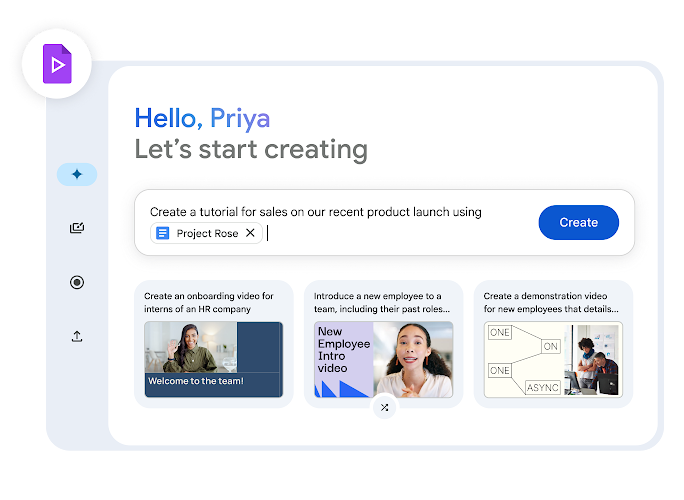
The tool automatically generates storyboards, suggests transitions, and can even create AI voiceovers. It’s designed specifically for workplace content like training videos, product demos, and company announcements rather than professional filmmaking.
Key Features: What Google Vids Can Do
AI Video Generation with Gemini
Type a text prompt, and Google Vids builds an entire storyboard automatically. The AI suggests scenes, selects stock footage, and structures your video logically. I tested this with “Create a 2-minute product demo for project management software,” and within seconds, I had a complete framework ready to customize.
Veo 3 Integration (Premium Feature)
This is where things get interesting. Veo 3 can transform static images into 8-second video clips with matching audio, perfect for bringing product screenshots to life or animating graphics. However, this feature requires either the AI Pro plan ($19.99/month) or AI Ultra plan ($124.99/month).
Built-In Recording Studio
No need for separate screen recording software. Google Vids includes:
- Screen and webcam recording
- Built-in teleprompter for scripted segments
- AI-generated voiceovers in multiple languages
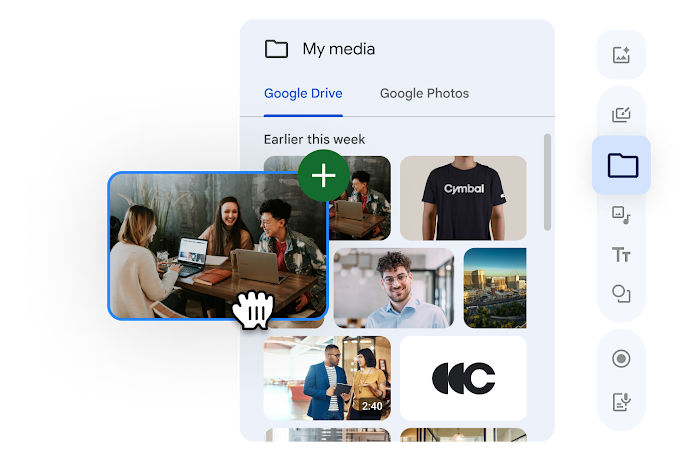
- Direct upload from your recording to the timeline
Stock Library & Templates
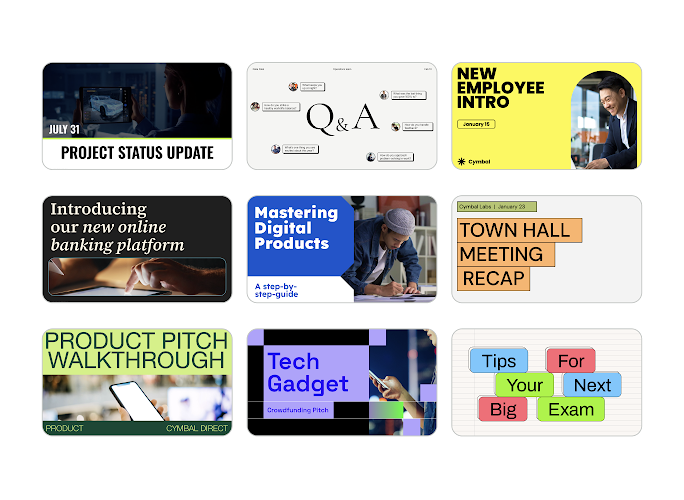
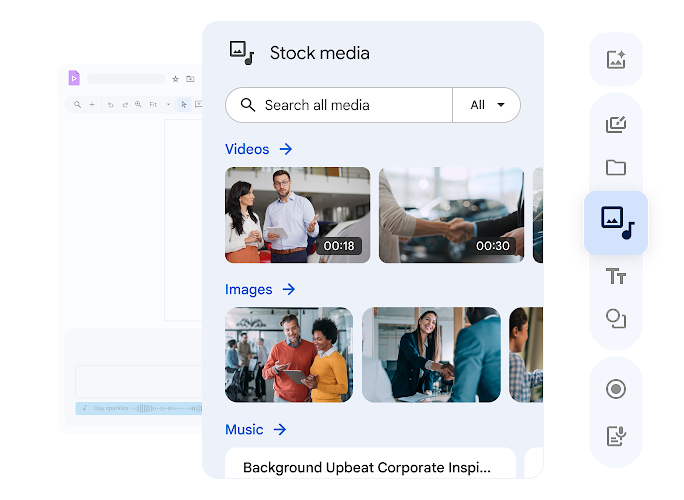
Access to high-quality stock footage, music tracks, and pre-built transitions. The library isn’t as extensive as Canva’s, but it covers most workplace video needs without additional licensing headaches.
Real-Time Collaboration
Just like Google Docs, multiple team members can edit simultaneously. You’ll see cursor positions, comments, and changes in real-time, a massive advantage if you’re working with remote teams or need client approval during the creation process.
Important Limitation: 10-Minute Video Cap
All videos are limited to 10 minutes maximum. For most business use cases, this is sufficient, but it rules out longer webinars or comprehensive training courses.
Ready to Create Professional Videos?
Google Vids is available now with your existing Workspace account
Try Google Vids FreePros & Cons: The Honest Breakdown
Pros
- Free for all Workspace users
- Seamless Google Drive integration
- AI avatars & script generation
- No video experience needed
- Real-time collaboration like Docs
Cons
- 10-minute video limit
- Desktop-only editing (no mobile app)
- Premium AI features cost extra
- Limited compared to Descript or Premiere
- Stock library smaller than competitors
Google Vids Pricing: What Actually Costs Money?
Here’s where it gets nuanced:
Free
Included with Workspace
- Basic video creation and editing
- Stock library access
- Collaboration features
- AI storyboard generation
- 10-minute export limit
AI Pro
For Content Creators
- Veo 3 image-to-video transformation
- AI avatars and advanced voiceovers
- Enhanced AI generation capabilities
AI Ultra
Enterprise Level
- Higher usage limits on AI features
- Premium support
- Advanced customization options
For most small businesses, the free version handles 80% of needs. You’ll only need AI Pro if you’re creating high-volume content or want the Veo 3 features.
Who Should Use Google Vids?
Best For:
- Marketing teams creating social media content and product demos
- HR departments building onboarding and training videos
- Small businesses already using Google Workspace
- Internal communications for company announcements
- Anyone who needs quick, professional-looking videos without learning complex software
Not Ideal For:
- Professional video editors needing advanced color grading
- Content creators producing YouTube videos over 10 minutes
- Teams requiring mobile editing capabilities
- Projects demanding frame-by-frame precision
Google Vids vs. Competitors: How It Stacks Up
| Feature | Google Vids | Canva | Descript |
|---|---|---|---|
| Starting Price | Free (Workspace) | $12.99/mo | $12/mo |
| AI Generation | Yes (Gemini + Veo 3) | Limited | AI transcription |
| Collaboration | Real-time (like Docs) | Yes | Yes |
| Video Length Limit | 10 minutes | Varies by plan | Unlimited |
| Mobile Editing | No | Yes | Limited |
| Best For | Workspace teams | Designers | Podcasters/editors |
Unlike Canva or Descript, Google Vids excels specifically at workplace collaboration and seamless integration with tools you already use daily. Canva offers more design flexibility and templates, while Descript provides superior audio editing and transcription. But if your team lives in Google Workspace, Vids eliminates the friction of exporting, sharing, and version control that plagues other platforms.
It’s not trying to replace professional video editors. It’s solving the “I need a decent video by end of day” problem that most businesses face regularly.
My Verdict: Is Google Vids Worth It?
For Google Workspace users, absolutely, because you already have access to the free version. The AI-powered storyboarding alone saves hours of planning, and the collaboration features make team projects infinitely smoother.
The 10-minute limit and desktop-only editing are genuine drawbacks, but they won’t matter for most workplace video needs. I’ve used Google Vids to create product walkthroughs, training modules, and quick social media clips, and it consistently delivers professional results in a fraction of the time traditional editing would take.
Should you upgrade to AI Pro? Only if you’re creating multiple videos weekly and need the Veo 3 features. For occasional video creation, the free tier is more than sufficient.
Start Creating AI-Powered Videos Today
Open your Google Drive, click “New,” and select “Google Vids” to get started
Access Google Vids NowMore Resources

AI tools expert with over 10 years of experience testing and reviewing technology products.