Guideflow Review 2026: Why Top SaaS Teams Are Ditching Static Demos
If you’ve worked in product marketing, sales, or customer support at a SaaS company, you know the pain: prospects glaze over static product tours, sales decks get ignored, and support teams drown in repetitive “how do I do this?” tickets. Meanwhile, your team burns hours manually building demos, recording screen videos, and updating outdated walkthroughs every time your product changes.
I’ve spent over 15 years reviewing digital tools and building automations for B2B teams, and one pattern keeps emerging: interactive product experiences dramatically outperform static content. But creating them has traditionally been slow, expensive, and required technical resources most teams don’t have.
That’s where Guideflow comes in. It’s an AI-powered interactive demo platform that lets teams capture, edit, and share step-by-step product experiences in minutes—no coding required. Product marketers use it to boost conversion on landing pages. Sales teams send personalized demos that actually get opened. Support teams embed guides that cut ticket volume. Product managers use it to announce features and collect feedback.
In this review, I’ll walk you through exactly how Guideflow works, what features matter most for different teams, how pricing breaks down, and whether it’s the right choice for your organization. I’ve tested the platform hands-on, analyzed real use cases across GTM teams, and identified both strengths and limitations you need to know before committing.
What Is Guideflow and How It Works
Guideflow is a browser-based platform that transforms how teams create and distribute interactive product demos. Instead of recording static videos or building custom demo environments from scratch, you capture real workflows from your actual product and turn them into guided, clickable experiences.
The process is straightforward. First, you install Guideflow’s browser extension and navigate through your product as you normally would—signing up, configuring settings, completing a workflow, whatever you want to demonstrate. The extension captures each step automatically, taking screenshots and recording your actions.
Once captured, Guideflow instantly generates an interactive demo with automatically created steps, navigation controls, and clickable hotspots. No video rendering, no waiting. You get an editable demo in seconds.
The editing interface is entirely no-code. You can adjust step sequences, rewrite tooltip text, add callouts to highlight specific features, blur sensitive information like customer data or pricing, and insert custom images or branding elements. Everything happens through a visual editor that feels more like PowerPoint than a developer tool.
When you’re ready to share, Guideflow gives you multiple distribution options. You can generate a standalone link, embed the demo directly into your website or help center, add it to email campaigns, or drop it into Notion pages and sales collateral. Each demo includes built-in analytics that track viewer behavior—how many people viewed it, which steps they completed, where they dropped off, and any lead information they submitted.
The entire workflow—from capture to published demo—can happen in under 30 minutes for most use cases. That speed and simplicity are what make Guideflow fundamentally different from traditional demo creation approaches.
Core Features Deep Dive
Capture & No-Code Editing
The capture process is where Guideflow first shows its value. After installing the browser extension, you simply click “Start Recording” and interact with your product naturally. Click buttons, fill forms, navigate menus—Guideflow watches and automatically creates demo steps from your actions.
What impressed me most is how the platform handles the editing phase. Each captured step becomes a slide you can modify without touching code. Need to change the tooltip text that appears when someone hovers over a button? Click and type. Want to blur out a customer’s email address in a screenshot? Select the area and apply the blur filter. Need to reorder steps because your workflow makes more sense in a different sequence? Drag and drop.
You can also add custom callouts—those little popup boxes that draw attention to specific features or explain context. This is crucial for turning a raw screen recording into an actual teaching tool that guides viewers through your product’s value.
The main limitation here is that Guideflow works best with web applications. If your product is primarily a native mobile app or desktop software, you’ll need to put in extra effort capturing screens and may need to supplement with additional tools. But for SaaS products accessed through browsers, the capture quality is excellent.
AI Enhancements
This is where Guideflow separates itself from older demo tools. The platform includes AI capabilities that automatically polish your demos without manual intervention.
The AI can rewrite your tooltip copy to be clearer, more concise, or adapted to different audiences. If you write a technical explanation, the AI can simplify it for executive buyers. If your copy is too casual, it can make it more professional.
Voice-over generation is another standout feature. Instead of recording your own narration or hiring voice talent, Guideflow’s AI can generate natural-sounding voiceovers that walk viewers through each step. This is especially valuable for teams creating demos in multiple languages—the AI handles translations and generates localized voiceovers automatically.
The AI also helps with timing and pacing, suggesting optimal display durations for each step based on content complexity and typical viewer behavior.
One thing to note: the more advanced AI features are typically reserved for higher-tier plans. Teams on free or basic plans get limited AI assistance, so factor that into your budget planning if AI automation is critical to your workflow.
Personalization at Scale
Generic demos are dead. Today’s buyers expect experiences tailored to their specific needs, industry, and use case. Guideflow makes personalization practical even for small teams.
You can create template demos and then customize specific elements—text, screenshots, highlighted features, even workflow paths—for different accounts or personas. A demo for an enterprise security team might emphasize compliance and audit trails, while the same base demo for a startup might focus on speed and ease of setup.
This capability is especially powerful for account-based marketing campaigns, where you’re targeting high-value prospects with personalized outreach. Instead of sending everyone the same generic demo link, sales reps can send versions that speak directly to each prospect’s pain points and show features relevant to their industry.
The personalization engine also supports variable insertion, so you can dynamically include the prospect’s company name, logo, or specific data points throughout the demo. This level of customization used to require custom development. Now it’s a configuration setting.
Sharing & Integrations
A demo is only valuable if it reaches the right people at the right time. Guideflow offers multiple distribution channels that fit naturally into existing GTM workflows.
The simplest option is a standalone link you can share via email, Slack, or any messaging platform. But the platform goes much deeper. You can embed demos directly into your website’s pricing page, product pages, or blog posts using a simple embed code. Customer support teams can drop demos into help center articles or knowledge bases, giving users self-service guidance for common questions.
The integration story is where enterprise teams will find the most value. Guideflow connects with major CRM platforms, so when a prospect submits their email to access a demo, that lead flows directly into Salesforce or HubSpot with engagement data attached. Analytics integrations push demo performance metrics into your existing dashboards. Slack notifications alert sales reps in real-time when high-value prospects view demos.
Marketing automation platforms can trigger personalized demo delivery based on prospect behavior—someone downloads a whitepaper, they automatically get a relevant demo via email. Someone visits your pricing page three times, your sales team gets notified and can send a custom demo addressing pricing concerns.
These integrations eliminate manual data entry and create a seamless flow from demo engagement to pipeline activity. For larger organizations running sophisticated GTM motions, this connectivity is essential.
Analytics & Insights
Static content gives you view counts if you’re lucky. Guideflow tells you exactly how people interact with your demos, step by step.
The analytics dashboard shows impressions, completion rates, average time spent, and step-by-step drop-off points. If 60% of viewers drop off at step four, that’s a clear signal that step is confusing, irrelevant, or too complex. You can then test different approaches—simplify the explanation, reorder the steps, or remove it entirely.
For product teams, this data is gold. You can identify which features prospects care about most based on which demo sections they rewatch or spend the most time exploring. If everyone skips your advanced reporting section but lingers on your collaboration features, that tells you where to focus messaging and development resources.
Lead capture forms can be inserted at strategic points in demos, collecting contact information along with behavioral data. You’re not just getting an email address—you’re getting insight into exactly which product capabilities this prospect explored, which is invaluable for sales follow-up.
The ability to run A/B tests on different demo versions means marketing teams can optimize conversion rates systematically rather than guessing what resonates.
Team-Specific Use Cases
For Product Marketing Teams
Product marketing teams face a constant challenge: clearly communicating product value to prospects who’ve never used the software. Traditional approaches—screenshots on landing pages, feature lists, explainer videos—fail to show how the product actually works in practice.
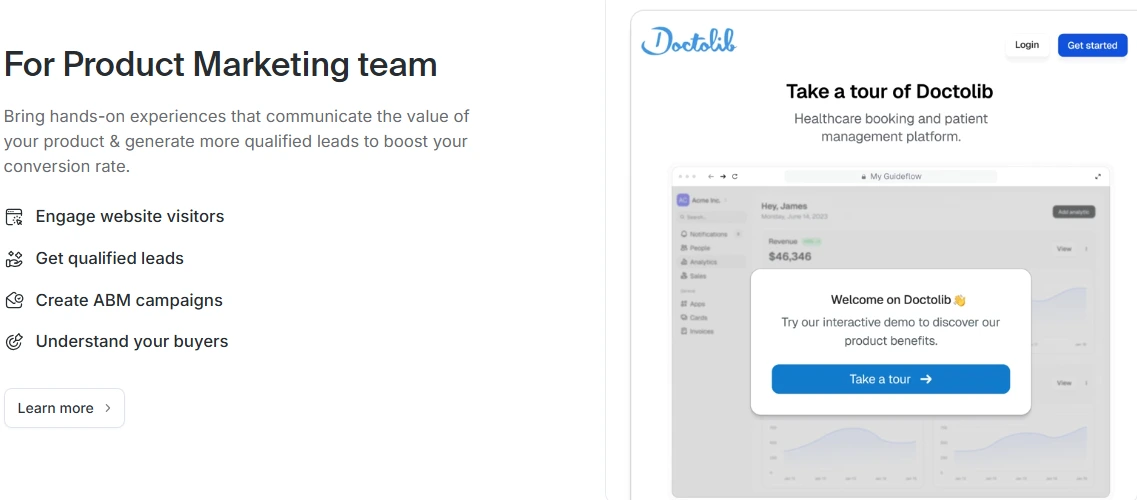
I’ve seen product marketers use Guideflow to transform their acquisition strategy entirely. Instead of static hero images on the homepage, they embed an interactive demo that lets visitors explore the product immediately, no signup required. Prospects click through actual workflows, see real features in action, and understand value before ever talking to sales.
For campaign landing pages, personalized demos dramatically improve conversion. A marketing team running an ABM campaign for financial services companies can show a demo using banking-specific examples, terminology, and workflows. The same product, presented through a lens that makes immediate sense to the target buyer.
Pricing pages benefit enormously from embedded demos. Instead of forcing prospects to choose a plan based on a feature comparison table, they can interact with the features themselves and make informed decisions. This self-serve exploration model reduces unqualified leads who sign up for plans that don’t meet their needs.
The analytics component helps product marketers understand buyer psychology in ways that weren’t previously possible. Which features generate the most interest? Where do enterprise buyers spend time versus SMB buyers? What content resonates with technical evaluators versus business decision-makers? These insights shape not just demo content but overall positioning and messaging strategy.
For Pre-Sales & Sales Teams
Sales cycles often stall because prospects don’t fully understand the product or can’t visualize how it solves their specific problem. Generic sales decks don’t cut it anymore—buyers expect personalized, interactive experiences.
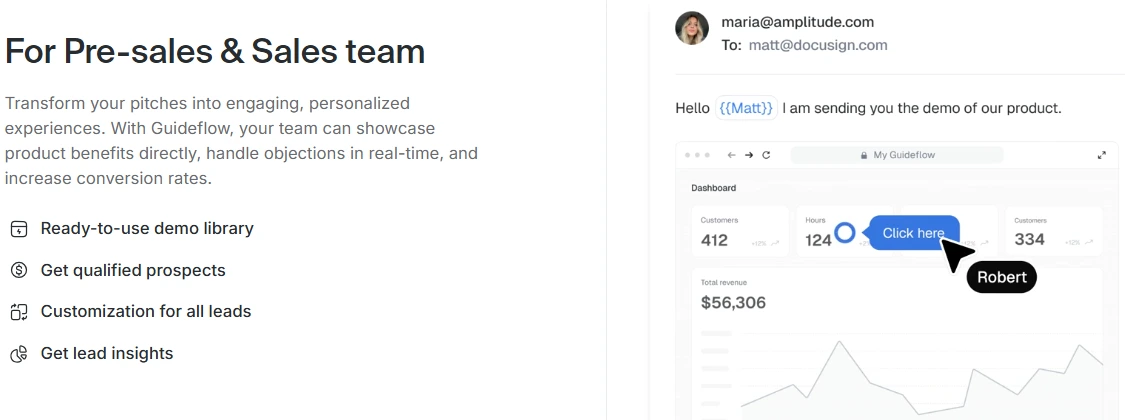
Pre-sales teams using Guideflow build libraries of demo templates organized by role, industry, use case, and pain point. When a sales rep qualifies a prospect as a marketing director at a mid-market retail company struggling with campaign attribution, they can quickly pull up a relevant demo, customize a few elements, and send it over before or after the discovery call.
This approach has several advantages over traditional live demos. First, prospects can explore on their own time, removing scheduling friction. Second, they can revisit specific sections as many times as needed without feeling like they’re wasting the sales rep’s time. Third, the demo serves as a leave-behind asset that keeps your product top-of-mind during evaluation.
The analytics tell sales teams exactly which parts of the demo each prospect viewed and how long they spent exploring. If a prospect spent 10 minutes in the reporting section but skipped integrations entirely, the sales rep knows to focus the next conversation on reporting capabilities and can deprioritize integration talk track.
Lead insights from demo engagement also improve discovery quality. Reps enter calls already knowing which features the prospect cares about, which objections they might have based on drop-off points, and what use cases resonate most.
For outbound campaigns, response rates improve dramatically when cold emails include personalized demo links instead of generic meeting requests. Prospects are more willing to spend five minutes exploring an interactive demo than committing to a 30-minute sales call with a stranger.
For Customer Support Teams
Support teams deal with the same questions repeatedly: “How do I set up my account?” “Where do I find the export button?” “How do I add a team member?” These tickets consume enormous time and delay customers from getting value from the product.
Smart support teams embed Guideflow demos directly into help center articles, replacing text-heavy instructions with interactive step-by-step guides. Instead of reading 12 paragraphs explaining account setup, customers click through an actual setup flow that shows them exactly what to do.
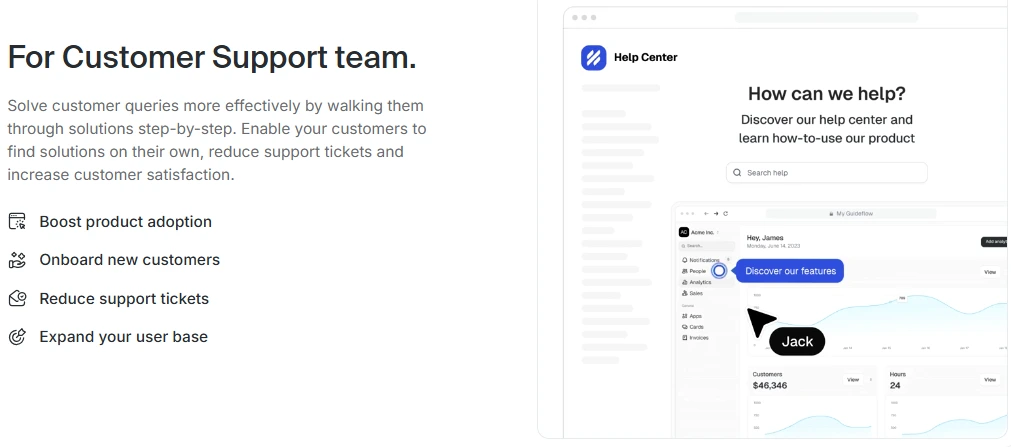
When responding to support tickets, agents can send demo links that walk customers through solutions visually. This is faster for the agent and clearer for the customer than typing out multi-step instructions or jumping on a screen-share call.
The impact on ticket volume can be significant. One support team I consulted with saw a 30% reduction in “how-to” tickets after implementing interactive guides for their top 20 support topics. Customers found answers faster, satisfaction scores improved, and the support team could focus on complex issues that actually required human attention.
Product adoption also improves when customers can access self-serve guidance exactly when they need it. Instead of abandoning a feature because it’s confusing, they click the embedded demo link and learn how to use it properly.
For Product Teams
Product managers struggle with a communication problem: how do you explain new features, get feedback on concepts, and understand actual usage patterns across a diverse user base?
Guideflow helps product teams validate ideas before investing in full development. Create a clickable prototype or mockup demo, share it with a segment of users, and watch the analytics. Which flows do people understand? Where do they get confused? What features generate excitement versus indifference?
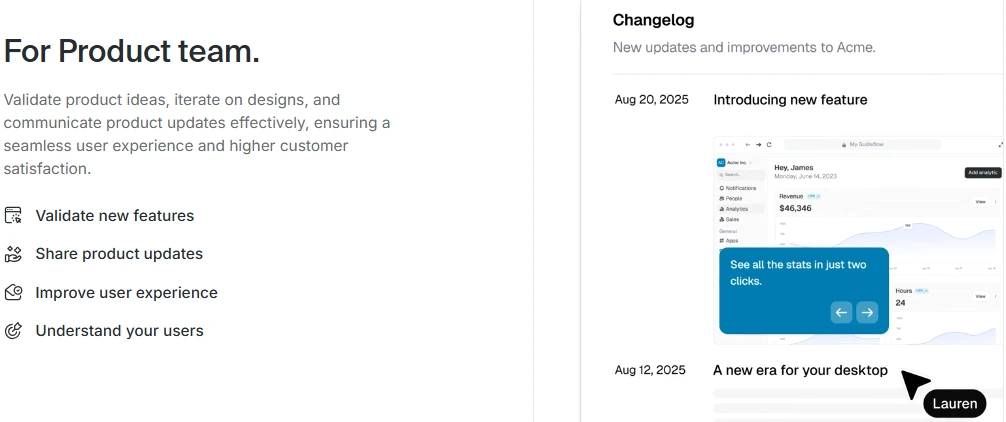
Feature launches become much more effective with interactive announcements. Instead of changelog emails that get ignored, product teams send interactive tours that show exactly what’s new and how to use it. Users can explore new capabilities immediately rather than reading about them.
The feedback loop tightens considerably. Product teams can insert feedback forms at strategic points in demos, asking users specific questions about what they just experienced. This contextual feedback is far more valuable than generic surveys sent days after a feature launch.
Understanding feature adoption is another key use case. If a new capability launched three months ago but demo analytics show users barely exploring it, that’s a clear signal that either the feature isn’t valuable or the team hasn’t communicated its value effectively. Product can then investigate and adjust strategy accordingly.
Pricing & Plans
Guideflow uses a tiered pricing model that scales from individual users to large enterprise teams. Understanding what you get at each level helps you choose the right starting point and anticipate when you’ll need to upgrade.
The free tier is surprisingly functional for initial exploration. You can create a limited number of demos, share them publicly, and access basic analytics. However, there are notable restrictions: demos include Guideflow branding, analytics retention is limited, and advanced features like AI enhancements and lead capture are unavailable. The free tier works well for solo creators testing the platform or small teams creating internal training content where branding doesn’t matter.
Paid plans typically start in the mid two-digits per month per user when billed annually, though pricing varies based on team size and features. These mid-tier plans remove branding, unlock AI capabilities, provide extended analytics retention, enable lead capture forms, and support team collaboration with shared demo libraries and editor access.
Growing teams usually hit the paid tier threshold when they need to use demos in customer-facing scenarios where branding matters, when they want to capture leads and sync to their CRM, or when multiple team members need editing access. The collaboration features become essential once more than one person is creating and maintaining demos.
Enterprise plans use custom pricing and typically include features like single sign-on (SSO), advanced security controls, dedicated customer success support, custom integrations, and higher usage limits. Organizations with complex security requirements, large teams, or sophisticated GTM operations will likely need enterprise-level capabilities.
One pricing consideration worth noting: if you’re a very small team (two to three people) creating a high volume of demos, the per-user costs can add up quickly. It’s worth calculating your anticipated demo creation volume against plan limits before committing. Conversely, if you’re a larger organization where multiple teams (marketing, sales, support, product) will use the platform, the per-user cost becomes much more reasonable given the broad value creation.
Also pay attention to analytics retention limits on lower tiers. If you’re optimizing demos over time or reporting on engagement trends to leadership, you’ll need extended analytics history, which typically requires a higher-tier plan.
Strengths and Weaknesses
Strengths
Speed and simplicity stand out immediately. From capturing a workflow to sharing a polished demo takes minutes, not days. Teams without technical resources can create professional interactive experiences independently.
The GTM team fit is excellent. Guideflow clearly understands how product marketing, sales, support, and product teams actually work. Features map directly to real workflows rather than forcing teams to adapt their processes to the tool.
AI features reduce manual polish work significantly. Automatic copy improvement, voiceover generation, and translation capabilities mean teams can create more demos in less time without sacrificing quality.
Integration with existing GTM stack is strong. CRM sync, marketing automation triggers, analytics platforms—Guideflow plays well with the tools teams already use, creating seamless workflows rather than data silos.
Interactive experiences outperform static content consistently. This isn’t a Guideflow-specific advantage, but it’s worth emphasizing: interactive demos generate better engagement, higher conversion rates, and more qualified leads than screenshots and videos.
Weaknesses and Trade-Offs
Higher-tier pricing can be expensive for very small teams. If you’re a startup with limited budget but need advanced features, the cost per user might strain resources. You’ll need to carefully evaluate ROI.
Web application focus means mobile-first products require extra effort. If your product is primarily a native iOS or Android app, the browser-based capture approach won’t work seamlessly. You’ll need workarounds or supplemental tools.
Complex branching and personalization has a learning curve. While basic demo creation is simple, building sophisticated personalized demos with conditional logic and multiple paths requires more investment in learning the platform.
The tool doesn’t fix positioning problems. If your product messaging is unclear or your value proposition is weak, a beautiful interactive demo will just communicate that confusion more effectively. You still need strong underlying product marketing strategy.
Analytics depth is good but not enterprise-grade BI. Teams expecting Mixpanel or Amplitude-level behavioral analytics will find Guideflow’s reporting functional but not comprehensive. It tells you what you need to know about demo performance, but it’s not a full product analytics platform.
Who Should (and Shouldn’t) Choose Guideflow
Ideal Users
Guideflow is built for SaaS companies with products complex enough to require explanation but want to make that explanation as frictionless as possible. If your product has a learning curve, if prospects struggle to understand value without seeing it in action, if your sales cycle depends heavily on product demonstrations—Guideflow will likely deliver significant value.
Teams that rely on demos throughout the customer lifecycle benefit most. Product marketing uses it for acquisition, sales uses it for pipeline acceleration, support uses it for deflection, product uses it for adoption. This cross-functional value creation justifies the investment much more easily than a tool that only serves one team.
GTM organizations that want behavioral data on how prospects and customers interact with product messaging will find the analytics invaluable. Understanding which features resonate, where confusion happens, and how different segments engage with your product enables much smarter go-to-market strategy.
Not Ideal For
Very early-stage companies that just need quick screen recordings to explain basic concepts probably don’t need Guideflow yet. Free tools like Loom or simple video capture might be sufficient until you have more traffic, a sales team, and clearer user journeys that justify a dedicated demo platform.
If your product isn’t software—if you sell physical products, services, or business models that don’t involve users clicking through interfaces—interactive software demos obviously won’t apply. The use case simply doesn’t fit.
Companies with minimal web traffic, no active sales motion, or still in product-market fit discovery mode may not extract full value. Guideflow amplifies and scales demo creation, but if you’re not yet at the stage where demos are a core growth lever, the platform might be premature.
Be honest about your current stage and needs. If you’re creating maybe two demos per quarter and showing them to a handful of prospects, you probably don’t need a sophisticated demo platform yet. But if creating and updating demos is a regular activity that involves multiple team members and touches your entire GTM motion, Guideflow becomes increasingly valuable.
Final Verdict
Guideflow represents a meaningful evolution in how B2B teams communicate product value. By combining easy capture, no-code editing, AI-powered enhancement, and distribution flexibility, it solves the practical problems that have made interactive demos challenging to create and maintain at scale.
What makes Guideflow stand out among demo tools is the combination of speed, team-specific features, and AI automation. You’re not just getting a screen recording tool or a prototype builder—you’re getting a platform that understands the complete lifecycle of how demos get created, distributed, consumed, and optimized across marketing, sales, support, and product teams.
For day-to-day workflows, Guideflow changes the equation from “should we invest time building a demo for this?” to “let’s quickly create a demo and test if it works.” That mindset shift—from demos as high-investment projects to demos as standard operating procedure—unlocks significant competitive advantage.
If interactive demos are core to your growth strategy and you want a scalable, team-friendly solution that reduces creation time while improving quality and tracking, Guideflow is one of the strongest options available in 2025. The platform has clear limitations around mobile apps and pricing for very small teams, but for B2B SaaS companies running multi-team GTM operations, it delivers substantial value.
My recommendation: if you’re currently creating demos manually, spending hours on updates, or struggling to get adoption across teams, start with Guideflow’s free tier. Build a couple of demos for real use cases, share them with actual prospects or customers, and watch the analytics. You’ll quickly know whether the platform fits your workflow and justifies moving to a paid plan. For more project management and productivity tool reviews, check out our ClickUp review.
Frequently Asked Questions
What’s the difference between Guideflow and simple screen-recording tools like Loom?
Screen recording tools create linear videos that viewers watch passively. Guideflow creates interactive experiences where viewers click through at their own pace, explore specific sections, and engage with the product actively. You also get step-by-step analytics showing exactly where viewers spend time or drop off, which video tools don’t provide.
Can non-technical teams create demos without developers?
Yes, that’s the entire point. The capture process happens through a browser extension, and editing uses a visual interface with drag-and-drop controls. No coding or technical skills required—if you can navigate your product and use basic presentation software, you can create Guideflow demos.
Does Guideflow work for mobile apps?
It works best for web-based applications accessed through browsers. Native mobile apps (iOS, Android) require more manual effort since the browser extension can’t directly capture mobile interfaces. Some teams create mobile demos using emulators or web-based mobile views, but it’s not as seamless as web app capture.
How long does it take to create a typical demo?
A basic five to seven step demo can be captured and published in 15 to 20 minutes. More complex demos with extensive editing, personalization, and AI enhancements might take an hour or two. Compare that to traditional video production or custom demo environment builds, which often take days or weeks.
How does Guideflow help reduce support tickets?
By embedding interactive guides directly into help center articles and support responses, customers can see exactly how to complete tasks rather than reading lengthy instructions. This self-service approach resolves common questions faster and reduces repetitive ticket volume for straightforward how-to queries.
Can Guideflow be used for internal training and onboarding?
Absolutely. Many teams use Guideflow to create internal training materials for new employees, document processes for cross-functional teams, and build onboarding flows that help new users get productive quickly. The analytics help identify where training might be falling short or which processes cause the most confusion.
More Resources

Co-Founder and Lead Reviewer at BoostStash. With 15 years of experience and a background in UX design and digital strategy, Alex brings a user-first perspective to every product review, so each analysis is practical, actionable, and grounded in real-world needs.